การแนะนำ
Thank you for choosing Lepro Dreamcolor LED Strip Lights. This manual provides detailed instructions for the safe and efficient installation, operation, and maintenance of your new LED strip lights. Please read this manual thoroughly before use and retain it for future reference.

Figure 1: Lepro 65.6ft Dreamcolor LED Strip Lights kit components.
สินค้าเกินview
เนื้อหาแพ็คเกจ
- 65.6ft Dreamcolor LED Strip Lights (2 x 32.8ft rolls)
- รีโมทคอนโทรล
- อะแดปเตอร์แปลงไฟ
- กล่องควบคุม
- 6 Mounting brackets/fixing clips
- 6 สกรู
คุณสมบัติหลัก
- Dreamcolor Effect: Displays multiple colors simultaneously on a single strip, creating a rainbow-like effect.
- การซิงค์เพลง: Built-in sensitive microphone allows lights to change colors and patterns with music beats.
- ติดตั้งง่าย: Features 3M adhesive backing for secure attachment and includes mounting clips for additional support.
- การควบคุมแบบคู่: Operate the lights using the included 20-key remote control or the 3-button control box.
- โหมดไดนามิก: Offers a variety of dynamic lighting modes and effects for different ambiance settings.
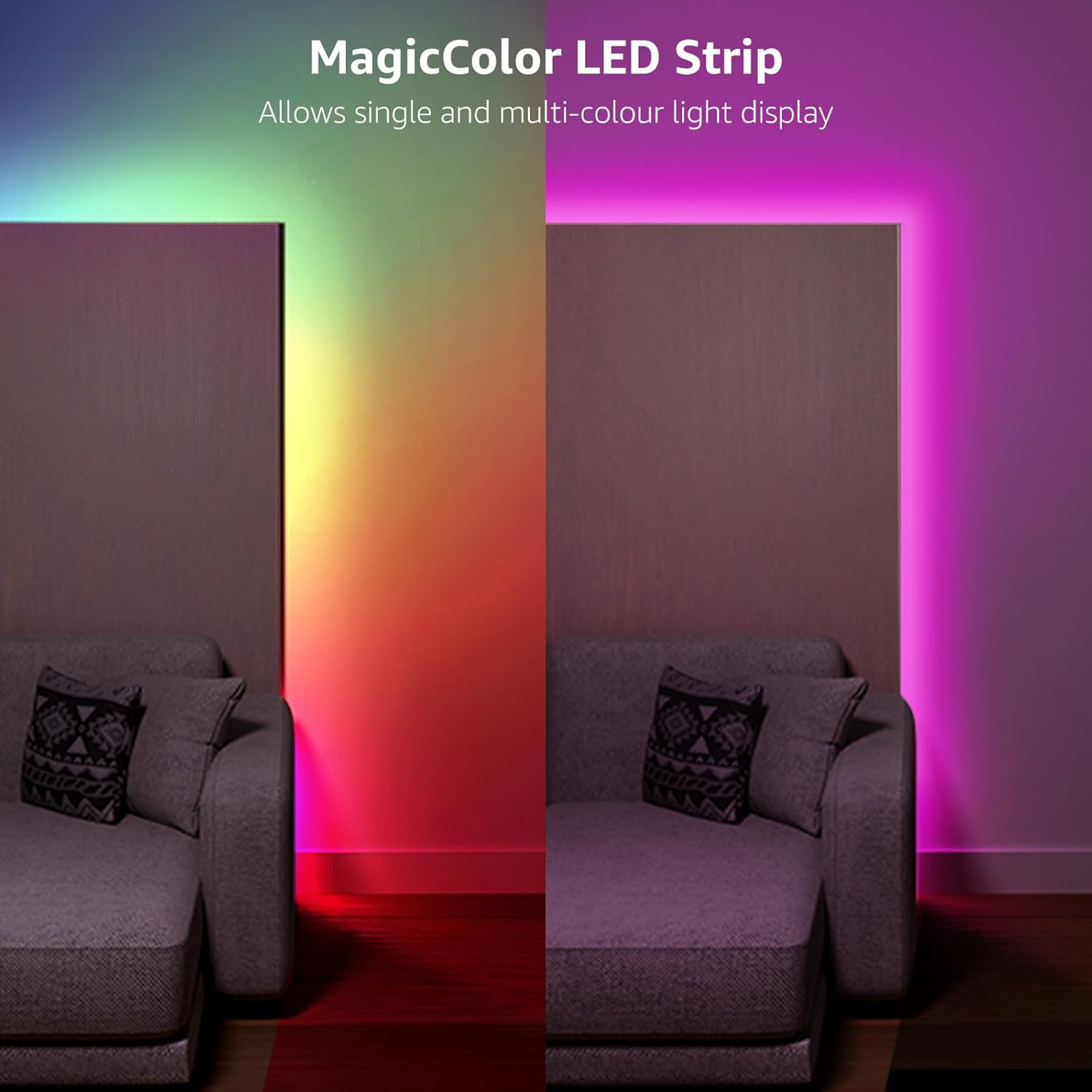
Figure 2: Dreamcolor LED Strip displaying multiple colors simultaneously.
การติดตั้งและการตั้งค่า
การตระเตรียม
- Ensure the installation surface is clean, dry, and smooth.
- Unroll the LED strip lights completely before powering them on to prevent overheating.
- Plan your desired layout to ensure the strip length is sufficient and power connections are accessible.
ขั้นตอนการติดตั้ง
- เชื่อมต่อส่วนประกอบ: Connect the LED strip(s) to the control box, and then connect the control box to the power adapter. Ensure all connections are secure.
- ไฟทดสอบ: Before peeling the adhesive, plug in the power adapter to a wall outlet to test if the lights function correctly.
- ลอกและติด: Carefully peel off the protective backing from the 3M adhesive tape on the back of the LED strip. Press the strip firmly onto the prepared surface along your desired path.
- Add Support (Optional but Recommended): For enhanced security and longevity, use the provided mounting brackets and screws. Place clips at regular intervals, especially around corners or areas with less adhesion.
- การเดินสายไฟที่ปลอดภัย: Ensure all cables are neatly arranged and secured to prevent accidental disconnections or damage.
หมายเหตุสำคัญ:
- The LED strip lights are not designed to be cut. Cutting the strip will damage the circuit and render it inoperable.
- ผลิตภัณฑ์นี้ได้รับการจัดอันดับสำหรับ ใช้ภายในอาคารเท่านั้น and is not water resistant. Avoid exposure to moisture or outdoor elements.

Figure 3: Easy installation steps for the LED strip lights.
คำแนะนำการใช้งาน
Your Lepro Dreamcolor LED Strip Lights can be controlled using either the included 20-key remote control or the 3-button control box.
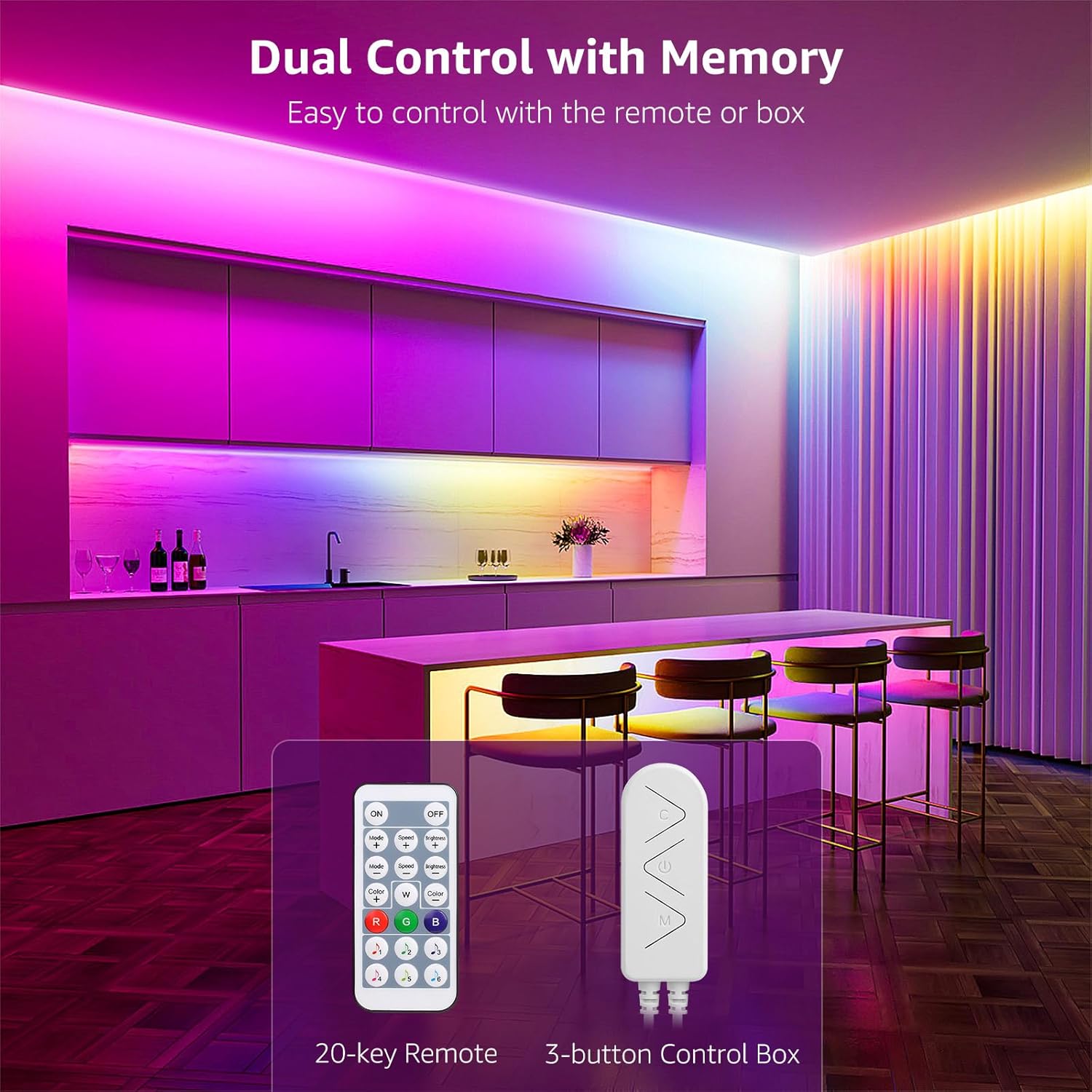
Figure 4: Remote control and 3-button control box.
การควบคุมการทำงานด้วยรีโมทคอนโทรล
Point the remote control directly at the IR receiver on the control box for optimal response.
- เปิด/ปิด: เปิดหรือปิดไฟ
- R/G/B/W Buttons: Select static Red, Green, Blue, or White colors.
- ปุ่มเลือกสี: Choose from a variety of preset static colors.
- ความสว่าง +/-: ปรับระดับความสว่างของไฟ
- โหมด +/-: Cycle through various dynamic lighting effects (e.g., Breathe, Run, Chase, Stack, Flow, Starry, Rainbow, Dreamcolor).
- ความเร็ว +/-: ปรับความเร็วของเอฟเฟกต์แสงแบบไดนามิก
- โหมดเพลง: เปิดใช้งานการซิงโครไนซ์เพลง
การทำงานของกล่องควบคุม
The 3-button control box provides basic control directly on the unit:
- ปุ่มเปิด/ปิด: เปิดหรือปิดไฟ
- ปุ่มโหมด: สลับไปมาระหว่างโหมดแสงสว่างต่างๆ
- ปุ่มเพลง: Activates or deactivates music synchronization.
ฟังก์ชั่นซิงค์เพลง
The built-in microphone in the control box detects ambient sound and music, allowing the lights to change colors and patterns in rhythm. Press the 'Music' button on the remote or control box to activate this feature. There are multiple music modes to choose from, offering different visual responses to sound.

Figure 5: LED strip lights in music sync mode.

รูปที่ 6: อดีตamples of dynamic light effects.
การซ่อมบำรุง
การทำความสะอาด
To maintain optimal performance and appearance, clean the LED strip lights periodically:
- Ensure the lights are unplugged and completely off before cleaning.
- Gently wipe the surface of the LED strips with a soft, dry, or slightly damp ผ้า.
- Do not use harsh chemicals, abrasive cleaners, or excessive moisture, as this can damage the lights.
พื้นที่จัดเก็บ
If you need to store the LED strip lights for an extended period:
- Unplug the power adapter and carefully detach the strips.
- Roll the strips loosely to avoid kinking or damaging the internal wiring.
- เก็บในที่เย็นและแห้ง ห่างจากแสงแดดโดยตรงและอุณหภูมิที่สูงเกินไป
คำเตือน:
ผลิตภัณฑ์นี้เป็น ไม่กันน้ำ. Do not install in wet locations or expose to rain or splashes. Ensure the power adapter and control box remain dry at all times.
การแก้ไขปัญหา
If you encounter issues with your LED strip lights, refer to the following table for common problems and solutions:
| ปัญหา | สาเหตุที่เป็นไปได้ | สารละลาย |
|---|---|---|
| ไฟไม่เปิด |
|
|
| รีโมทคอนโทรลไม่ทำงาน. |
|
|
| Lights are not syncing with music. |
|
|
| Adhesive is not holding the strip. |
|
|
ข้อมูลจำเพาะทางเทคนิค
| คุณสมบัติ | ข้อมูลจำเพาะ |
|---|---|
| หมายเลขรุ่น | PR410096-RGB-WP-US |
| ความยาว | 65.6 feet (2 x 32.8ft rolls) |
| สีอ่อน | Multicolor (RGB Dreamcolor) |
| ประเภทแหล่งกำเนิดแสง | นำ |
| จำนวนแหล่งกำเนิดแสง | 150 |
| เล่มที่tage | 12 โวลต์ (กระแสตรง) |
| วัดtage | 36 วัตต์ |
| แหล่งพลังงาน | สายไฟ |
| ประเภทตัวควบคุม | Remote Control, Control Box |
| การใช้งานภายใน/ภายนอกอาคาร | ในร่ม |
| ระดับความต้านทานต่อน้ำ | ไม่ทนน้ำ |
| วัสดุ | โลหะ, ไวนิล |
| น้ำหนักสินค้า | 1.14 ปอนด์ |
| ขนาดสินค้า | 6.34 x 6.26 x 3.27 นิ้ว (บรรจุภัณฑ์) |
การรับประกันและการสนับสนุน
ข้อมูลการรับประกัน
Lepro products are manufactured to high-quality standards. While specific warranty terms may vary, Lepro is known for its commitment to customer satisfaction. Please retain your proof of purchase for any warranty claims.
การสนับสนุนลูกค้า
Should you encounter any issues or have questions regarding your Lepro Dreamcolor LED Strip Lights, please contact Lepro customer support. You can typically find contact information on the product packaging or the official Lepro website. When contacting support, please provide your product model number (PR410096-RGB-WP-US) and a detailed description of the issue.


