การแนะนำ
The Timex TW500 is a versatile alarm clock radio designed for modern living. It features wireless charging for compatible devices, a USB charging port, dual digital alarms, an FM radio with presets, a dimmable display, and a sleep timer. This manual provides detailed instructions for setting up and operating your device.
สินค้าเกินview

ด้านหน้า View: The Timex TW500 alarm clock radio features a large, clear green LED display showing the time, along with indicators for PM, alarm status, and charging. Control buttons are located on the top panel.

ความสามารถในการชาร์จแบบคู่: This image illustrates the dual charging feature of the TW500, with a smartphone wirelessly charging on the top surface and another smartphone connected to the USB-A charging port located on the back of the unit.
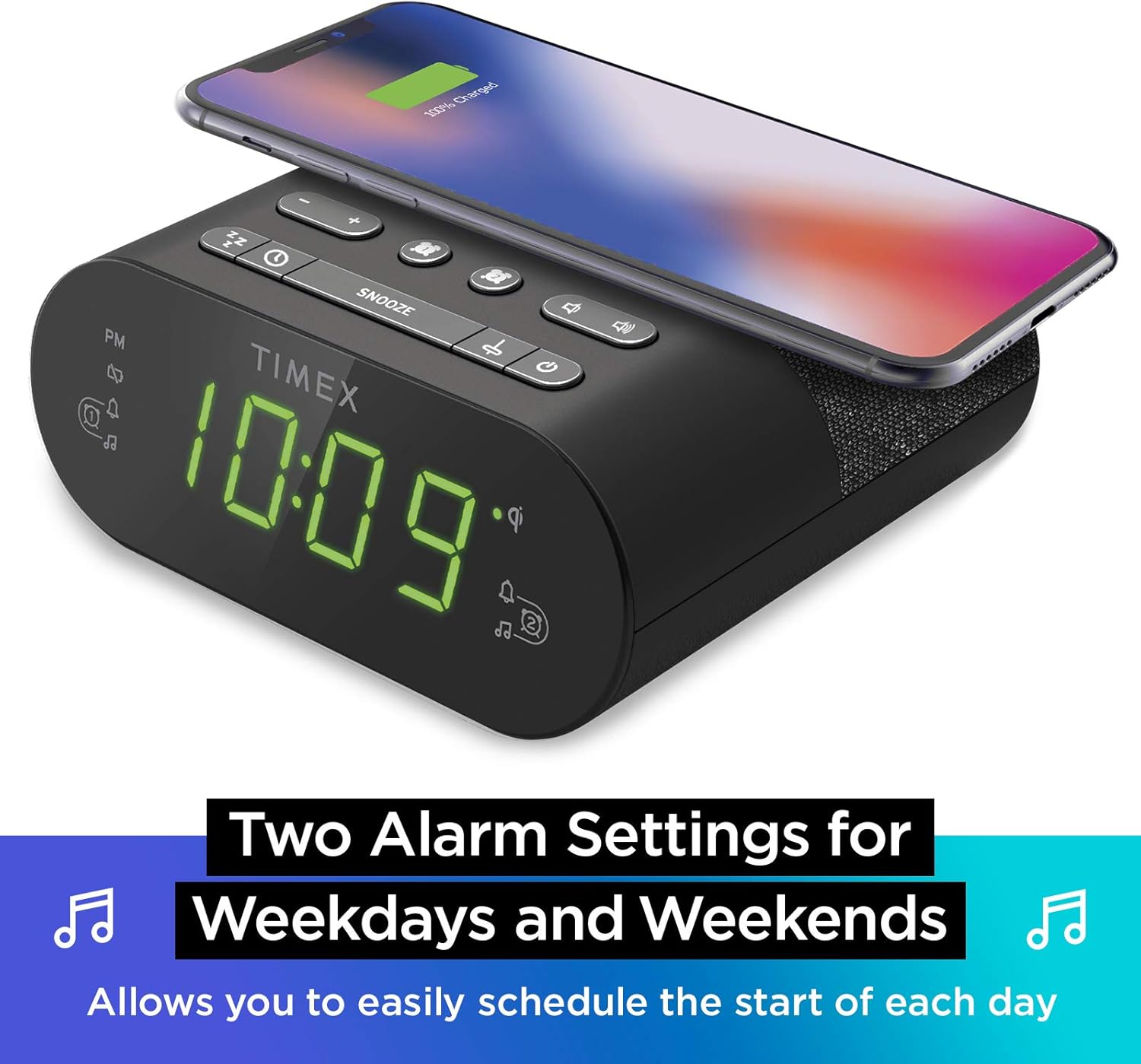
การตั้งค่าการปลุกแบบคู่: The TW500 supports two independent alarm settings, allowing users to schedule separate wake times for different days or for two individuals.
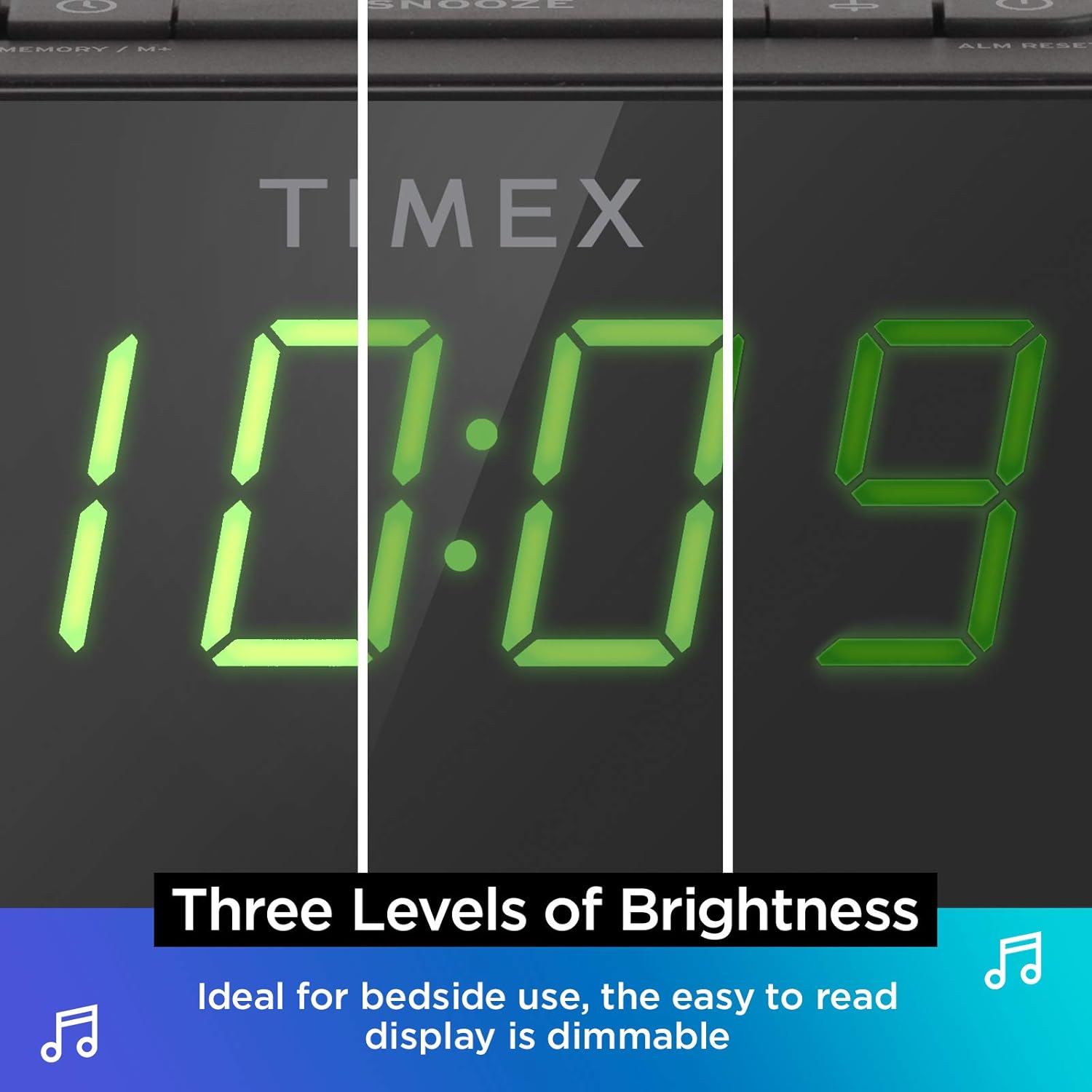
จอแสดงผลแบบหรี่แสงได้: The digital display offers multiple brightness levels, ensuring comfortable viewing in various lighting conditions, from bright daylight to a dark bedroom.
การตั้งค่า
1. การเชื่อมต่อไฟฟ้า
Connect the supplied AC power adapter to the DC jack on the back of the unit and plug the other end into a working wall outlet. The unit will power on and the display will light up.
2. การติดตั้งแบตเตอรี่สำรอง
เพื่อรักษาเวลาอย่างต่อเนื่องในระหว่างที่ไฟฟ้าดับtages, install one CR-2032 battery (included) into the battery compartment on the bottom of the unit. Ensure correct polarity (+/-) as indicated.
3. การตั้งค่าเสาอากาศ
Extend the FM wire antenna on the back of the unit fully for optimal FM radio reception. Adjust its position as needed to improve signal quality.
คำแนะนำการใช้งาน
การตั้งเวลา
- กดปุ่มค้างไว้ ตั้งเวลา button located on the top panel until the time display flashes.
- กดปุ่ม - or + ปุ่มสำหรับปรับเวลา โปรดสังเกตตัวบ่งชี้ PM ด้วย
- กดปุ่ม ตั้งเวลา button again to confirm the hour and move to minutes setting.
- กดปุ่ม - or + ปุ่มปรับนาที
- กดปุ่ม ตั้งเวลา button one last time to save the time and exit time setting mode.
การตั้งค่าสัญญาณเตือน (สัญญาณเตือน 1 และ สัญญาณเตือน 2)
The TW500 features two independent alarms. The process is identical for both.
- กดปุ่มค้างไว้ สัญญาณเตือนภัยครั้งที่หนึ่ง or สัญญาณเตือนภัยที่สอง กดปุ่มค้างไว้จนกว่าเวลาปลุกจะกะพริบ
- กดปุ่ม - or + กดปุ่มเพื่อปรับเวลาปลุก สังเกตตัวบ่งชี้ PM ด้วย
- กดปุ่มที่เกี่ยวข้อง สัญญาณเตือนภัยครั้งที่หนึ่ง or สัญญาณเตือนภัยที่สอง button again to confirm the hour and move to minutes setting.
- กดปุ่ม - or + ปุ่มสำหรับปรับนาทีปลุก
- กดปุ่มที่เกี่ยวข้อง สัญญาณเตือนภัยครั้งที่หนึ่ง or สัญญาณเตือนภัยที่สอง button again to select the alarm source (FM radio or Tone). The corresponding icon will light up.
- กดปุ่มที่เกี่ยวข้อง สัญญาณเตือนภัยครั้งที่หนึ่ง or สัญญาณเตือนภัยที่สอง button one last time to save the alarm setting. The alarm indicator will remain lit.
To turn an alarm off, repeatedly press the corresponding สัญญาณเตือนภัยครั้งที่หนึ่ง or สัญญาณเตือนภัยที่สอง button until the alarm indicator light turns off.
การทำงานของวิทยุ FM
- กดปุ่ม เปิด/ปิด ปุ่มเพื่อเปิดวิทยุ
- กดปุ่ม - or + buttons to tune to your desired FM station. Press and hold to auto-scan for the next available station.
- กดปุ่ม ปริมาณ - or ปริมาณ + ปุ่มปรับระดับเสียง
- การตั้งค่าพรีเซ็ต: กดปุ่มค้างไว้ MEMORY/M+ button. The preset number will flash. Use the - or + กดปุ่มเพื่อเลือกหมายเลขที่ตั้งไว้ล่วงหน้า (1-10) MEMORY/M+ อีกครั้งเพื่อบันทึก
- การเรียกคืนค่าที่ตั้งไว้ล่วงหน้า: กดปุ่มสั้นๆ ตั้งค่าเอฟเอ็มล่วงหน้า ปุ่มสำหรับสลับดูสถานีที่บันทึกไว้
- กดปุ่ม เปิด/ปิด ปุ่มสำหรับปิดวิทยุ
การชาร์จแบบไร้สาย
The top surface of the TW500 features a Qi-compatible wireless charging pad.
- Place your Qi-enabled smartphone or other compatible device directly onto the wireless charging pad.
- Ensure the device is centered on the charging pad for optimal connection. A charging indicator on your device or the TW500 (if applicable) will confirm charging has begun.
- ถอดอุปกรณ์ของคุณออกเมื่อชาร์จเต็มแล้ว
การชาร์จ USB
A 5W USB-A charging port is located on the back of the unit.
- Connect your device's USB charging cable to the USB port on the TW500.
- ต่อปลายอีกด้านของสายเคเบิลเข้ากับอุปกรณ์ของคุณ การชาร์จจะเริ่มต้นโดยอัตโนมัติ
จอแสดงผลหรี่
สามารถปรับความสว่างของหน้าจอได้ตามความต้องการของคุณ
- กดปุ่ม หรี่ไฟ button repeatedly to cycle through different brightness levels (High, Medium, Low, Off).
ตัวตั้งเวลาปิดเครื่อง
ตัวตั้งเวลาปิดเครื่องช่วยให้คุณหลับไปพร้อมกับเสียงวิทยุ ซึ่งจะปิดเครื่องโดยอัตโนมัติหลังจากเวลาที่กำหนดไว้
- ขณะที่วิทยุกำลังเล่นอยู่ ให้กดปุ่ม นอน button repeatedly to cycle through sleep timer options (e.g., 10, 20, 30, 60, 90 minutes, Off).
- วิทยุจะเล่นตามระยะเวลาที่เลือกไว้ แล้วจะปิดเองโดยอัตโนมัติ
ฟังก์ชั่นการพักชั่วคราว
เมื่อเสียงสัญญาณเตือนดังขึ้น ให้กดปุ่มขนาดใหญ่ เลื่อน button on the top of the unit to temporarily silence the alarm for 9 minutes. The alarm will sound again after the snooze period.
การซ่อมบำรุง
- การทำความสะอาด: ใช้ผ้านุ่มและแห้งเช็ดทำความสะอาดภายนอกตัวเครื่อง ห้ามใช้น้ำยาทำความสะอาดหรือวัสดุขัดถู
- การเปลี่ยนแบตเตอรี่: Replace the CR-2032 backup battery annually or if the time display is incorrect after a power outage.
- พื้นที่จัดเก็บ: หากจะเก็บเครื่องไว้เป็นเวลานาน ควรตัดการเชื่อมต่อจากแหล่งจ่ายไฟและถอดแบตเตอรี่สำรองออกด้วย
การแก้ไขปัญหา
| ปัญหา | สาเหตุที่เป็นไปได้ | สารละลาย |
|---|---|---|
| เครื่องไม่เปิด | ไม่ได้เสียบอะแดปเตอร์แปลงไฟ หรือปลั๊กไฟใช้งานไม่ได้ | Ensure AC adapter is securely plugged into the unit and a live wall outlet. Test the outlet with another device. |
| สัญญาณเตือนภัยไม่ดัง | ไม่ได้ตั้งค่าสัญญาณเตือน ระดับเสียงสัญญาณเตือนต่ำเกินไป หรือสัญญาณเตือนถูกปิดอยู่ | Verify alarm time and source are set correctly. Increase radio volume if alarm source is FM. Ensure alarm indicator is lit. |
| การรับสัญญาณวิทยุ FM ไม่ดี | เสาอากาศไม่ยืดออกหรือพื้นที่สัญญาณไม่ดี | ยืดสายอากาศ FM ให้สุดแล้วปรับตำแหน่งใหม่เพื่อให้รับสัญญาณได้ดีขึ้น ลองย้ายเครื่องไปไว้ในตำแหน่งอื่นดู |
| การชาร์จแบบไร้สายไม่ทำงาน | Device not Qi-compatible, not centered, or foreign object on pad. | Ensure your device supports Qi wireless charging. Re-position the device centrally on the pad. Remove any metal objects or thick cases. |
| การชาร์จผ่าน USB ไม่ทำงาน | Cable faulty or device not compatible. | Try a different USB cable. Ensure the device is compatible with standard USB charging. |
ข้อมูลจำเพาะ
- แบบอย่าง: ทีดับบลิว500
- ขนาด : 5.48 นิ้ว (กว้าง) x 2.17 นิ้ว (ลึก) x 5.20 นิ้ว (สูง)
- น้ำหนัก: 0.7 ปอนด์ (ประมาณ 0.32 กก.)
- กำลังไฟเข้า: อะแดปเตอร์แปลงไฟ AC (มีให้ในชุด)
- แบตเตอรี่สำรอง: แบตเตอรี่ CR-1 2032 ก้อน (รวมอยู่ด้วย)
- การชาร์จแบบไร้สาย: รองรับ Qi
- พอร์ตชาร์จ USB: USB-A 5W
- วิทยุ: FM with 10 presets
- แสดง: 0.9" Green LED, Dimmable
- สัญญาณเตือนภัย: Dual Digital Alarms (Wake to Radio or Tone)
วิดีโอผลิตภัณฑ์อย่างเป็นทางการ
วิดีโอนี้ให้ภาพที่ชัดเจนview of the Timex TW500, highlighting its key features such as wireless charging, USB charging, FM radio, dual alarms, and dimmable display. It demonstrates the product's compact design and functionality.
การรับประกันและการสนับสนุน
This Timex product comes with a limited warranty. For detailed warranty information, product support, or to register your product, please refer to the warranty card included in your product packaging or visit the official Timex website. If you are not 100% satisfied with your new Timex alarm clock radio and its performance, please contact the seller for assistance.
ผู้ผลิต: ไทม์เม็กซ์
ยูพีซี: 758859207179


