1. คำแนะนำด้านความปลอดภัยที่สำคัญ
Please read all instructions carefully before assembling and using the HAMMER Cobra 4532 XTR Plus II Rower. Retain this manual for future reference. Failure to follow these instructions may result in injury or damage to the equipment.
- ควรปรึกษาแพทย์ก่อนเริ่มโปรแกรมออกกำลังกายใหม่ใดๆ
- Ensure the rower is placed on a flat, stable surface with adequate clearance around it.
- เก็บเด็กและสัตว์เลี้ยงให้ห่างจากอุปกรณ์ระหว่างการใช้งาน
- ตรวจสอบเครื่องพายเรืออย่างสม่ำเสมอ โดยเฉพาะสายเคเบิล สายรัด และชิ้นส่วนที่เคลื่อนไหว ห้ามใช้หากชำรุด
- ห้ามใช้งานเกินน้ำหนักผู้ใช้สูงสุด 130 กิโลกรัม (286 ปอนด์)
- ควรสวมรองเท้าและชุดกีฬาที่เหมาะสมขณะออกกำลังกาย
- หยุดออกกำลังกายทันทีหากคุณรู้สึกจะเป็นลม เวียนศีรษะ หรือมีความเจ็บปวด
2. สินค้าหมดview
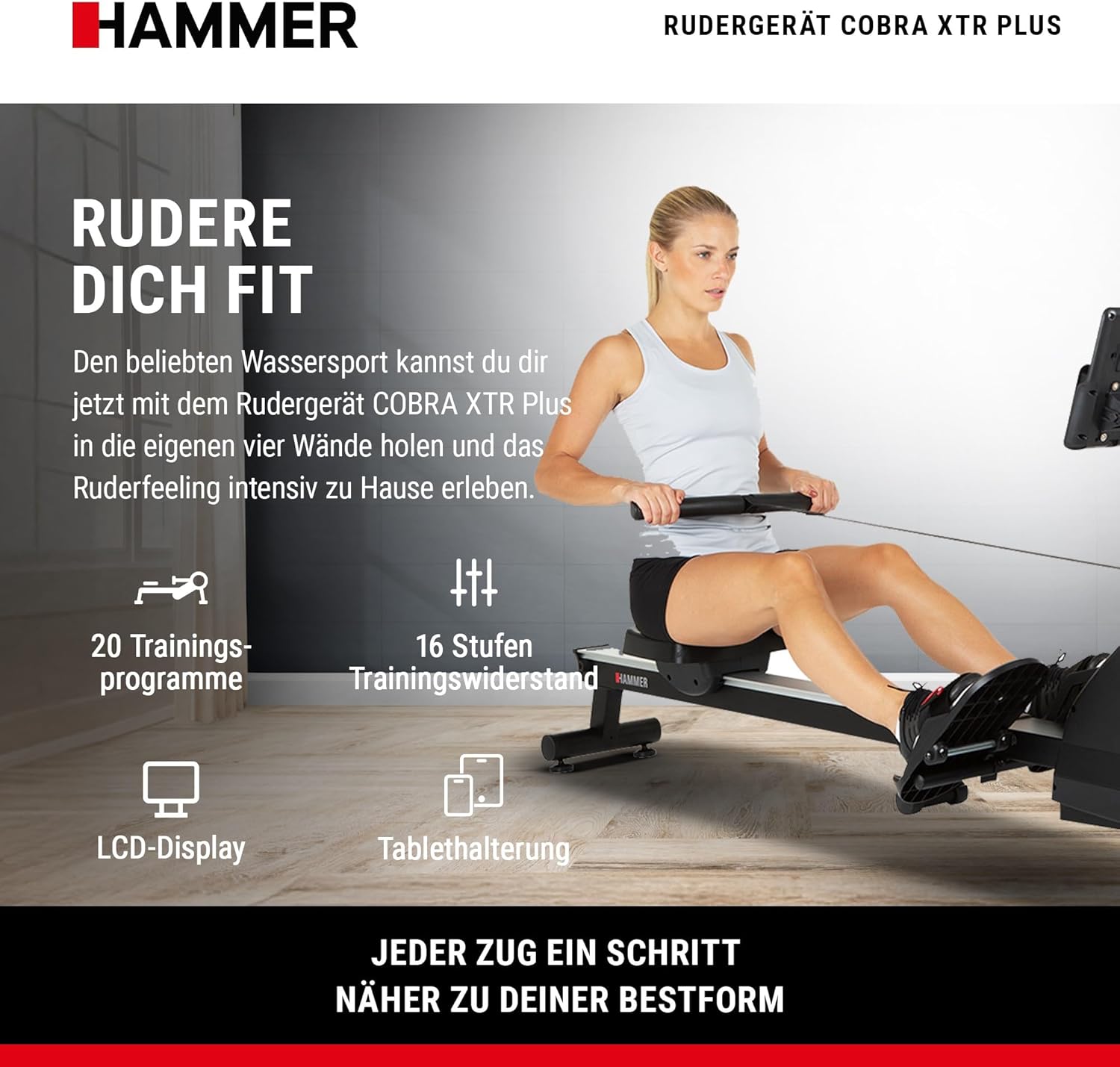
The HAMMER Cobra 4532 XTR Plus II Rower is designed for comprehensive full-body workouts at home. It engages multiple muscle groups simultaneously, enhancing cardiovascular fitness, endurance, and muscle strength. The rower features an advanced training computer, interactive app compatibility, and a space-saving folding design.
3. การติดตั้งและการประกอบ
3.1 การแกะกล่อง
Carefully remove all components from the packaging. Place them on a clean, flat surface. Check the contents against the parts list (not provided in this manual, refer to your product packaging for a complete list).
3.2 การระบุส่วนประกอบ
Familiarize yourself with the main components, including the main frame, seat, footplates, handle, and training computer.
3.3 ขั้นตอนการประกอบ
While specific assembly steps are not detailed here, general assembly typically involves:
- Attaching the main rail to the front stabilizer.
- Mounting the seat onto the rail.
- Securing the footplates.
- Connecting the handle and resistance mechanism.
- Installing the training computer and its holder.
Ensure all bolts and screws are tightened securely before use. Refer to the detailed assembly instructions included in your product packaging.
4. Operating Your Rower
4.1 Understanding the Training Computer
The integrated LCD training computer provides real-time feedback on your workout. It tracks various metrics to help you monitor your progress and optimize your training.

- จอแสดงผล LCD: Clear screen with blue backlight for easy readability.
- ตัวชี้วัดที่แสดง: Distance, Calorie Consumption, Heart Rate, Resistance Level, Training Time.
- ผู้ใช้มืออาชีพfiles: Supports up to 5 individual user profileสำหรับการติดตามส่วนบุคคล
- การควบคุม: Features a 'Push & Turn' knob for easy navigation and selection.
4.2 โครงการฝึกอบรม
The rower offers a variety of pre-set training programs to keep your workouts engaging and effective.
- จำนวนโปรแกรมทั้งหมด: 20 diverse training programs.
- Pulse Programs: Includes 4 heart rate-controlled programs to target specific training zones.
- ระดับความต้านทาน: 16 adjustable levels of training resistance.

4.3 Interactive Training with Apps
Enhance your training experience by connecting your smartphone or tablet to the rower. The integrated holder supports interactive fitness applications.

- Smartphone/Tablet Holder: Securely holds your device for easy viewการไอเอ็นจี
- ความเข้ากันได้ของแอพ: Compatible with popular fitness apps such as BitGym, Kinomap, and HAMMER Workouts for virtual rowing experiences and varied training.
4.4 การตรวจวัดอัตราการเต้นของหัวใจ
The training computer includes an integrated heart rate receiver, allowing you to monitor your pulse during workouts. This is crucial for targeted training, whether for endurance, fat burning, or cardiovascular health.

5. การดูแลรักษา
Regular maintenance ensures the longevity and safe operation of your rower.
- การทำความสะอาด: เช็ดทำความสะอาดเครื่องพายเรือด้วยน้ำยาทำความสะอาดamp หลังการใช้ทุกครั้งเพื่อขจัดเหงื่อและฝุ่น หลีกเลี่ยงน้ำยาทำความสะอาดที่มีฤทธิ์กัดกร่อน
- การตรวจสอบ: ตรวจสอบสลักเกลียว น็อต และชิ้นส่วนเคลื่อนไหวทั้งหมดเป็นระยะๆ เพื่อความแน่นหนาและการสึกหรอ ขันสกรูยึดที่หลวมให้แน่น
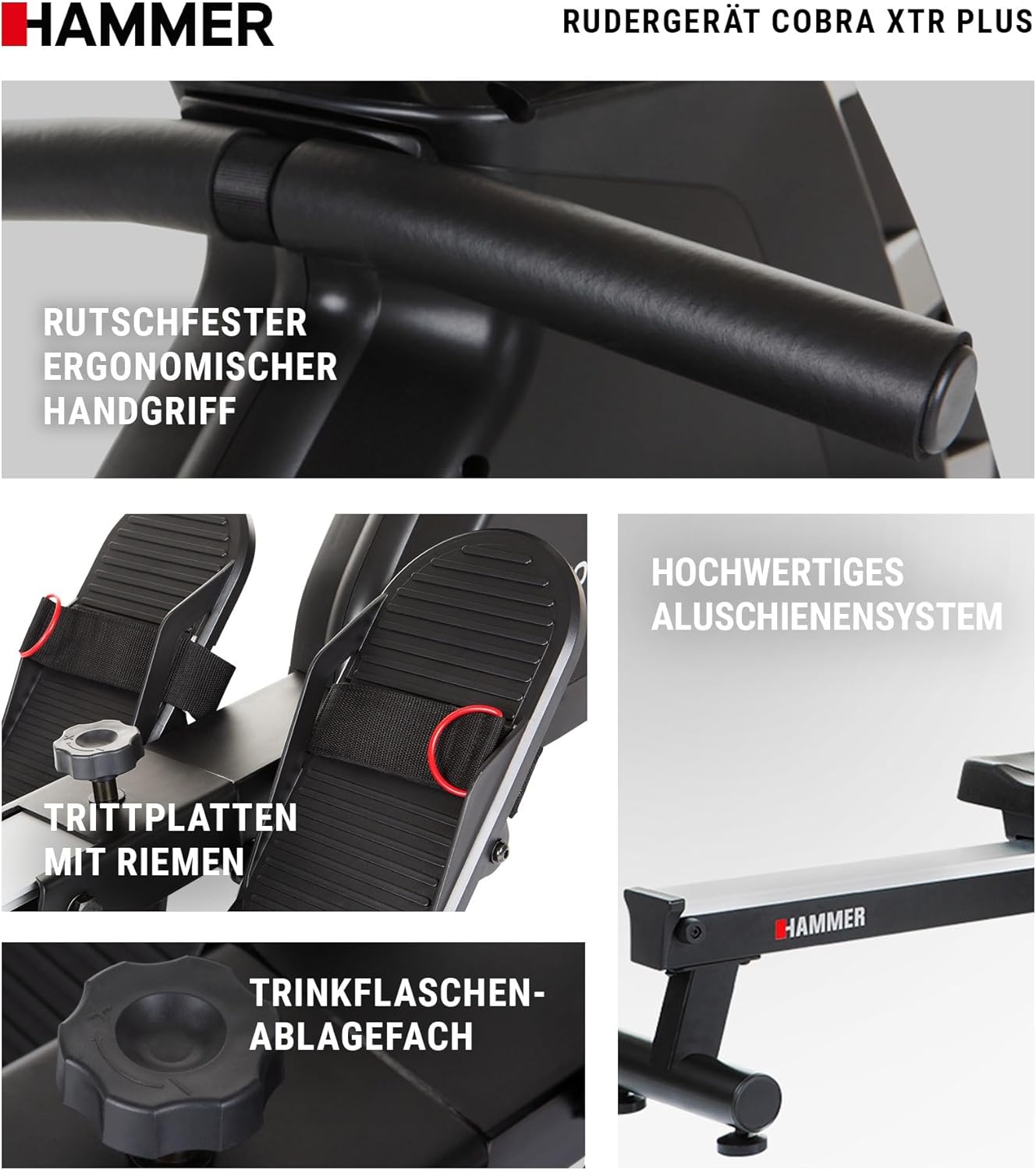
- ระบบราง: Keep the aluminum rail system clean and free of debris to ensure smooth seat movement.
- การหล่อลื่น: Consult your product's specific manual for any recommended lubrication points and schedules.
6. การจัดเก็บ
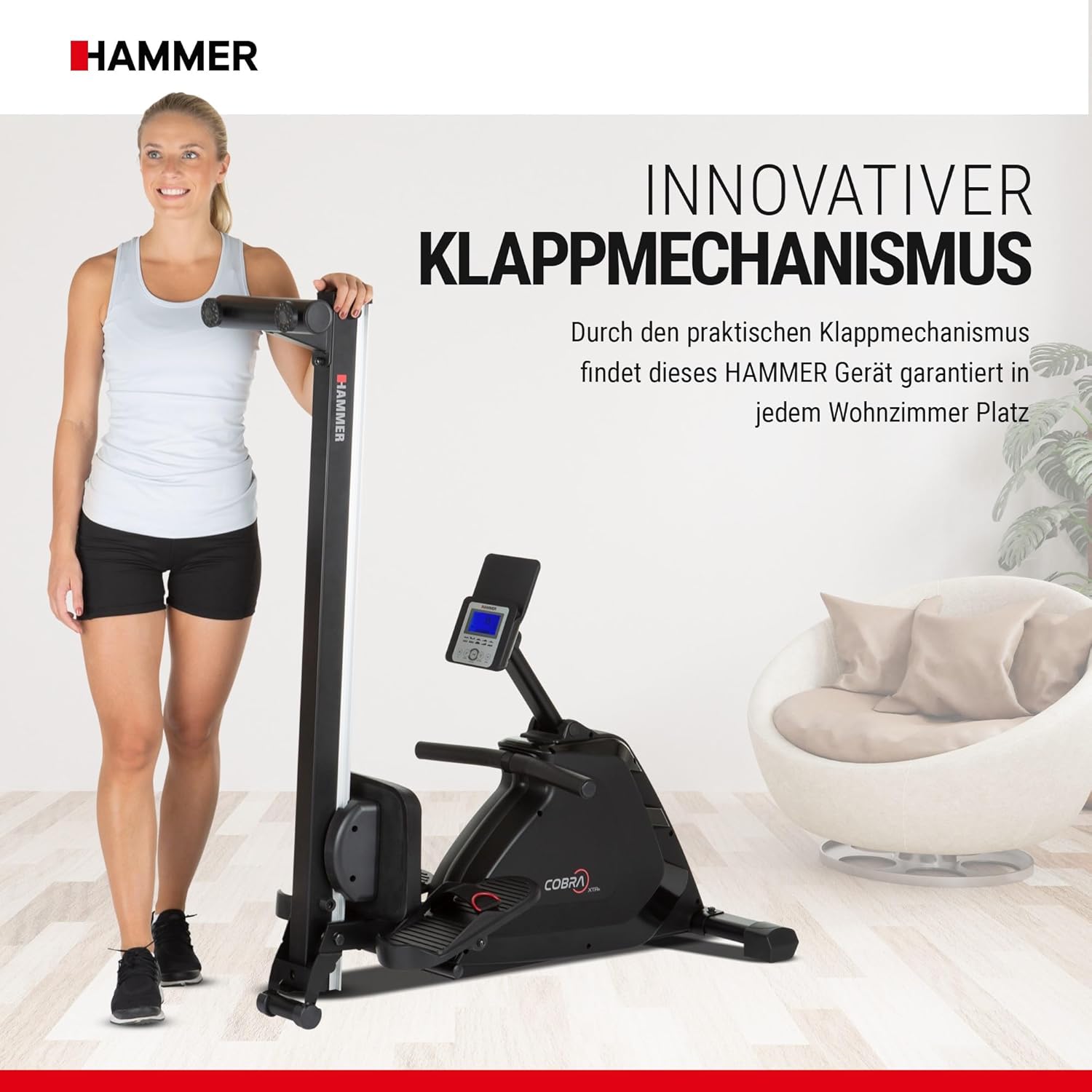
The HAMMER Cobra 4532 XTR Plus II Rower features an innovative folding mechanism for convenient, space-saving storage.
- การพับ: After your workout, the rail can be easily folded upwards.
- ขนส่ง: Utilize the integrated transport rollers for easy relocation.
- การจัดวาง: Store the rower in a dry, clean area away from direct sunlight and extreme temperatures.
7. คำแนะนำการแก้ไขปัญหา
This section addresses common issues you might encounter with your rower.
| ปัญหา | สาเหตุที่เป็นไปได้ | สารละลาย |
|---|---|---|
| Training computer does not turn on. | แบตเตอรี่หมดหรือติดตั้งไม่ถูกต้อง | ตรวจสอบทิศทางแบตเตอรี่หรือเปลี่ยนด้วยแบตเตอรี่ AA ใหม่ |
| Inconsistent or no resistance. | Resistance mechanism issue or cable detachment. | Inspect the resistance cable connection. If the issue persists, contact customer support. |
| เบาะนั่งเลื่อนไม่ราบรื่น | Rail system is dirty or damaged. | Clean the rail system thoroughly. Check for any obstructions or damage to the rollers. |
| Heart rate reading is inaccurate or absent. | Heart rate sensor not properly positioned or external interference. | Ensure the heart rate sensor (if external) is correctly worn. Minimize interference from other electronic devices. |
8. ข้อมูลจำเพาะทางเทคนิค
| คุณสมบัติ | ข้อมูลจำเพาะ |
|---|---|
| ชื่อรุ่น | Cobra XTR II Plus |
| หมายเลขรุ่น | 4532 |
| ยี่ห้อ | ค้อน |
| สี | สีดำ |
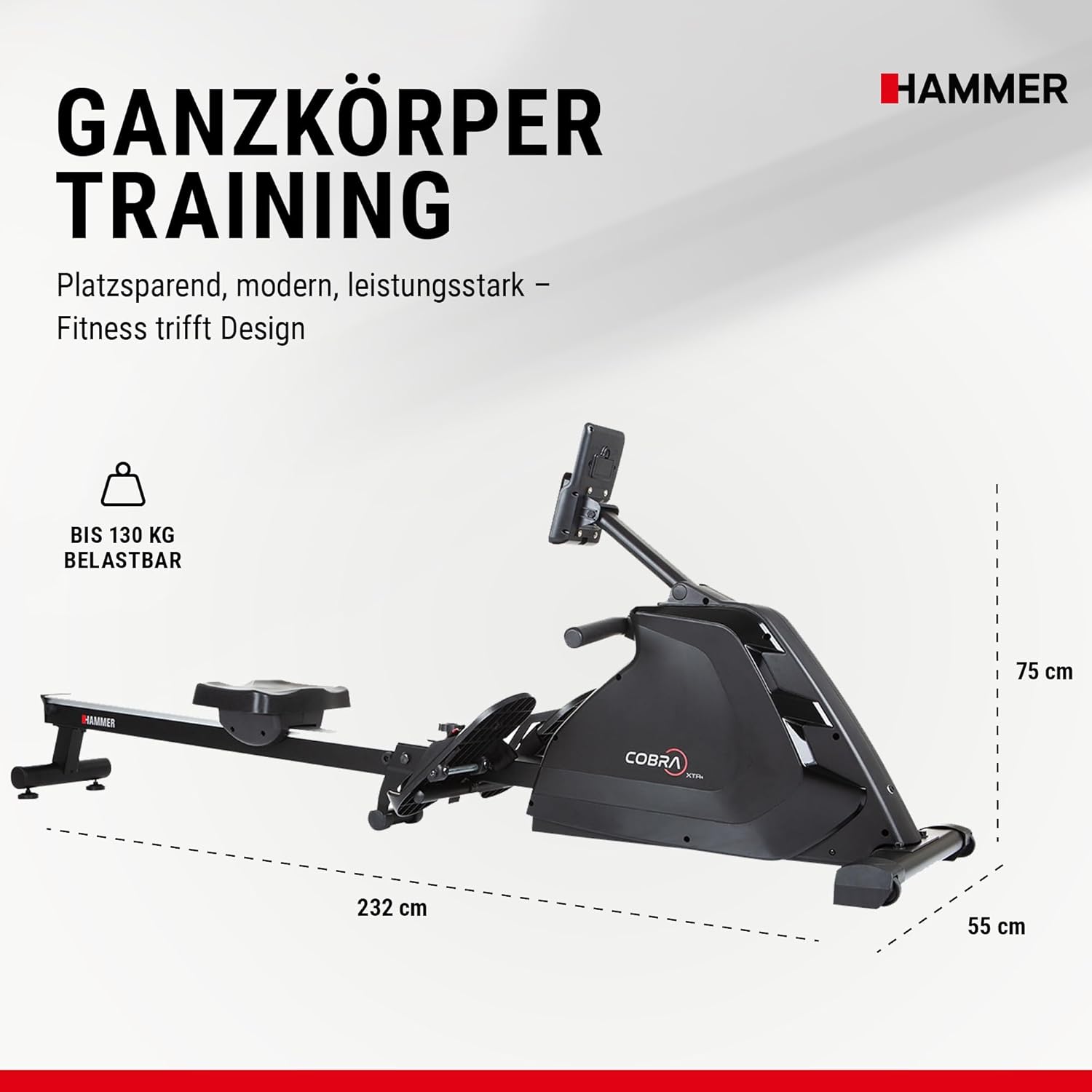
| ขนาด (กว้าง x ยาว x สูง) | 232 x 55 x 75 ซม. (91.3 x 21.7 x 29.5 นิ้ว) |
| น้ำหนักสินค้า | 34 กิโลกรัม (75 ปอนด์) |
| น้ำหนักผู้ใช้สูงสุด | 130 กิโลกรัม (286 ปอนด์) |
| วัสดุกรอบ | เหล็กอัลลอยด์ |
| กลไกต้านทาน Resistance | Water (implied by product description, though 'Eau' is also listed as resistance mechanism in specs) |
| ระดับความต้านทาน | ปรับได้ (16 ระดับ) |
| ประเภทจอภาพ | จอแอลซีดี |
| ฟังก์ชั่นมิเตอร์ | Heart Rate, Time, Distance, Calories, Resistance Level |
| แหล่งพลังงาน | Electric (for computer) / AA Batteries required |
| คุณสมบัติพิเศษ | Interactive training decision, Folding mechanism, Smartphone/Tablet holder |
9. ข้อมูลการรับประกัน
HAMMER products are manufactured with high-quality materials and undergo strict quality control. For specific warranty terms and conditions, please refer to the warranty card included with your product or visit the official HAMMER webไซต์ เก็บหลักฐานการซื้อของคุณไว้เพื่อใช้ในกรณีเรียกร้องการรับประกัน
10. การสนับสนุนลูกค้า
Should you have any questions, require assistance with assembly, operation, or maintenance, or need to report a defect, please contact HAMMER customer support. Contact details can typically be found on the manufacturer's webเว็บไซต์หรือในบรรจุภัณฑ์ของผลิตภัณฑ์


