การแนะนำ
Thank you for choosing the Celebrat A18 Extra Bass Wireless Headphones. This manual provides essential information for the safe and efficient use of your new headphones. Please read it thoroughly before use and retain it for future reference.
สินค้าเกินview
The Celebrat A18 headphones offer high-quality wireless audio with extra bass, featuring a built-in high-definition microphone for clear calls. Their scalable design ensures comfort, and the 3.5mm audio interface allows for both wireless and wired connectivity.
ส่วนประกอบหูฟัง
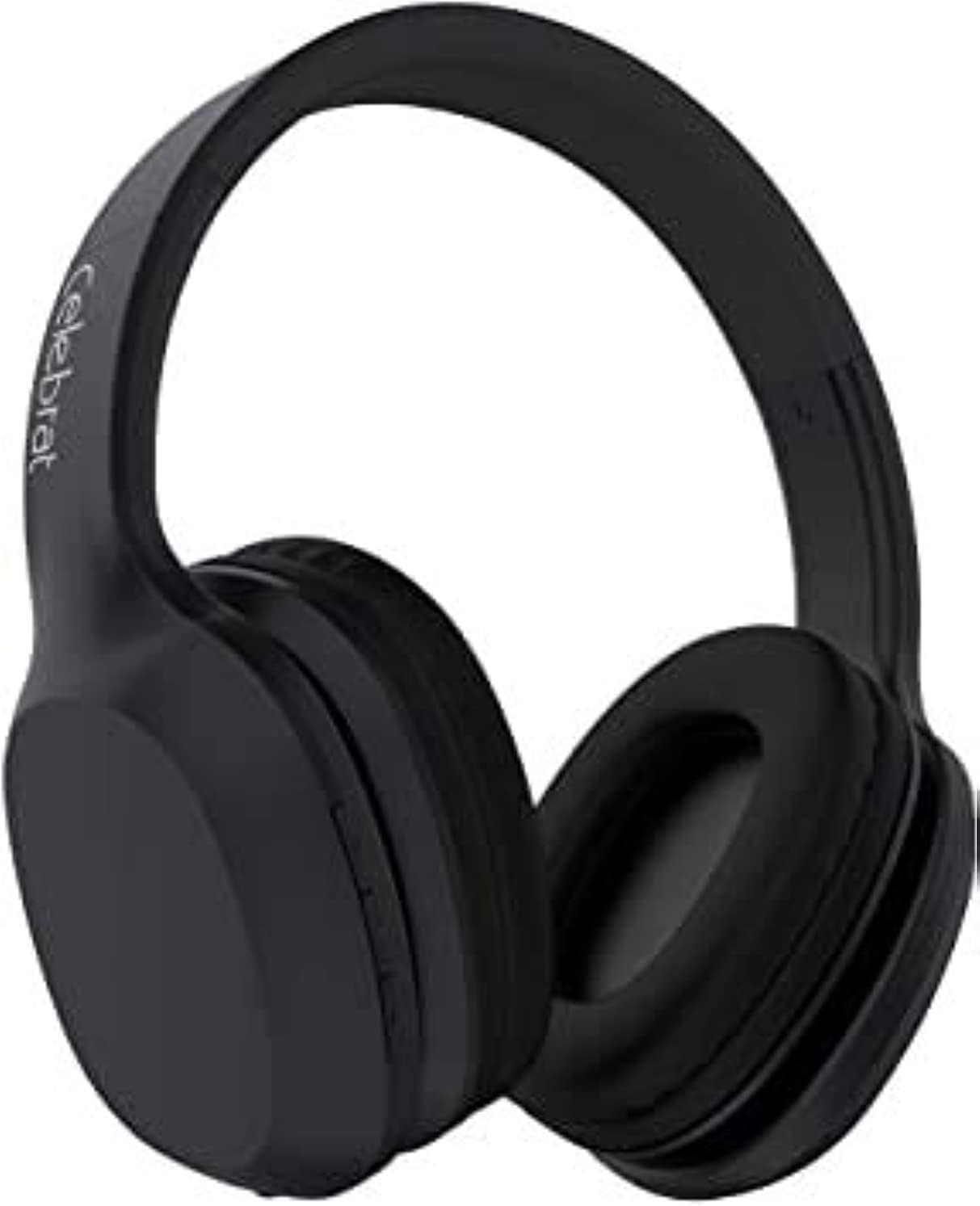
รูปที่ 1: ด้านหน้า view of the Celebrat A18 Wireless Headphones, showcasing ดีไซน์โดยรวมและที่ครอบหู

รูปที่ 2: ด้านข้าง view of the Celebrat A18 Wireless Headphones, highlighting the control buttons located on the earcup.

รูปที่ 3: View of the Celebrat A18 Wireless Headphones, illustrating the adjustable headband mechanism for a comfortable fit.
ฟังก์ชั่นการควบคุม
- ปุ่มเปิด/ปิด: Used to power the headphones on/off and for Bluetooth pairing.
- เพิ่มระดับเสียง/เพลงถัดไป: กดสั้นเพื่อเพิ่มระดับเสียง กดยาวเพื่อเล่นเพลงถัดไป
- ลดระดับเสียง/เพลงก่อนหน้า: กดสั้นเพื่อลดระดับเสียง กดยาวเพื่อเล่นเพลงก่อนหน้า
- ปุ่มมัลติฟังก์ชัน (MFB): เล่น/หยุดเพลง, รับสาย/วางสาย
- ไมโครโฟน: สร้างขึ้นเพื่อการโทรแบบแฮนด์ฟรี
- แจ็คเสียงขนาด 3.5 มม.: สำหรับการเชื่อมต่อแบบมีสาย
- พอร์ตชาร์จ: สำหรับชาร์จแบตเตอรี่ภายใน
การตั้งค่า
การชาร์จหูฟัง
Before first use, fully charge the headphones. The battery capacity is 300mAh.
- เชื่อมต่อสายชาร์จเข้ากับพอร์ตชาร์จบนหูฟัง
- เชื่อมต่อปลายสายอีกด้านหนึ่งเข้ากับแหล่งพลังงาน USB (เช่น พอร์ต USB ของคอมพิวเตอร์ อะแดปเตอร์ติดผนัง USB)
- ไฟแสดงสถานะจะสว่างขึ้นในระหว่างการชาร์จ
- Charging typically takes 2-3 hours. The indicator light will change or turn off once charging is complete.
จับคู่บลูทู ธ
วิธีเชื่อมต่อหูฟังแบบไร้สายกับอุปกรณ์:
- ตรวจสอบให้แน่ใจว่าหูฟังชาร์จเต็มแล้ว
- Press and hold the Power Button until the indicator light flashes, indicating pairing mode.
- บนอุปกรณ์ของคุณ (สมาร์ทโฟน แท็บเล็ต คอมพิวเตอร์) เปิดใช้งาน Bluetooth
- ค้นหา available Bluetooth devices. The headphones should appear as "Celebrat A18" or similar.
- เลือกหูฟังจากรายการที่จะเชื่อมต่อ
- Once successfully paired, the indicator light will typically stop flashing or change color.
The Bluetooth version is v5.0, offering a wireless range of up to 10 meters.
คำแนะนำการใช้งาน
เปิด/ปิดเครื่อง
- เปิดเครื่อง: Press and hold the Power Button for approximately 3 seconds.
- หมดแรง: Press and hold the Power Button for approximately 3-5 seconds.
การเล่นเพลง
- เล่น/หยุดชั่วคราว: กดปุ่มมัลติฟังก์ชันหนึ่งครั้ง
- เพลงถัดไป: กดปุ่มเพิ่มระดับเสียงค้างไว้
- แทร็กก่อนหน้า: กดปุ่มลดระดับเสียงค้างไว้
- ปรับระดับเสียงขึ้น: กดปุ่มเพิ่มระดับเสียงสั้นๆ
- ลดเสียงลง: กดปุ่มลดระดับเสียงสั้นๆ
Music playback time is approximately 8 hours on a full charge.
การจัดการการโทร
- รับสาย: กดปุ่มมัลติฟังก์ชันหนึ่งครั้ง
- วางสาย: กดปุ่มมัลติฟังก์ชันหนึ่งครั้งระหว่างการโทร
- ปฏิเสธสาย: กดปุ่มมัลติฟังก์ชั่นค้างไว้ 2 วินาที
- โทรซ้ำหมายเลขล่าสุด: กดปุ่มมัลติฟังก์ชั่นสองครั้ง
Talk time is approximately 6 hours on a full charge.
โหมดใช้สาย
The headphones can be used with a 3.5mm audio cable when the battery is depleted or for devices without Bluetooth connectivity.
- ต่อปลายด้านหนึ่งของสายสัญญาณเสียง 3.5 มม. เข้ากับแจ็คสัญญาณเสียง 3.5 มม. ของหูฟัง
- ต่อปลายอีกด้านหนึ่งเข้ากับช่องเสียบเสียง 3.5 มม. ของอุปกรณ์เสียงของคุณ
- In wired mode, the headphone's battery and Bluetooth functions are bypassed.
การบำรุงรักษาและการดูแล
- การทำความสะอาด: ใช้ผ้านุ่มและแห้งเช็ดทำความสะอาดหูฟัง ห้ามใช้น้ำยาทำความสะอาดหรือสารละลายที่มีฤทธิ์กัดกร่อน
- พื้นที่จัดเก็บ: เก็บหูฟังไว้ในที่แห้งและเย็น หลีกเลี่ยงแสงแดดโดยตรงและอุณหภูมิที่สูงหรือต่ำเกินไป
- การสัมผัสน้ำ: หลีกเลี่ยงการให้หูฟังสัมผัสกับน้ำหรือความชื้นมากเกินไป
- การดูแลแบตเตอรี่ เพื่อยืดอายุการใช้งานแบตเตอรี่ ควรหลีกเลี่ยงการปล่อยให้แบตเตอรี่หมดจนเกลี้ยงบ่อยๆ ชาร์จแบตเตอรี่เป็นประจำ แม้ว่าจะไม่ได้ใช้งานเป็นเวลานานก็ตาม
- การจัดการ: ห้ามทำตก ถอดประกอบ หรือพยายามซ่อมแซมหูฟังด้วยตนเอง การกระทำดังกล่าวอาจทำให้การรับประกันเป็นโมฆะและทำให้เกิดความเสียหายได้
การแก้ไขปัญหา
| ปัญหา | วิธีแก้ปัญหาที่เป็นไปได้ |
|---|---|
| หูฟังไม่สามารถเปิดเครื่องได้ | ตรวจสอบให้แน่ใจว่าหูฟังชาร์จเต็มแล้ว เสียบปลั๊กเข้ากับแหล่งจ่ายไฟแล้วลองอีกครั้งหลังจากผ่านไปสองสามนาที |
| ไม่สามารถจับคู่กับอุปกรณ์ได้ | Ensure headphones are in pairing mode (flashing indicator light). Turn off and on Bluetooth on your device. Move closer to the device. Clear previous Bluetooth connections on your device. |
| ไม่มีเสียงหรือเสียงเบา | Check headphone and device volume levels. Ensure headphones are properly paired. Try playing different audio. If in wired mode, check cable connection. |
| คุณภาพเสียงไม่ดี | Move closer to the paired device to reduce interference. Ensure no obstacles are between the headphones and the device. Check audio source quality. |
| ไมโครโฟนไม่ทำงาน | Ensure headphones are properly connected. Check microphone settings on your device. |
ข้อมูลจำเพาะ
| คุณสมบัติ | รายละเอียด |
|---|---|
| ชื่อรุ่น | เอ18 |
| ยี่ห้อ | ฉลอง |
| เทคโนโลยีการเชื่อมต่อ | Wired, Wireless (Bluetooth v5.0) |
| ช่วงสาย | 10 เมตร |
| ความจุของแบตเตอรี่ | 300mAh |
| เวลาในการชาร์จ | 2-3 ชั่วโมง |
| เวลาดนตรี | นานถึง 8 ชั่วโมง |
| เวลาสนทนา | นานถึง 6 ชั่วโมง |
| ปัจจัยรูปแบบหูฟัง | บนหู |
| แจ็คหูฟัง | แจ็ค 3.5 มม. |
| ส่วนประกอบที่รวมอยู่ | แผ่นรองหู, แถบคาดศีรษะ |
| สี | Green (as per product variant) |
| ขนาดแพ็คเกจ | 20.4 x 18.2 x 8 ซม. |
| น้ำหนักสินค้า | 496 กรัม |
การรับประกันและการสนับสนุน
The Celebrat A18 Extra Bass Wireless Headphones are designed and tested for safe use. For specific warranty details, please refer to the warranty card included with your product or contact your point of purchase. Keep your proof of purchase for any warranty claims.
For technical support or further assistance, please contact Celebrat customer service through their official webไซต์หรือข้อมูลการติดต่อที่ให้มาพร้อมกับบรรจุภัณฑ์ผลิตภัณฑ์ของคุณ


