1. บทนำ
This manual provides detailed instructions for the installation, operation, and maintenance of your Imou A1 Indoor IP Security Camera. The Imou A1 is a spherical indoor security camera designed for reliable surveillance, offering 1080p video resolution and Wi-Fi connectivity. Please read this manual thoroughly before using the product to ensure proper setup and functionality.

รูปที่ 1 : ด้านหน้า view of the Imou A1 Indoor IP Security Camera.
2. เนื้อหาบรรจุภัณฑ์
ตรวจสอบว่ามีส่วนประกอบทั้งหมดอยู่ในแพ็คเกจ:
- Imou A1 Camera Unit
- อะแดปเตอร์แปลงไฟ
- แผ่นยึด
- สกรูยึดและปลั๊กผนัง
- คู่มือเริ่มต้นอย่างรวดเร็ว
3. กล้องโอเวอร์view
Familiarize yourself with the camera's components.

Figure 2: Imou A1 camera with key features highlighted (e.g., lens, microphone, speaker, status LED, power port, reset button, microSD card slot).
- เลนส์: ถ่ายวิดีโอ
- ไฟ LED แสดงสถานะ: Indicates camera status (e.g., solid green for connected, flashing red for network error).
- ไมโครโฟน: สำหรับอินพุตเสียง
- ผู้บรรยาย: สำหรับการสื่อสารด้วยเสียงสองทาง
- พอร์ตไฟ: เชื่อมต่อกับอะแดปเตอร์ไฟ
- ปุ่มรีเซ็ต: Press and hold for 10 seconds to factory reset the camera.
- ช่องเสียบการ์ด MicroSD: สำหรับจัดเก็บวิดีโอในเครื่อง (ไม่รวมการ์ดหน่วยความจำ)
4. การตั้งค่า
4.1 ดาวน์โหลดแอป Imou Life
The Imou Life app is required to set up and manage your camera.
- Scan the QR code below or search for "Imou Life" in the App Store (iOS) or Google Play Store (Android).
- ดาวน์โหลดและติดตั้งแอปพลิเคชัน
- สร้างบัญชีหรือเข้าสู่ระบบหากคุณมีบัญชีอยู่แล้ว
(QR code image placeholder for app download)
4.2 การเปิดกล้อง
Connect the power adapter to the camera's power port and plug it into a wall outlet. The camera will power on, and the status LED will flash green.
4.3 Adding the Camera to the Imou Life App
- เปิดแอป Imou Life
- แตะไอคอน "+" ที่มุมขวาบนเพื่อเพิ่มอุปกรณ์ใหม่
- สแกนรหัส QR ที่ด้านล่างของกล้อง
- Follow the on-screen instructions to connect the camera to your Wi-Fi network. Ensure your phone is connected to a 2.4GHz Wi-Fi network during setup.
- Once connected, the status LED will turn solid green.
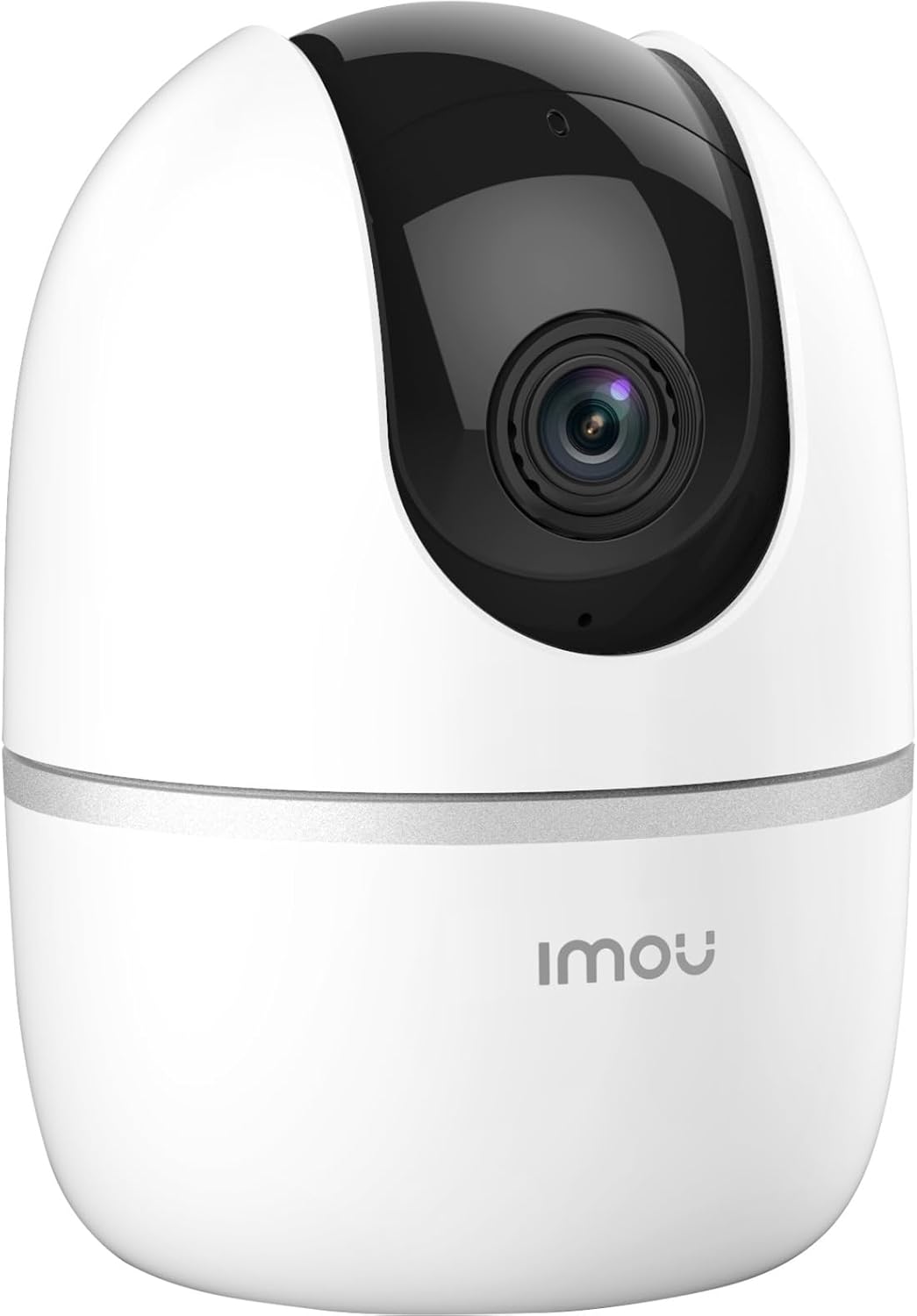
Figure 3: Bottom of the Imou A1 camera, where the QR code for app pairing is located.
4.4 การติดตั้งกล้อง (ทางเลือก)
The camera can be placed on a flat surface or mounted to a wall or ceiling.
- เลือกสถานที่ที่เหมาะสมสำหรับการติดตั้ง
- Secure the mounting plate to the desired surface using the provided screws.
- Attach the camera to the mounting plate by twisting it until it locks into place.

รูปที่ 4: อดีตample of the Imou A1 camera mounted on a ceiling.
5. การใช้งานกล้อง
Once set up, you can access and control your camera through the Imou Life app.
5.1 สด View
Open the Imou Life app and select your camera to view the live feed. You can pan and tilt the camera remotely using the controls in the app.
5.2 เสียงสองทาง
แตะไอคอนไมโครโฟนในระหว่างการถ่ายทอดสด view to speak through the camera's speaker. Tap again to end.
5.3 การบันทึกและการเล่น
The camera supports continuous recording or event-triggered recording to a microSD card (if installed) or to the Imou Cloud (subscription may be required). Access recorded footage via the playback feature in the app.
5.4 การตรวจจับการเคลื่อนไหวและการแจ้งเตือน
Enable motion detection in the app settings to receive instant alerts on your smartphone when movement is detected. You can customize detection zones and sensitivity.
6. การบำรุงรักษา
6.1 การทำความสะอาด
เช็ดเลนส์และตัวกล้องเบาๆ ด้วยผ้านุ่มและแห้ง หลีกเลี่ยงการใช้สารเคมีรุนแรงหรือน้ำยาทำความสะอาดที่มีฤทธิ์กัดกร่อน
การอัปเดตเฟิร์มแวร์ 6.2 รายการ
Regularly check for firmware updates through the Imou Life app to ensure optimal performance and access to new features.
7 การแก้ไขปัญหา
| ปัญหา | วิธีแก้ปัญหาที่เป็นไปได้ |
|---|---|
| กล้องไม่สามารถเชื่อมต่อกับ Wi-Fi ได้ |
|
| คุณภาพวิดีโอไม่ดี |
|
| ไม่มีการแจ้งเตือนการตรวจจับการเคลื่อนไหว |
|
| Camera offline. |
|
8. ข้อมูลจำเพาะ
| คุณสมบัติ | รายละเอียด |
|---|---|
| หมายเลขรุ่น | IPC-A22EP-V2-IMOU |
| ความละเอียดวิดีโอ | 1080p (1920 x 1080 พิกเซล) |
| เทคโนโลยีไร้สาย | ไวไฟ (2.4GHz) |
| พลัง | 3.5 วัตต์ |
| ขนาด (กว้าง x ยาว x สูง) | 7.74 x 7.74 x 10.61 ซม. |
| น้ำหนัก | 238 กรัม |
| คุณสมบัติพิเศษ | Night Vision, Two-Way Audio, Motion Detection |
| ตัวเลือกการจัดเก็บข้อมูล | การ์ด MicroSD (สูงสุด 256GB ไม่รวม) ที่เก็บข้อมูลบนคลาวด์ |
| ประเภทการติดตั้ง | Wall/Ceiling/Tabletop |
9. ข้อมูลการรับประกัน
The Imou A1 camera comes with a การรับประกันจากผู้ผลิต 2 ปี. Please retain your proof of purchase for warranty claims. For detailed terms and conditions, refer to the official Imou webไซต์หรือติดต่อฝ่ายสนับสนุนลูกค้า
Spare parts availability: 1 Year.
10. การสนับสนุนลูกค้า
If you encounter any issues not covered in this manual or require further assistance, please contact Imou customer support.
- Visit the official Imou webไซต์สำหรับคำถามที่พบบ่อยและทรัพยากรสนับสนุน
- Contact technical support via the Imou Life app or the webหน้าติดต่อของเว็บไซต์


