1. บทนำ
This manual provides essential information for the proper setup, operation, and maintenance of your Sartorius Cubis II Micro Poly Range Balance. Designed for precision measurements, this balance incorporates advanced technology to ensure accuracy and reliability in laboratory environments.
Key features of the Cubis II Micro Poly Range Balance include:
- Monolithical weighing system with integrated climate sensors for industry-leading performance.
- Individual QApp workflows and motorized auto-leveling to minimize measurement errors.
- Compliance with 21 CFR Part 11, integrated audit-trail, and state-of-the-art user management for data integrity.
- Innovative TFT touch screen operation for intuitive control.
- Factory-installed set of essential weighing applications.
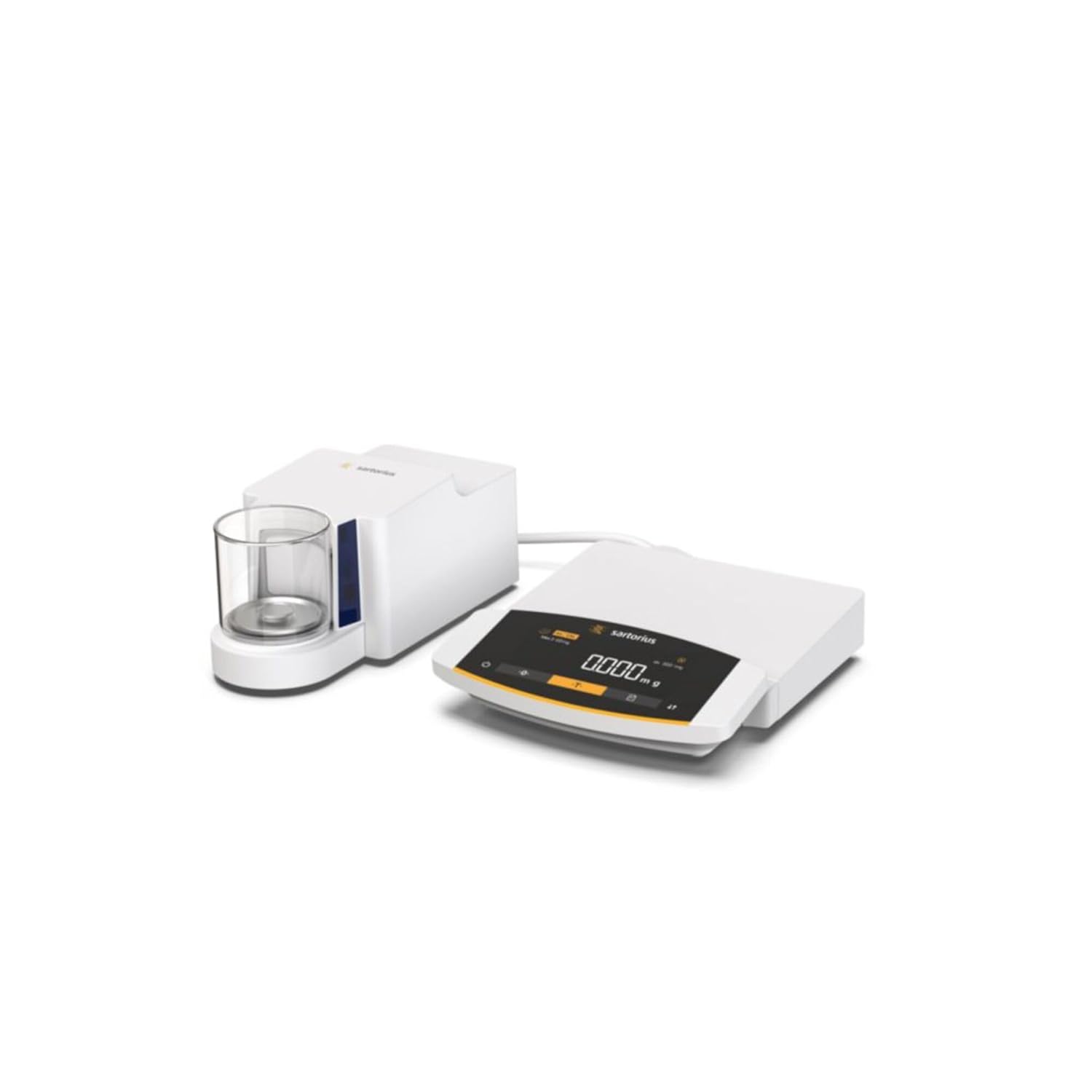
- Automatic, motorized, round, glass draft shield with learning capability, illumination, and an integrated motion sensor.
- High-contrast touch display (MCE) for easy operation.
2. การตั้งค่า
2.1 การแกะบรรจุภัณฑ์และการตรวจสอบ
Carefully remove all components from the packaging. Inspect the balance and its accessories for any signs of damage. Retain the original packaging for future transport or storage.
2.2 การจัดวาง
Place the balance on a stable, level surface free from vibrations, drafts, and direct sunlight. Ensure adequate space around the unit for operation and maintenance. Avoid locations near air conditioning vents or heating elements.
2.3 การประกอบ
Assemble the automatic glass draft shield according to the diagrams provided in the separate assembly guide. Ensure all components are securely fitted to maintain optimal weighing conditions.
2.4 การเชื่อมต่อสายไฟ
Connect the power adapter to the balance and then to a suitable electrical outlet (100 to 240 VAC, 50/60 Hz). Allow the balance to warm up for at least 30 minutes after initial power-on to ensure stable operation.
2.5 การปรับระดับเบื้องต้น
The Cubis II features motorized auto-leveling. Upon power-on, the balance will typically perform an automatic leveling sequence. If manual adjustment is required, follow the on-screen prompts on the TFT touch display.
3. คู่มือการใช้งาน
3.1 Basic Weighing Procedure
- Ensure the balance is level and the draft shield is closed.
- Press the 'On' button to power on the balance.
- Wait for the display to show '0.000 g' or '0.000 mg' and stabilize.
- Place your weighing vessel (e.g., beaker, filter) on the weighing pan.
- Press the 'Tare' button to zero the display.
- Carefully add the substance to be weighed to the vessel.
- Read the stable weight displayed on the high-contrast touch screen.
- Remove the vessel and substance from the weighing pan.
3.2 Using the Touch Display
The innovative TFT touch screen allows access to various functions and applications. Navigate through menus by tapping icons and swiping. Refer to the on-screen help for specific application instructions.
3.3 Draft Shield Operation
The automatic glass draft shield can be opened and closed via the touch display or by its integrated motion sensor. Its learning capability adapts to user preferences over time. Ensure the draft shield is closed during weighing for optimal accuracy, especially for micro-weighing applications.
4. การบำรุงรักษา
4.1 การทำความสะอาด
Regular cleaning is crucial for maintaining the balance's performance. Use a soft, lint-free cloth dampened with a mild cleaning agent (e.g., isopropyl alcohol or a mild soap solution) to clean the exterior surfaces, including the glass draft shield and stainless steel components. Do not use abrasive cleaners or solvents. Ensure no liquids enter the balance housing.
4.2 การตรวจสอบการสอบเทียบ
Perform regular calibration checks using certified reference weights according to your laboratory's quality control procedures. The Cubis II balance offers internal calibration routines accessible via the touch display.
4.3 การดูแลทั่วไป
Always handle the balance with care. Avoid dropping objects onto the weighing pan. When not in use, keep the draft shield closed to protect the weighing system from dust and contaminants.
5 การแก้ไขปัญหา
This section addresses common issues you might encounter. For more complex problems, please contact Sartorius technical support.
5.1 Unstable Readings
- สาเหตุ: Drafts, vibrations, temperature fluctuations.
- สารละลาย: Ensure the balance is placed on a stable surface, away from air currents. Close the draft shield completely. Allow the balance to stabilize in its environment.
5.2 การแสดงผลไม่ตอบสนอง
- สาเหตุ: ซอฟต์แวร์มีปัญหา ปัญหาพลังงาน
- สารละลาย: Power off the balance, wait 30 seconds, then power it back on. If the issue persists, contact support.
5.3 Balance Not Powering On
- สาเหตุ: Power cable disconnected, faulty outlet.
- สารละลาย: Check all power connections. Ensure the power outlet is functional.
6. ข้อมูลจำเพาะ
| ข้อมูลจำเพาะ | ค่า |
|---|---|
| ยี่ห้อ | ซาร์ทอริอุส |
| แบบอย่าง | Cubis II Micro Poly Range Balance |
| ความจุสูงสุด | 1.1 ก. | 2.1 ก. | 3.1 ก |
| Readability (Scale Interval) | 0.001 mg | 0.002 mg | 0.005 mg |
| ความต้องการด้านพลังงาน | 100 ถึง 240 VAC, 50/60 Hz |
| วัสดุ | แก้ว, สแตนเลส |
| ร่างโล่ | Automatic, Motorized Glass Draft Shield |
| แสดง | TFT Touch Screen (MCE) |
7. สินค้าหมดview
8. การรับประกันและการสนับสนุน
8.1 ข้อมูลการรับประกัน
The Sartorius Cubis II Micro Poly Range Balance comes with a รับประกัน 10 ปี นับจากวันที่ซื้อ การรับประกันนี้ครอบคลุมถึงความบกพร่องของวัสดุและฝีมือการผลิตภายใต้การใช้งานปกติ โปรดเก็บหลักฐานการซื้อไว้เพื่อขอรับสิทธิ์การรับประกัน
8.2 การสนับสนุนด้านเทคนิค
For technical assistance, troubleshooting beyond this manual, or warranty service, please contact Sartorius customer support. Contact information can typically be found on the official Sartorius webไซต์หรือผ่านตัวแทนจำหน่ายในพื้นที่ของคุณ


