1. สินค้าหมดview
The MoKo 9-11 Inch Tablet Sleeve is a protective carrying case designed for various tablets. It features multiple storage pockets for accessories and is constructed from durable, splash-proof polyester with a soft inner lining and thick sponge padding to safeguard your device from scratches and shocks. Its compact design ensures portability.
2. ความเข้ากันได้
This sleeve is designed to fit most 9-11 inch tablets, including models compatible with smart keyboard folios. Please verify your device dimensions before purchase.
อุปกรณ์ที่รองรับ:
- New 11-inch iPad Pro M4/iPad Air M2 2024
- iPad Air 5/4th 10.9 2022/2020
- iPad Pro 11 M2/M1 2022/2021
- iPad 10th 10.9 2022
- iPad 9/8/7th Gen 10.2 2021/2020/2019
- iPad Air (3rd Gen) 10.5" 2019
- iPad Pro 11" 2018-2020
- iPad Pro 10.5" 2017
- iPad 9.7 6th/5th Gen (2018/2017)
- iPad 1/2/3/4, iPad Air / Air 2
- Galaxy Tab S8/S9 11", Tab S3 9.7"
- Surface Go 2/3 10.5", Surface Go 10" 2018 Release

Figure 2.1: Product dimensions and a list of compatible tablet models.

Figure 2.2: Visual representation of the sleeve's compatibility with different tablet brands and models.
3. คุณสมบัติของผลิตภัณฑ์
3.1 Premium Material Construction
The sleeve is crafted from a durable polyester exterior, providing splash-proof protection against spills and dust. The interior features a soft, plush lining and thick sponge padding for enhanced shock absorption and impact protection, safeguarding your tablet from scratches and accidental drops.

Figure 3.1: Detail of the plush inner lining and durable polyester exterior.

Figure 3.2: Illustration of the thick sponge padding for shock and impact protection.
3.2 Large Capacity Storage
Beyond the main tablet compartment, the sleeve includes multiple pockets for organizing accessories. A front pocket offers ample space for items such as cellphones, chargers, USB cables, computer mice, power banks, earphones, and bank cards.

รูปที่ 3.3: เกินview of the sleeve's storage compartments and capacity.
3.3 Zipper Closure
Equipped with durable and smooth zipper closures, the sleeve ensures easy access to your device and accessories while keeping them securely stored.
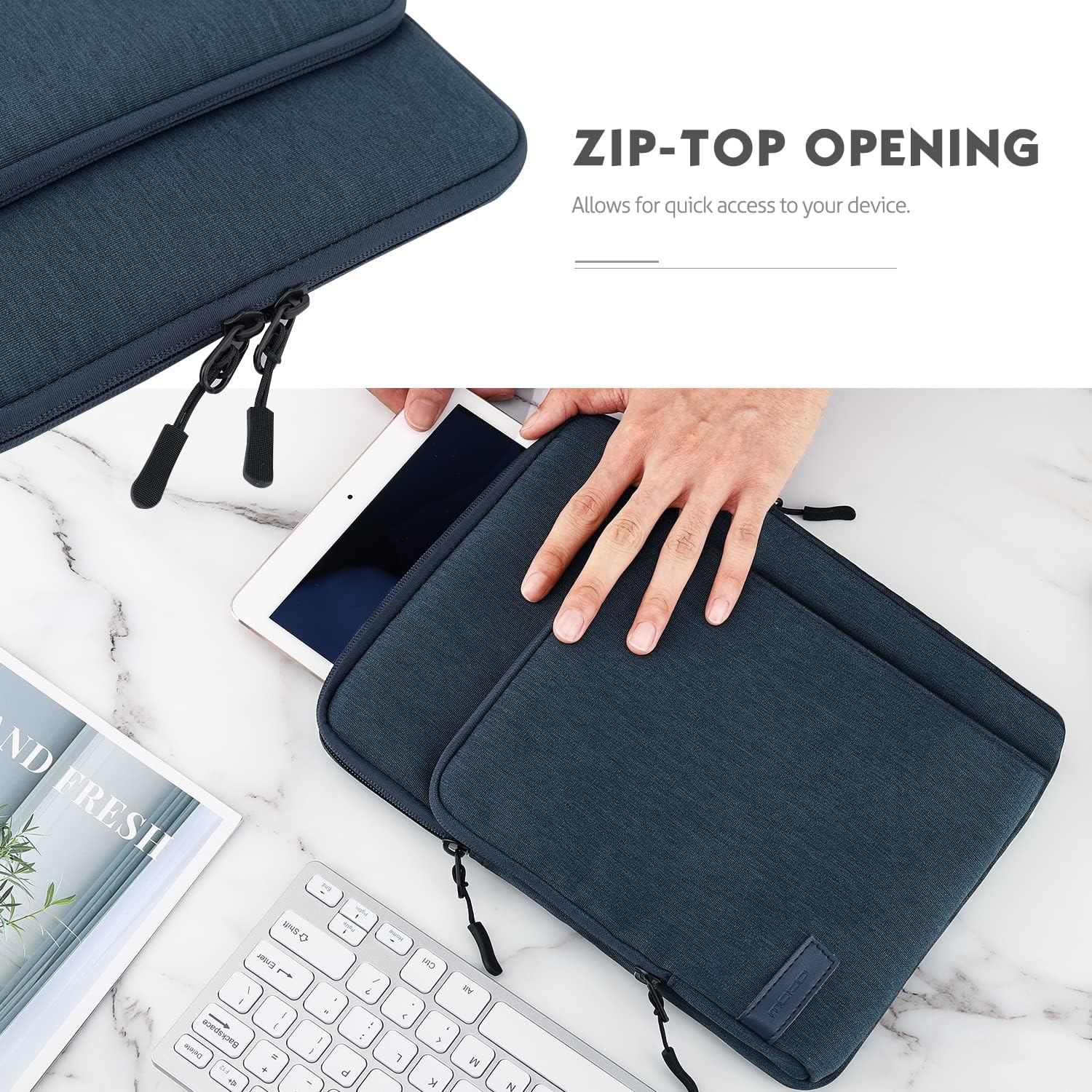
Figure 3.4: Demonstration of the zip-top opening for easy access.
4. คำแนะนำการใช้งาน
4.1 การใส่แท็บเล็ตของคุณ
- Unzip the main compartment of the sleeve.
- Gently slide your 9-11 inch tablet into the main compartment. Ensure it fits snugly within the plush lining for maximum protection.
- Zip the main compartment closed to secure your tablet.
4.2 การใช้ประโยชน์จากช่องกระเป๋าอุปกรณ์เสริม
- Open the front accessory pocket(s).
- Organize smaller items such as charging cables, power adapters, styluses, earphones, or a compact mouse into the designated slots or zippered mesh pockets.
- Close the zippers on the accessory pockets to prevent items from falling out.
Video 4.1: Demonstration of the MoKo 9-11 Inch Tablet Sleeve with multiple pockets, showing how to organize a tablet and various accessories.
4.3 ความสามารถในการพกพา
ด้วยโปรที่บางเฉียบfile (12" x 9.25" x 1.18"), the sleeve is designed for easy portability. It can be carried by hand or conveniently slid into a larger bag or backpack for travel.

Figure 4.2: The sleeve's slim design for easy carrying.

Figure 4.3: The sleeve integrated into a typical workspace setup.
5. การดูแลรักษา
- การทำความสะอาด: For minor spills or dust, wipe the exterior with a damp cloth. For the interior, use a soft, dry cloth. Avoid harsh chemicals or abrasive cleaners.
- การอบแห้ง: If the sleeve gets wet, allow it to air dry completely before reinserting your tablet. Do not use direct heat sources.
- พื้นที่จัดเก็บ: Store the sleeve in a cool, dry place away from direct sunlight when not in use.
- หลีกเลี่ยงการใส่ของมากเกินไป: Do not overfill the pockets or main compartment, as this may strain the zippers and materials.
6. ข้อมูลจำเพาะผลิตภัณฑ์
| ขนาดสินค้า | 12.01 x 9.25 x 1.18 นิ้ว (30.5 x 23.5 x 3 ซม.) |
| น้ำหนักสินค้า | 7.9 ออนซ์ |
| หมายเลขรุ่น | P840034654684 |
| วัสดุ | Polyester exterior, soft inner lining, thick sponge padding |
| คุณสมบัติพิเศษ | Waterproof (splash-proof), Shock absorption, Impact protection |
| สี | Indigo (as per current product variant) |
| มีอะไรอยู่ในกล่อง | 1*Sleeve |
7. การรับประกันและการสนับสนุน
MoKo products are designed for durability and performance. For specific warranty information or technical support, please refer to the documentation included with your purchase or visit the official MoKo webไซต์นี้ โปรดเก็บใบเสร็จรับเงินที่ซื้อไว้เพื่อใช้เรียกร้องการรับประกัน


