การแนะนำ
Thank you for choosing the Thomson WT040 Filter Coffee Machine. This appliance is designed to brew delicious filter coffee efficiently. With a 1.25-liter capacity, it can prepare 10 to 12 cups, making it suitable for both home and office use. This manual provides essential information for safe operation, proper setup, maintenance, and troubleshooting to ensure optimal performance and longevity of your coffee machine.
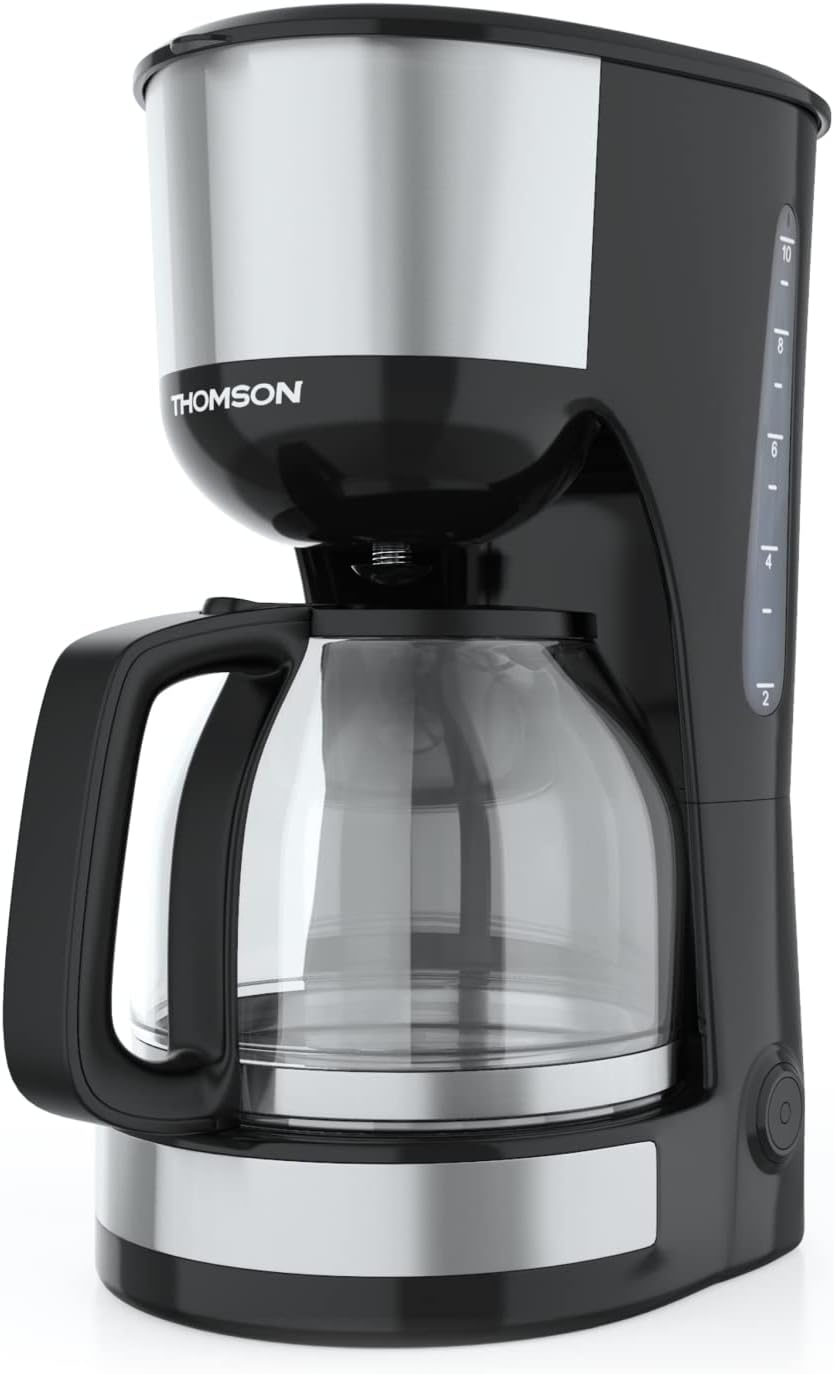
ภาพ: ด้านหน้า view of the Thomson WT040 Filter Coffee Machine, showcasing its black and silver design with the glass carafe.
คำแนะนำด้านความปลอดภัยที่สำคัญ
โปรดอ่านคำแนะนำด้านความปลอดภัยทั้งหมดอย่างละเอียดก่อนใช้งานเครื่องใช้ไฟฟ้า การไม่ปฏิบัติตามคำแนะนำเหล่านี้อาจส่งผลให้เกิดไฟฟ้าช็อต ไฟไหม้ หรือบาดเจ็บสาหัสได้
- ให้แน่ใจว่าปริมาตรtage ที่ระบุบนเครื่องสอดคล้องกับปริมาณไฟหลักในพื้นที่ของคุณtage ก่อนที่จะเชื่อมต่อ
- ห้ามจุ่มเครื่อง สายไฟ หรือเสียบปลั๊กในน้ำหรือของเหลวอื่นๆ
- Always unplug the coffee machine from the power outlet before cleaning and when not in use.
- ห้ามใช้งานเครื่องใช้ไฟฟ้าที่มีสายไฟหรือปลั๊กชำรุด หรือหลังจากที่เครื่องใช้ไฟฟ้าทำงานผิดปกติหรือได้รับความเสียหายในลักษณะใดๆ
- เก็บอุปกรณ์ให้พ้นมือเด็ก อุปกรณ์นี้ไม่เหมาะสำหรับบุคคล (รวมถึงเด็ก) ที่มีความบกพร่องทางร่างกาย ประสาทสัมผัส หรือจิตใจ หรือขาดประสบการณ์และความรู้ เว้นแต่จะได้รับการดูแลหรือคำแนะนำเกี่ยวกับการใช้งานอุปกรณ์จากบุคคลที่รับผิดชอบด้านความปลอดภัย
- ควรใช้เครื่องใช้ไฟฟ้านี้เฉพาะสำหรับวัตถุประสงค์การใช้งานในครัวเรือนที่กำหนดไว้เท่านั้น
- หลีกเลี่ยงการสัมผัสกับพื้นผิวที่ร้อน ใช้มือจับหรือลูกบิด
- ห้ามวางเครื่องบนหรือใกล้เตาแก๊สหรือเตาไฟฟ้าที่ร้อน หรือในเตาอบที่อุ่น
- อย่าให้สายไฟห้อยออกจากขอบโต๊ะหรือเคาน์เตอร์ หรือสัมผัสพื้นผิวที่ร้อน
- Always ensure the carafe lid is securely in place during brewing.
- Do not open the filter basket cover during the brewing cycle.
ส่วนประกอบของผลิตภัณฑ์
Familiarize yourself with the parts of your Thomson WT040 coffee machine:
- ถังเก็บน้ำพร้อมตัววัดระดับน้ำ
- ฝา
- ตะกร้ากรอง
- ตัวกรองถาวร
- เหยือกแก้วมีหูจับ
- แผ่นทำความร้อน
- สวิตช์เปิด/ปิดพร้อมไฟแสดงสถานะ
- ระบบป้องกันน้ำหยด

Image: Close-up of the water tank with a transparent fill scale, indicating water levels for brewing.
การตั้งค่า
- การแกะกล่อง: Carefully remove the coffee machine from its packaging. Retain the packaging for future transport or storage. Remove all protective films and stickers.
- การทำความสะอาดเบื้องต้น: Before first use, clean all removable parts (glass carafe, permanent filter, filter basket) with warm soapy water. Rinse thoroughly and dry. Wipe the exterior of the appliance with a damp ผ้า.
- รอบการชงครั้งแรก (โดยไม่มีกาแฟ): Fill the water tank to the maximum level with fresh cold water. Place the empty permanent filter in the filter basket and close the lid. Place the empty glass carafe on the heating plate. Plug the appliance into a suitable power outlet and press the On/Off switch. Allow the full cycle to complete. Discard the water. Repeat this process 2-3 times to clean the internal components.
- การจัดวาง: Place the coffee machine on a stable, flat, heat-resistant surface, away from the edge of the countertop and out of reach of children. Ensure there is adequate ventilation around the appliance.
คำแนะนำการใช้งาน
- เติมถังน้ำ: Open the lid and fill the water tank with fresh, cold water up to the desired number of cups indicated on the water level indicator. Do not exceed the "MAX" mark.
- เพิ่มกากกาแฟ: Place the permanent filter into the filter basket. Add the desired amount of ground coffee into the permanent filter. A general guideline is one level tablespoon of coffee per cup (150ml), but adjust to your taste.
- ตำแหน่งกาน้ำ: Ensure the glass carafe is placed correctly on the heating plate. The anti-drip system will prevent coffee from dripping when the carafe is removed during brewing, but it is recommended to keep the carafe in place until brewing is complete.
- เริ่มการต้มเบียร์: Close the lid securely. Plug the power cord into a wall outlet. Press the On/Off switch. The indicator light will illuminate, and brewing will begin.
- ฟังก์ชั่นเก็บความอุ่น: After brewing is complete, the coffee machine will automatically switch to a keep-warm function for approximately 40 minutes. The heating plate will keep the coffee at an optimal serving temperature.
- เสิร์ฟกาแฟ: Carefully remove the carafe from the heating plate to pour coffee. The anti-drip system will temporarily stop the flow of coffee.
- ปิดสวิตช์: After serving or when the keep-warm cycle is finished, press the On/Off switch to turn off the appliance and unplug it from the power outlet.
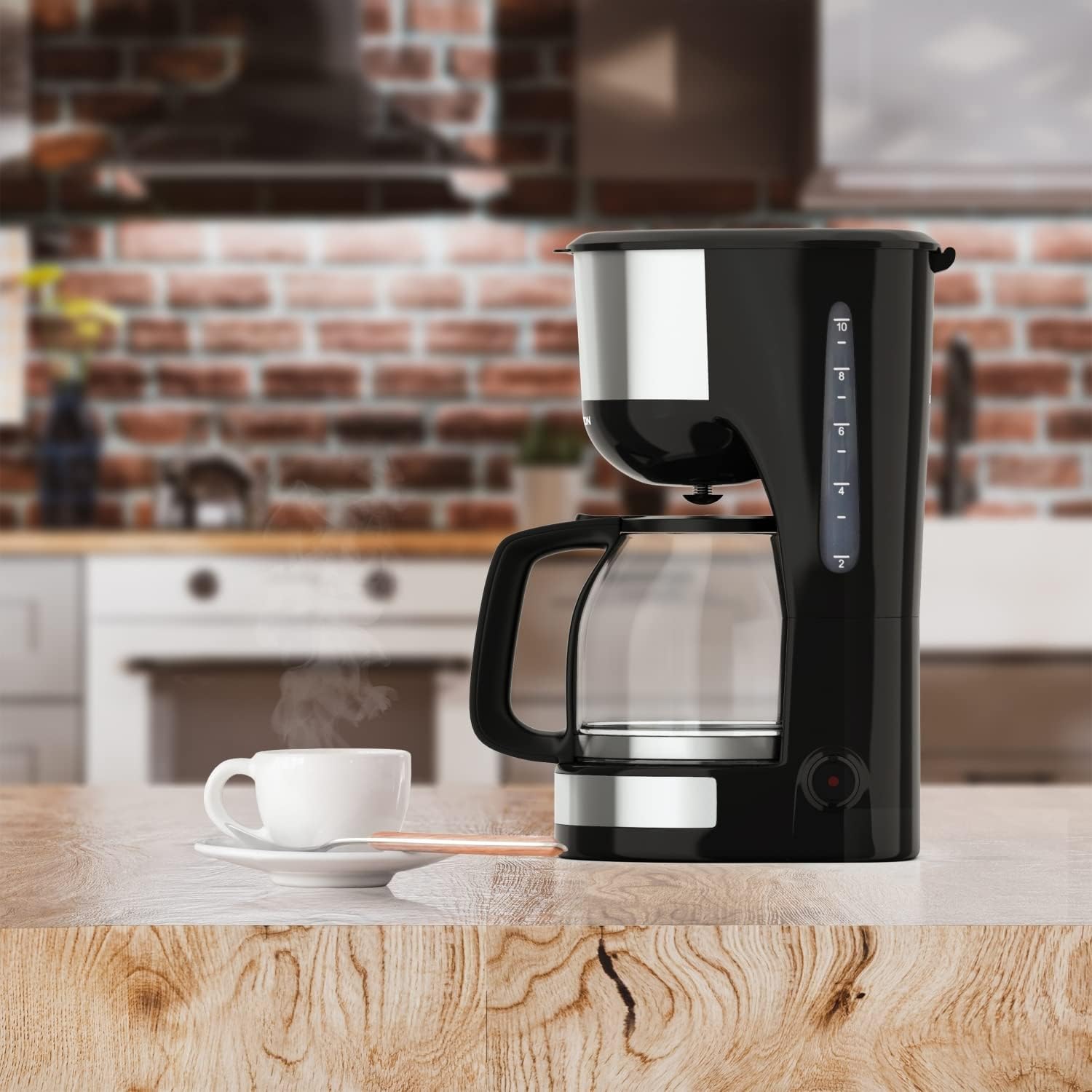
Image: The Thomson WT040 coffee machine in a kitchen, actively brewing coffee into the glass carafe.
การบำรุงรักษาและการทำความสะอาด
Regular cleaning ensures optimal performance and extends the lifespan of your coffee machine. Always unplug the appliance and allow it to cool completely before cleaning.
- Permanent Filter and Filter Basket: After each use, remove the permanent filter and filter basket. Discard used coffee grounds. Rinse both thoroughly under running water. They can also be washed in warm soapy water.
- โถแก้ว: Wash the glass carafe and its lid with warm soapy water after each use. Rinse well. The carafe is generally dishwasher safe, but hand washing is recommended for longevity.
- ภายนอก: เช็ดทำความสะอาดพื้นผิวด้านนอกของเครื่องชงกาแฟด้วยผ้าเนื้อนุ่มและแห้งamp ผ้า ห้ามใช้น้ำยาทำความสะอาดที่มีฤทธิ์กัดกร่อนหรือแผ่นขัด เพราะอาจทำให้พื้นผิวเป็นรอยได้
- แผ่นทำความร้อน: เช็ดแผ่นทำความร้อนด้วยโฆษณาamp cloth. If coffee has dripped onto it, clean immediately to prevent staining and burning.
- การขจัดตะกรัน: Depending on water hardness and frequency of use, mineral deposits (limescale) can build up. Descale your coffee machine every 2-4 months.
- Fill the water tank with a descaling solution (e.g., white vinegar and water in a 1:2 ratio, or a commercial descaling agent following its instructions).
- วางเหยือกเปล่าบนแผ่นทำความร้อน
- Run a brewing cycle. After about half the solution has brewed through, turn off the machine and let it stand for 15-20 minutes to allow the solution to work.
- Turn the machine back on and let the remaining solution brew through.
- Discard the solution and rinse the carafe and filter.
- Run 2-3 cycles with fresh, clean water to flush out any residual descaling solution.

ภาพ: ระยะใกล้ view of the permanent filter, designed to eliminate the need for paper filters.
การแก้ไขปัญหา
| ปัญหา | สาเหตุที่เป็นไปได้ | สารละลาย |
|---|---|---|
| กาแฟไม่สามารถชงได้ | Appliance not plugged in; On/Off switch not pressed; No water in tank. | Ensure plug is securely in outlet; Press On/Off switch; Fill water tank. |
| กาแฟอ่อนเกินไปหรือเข้มข้นเกินไป | อัตราส่วนกาแฟต่อน้ำไม่ถูกต้อง; บดกาแฟหยาบ/ละเอียดเกินไป | Adjust amount of coffee grounds; Use medium grind coffee. |
| น้ำล้นออกจากตะกร้ากรอง | กากกาแฟมากเกินไป; ตัวกรองอุดตัน; วางเหยือกกาแฟไม่ถูกตำแหน่ง | Reduce coffee grounds; Clean permanent filter; Ensure carafe is centered on heating plate. |
| กาแฟรสชาติไม่ดี | Appliance needs cleaning/descaling; Stale coffee; Poor water quality. | Clean and descale the machine; Use fresh coffee beans; Use filtered water. |
| Machine makes loud noises. | Normal during heating/pumping; Limescale buildup. | Some noise is normal. If excessive, descale the machine. |
ข้อมูลจำเพาะ
- ยี่ห้อ: ทอมสัน
- หมายเลขรุ่น: WT040
- สี: สีดำ/เงิน
- ขนาด (ยาว x กว้าง x สูง): 22 x 16 x 29.5 ซม.
- น้ำหนัก: 1.3 กิโลกรัม
- ความจุ: 1.25 ลิตร (ประมาณ 10-12 ถ้วย)
- พลัง: 1000 วัตต์
- เล่มที่tage: 240 โวลต์
- วัสดุ: Glass (carafe), Plastic, Metal
- คุณสมบัติพิเศษ: Permanent Filter, Anti-Drip System, Keep-Warm Function (40 minutes)

Image: Visual representation of the coffee machine's dimensions (18cm width, 23cm depth, 30cm height), power (1000 Watts), and keep-warm duration (40 minutes).
การรับประกันและการสนับสนุน
Information regarding specific warranty terms and conditions for the Thomson WT040 Filter Coffee Machine is not provided in the product details. For warranty claims or technical support, please refer to the documentation included with your purchase or contact Thomson customer service directly through their official webเว็บไซต์หรือร้านค้าปลีกที่ได้รับอนุญาต
โปรดเก็บหลักฐานการซื้อไว้เสมอเพื่อใช้ในการสอบถามเกี่ยวกับเงื่อนไขการรับประกัน


