1. สินค้าหมดview
The Coolbox is an innovative, multi-functional toolbox designed to streamline your work and enhance convenience. It integrates a portable power source, audio system, lighting, and organizational features into a durable, water-resistant casing. This all-in-one utility box is built to withstand harsh work environments while providing essential functionalities for various tasks.

รูปที่ 1.1 : ด้านหน้า view of the Coolbox Smart Toolbox, showcasing its integrated control panel and robust design.
Key features include a powerful internal battery, dual USB charging ports, marine-grade Bluetooth speakers, a detachable LED light, and a removable dry-erase whiteboard. Its robust construction of high-impact resin, machined aluminum latches, and an air/water-tight lid seal ensures durability and protection for your tools and integrated electronics.
2. คุณสมบัติหลัก
- Pass-Through Power: Features an 8 ft AC extension cable, integrated 3-way splitter, and an internal 11.1V/3Ah lithium polymer battery for powering small tools and appliances.
- Device-Friendly: Functions as a power bank with 2 USB power outlets for charging devices. Includes 2 tablet stands and a hidden storage compartment.
- ระบบเสียงในตัว: Dual 20W RMS 8 Ohm marine-grade Bluetooth speakers with a 3.5mm AUX input for playing music.
- ระบบไฟส่องสว่างในตัว: Detachable LED lamp for illumination in dark work environments.
- Organizational Tools: Dual-sided whiteboard for notes and a magnetic lid for small metal pieces.
- คุณสมบัติอำนวยความสะดวก: Integrated bottle opener, custom LED clock display, and battery indicator.
- ความสามารถในการพกพา: Equipped with rubberized wheels with high-end pre-oiled bearings and handles for easy transport.
- ความทนทาน: Constructed with high-impact resin, machined aluminum latches, and an air/water-tight lid seal for weather resistance.
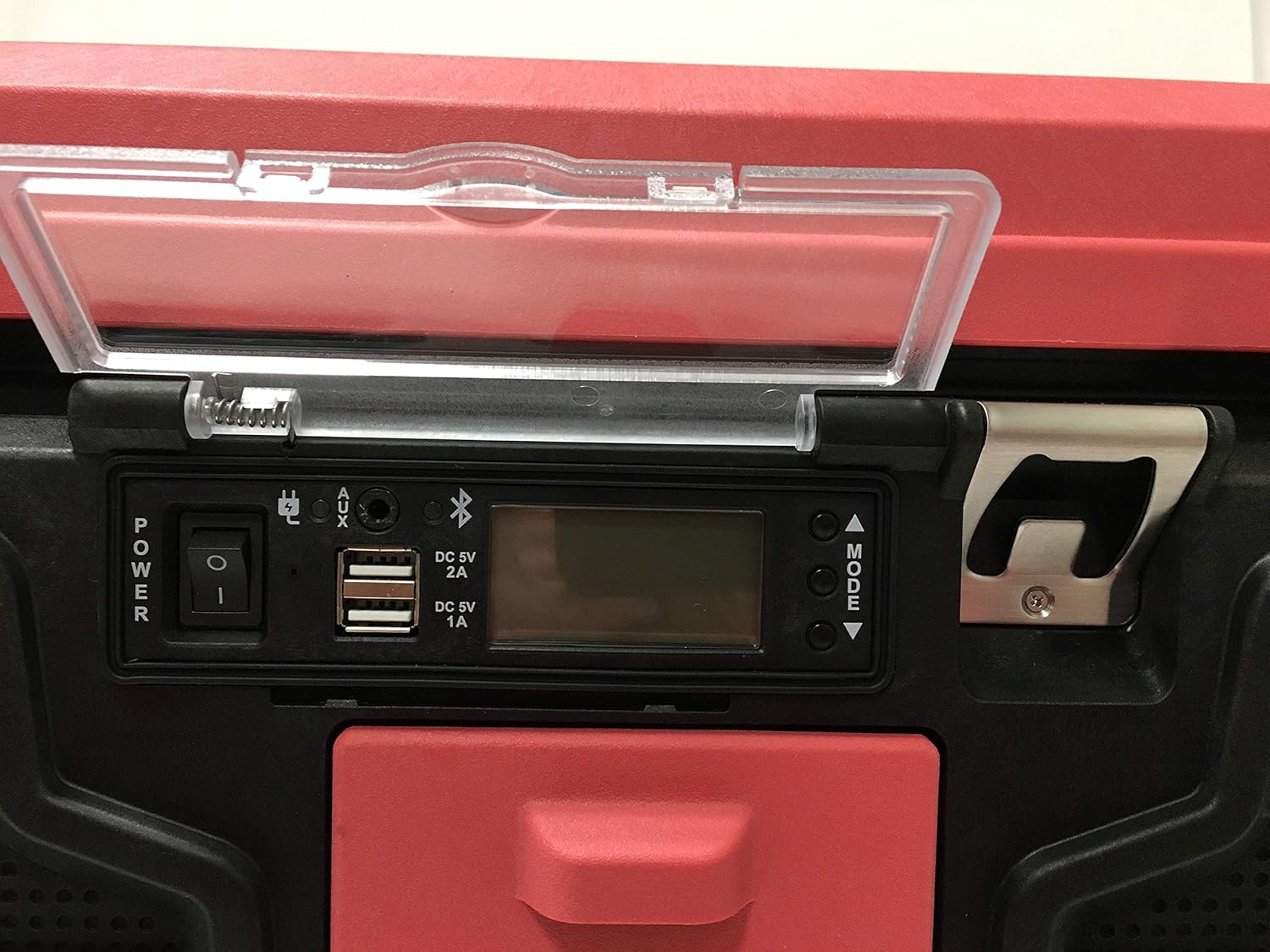
Figure 2.1: Close-up of the Coolbox control panel, showing USB ports, power switch, and LED display.

รูปที่ 2.2 : ภายใน view of the Coolbox, highlighting the removable dry-erase whiteboard on the lid.
3. คู่มือการติดตั้ง
3.1 การชาร์จเริ่มต้น
Before first use, fully charge your Coolbox. Connect the integrated power cord to a standard 120V AC outlet. The LED screen will indicate the battery level. A full charge takes approximately 4 hours.

รูปที่ 3.1: ด้านหลัง view of the Coolbox, showing the integrated power cord storage area.
3.2 การจัดการสายไฟ
After charging or when not in use, neatly wind the wraparound power cord into the discrete rear storage area to prevent damage and maintain a tidy workspace.
3.3 การจัดองค์กรภายใน
Utilize the 2009 cubic inches of internal volume and the removable tray for organizing your tools and equipment. The tablet stands, one on the lid and one inside, provide convenient placement for your devices.
4. คู่มือการใช้งาน
4.1 การเปิด/ปิดเครื่อง
Locate the power switch on the control panel. Flip the switch to the 'ON' position to activate the Coolbox's electronic features. Flip to 'OFF' when not in use to conserve battery life.
4.2 การใช้งานพอร์ตชาร์จ USB
The Coolbox features two USB ports (DC 5V 2A and DC 5V 1A) on the front panel. Connect your electronic devices (phones, tablets, etc.) to these ports for charging. These ports can be used when the Coolbox is unplugged, drawing power from its internal battery.
4.3 การใช้งานลำโพงบลูทูธ
- Ensure the Coolbox is powered on.
- เปิดใช้งานบลูทูธบนอุปกรณ์มือถือของคุณ
- ค้นหา available Bluetooth devices and select "Coolbox" to pair.
- Once paired, audio from your device will play through the marine-grade speakers.
- Alternatively, use the 3.5mm AUX input for wired audio connection.
4.4 Detachable LED Light
The integrated LED light can be detached from its housing for use as a multi-angle wand. It provides up to 4 hours of illumination on a full charge, ideal for low-light conditions or emergency situations. To re-charge, place it back into its designated slot within the Coolbox.
4.5 120V Pass-Through Power
When the Coolbox is plugged into a wall outlet, the rear 120V pass-through power outlets become active. These outlets, along with the 3-way splitter, allow you to power small tools or other devices directly from the wall outlet, even if the Coolbox's internal battery is not fully charged.
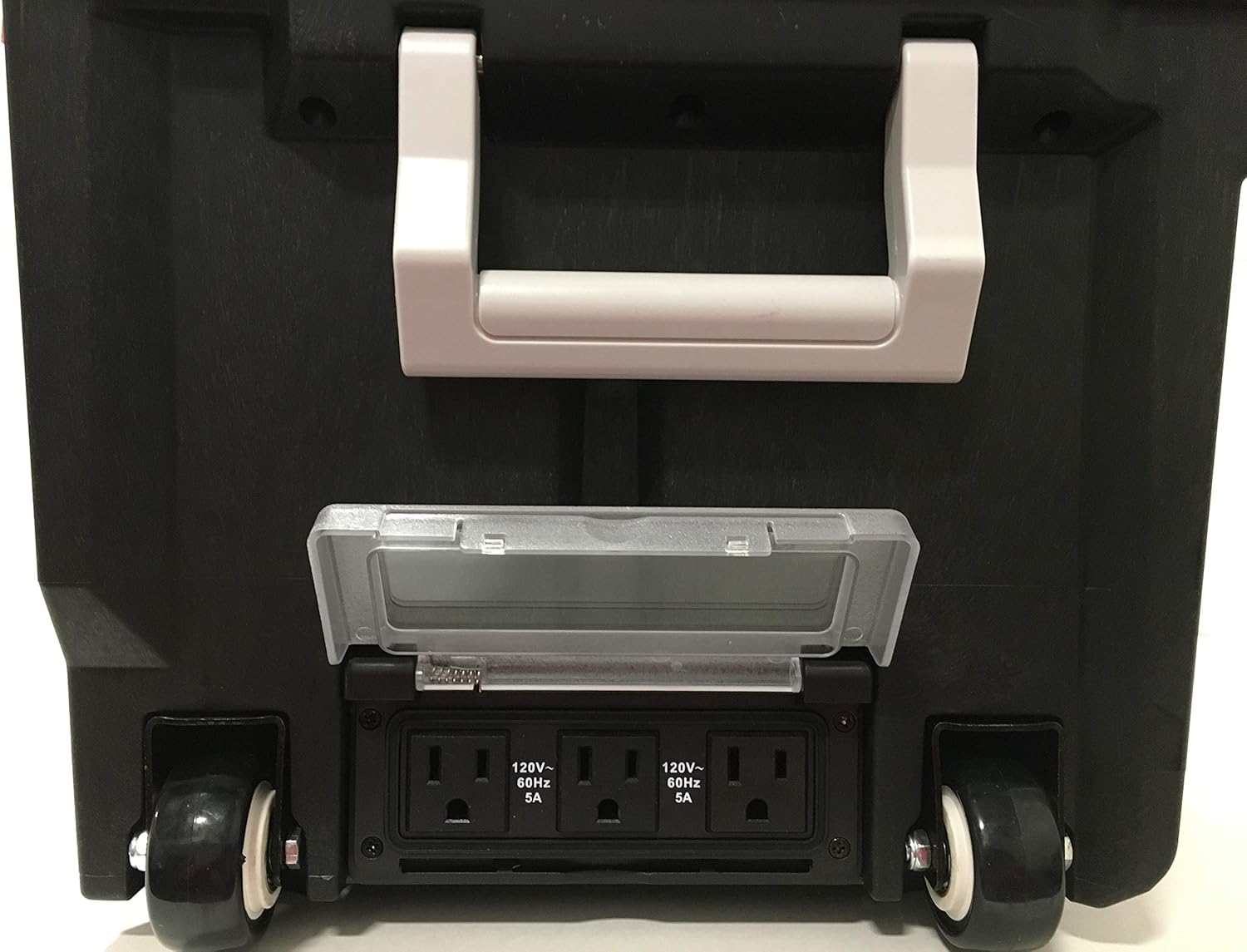
Figure 4.1: Close-up of the rear 120V pass-through power outlets, protected by a clear cover.
4.6 Using the Whiteboard and Bottle Opener
The removable dry-erase whiteboard on the lid provides a convenient surface for jotting down notes, measurements, or reminders. The built-in bottle opener is located on the side of the unit for quick access.
5. การบำรุงรักษาและการดูแล
5.1 การทำความสะอาด
Wipe down the exterior of the Coolbox with a damp cloth and mild detergent as needed. Avoid using abrasive cleaners or solvents that could damage the resin finish. For the LED screen and control panel, use a soft, dry cloth.
5.2 พื้นที่จัดเก็บ
Store the Coolbox in a cool, dry place when not in use. Ensure the lid latches are securely fastened to maintain the air/water-tight seal. If storing for extended periods, it is recommended to fully charge the internal battery every 3-6 months to prolong its lifespan.
5.3 ความต้านทานต่อน้ำ
The Coolbox is designed with waterproof electronic components and an air/water-tight lid seal. While it is water-resistant, avoid submerging the unit in water or exposing it to extreme water pressure.
6 การแก้ไขปัญหา
| ปัญหา | สาเหตุที่เป็นไปได้ | สารละลาย |
|---|---|---|
| Coolbox not powering on | แบตเตอรี่หมด; ปิดเครื่อง | Charge the Coolbox; Ensure power switch is ON |
| พอร์ต USB ไม่ชาร์จอุปกรณ์ | Coolbox battery low; Device cable faulty | Recharge Coolbox; Try a different USB cable |
| Bluetooth speakers not connecting | Bluetooth not enabled; Device too far; Already paired to another device | Ensure Bluetooth is on; Move device closer; Disconnect from other devices and re-pair |
| ไฟ LED ไม่ทำงาน | Light battery depleted; Not properly seated in charging slot | Place light in charging slot; Ensure proper contact for charging |
7. ข้อมูลจำเพาะทางเทคนิค
- ยี่ห้อ: กล่องเก็บความเย็น
- แบบอย่าง: B089DR6DMB
- วัสดุ: Aluminum, Resin, Metal
- สี: สีแดง
- ขนาดสินค้า : ยาว 22 นิ้ว x กว้าง 12.5 นิ้ว x สูง 9 นิ้ว
- น้ำหนักสินค้า: 17 ปอนด์
- คำแนะนำน้ำหนักสูงสุด: 60 ปอนด์
- ระดับการต้านทานน้ำ: กันน้ำ
- จำนวนช่อง : 2
- แหล่งพลังงาน: มีสาย - ไฟฟ้า
- เล่มที่tage: 11.1 Volts (Internal Battery)
- ประเภทเซลล์แบตเตอรี่: ลิเธียมโพลีเมอร์
- ประเภทหลอดไฟ: นำ
- จำนวนด้ามจับ: 3
- การใช้งาน: พาณิชย์ / ที่อยู่อาศัย
8. การรับประกันและการสนับสนุน
For warranty information and customer support, please refer to the documentation included with your purchase or visit the official Coolbox webไซต์ เก็บหลักฐานการซื้อของคุณไว้เพื่อใช้ในกรณีเรียกร้องการรับประกัน
For further assistance or inquiries, please contact Coolbox customer service through the contact details provided on their official support channels.


