การแนะนำ
This manual provides detailed instructions for the installation, operation, and maintenance of your PROZOR HDMI Audio Extractor. Please read this manual thoroughly before using the product to ensure proper function and to prevent damage.
The PROZOR HDMI Audio Extractor is designed to separate audio and video signals from an HDMI source. It allows you to output the video signal to an HD display while simultaneously extracting the audio to a separate audio system via SPDIF (optical) or a 3.5mm analog jack.
คุณสมบัติผลิตภัณฑ์
- HDMI Audio Separation: Extracts audio from an HDMI signal, allowing video to be displayed on an HD screen and audio to be output through SPDIF (optical) or a 3.5mm audio jack.
- การควบคุมระดับเสียง: Features a dedicated volume adjustment knob for the 3.5mm audio output. Includes a 3.5mm to 2RCA cable for connecting to RCA-compatible speakers.
- HDMI 2.0 & HDCP 2.2 Support: Compatible with HDMI 2.0 and HDCP 2.2 standards. Supports input resolutions up to 4K@60Hz (YUV 4:4:4), and is backward compatible with 1080P and 720P resolutions.
Note: This product is not designed for use with HDR to DVI converters or displays equipped with DVI interfaces.
- ภาพและเสียงคุณภาพสูง: Supports HDR functionality for enhanced dynamic images and accurate color reproduction. Audio output supports both 2.0ch and 5.1ch.
Note: 5.1ch audio output is available only via the optical (SPDIF) port.
- ความเข้ากันได้กว้าง: Suitable for various HDMI source devices such as Fire TV Stick 4K, Roku, Chromecast, Xbox One X, PS4 Pro, 4K Blu-ray/DVD players, Apple TV 4K, and 4K laptops.
- การส่งสัญญาณที่เสถียร: For optimal performance and stable signal transmission, it is recommended to use a 5V1A power adapter with the product. For 4K@60Hz (YUV 4:4:4) and HDR effects, ensure all connected devices use HDMI 2.0 certified cables (HDMI 19+1, 26AWG).
เนื้อหาแพ็คเกจ
กรุณาตรวจสอบสิ่งของภายในบรรจุภัณฑ์เมื่อได้รับเพื่อให้แน่ใจว่ามีสินค้าครบทั้งหมดและไม่ได้รับความเสียหาย
- PROZOR HDMI Audio Extractor (Model: PST155)
- สายไฟ USB
- สายสัญญาณเสียง 3.5 มม. ถึง 2RCA
- คู่มือการใช้งาน
- HDMI Cable (may vary by package)

Image: The PROZOR HDMI Audio Extractor unit with various included cables, including HDMI, USB power, and 3.5mm to RCA audio cables.

Image: The PROZOR HDMI Audio Extractor unit shown alongside its user manual and included cables.
แผนผังผลิตภัณฑ์

Image: A diagram illustrating the connection points of the PROZOR HDMI Audio Extractor. It shows HDMI IN, HDMI OUT, Power (Micro USB), Stereo (3.5mm), and Optical/Toslink ports. Connections are shown from a source device (e.g., PS4) to HDMI IN, HDMI OUT to an HD TV, Power to a USB cable, Stereo to 3.5mm headphones, and Optical/Toslink to a soundbar.
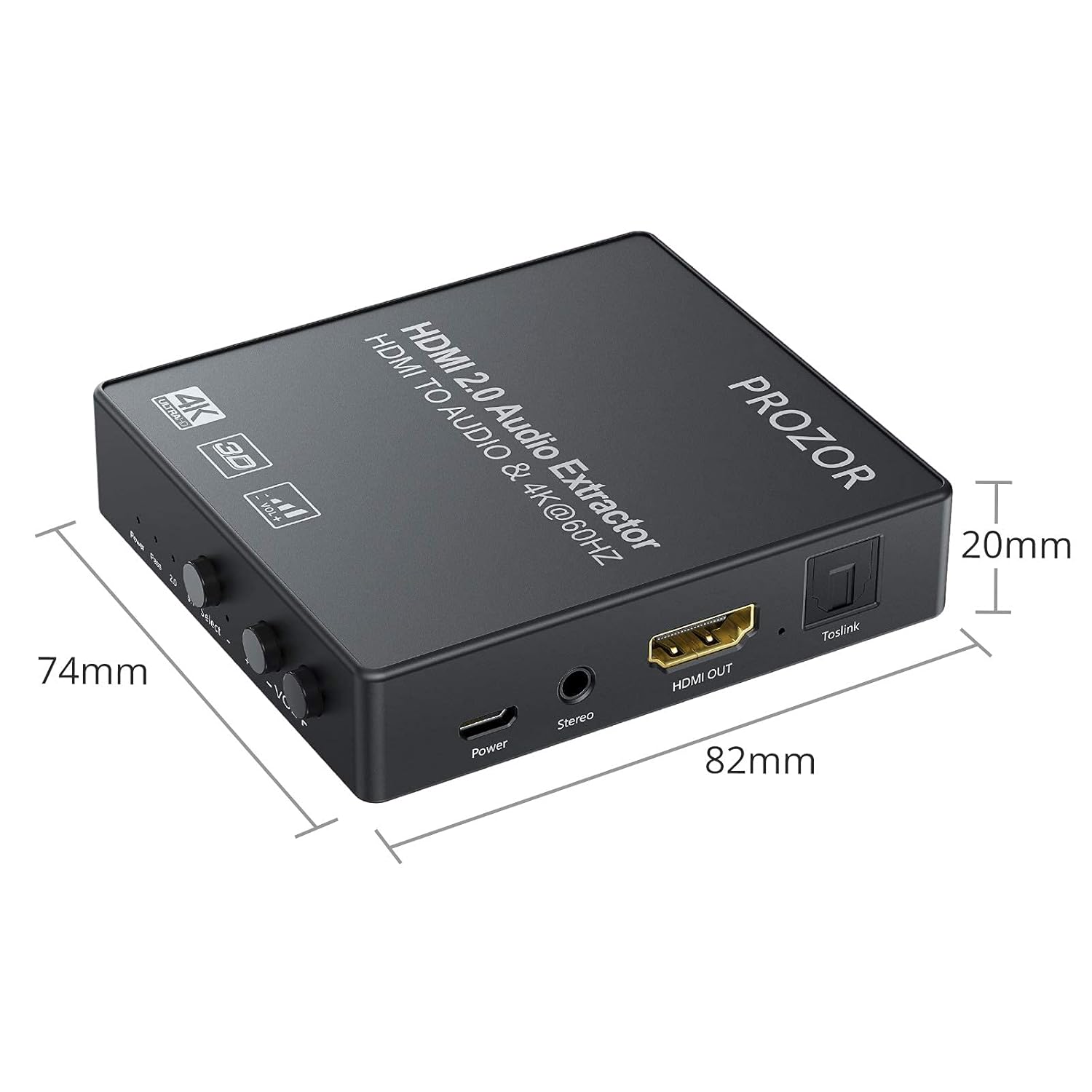
Image: A diagram showing the physical dimensions of the PROZOR HDMI Audio Extractor, measuring 82mm in length, 74mm in width, and 20mm in height.
คำแนะนำการตั้งค่า
- การเชื่อมต่อไฟฟ้า: Connect the provided USB power cable to the "Power" port on the extractor and then to a 5V1A USB power adapter (not always included) or a USB port on your display/source device. Ensure the power indicator light illuminates.
- อินพุต HDMI: Connect an HDMI cable from your source device (e.g., Blu-ray player, game console, laptop) to the "HDMI IN" port on the extractor.
- เอาท์พุต HDMI: Connect another HDMI cable from the "HDMI OUT" port on the extractor to the HDMI input of your display device (e.g., TV, monitor, projector).
- Audio Output (Analog): For analog audio, connect headphones or speakers to the "Stereo" (3.5mm) port. If using RCA speakers, utilize the included 3.5mm to 2RCA cable.
- Audio Output (Digital): For digital audio, connect an optical (Toslink) cable from the "Toslink" port on the extractor to your soundbar, AV receiver, or other optical audio input device.
- เลือกโหมดเสียง: Use the "Select" button on the extractor to choose your desired audio output mode:
- ผ่าน: HDMI audio passes through directly to the HDMI output.
- 2.0ช: Stereo audio output via 3.5mm and optical ports.
- 5.1ช: 5.1 channel audio output via the optical port only.
- ตรวจสอบการเชื่อมต่อ: ตรวจสอบให้แน่ใจว่าสายเคเบิลทั้งหมดเชื่อมต่ออย่างแน่นหนา

Image: A visual representation of various input devices (Laptop, TV Box, DVD Player, PS3/PS4, Blu-ray DVD) connecting to the HDMI IN of the extractor, and output devices (HD TV, HD display, Projector) connecting from the HDMI OUT. This illustrates the signal flow.
คำแนะนำการใช้งาน
- เปิดเครื่อง: Once all connections are made and the USB power is supplied, the extractor will power on automatically. The "Power" indicator light will be red.
- การเลือกโหมดเสียง: Press the "Select" button to cycle through the audio modes: PASS, 2.0CH, and 5.1CH. The corresponding indicator light (2.0 or 5.1) will illuminate.
- การปรับระดับเสียง: For the 3.5mm stereo output, use the "VOL+" and "VOL-" knobs to adjust the audio volume. There are 10 levels of volume adjustment.

ภาพ: ภาพระยะใกล้ view of the volume control knobs and the 3.5mm stereo output port on the PROZOR HDMI Audio Extractor. The text indicates 10 levels of volume adjustment for the 3.5mm headphone output.
- ความเข้ากันได้ของความละเอียด: The device automatically detects and supports resolutions up to 4K@60Hz (YUV 4:4:4) and 3D 1080P. Ensure your source and display devices also support these resolutions for optimal performance.

Image: A graphic demonstrating the resolution capabilities of the PROZOR HDMI Audio Extractor, supporting 4K@60Hz (YUV 4:4:4) and compatible with 3D 1080P.
การซ่อมบำรุง
- การทำความสะอาด: ใช้ผ้านุ่มและแห้งเช็ดทำความสะอาดอุปกรณ์ ห้ามใช้น้ำยาทำความสะอาดชนิดน้ำหรือสเปรย์
- พื้นที่จัดเก็บ: เก็บอุปกรณ์ไว้ในที่แห้งและเย็น หลีกเลี่ยงแสงแดดโดยตรงและอุณหภูมิที่สูงหรือต่ำเกินไป
- การจัดการ: Avoid dropping or subjecting the device to strong impacts. Do not attempt to disassemble or modify the unit, as this will void the warranty and may cause damage.
- การดูแลสายเคเบิล: Ensure HDMI and audio cables are not bent sharply or placed under heavy objects to prevent damage.
การแก้ไขปัญหา
| ปัญหา | สาเหตุที่เป็นไปได้ | สารละลาย |
|---|---|---|
| ไม่มีวีดีโอเอาท์พุต |
|
|
| ไม่มีเอาต์พุตเสียง |
|
|
| สัญญาณขาดๆ หายๆ หรือกระพริบ |
|
|
| No image with PS5 (as reported by some users). |
|
|
| Device stopped working after a short period. |
|
|
ข้อมูลจำเพาะ
| คุณสมบัติ | รายละเอียด |
|---|---|
| หมายเลขรุ่น | พีเอสที155 |
| ยี่ห้อ | ผู้ให้บริการ |
| เวอร์ชัน HDMI | HDMI2.0 การเชื่อมต่อ |
| เวอร์ชัน HDCP | HDCP2.2 ขึ้นไป |
| ความละเอียดอินพุตสูงสุด | 4K@60Hz (YUV 4:4:4) |
| ความละเอียดที่รองรับ | 4K@60Hz, 4K@50Hz, 4K@30Hz, 1080P, 720P |
| รองรับ 3D | ใช่ (1080P) |
| รองรับ HDR | ใช่ |
| พอร์ตเอาต์พุตเสียง | 1 x SPDIF (Optical), 1 x 3.5mm Stereo Jack |
| โหมดเสียง | PASS, 2.0CH, 5.1CH (Optical only for 5.1CH) |
| การควบคุมระดับเสียง | 10 levels for 3.5mm output |
| แหล่งจ่ายไฟ | DC 5V/1A (via Micro USB) |
| น้ำหนักผลิตภัณฑ์ | 210 กรัม |
| ขนาด (กว้าง x ยาว x สูง) | 82 มม. x 74 มม. x 20 มม. (โดยประมาณ) |
| อุปกรณ์ที่รองรับ | Game consoles, Blu-ray/DVD players, streaming devices, laptops |
| ประเภทขั้วต่อ | AUX, HDMI, RCA (via adapter) |
ข้อมูลด้านความปลอดภัย
- Do not expose this device to water, moisture, or excessive humidity.
- อย่าวางเครื่องไว้ใกล้แหล่งความร้อนหรือแสงแดดโดยตรง
- Use only the specified power adapter (5V1A) to avoid damage.
- เก็บให้พ้นจากมือเด็ก
- ตัดการเชื่อมต่อไฟฟ้าระหว่างเกิดพายุฝนฟ้าคะนองหรือเมื่อไม่ได้ใช้งานเป็นเวลานาน
การรับประกันและการสนับสนุน
PROZOR products are designed for reliability and performance. For warranty information or technical support, please refer to the contact details provided with your purchase or visit the official PROZOR webเว็บไซต์.
โปรดเก็บหลักฐานการซื้อของคุณไว้เพื่อเรียกร้องการรับประกัน


