1. บทนำ
Thank you for choosing the Gravity Warzone 15 Inch Car Audio Subwoofer. This high-performance subwoofer is designed to deliver powerful and clear bass, enhancing your vehicle's audio system. Please read this manual thoroughly before installation and operation to ensure proper use and maximize the lifespan of your product.
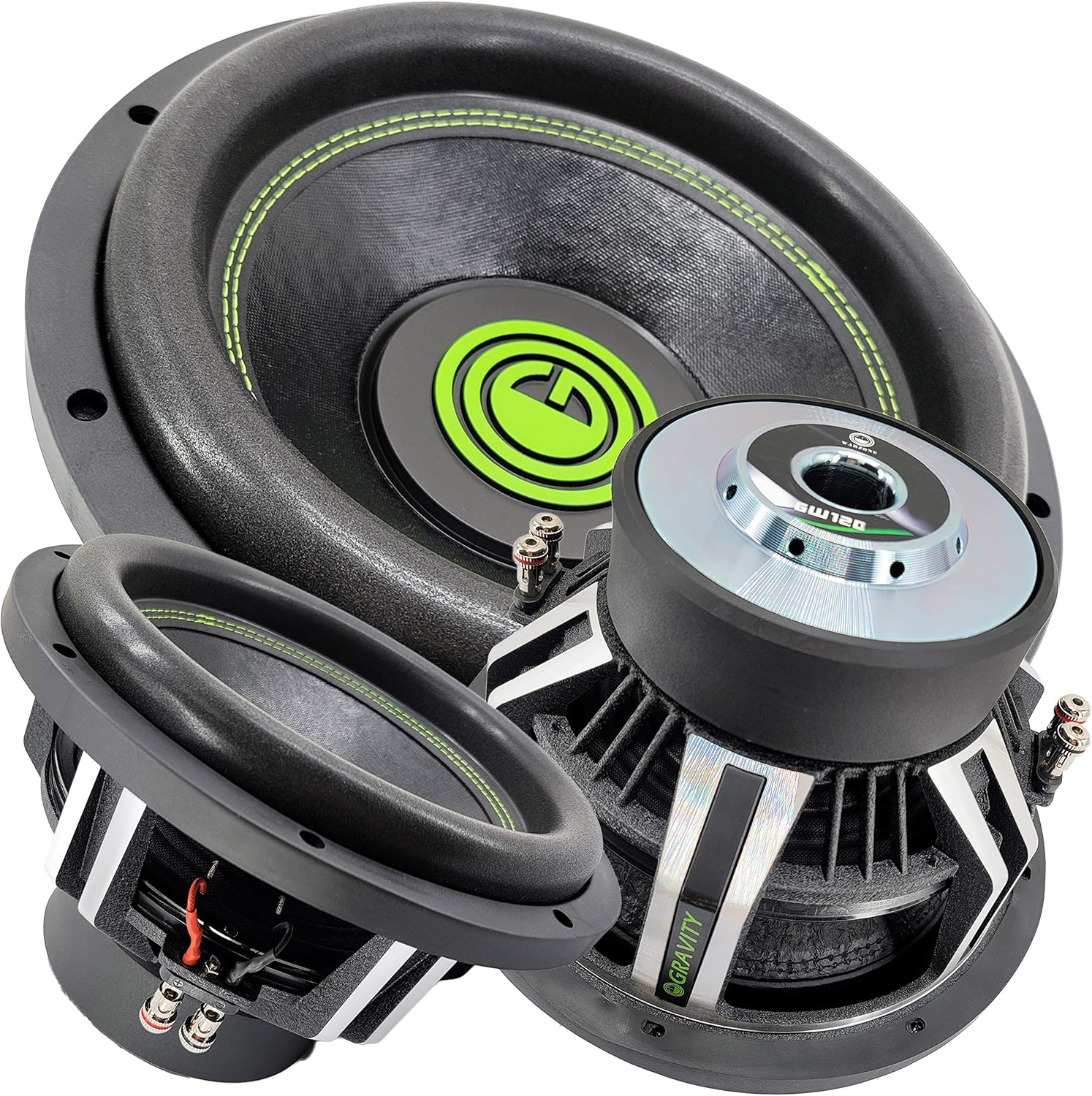
Figure 1: Gravity Warzone 15 Inch Car Audio Subwoofer, showcasing its robust design and green accent stitching.
2. การตั้งค่าและการติดตั้ง
2.1 การแกะกล่อง
Carefully remove the subwoofer from its packaging. Inspect the unit for any signs of damage that may have occurred during shipping. If any damage is found, contact your retailer immediately.
2.2 Recommended Enclosure
For optimal performance, it is highly recommended to install this subwoofer in a properly designed and constructed sealed or ported enclosure. Consult a professional car audio installer or refer to specialized audio resources for appropriate enclosure volume and port tuning for a 15-inch subwoofer.
2.3 การเชื่อมต่อสายไฟ
The Gravity Warzone subwoofer features a Dual Voice Coil (DVC) design with 4 Ohm impedance per voice coil. Proper wiring is crucial for optimal performance and to prevent damage to the subwoofer or ampเครื่องขยายเสียง ตรวจสอบให้แน่ใจว่าของคุณ ampแอมพลิฟายเออร์ทำงานได้อย่างเสถียรที่ค่าอิมพีแดนซ์ที่เลือกไว้

รูปที่ 2: ระยะใกล้ view of the subwoofer's dual voice coil terminals, showing the positive and negative connections for each coil.
การต่อสายแบบขนาน (โหลด 2 โอห์ม): Connect the positive (+) terminal of voice coil 1 to the positive (+) terminal of voice coil 2. Connect the negative (-) terminal of voice coil 1 to the negative (-) terminal of voice coil 2. Then, connect the ampเอาต์พุตบวกของเครื่องขยายเสียงไปยังขั้วบวกที่รวมกันและ amplifier's negative output to the combined negative terminals. This configuration results in a 2 Ohm load.
การต่อแบบอนุกรม (โหลด 8 โอห์ม): Connect the positive (+) terminal of voice coil 1 to the amplifier's positive output. Connect the negative (-) terminal of voice coil 1 to the positive (+) terminal of voice coil 2. Connect the negative (-) terminal of voice coil 2 to the amplifier's negative output. This configuration results in an 8 Ohm load.
Always ensure all connections are secure and free from short circuits. Use appropriate gauge wiring for power and speaker connections.
3. แนวทางการดำเนินงาน
3.1 ช่วงเบรกอิน
Allow a break-in period of approximately 20-30 hours of normal listening before operating the subwoofer at high volumes. This allows the suspension components (surround and spider) to loosen up, improving performance and longevity.
3.2 Ampการจับคู่ลิฟเวอร์
This subwoofer has a peak power handling of 3500 Watts. Ensure your amplifier's RMS power output is appropriately matched to the subwoofer's RMS power handling to prevent underpowering or overpowering, both of which can cause damage. Underpowering can be as damaging as overpowering due to ampการตัดลิเนียร์
3.3 การตั้งค่าครอสโอเวอร์
ใช้ประโยชน์จากคุณ amplifier's or head unit's low-pass filter (LPF) to send only low frequencies to the subwoofer. A typical LPF setting for this subwoofer would be between 80Hz and 120Hz, depending on your full-range speakers and personal preference. Avoid sending full-range audio signals to the subwoofer.
4. การบำรุงรักษา
The Gravity Warzone subwoofer requires minimal maintenance. Keep the cone and surround free from dust and debris. Periodically check all wiring connections to ensure they remain secure. Avoid exposing the subwoofer to excessive moisture or extreme temperatures, as it is not waterproof.
5 การแก้ไขปัญหา
| ปัญหา | สาเหตุที่เป็นไปได้ | สารละลาย |
|---|---|---|
| ไม่มีเสียงจากซับวูฟเฟอร์ |
|
|
| เสียงผิดเพี้ยน |
|
|
| เอาท์พุตเสียงเบสอ่อน |
|
|
6. ข้อมูลจำเพาะ

รูปที่ 3: ด้านบน view of the Gravity Warzone Subwoofer, highlighting the pressed paper cone and high roll foam surround.
- แบบอย่าง: GW15D-Single
- ประเภทลำโพง: ซับวูฟเฟอร์รถยนต์
- เส้นผ่านศูนย์กลางวูฟเฟอร์: 15 นิ้ว
- การจัดการพลังงานสูงสุด: 3500 วัตต์
- อิมพีแดนซ์: 4 Ohm Dual Voice Coil (DVC)
- วัสดุ: กรวยกระดาษอัด
- เซอร์ราวด์: โฟมหุ้มรอบสูง
- ระบบระบายความร้อน : Advanced Air Flow Cooling System
- การตอบสนองความถี่: 30 - 500Hz
- ความไว: 85 เดซิเบล
- เทคโนโลยีการเชื่อมต่อ: มีสาย
- น้ำหนักสินค้า: 28.3 ปอนด์
7. การรับประกันและการสนับสนุน
Gravity products are designed for durability and performance. For information regarding warranty coverage, terms, and conditions, please refer to the warranty card included with your product or visit the official Gravity website. For technical support or service inquiries, please contact Gravity customer service through their official channels.
โปรดเก็บหลักฐานการซื้อของคุณไว้เพื่อเรียกร้องการรับประกัน


