การแนะนำ
The Invoxia GPS Tracker PRO is a compact, real-time location tracking device designed to help you monitor vehicles, valuables, and loved ones. Utilizing 4G LTE-M network connectivity, it provides advanced location accuracy and a suite of anti-theft features, including motion and tilt alerts, and geofencing. This manual provides comprehensive instructions for setting up, operating, and maintaining your Invoxia GPS Tracker PRO.

Image: The Invoxia GPS Tracker PRO, a sleek black device, shown alongside a smartphone displaying its real-time tracking application. The app interface illustrates a map with a tracked route and a "Movement detected" notification for a motorcycle.
การตั้งค่าและการเปิดใช้งาน
Setting up your Invoxia GPS Tracker PRO is a quick and straightforward process, typically taking less than 60 seconds.
Download the Invoxia GPS App:
Before using your tracker, download the official Invoxia GPS application from your smartphone's app store (iOS 12 / Android 5 or higher required). Google Play Services are also required for Android devices. Note that certain phone models and processors are incompatible (e.g., Blackview 9500/9600/9700, Mediatek processors).
ชาร์จแบตเตอรี่อุปกรณ์ติดตาม:
Connect the Invoxia GPS Tracker PRO to a power source using the provided USB cable. A full charge typically takes approximately 90 minutes. The device will power on automatically once charging begins.
เชื่อมต่อกับสมาร์ทโฟนของคุณ:
Open the Invoxia GPS app and follow the on-screen instructions to pair your tracker via Bluetooth. This process establishes the initial connection and allows the tracker to become fully autonomous, transmitting its location without distance limits.
ข้อกำหนดในการสมัครสมาชิก:
A subscription is required to access the geolocation services and ensure optimal tracker performance. This provides access to the 4G LTE-M network for real-time tracking and alerts. Subscription plans are available starting from $6.25/month when prepaid long-term.

Image: A visual guide illustrating the three simple steps for setting up the Invoxia GPS Tracker: 1. Download the Invoxia app, 2. Charge the tracker to turn it on, and 3. Quickly locate your belongings.
คำแนะนำการใช้งาน
ระบบติดตาม GPS แบบเรียลไทม์
The Invoxia GPS Tracker PRO provides continuous 24/7 tracking. You can view the tracker's current location and historical routes directly within the Invoxia GPS app. Location updates can be configured to occur every 2, 5, 10, or 30 minutes. In emergencies, activate real-time tracking for updates every 30 seconds.

Image: A smartphone screen displaying the key features of the Invoxia GPS app, including real-time GPS tracking, instant anti-theft alerts, geofencing capabilities, exceptional battery life, the requirement for a subscription, and proximity radar with a ringer function.
Anti-Theft Alerts
The tracker is equipped with advanced motion and tilt detection to prevent theft. You will receive immediate notifications on your smartphone if suspicious movement is detected. This feature maximizes the chances of recovery for your valuables.
- การตรวจจับการเคลื่อนไหว: Alerts you when the tracker begins to move after being stationary.
- การตรวจจับการเอียง: Notifies you if the device's orientation changes significantly, indicating potential tampering or movement.

Image: A hand discreetly placing the Invoxia GPS Tracker PRO into a hidden compartment on a motorcycle, demonstrating its use for vehicle security.

Image: The Invoxia GPS Tracker PRO being placed into the center console storage of a car, highlighting its compact size and ease of concealment for vehicle tracking.
การกำหนดตำแหน่งทางภูมิศาสตร์
Define virtual safety zones (geofences) within the app. You will receive alerts if the tracker enters or exits these predefined areas. This feature is ideal for monitoring children's movements, ensuring vehicles stay within designated boundaries, or protecting specific assets.

Image: A young boy walking across a crosswalk, symbolizing the ability of the Invoxia GPS Tracker to help users keep an eye on loved ones by setting geofence alerts for their routes.
การรวม IFTTT
The Invoxia GPS Tracker PRO supports integration with IFTTT (If This Then That), allowing you to create custom automation scenarios. Connect your tracker with other smart devices and services to automate location-based actions, enhancing its utility beyond basic tracking.

Image: A hand securing the Invoxia GPS Tracker PRO to a car's sun visor, with a prominent "Works with IFTTT" logo indicating its compatibility with home automation scenarios.
อายุการใช้งานแบตเตอรี่และการจัดการ
The Invoxia GPS Tracker PRO is designed for exceptional battery life, lasting up to 6 months on a single charge depending on usage and settings. The battery life varies based on travel time and whether Smart Battery Management is enabled.
| เวลาเดินทาง | อายุการใช้งานแบตเตอรี่ |
|---|---|
| 8 ชั่วโมง/วัน | นานถึง 5 วัน |
| 4 ชั่วโมง/วัน | นานถึง 11 วัน |
| 2 ชั่วโมง/วัน | นานถึง 3 สัปดาห์ |
| Smart Battery Management* | นานถึง 4 เดือน |
*Estimates based on 10-minute update interval. Smart Battery Management is enabled when tracking your own vehicle or belongings with Bluetooth enabled.
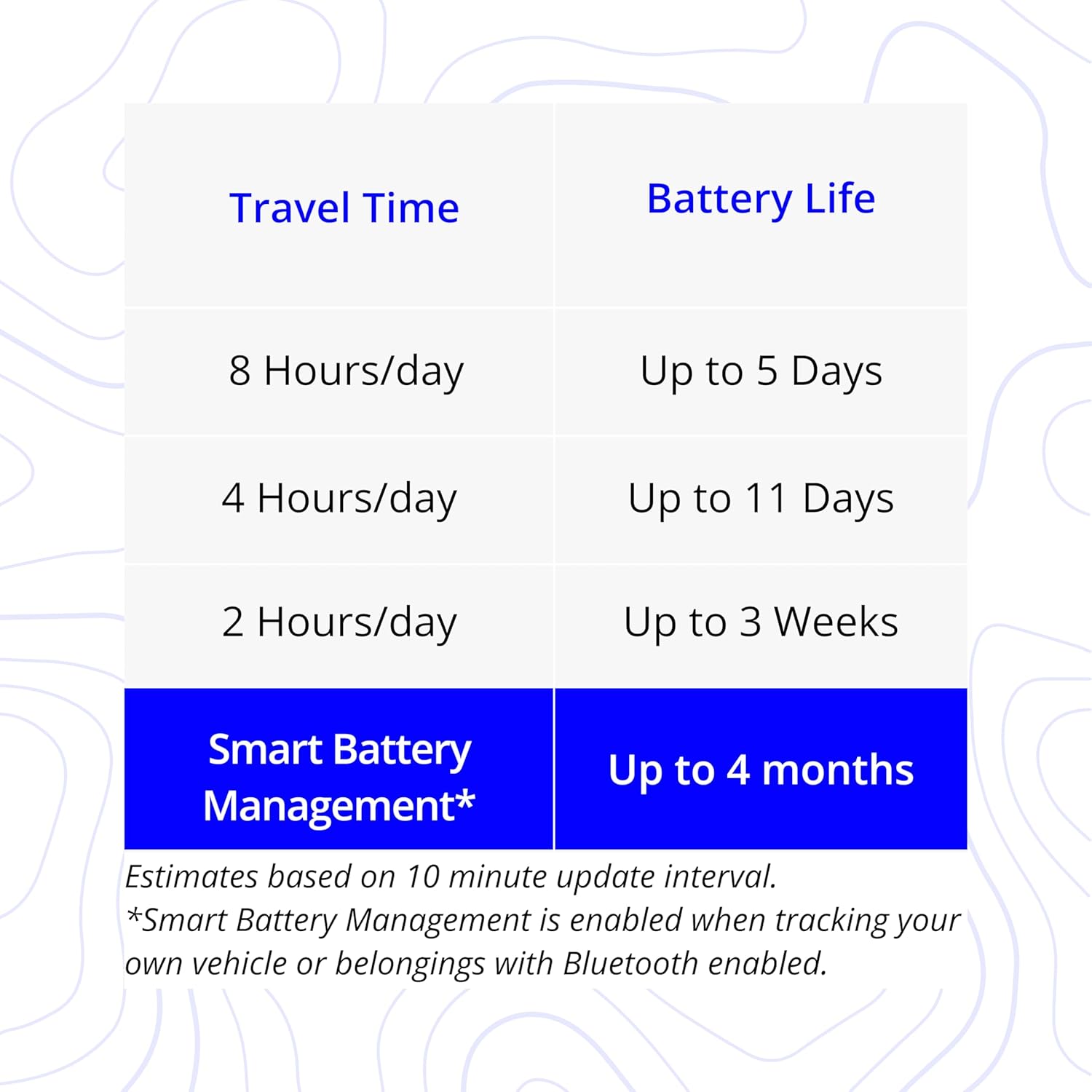
Image: A detailed table outlining the estimated battery life of the Invoxia GPS Tracker based on daily travel time, ranging from 5 days for 8 hours/day travel to up to 4 months with Smart Battery Management enabled.
การซ่อมบำรุง
การชาร์จไฟ
Recharge the tracker using a standard USB cable. The device contains a Lithium Polymer battery (included). Ensure the tracker is fully charged before initial use and whenever the battery level is low to maintain optimal performance.
ความต้านทานต่อน้ำ
Invoxia GPS trackers are IP33 certified. This means they are designed to resist shocks and standard outdoor conditions. While they offer some water resistance, they are not fully waterproof. Avoid submerging the device in water or exposing it to heavy rain for extended periods.
การแก้ไขปัญหา
ไม่มีการอัปเดตตำแหน่งที่ตั้ง:
Ensure your subscription is active. Check if the tracker is in an area with 4G LTE-M network coverage. The tracker does not work in Puerto Rico, Guam, American Samoa, (U.S.) Virgin Islands, or the Northern Mariana Islands. If the tracker is stationary for over 24 hours, it may only send updates once every 24 hours to conserve battery.
App Incompatibility:
Verify your smartphone runs iOS 12 / Android 5 or higher and has Google Play Services installed. The tracker is incompatible with specific phone models and Mediatek processors (e.g., Blackview 9500/9600/9700; Doogee S90C/S55/S70/S68 Pro; Gigaset S370/GX 290; Hammer Energy myPhone; Hisense E30; Honor 7S; HTC Desire 626; Konrow Sky 55; Lenovo K5; LG Q7; Meizu MX5; Nomu S50; OnePlus 2; OPPO F9/CPH1819; Redmi 6; Samsung Galaxy Note 3/Note 4/Note Pro 12.2/S4; Sony Xperia XA1; Ulefone Armor 3/5S/3S; UMIDIGI F1; UNIHERTZ Jelly-Pro; Wiko P200/View Max/W-K510-EEA/W-V600; ZTE Blade V1000; LG M320; Nokia 5.1).
อายุการใช้งานแบตเตอรี่สั้น:
Review the "Battery Life and Management" section. Frequent real-time tracking (30-second updates) and constant movement will reduce battery life. Optimize settings in the app to extend battery duration.
ตำแหน่งที่ตั้งไม่ถูกต้อง:
Ensure the tracker has a clear line of sight to the sky for optimal GPS signal reception. Obstructions like thick concrete or underground locations can affect accuracy.
ข้อมูลจำเพาะ
| คุณสมบัติ | รายละเอียด |
|---|---|
| ขนาดสินค้า | 4.13 x 1.06 x 3.74 นิ้ว |
| น้ำหนักสินค้า | 1.06 ออนซ์ |
| หมายเลขรุ่น | ไม่มีการสมัครสมาชิก |
| ASIN | B0B8K2CKDH |
| แบตเตอรี่ | แบตเตอรี่ลิเธียมโพลิเมอร์ 1 ก้อน (รวมอยู่ด้วย) |
| เทคโนโลยีการเชื่อมต่อ | Cellular (4G LTE-M Network) |
| คุณสมบัติพิเศษ | Wireless, Motion & Tilt Alerts, Geofencing, IFTTT Integration |
| สี | สีดำ |
| ผู้ผลิต | อินวอเซีย |
| วันที่พร้อมใช้งานครั้งแรก | วันที่ 4 สิงหาคม 2022 |
| ส่วนประกอบที่รวมอยู่ | แบตเตอรี่ |
| ความต้านทานต่อน้ำ | ได้รับการรับรอง IP33 |
การรับประกันและการสนับสนุน
Invoxia is committed to providing high-quality products and support.
การรับประกัน:
The Invoxia GPS Tracker PRO comes with a 2-year warranty, ensuring peace of mind regarding manufacturing defects and performance issues.
การสนับสนุนทางออนไลน์:
For any questions, technical assistance, or troubleshooting not covered in this manual, please visit the Invoxia official website for online support resources and contact information.
ร้านค้าแบรนด์:
Explore other Invoxia products and accessories by visiting the official Invoxia Store on Amazon.

Image: An infographic highlighting Invoxia's brand attributes, including its status as No. 1 in Europe, French technology, a 2-year warranty, online support, and secure purchase options.


