1. บทนำ
This manual provides essential information for the safe and effective use of your Paladone PP7335MAN The Mandalorian Child Grogu Desktop Light. Please read these instructions carefully before operating the product and retain them for future reference.
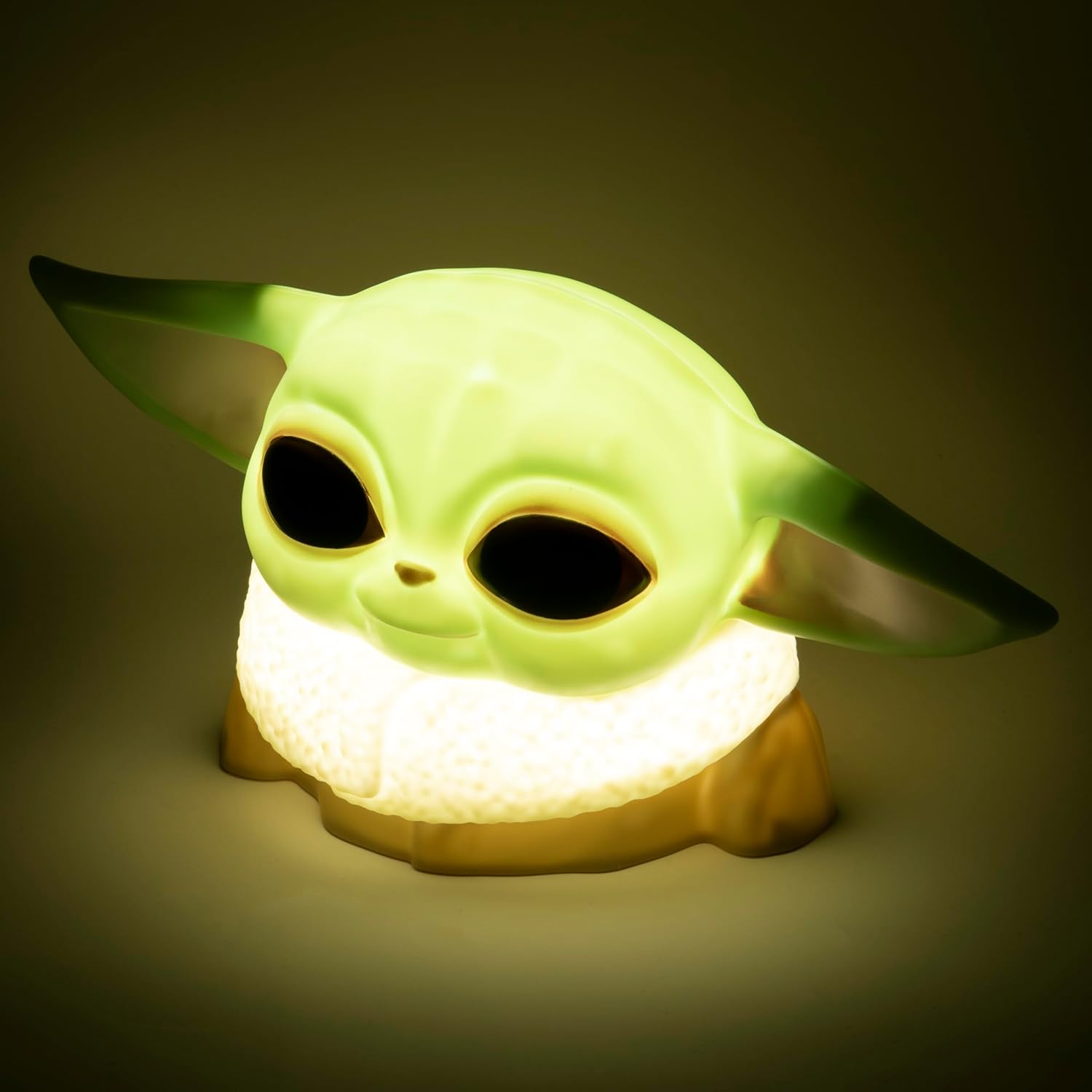
Image 1.1: The Paladone The Mandalorian Child Grogu Desktop Light, illuminated and ready for use.
2. ข้อมูลด้านความปลอดภัย
- คำเตือน: ไม่เหมาะสำหรับเด็กอายุต่ำกว่า 36 เดือน เนื่องจากมีชิ้นส่วนขนาดเล็ก อาจทำให้เกิดอันตรายจากการสำลักได้
- ผลิตภัณฑ์นี้มีวัตถุประสงค์สำหรับใช้ภายในอาคารเท่านั้น
- อย่าให้ผลิตภัณฑ์โดนน้ำหรือความชื้นมากเกินไป
- ห้ามถอดประกอบหรือดัดแปลงผลิตภัณฑ์ การกระทำดังกล่าวจะทำให้การรับประกันเป็นโมฆะ
- ทิ้งแบตเตอรี่ที่ใช้แล้วอย่างรับผิดชอบตามข้อบังคับท้องถิ่น
3. เนื้อหาบรรจุภัณฑ์
กรุณาตรวจสอบเนื้อหาในแพ็คเกจเพื่อให้แน่ใจว่ามีสินค้าครบทั้งหมด:
- 1 x Paladone PP7335MAN The Mandalorian Child Grogu Desktop Light
- 1 x คู่มือผู้ใช้ (เอกสารนี้)
บันทึก: 2x AAA batteries are required for operation and are ไม่รวมอยู่ ในแพ็คเกจ

Image 3.1: The Paladone The Mandalorian Child Grogu Desktop Light shown in its retail box.
4. การตั้งค่า
- แกะกล่องไฟ: Carefully remove the Grogu Desktop Light from its packaging.
- ติดตั้งแบตเตอรี่: Locate the battery compartment on the underside of the light. Open the compartment cover. Insert 2x AAA batteries, ensuring correct polarity (+/-) as indicated inside the compartment. Close the battery compartment cover securely.
- การจัดวาง: Place the light on a stable, flat surface away from direct sunlight, heat sources, and moisture.

Image 4.1: The Paladone The Mandalorian Child Grogu Desktop Light in an unlit state, showing its detailed design.
5. คู่มือการใช้งาน
To operate your Grogu Desktop Light:
- การเปิดเครื่อง: Locate the power switch, typically on the base or back of the figure. Press the switch to the 'ON' position to illuminate the light.
- การปิด: To turn off the light, press the power switch to the 'OFF' position.

Image 5.1: The Paladone The Mandalorian Child Grogu Desktop Light displayed on a wooden shelf, demonstrating its decorative appeal.
6. การบำรุงรักษา
- การทำความสะอาด: To clean the light, gently wipe it with a dry, soft cloth. Do not use abrasive cleaners, solvents, or harsh chemicals, as these may damage the surface.
- การเปลี่ยนแบตเตอรี่: When the light begins to dim or stops working, it is time to replace the batteries. Follow the battery installation steps in Section 4.2.
- พื้นที่จัดเก็บ: If storing the light for an extended period, remove the batteries to prevent leakage and corrosion. Store in a cool, dry place.
7 การแก้ไขปัญหา
| ปัญหา | สาเหตุที่เป็นไปได้ | สารละลาย |
|---|---|---|
| ไฟไม่เปิด | แบตเตอรี่หมดหรือใส่ไม่ถูกต้อง | เปลี่ยนแบตเตอรี่ด้วยแบตเตอรี่ AAA ใหม่ โดยตรวจสอบให้แน่ใจว่าใส่ขั้วถูกต้อง |
| แสงสว่างสลัวๆ | แบตเตอรี่เหลือน้อย | เปลี่ยนแบตเตอรี่ด้วยแบตเตอรี่ AAA ใหม่ |
| ไฟกะพริบ | ขั้วต่อแบตเตอรี่หลวม หรือแบตเตอรี่เหลือน้อย | ตรวจสอบช่องใส่แบตเตอรี่ว่าเชื่อมต่อแน่นดีหรือไม่ เปลี่ยนแบตเตอรี่หากจำเป็น |
8. ข้อมูลจำเพาะ
| หมายเลขรุ่น | PP7335MAN |
| ขนาดสินค้า | ขนาด 14D x 21.7W x 12.5H ซม. (ประมาณ 25 x 25 x 13 ซม.) |
| น้ำหนักสินค้า | 130 กรัม |
| แหล่งพลังงาน | 2 x แบตเตอรี่ AAA (ไม่รวม) |
| วัสดุ | พลาสติก |
| ประเภทสวิตซ์ | ปุ่มกด |
| ประเภทไฟ | ไฟ LED ตั้งโต๊ะ |
9. การรับประกันและการสนับสนุน
This product is covered by a manufacturer's warranty. For specific details regarding the warranty period and terms, please refer to the packaging or contact Paladone customer support.
If you encounter any issues not covered in the troubleshooting section or require further assistance, please contact Paladone customer support through their official website or the retailer from whom you purchased the product. Please have your model number (PP7335MAN) and proof of purchase ready.


