1. สินค้าหมดview
The Billboard BB425 Gaming Headset is designed for an immersive audio experience across various gaming platforms. It features a boom microphone for clear communication, enhanced bass for rich sound, and convenient in-line controls for volume adjustment and instant muting. The headset is lightweight and adjustable, ensuring a comfortable fit during extended use, and comes with a durable fabric cord.
- ไมโครโฟนแบบบูม: เพื่อการสื่อสารด้วยเสียงที่ชัดเจน
- เพิ่มพลังเสียงเบส: มอบประสบการณ์เสียงที่สมบูรณ์แบบ
- การควบคุมแบบอินไลน์: Easily adjust volume and mute the microphone.
- การออกแบบที่ปรับได้: Lightweight and comfortable for prolonged gaming sessions.
- Durable Fabric Cord: Designed for longevity.
2. คำแนะนำในการตั้งค่า
Follow these steps to connect your Billboard BB425 Gaming Headset to your device.
- ระบุตัวเชื่อมต่อ: The headset features a single 3.5mm TRRS jack for combined audio and microphone functionality. An included Y-splitter cable separates this into two 3.5mm TRS jacks: one for audio output (typically green) and one for microphone input (typically pink).
- For Devices with a Single 3.5mm Port (e.g., most laptops, gaming controllers, smartphones):
- Plug the headset's single 3.5mm TRRS jack directly into your device's combined audio/microphone port.
- For Devices with Separate Audio and Microphone Ports (e.g., most desktop PCs):
- Connect the headset's single 3.5mm TRRS jack into the female end of the Y-splitter cable.
- Plug the audio output jack (often green) of the Y-splitter into your device's audio output port.
- Plug the microphone input jack (often pink) of the Y-splitter into your device's microphone input port.
- ปรับความพอดี: Place the headset over your ears and adjust the headband for a comfortable and secure fit. Position the boom microphone near your mouth for optimal voice pickup.
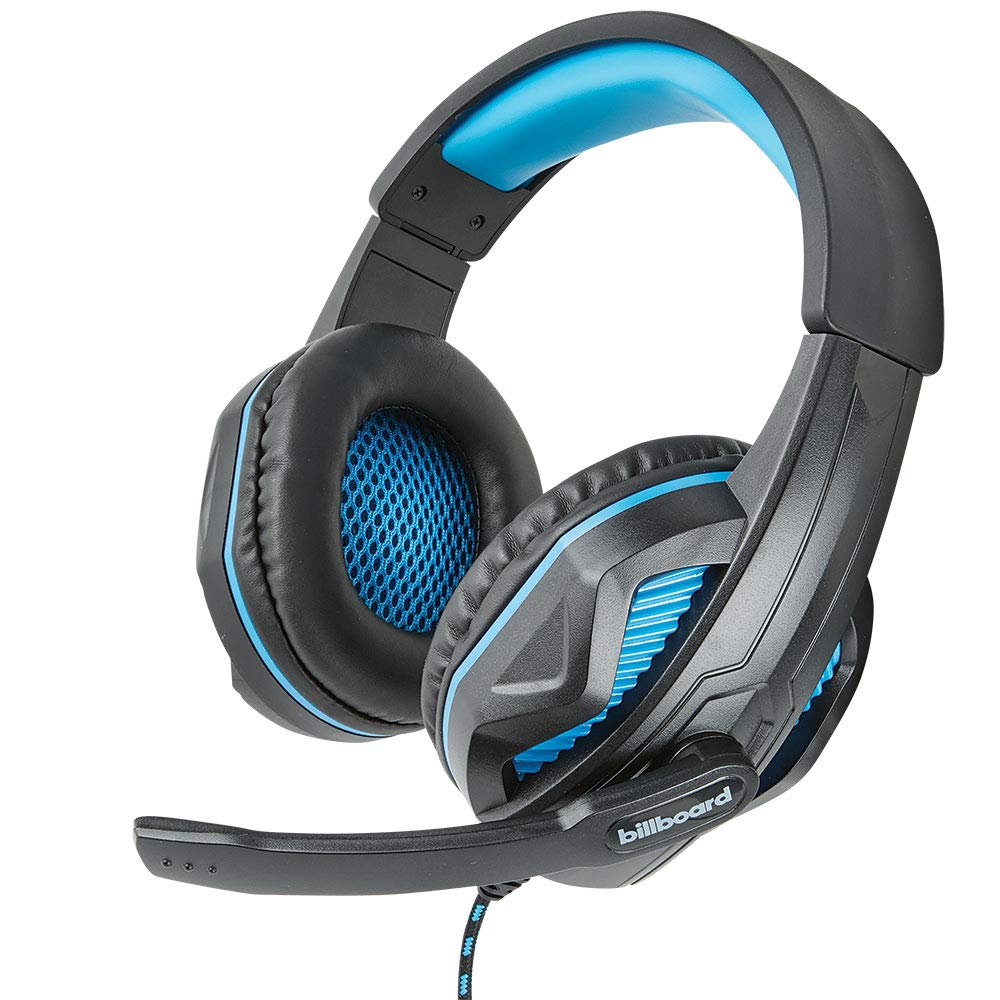
Image: The Billboard BB425 Gaming Headset's braided cable, in-line control unit, and the included Y-splitter cable with two 3.5mm TRS jacks for separate audio and microphone connections.
3. คู่มือการใช้งาน
The in-line control unit provides easy access to essential audio functions.
- การควบคุมระดับเสียง: Use the scroll wheel on the in-line control unit to adjust the audio volume. Scroll up to increase volume and down to decrease it.
- ปิดเสียงไมโครโฟน: The in-line control unit features a switch to mute or unmute the microphone. Slide the switch to the "OFF" position to mute your microphone, and to the "ON" position to enable it.
- Boom Microphone Adjustment: The flexible boom microphone can be positioned closer or further from your mouth to optimize voice clarity.
4. การบำรุงรักษาและการดูแล
การดูแลรักษาอย่างถูกวิธีจะช่วยยืดอายุการใช้งานของหูฟังของคุณได้
- การทำความสะอาด: ใช้ผ้าแห้งนุ่มๆ เช็ดทำความสะอาดหูฟัง สำหรับฟองน้ำรองหูฟัง ให้ใช้ผ้าที่นุ่มกว่าเล็กน้อยเช็ดamp สามารถใช้ผ้าชุบสบู่เหลวอ่อนๆ เช็ดได้ แต่ต้องแน่ใจว่าผ้าแห้งสนิทก่อนใช้งาน ห้ามใช้สารเคมีรุนแรงหรือน้ำยาทำความสะอาดที่มีฤทธิ์กัดกร่อน
- พื้นที่จัดเก็บ: เก็บหูฟังไว้ในที่แห้งและสะอาด หลีกเลี่ยงอุณหภูมิที่สูงเกินไปและแสงแดดโดยตรง หลีกเลี่ยงการพันกันของสายหูฟัง
- การจัดการ: อย่าดึงสายเพื่อถอดหูฟัง ให้จับที่ปลั๊กให้แน่นเสมอ หลีกเลี่ยงการทำหูฟังตกหรือกระแทกอย่างแรง
5 การแก้ไขปัญหา
If you encounter issues with your Billboard BB425 Gaming Headset, refer to the following common solutions.
- ไม่มีเสียงหรือระดับเสียงต่ำ:
- Ensure the headset's 3.5mm jack(s) are fully inserted into the correct port(s) on your device.
- ตรวจสอบวงล้อควบคุมระดับเสียงที่อยู่บนสาย และปรับระดับเสียงให้ได้ยินชัดเจน
- Verify your device's audio output settings. Ensure the headset is selected as the default playback device.
- ทดสอบชุดหูฟังกับอุปกรณ์อื่นเพื่อตัดปัญหาเฉพาะอุปกรณ์ออกไป
- ไมโครโฟนไม่ทำงาน:
- Ensure the microphone mute switch on the in-line control unit is in the "ON" position.
- If using the Y-splitter, ensure the microphone jack (typically pink) is correctly plugged into your device's microphone input port.
- Check your device's microphone input settings. Ensure the headset microphone is selected as the default recording device and that its input volume is not muted or set too low.
- ทดสอบไมโครโฟนด้วยแอปพลิเคชันหรืออุปกรณ์อื่น
- Static or Distorted Audio:
- ตรวจสอบให้แน่ใจว่าการเชื่อมต่อทั้งหมดแน่นหนาและปราศจากฝุ่นหรือสิ่งสกปรก
- Try connecting the headset to a different audio port or device to check if the issue persists.
- ควรหลีกเลี่ยงการวางสายเคเบิลไว้ใกล้แหล่งกำเนิดสัญญาณรบกวนทางแม่เหล็กไฟฟ้าที่มีความรุนแรง
6. ข้อมูลจำเพาะ
| คุณสมบัติ | รายละเอียด |
|---|---|
| ชื่อรุ่น | BB425 |
| ยี่ห้อ | ป้ายโฆษณา |
| เทคโนโลยีการเชื่อมต่อ | มีสาย |
| แจ็คหูฟัง | แจ็ค 3.5 มม. |
| การวางตำแหน่งหู | ครอบหู |
| ฟอร์มแฟกเตอร์ | บนหู |
| อุปกรณ์ที่รองรับ | Gaming Consoles, Desktops, Laptops, Telephones |
| คุณสมบัติพิเศษ | Enhanced bass |
| ประเภทการควบคุม | In-line control (Volume, Mute) |
| คุณสมบัติสายเคเบิล | Retractable, Durable Fabric Cord |
| วัสดุ | พลาสติก |
| สี | สีดำ |
| ขนาดสินค้า | 25.15 x 22.86 x 8.89 ซม. |
| น้ำหนักสินค้า | 386 กรัม |
| แบตเตอรี่ที่จำเป็น | เลขที่ |
7. ข้อมูลการรับประกัน
This product is covered by a manufacturer's warranty. For specific details regarding warranty coverage, duration, and terms, please refer to the warranty card included with your product or visit the official Billboard webไซต์ โปรดเก็บใบเสร็จรับเงินของคุณไว้เป็นหลักฐานการซื้อสำหรับการเรียกร้องการรับประกันใดๆ
8. การสนับสนุนลูกค้า
If you require further assistance or have questions not addressed in this manual, please contact Billboard customer support. Contact information can typically be found on the product packaging or the official Billboard webเว็บไซต์.
ผู้ผลิต: เคสและอุปกรณ์ ESI


