1. บทนำ
This manual provides essential instructions for the safe operation, maintenance, and troubleshooting of your Bagotte BG600MAX Robot Vacuum Cleaner. Please read this manual thoroughly before using the appliance and retain it for future reference.
2. คำแนะนำด้านความปลอดภัยที่สำคัญ
To reduce the risk of injury or damage, read these safety instructions carefully and keep them handy when setting up, using, and maintaining your robot vacuum cleaner.
- This appliance is for indoor use only. Do not use outdoors or on commercial surfaces.
- ห้ามเด็กใช้งานหุ่นยนต์ดูดฝุ่น ควรดูแลเด็กและสัตว์เลี้ยงอย่างใกล้ชิดขณะที่หุ่นยนต์กำลังทำงาน
- Do not place objects on top of the robot.
- Remove obstacles and loose cables from the cleaning path to prevent entanglement.
- Avoid vacuuming very dark-colored high-pile rugs or rugs thicker than 1.02 inches (26 mm).
- Do not expose the robot to direct sunlight.
- Use only the original power adapter and charging base provided.
- ตรวจสอบให้แน่ใจว่าหุ่นยนต์ชาร์จเต็มแล้วก่อนใช้งานครั้งแรก
3. เนื้อหาบรรจุภัณฑ์
ตรวจสอบว่ามีส่วนประกอบทั้งหมดอยู่ในแพ็คเกจ:
- 1 x BG600MAX Robot Vacuum
- รีโมทคอนโทรล 1 อัน (มีแบตเตอรี่ AAA 2 ก้อนให้มาด้วย)
- 1 x ฐานชาร์จไฟ
- อะแดปเตอร์ไฟฟ้า 1 ตัว
- 1 x Magnetic Stripe (2 meters)
- 1 x Additional HEPA Strainer
- 1 x Additional Foam Strainer
- 4 x แปรงด้านข้าง
- 1 x เครื่องมือเสริม
- 1 x คู่มือผู้ใช้
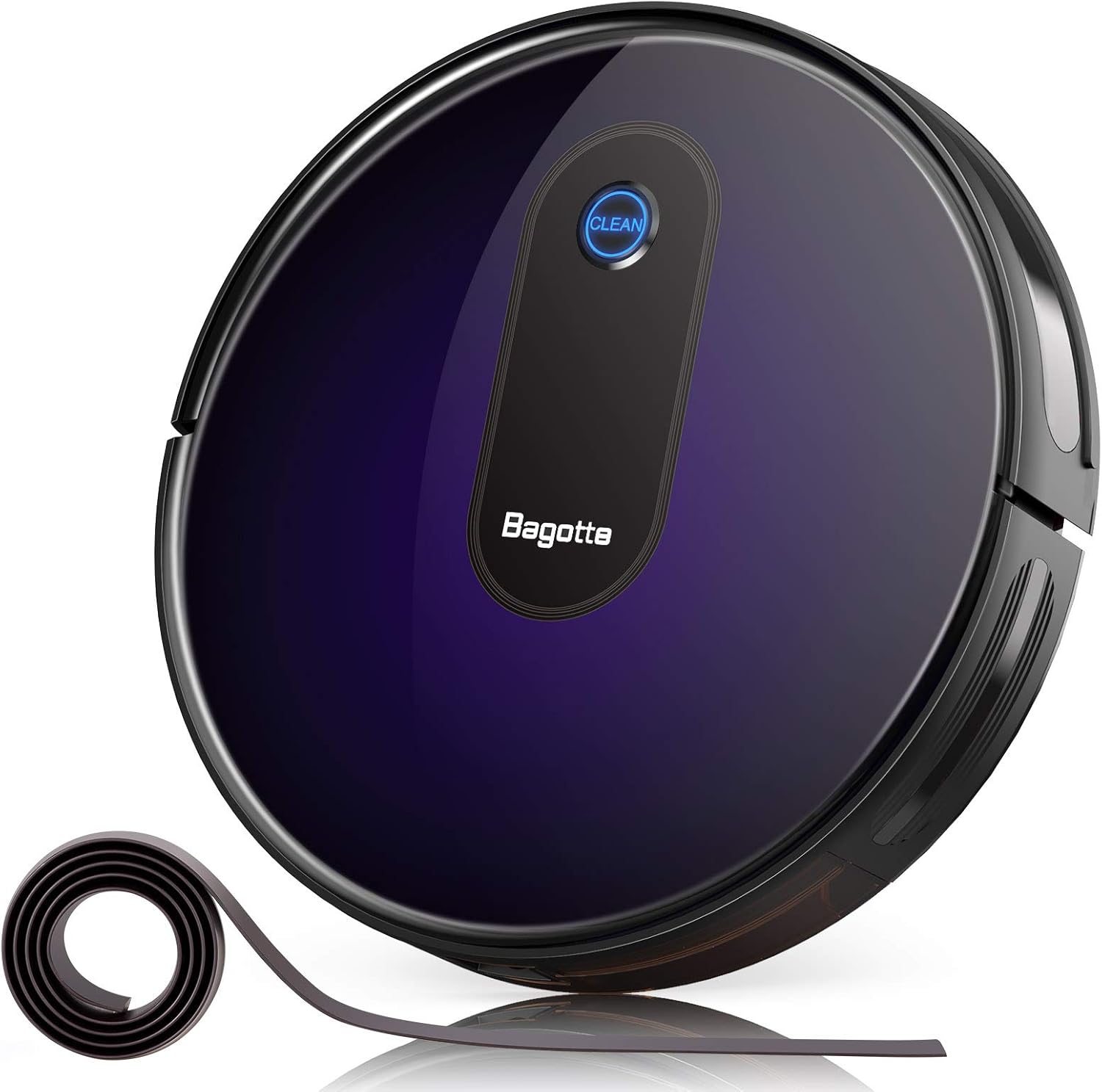
This image displays the Bagotte BG600MAX Robot Vacuum Cleaner along with its charging base, remote control, side brushes, and other accessories as they appear in the package.
4. สินค้าหมดview
The Bagotte BG600MAX is a versatile robot vacuum cleaner designed for efficient floor cleaning. It features multiple cleaning modes, strong suction, and intelligent navigation.
คุณสมบัติหลัก:
- พลังดูดอันทรงพลัง: Provides up to 2000Pa suction for thorough cleaning.
- การทำความสะอาด 3-in-1: Combines vacuuming, sweeping, and mopping (water tank sold separately).
- Boost-Intellect Technology: เพิ่มพลังดูดโดยอัตโนมัติบนพรม
- การออกแบบบางเฉียบ: At 2.7 inches, it can clean under low-lying furniture.
- การทำงานที่เงียบ: Operates at a low noise level of 55dB in Low/Auto suction mode.
- Anti-Fall Protection: Sensors prevent the robot from falling down stairs.
- Smart Anti-Collision Sensors: Detects and avoids obstacles.
- Boundary Strips: Use the included magnetic strip to define no-go zones.

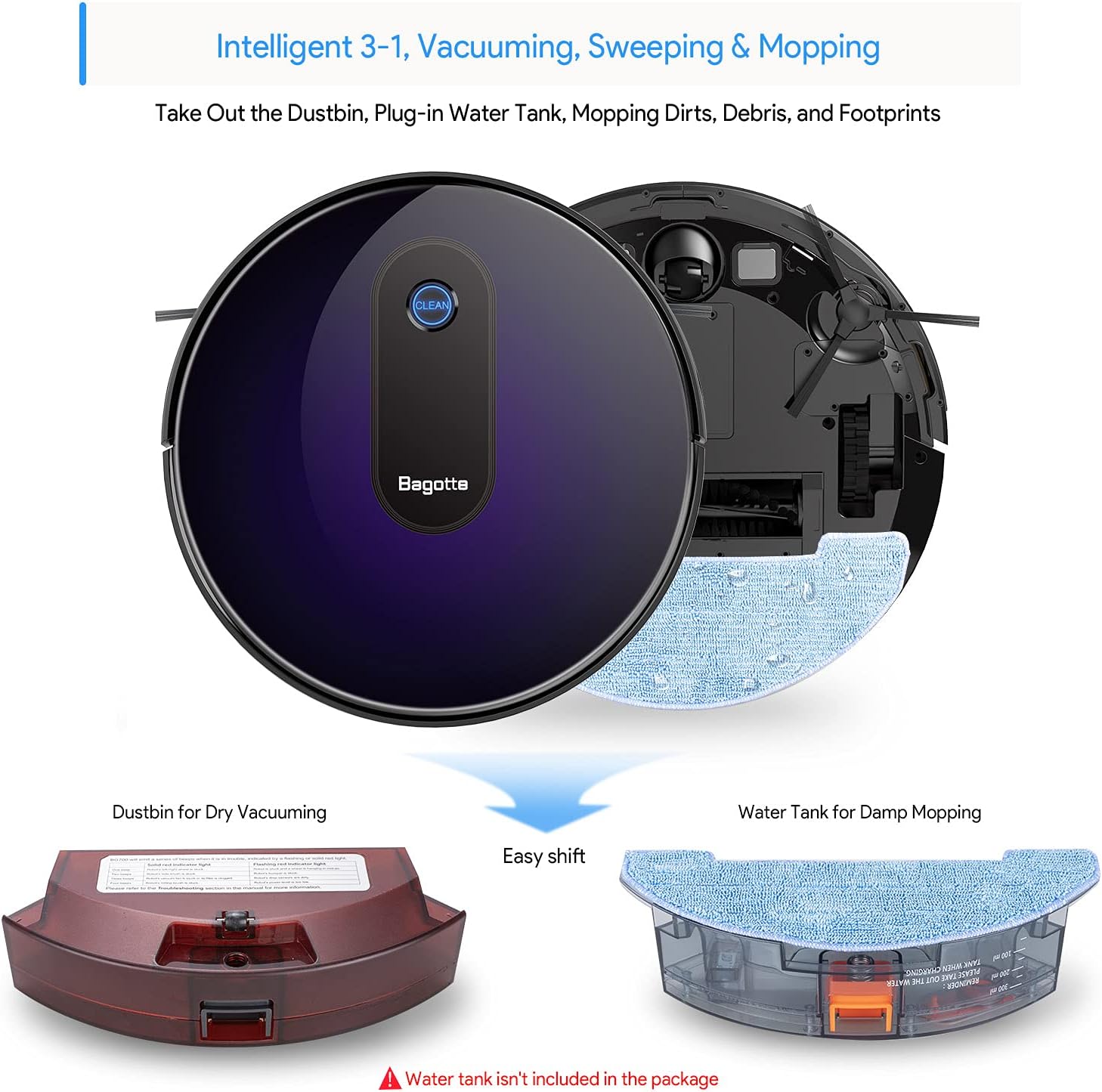
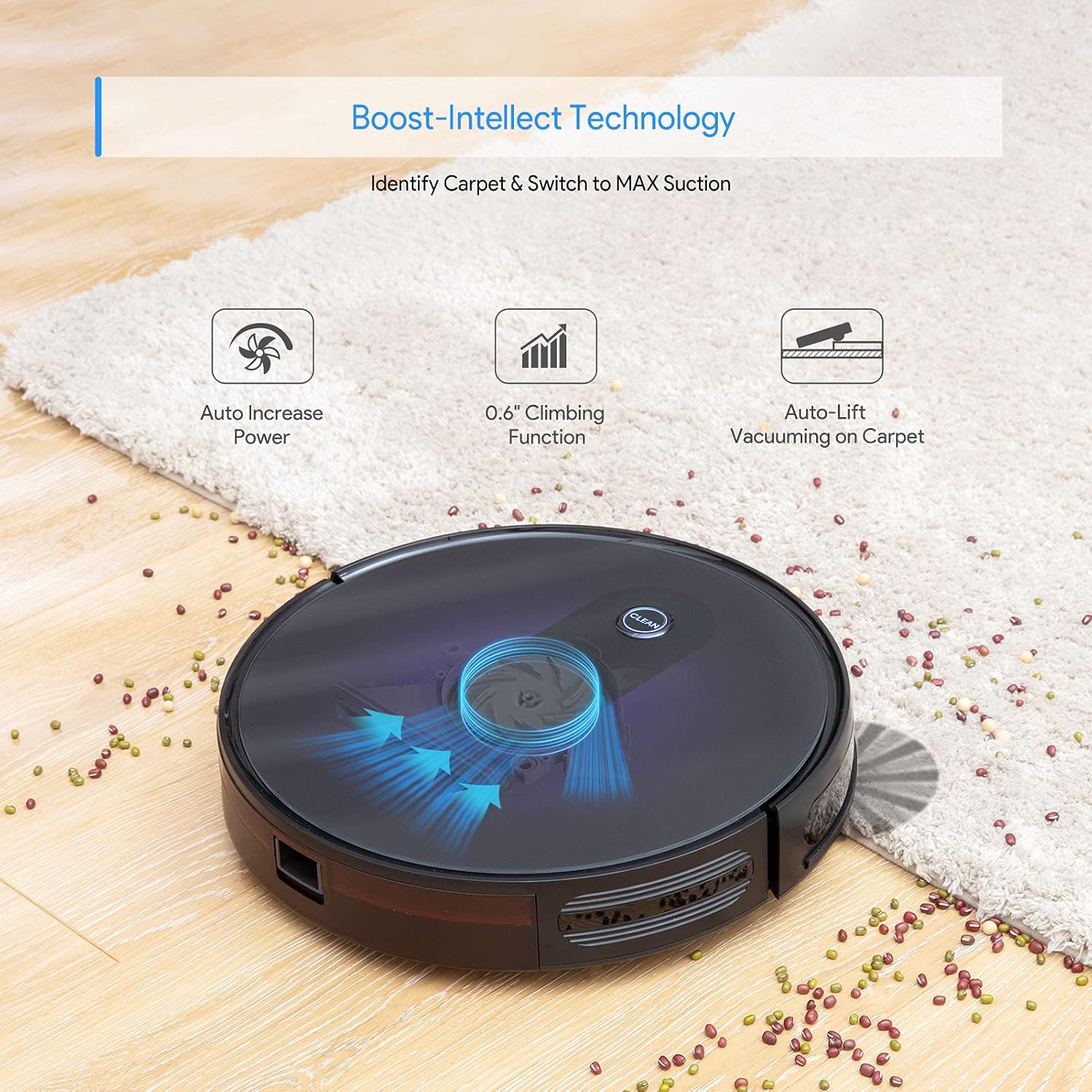
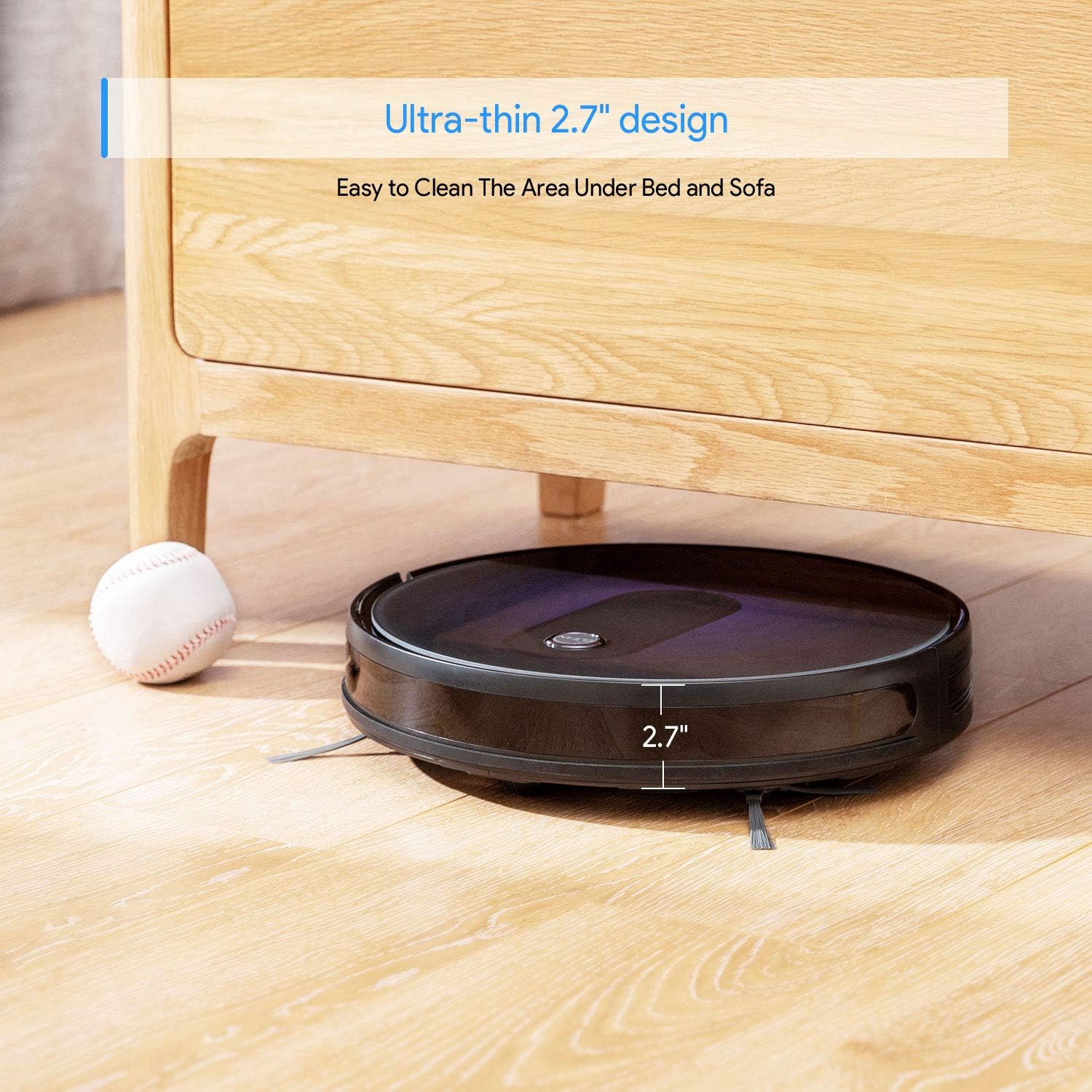

สินค้าเกินview วีดีโอ
5. การตั้งค่า
5.1 การวางฐานชาร์จ
Place the charging base against a wall in an open, uncluttered area. Ensure there is at least 1 meter (3 feet) of clear space to the sides and 2 meters (6 feet) in front of the charging base for optimal robot navigation.
5.2 การติดตั้งแปรงด้านข้าง
Attach the side brushes by pressing them onto the square posts on the bottom of the robot until they click into place.
5.3 ค่าบริการเริ่มต้น
Before first use, ensure the robot is fully charged. Connect the power adapter to the charging base and plug it into a wall outlet. Place the robot onto the charging base, aligning its charging contacts with those on the base. The indicator light on the robot will show charging status.
5.4 การเปิด/ปิดเครื่อง
To power on the robot, press and hold the 'CLEAN' button on the robot or the power button on the remote control until the indicator lights illuminate. To power off, press and hold the 'CLEAN' button until the lights turn off.
Setup and Remote Control Demonstration
6. คู่มือการใช้งาน
The Bagotte BG600MAX offers various cleaning modes to suit different needs.
โหมดทำความสะอาด 6.1 โหมด
- ทำความสะอาดอัตโนมัติ: The robot automatically cleans in a systematic pattern. Press the 'CLEAN' button on the robot or 'AUTO' on the remote.
- การทำความสะอาดเฉพาะจุด: For concentrated cleaning of a specific dirty area. Place the robot in the center of the area and select 'Spot' mode on the remote.
- การทำความสะอาดขอบ: The robot cleans along walls and furniture edges. Select 'Edge' mode on the remote.
6.2 การใช้รีโมทคอนโทรล
The remote control allows you to start/stop cleaning, select cleaning modes, direct the robot manually, and send it back to the charging base.
6.3 การติดตั้งแถบกำหนดขอบเขต
Use the magnetic boundary strips to create virtual walls that the robot will not cross. Cut the strip to the desired length and place it flat on the floor. Ensure the robot's sensors can detect the strip.
Robot in Action Videos
7. การบำรุงรักษา
การบำรุงรักษาตามปกติจะช่วยให้หุ่นยนต์ดูดฝุ่นของคุณทำงานได้อย่างเหมาะสมที่สุดและยืดอายุการใช้งาน
7.1 การทำความสะอาดถังขยะและตัวกรอง
- กดปุ่มปลดล็อกถังขยะและดึงถังขยะออกมา
- เปิดฝาถังขยะและเทสิ่งของภายในลงในถังขยะ
- Remove the primary filter and HEPA filter. Tap them gently to remove dust. Do not wash HEPA filters.
- หากจำเป็น ให้ล้างถังขยะด้วยน้ำสะอาด และตรวจสอบให้แน่ใจว่าแห้งสนิทก่อนติดตั้งกลับเข้าไปใหม่
- ติดตั้งตัวกรองและถังขยะกลับเข้าไปใหม่
7.2 การทำความสะอาดแปรงด้านข้าง
Periodically check the side brushes for tangled hair or debris. Gently pull them off their posts and remove any obstructions. If brushes are damaged, replace them with new ones.
7.3 การทำความสะอาดแปรงหลัก
Open the main brush cover on the bottom of the robot. Remove the main brush and use the auxiliary tool to cut and remove any tangled hair or fibers. Reinstall the main brush and cover.
7.4 การทำความสะอาดเซ็นเซอร์และหน้าสัมผัสการชาร์จ
เช็ดทำความสะอาดเซ็นเซอร์ป้องกันการตก เซ็นเซอร์ป้องกันการชน และจุดสัมผัสการชาร์จทั้งบนหุ่นยนต์และแท่นชาร์จด้วยผ้าสะอาดและแห้ง เพื่อให้มั่นใจว่าอุปกรณ์ทำงานได้อย่างถูกต้อง
8 การแก้ไขปัญหา
If your robot vacuum cleaner encounters issues, refer to the following table for common problems and solutions.
| ปัญหา | สาเหตุที่เป็นไปได้ | สารละลาย |
|---|---|---|
| หุ่นยนต์ไม่เปิดขึ้น | แบตเตอรี่ต่ำ; ปิดสวิตช์ไฟ | Charge the robot; Ensure power switch on bottom is ON. |
| หุ่นยนต์ไม่ชาร์จ | Charging contacts dirty; Power adapter not connected | Clean charging contacts; Ensure adapter is plugged in. |
| หุ่นยนต์ติดขัดบ่อยมาก | Obstacles; High-pile carpets | Clear cleaning area; Use boundary strips for problematic rugs. |
| ประสิทธิภาพการทำความสะอาดแย่ | ถังขยะเต็ม; ตัวกรอง/แปรงอุดตัน | ล้างถังขยะ ทำความสะอาด/เปลี่ยนตัวกรองและแปรง |
| รีโมตคอนโทรลไม่ทำงาน | Dead batteries; Obstruction between remote and robot | Replace AAA batteries; Ensure clear line of sight. |
9. ข้อมูลจำเพาะ
Detailed technical specifications for the Bagotte BG600MAX Robot Vacuum Cleaner.
| ข้อมูลจำเพาะ | ค่า |
|---|---|
| ยี่ห้อ | บากอต |
| ชื่อรุ่น | บีจี600แม็กซ์ |
| ขนาดสินค้า | ยาว 13 นิ้ว x กว้าง 13 นิ้ว x สูง 2.7 นิ้ว |
| ประเภทแบตเตอรี่ | DC 14.4 V ลิเธียมไอออน 2600 mAh |
| เวลาทำงานสูงสุด | 100 นาที |
| เวลาในการชาร์จ | 300-360 นาที |
| DB Noise | 40-60 เดซิเบล |
| ความจุของสะสม | 0.6ลิตร |
| แหล่งพลังงาน | ใช้พลังงานจากแบตเตอรี่ |
| อุปกรณ์ที่รองรับ | อเมซอน เอคโค่ |
| คำแนะนำด้านพื้นผิว | Hardwood, Carpet |
10. การรับประกันและการสนับสนุน
Bagotte offers a 1-year return and replacement policy for this product. If you encounter any issues or require assistance, please contact Bagotte customer support. Do not return the product directly without contacting support first, as they can provide a satisfactory solution.
For further assistance, please visit the official Bagotte webไซต์หรือดูข้อมูลการติดต่อที่ระบุไว้ในบรรจุภัณฑ์ผลิตภัณฑ์ของคุณ