การแนะนำ
ขอบคุณสำหรับการซื้อasing the FAN Bladeless Ultra-Quiet Personal Fan. This manual provides important information regarding the safe operation, installation, maintenance, and troubleshooting of your new fan. Please read this manual thoroughly before use and retain it for future reference.
คำแนะนำด้านความปลอดภัยที่สำคัญ
เพื่อลดความเสี่ยงจากการเกิดไฟไหม้ ไฟฟ้าช็อต หรือการบาดเจ็บ ควรปฏิบัติตามข้อควรระวังด้านความปลอดภัยพื้นฐานเหล่านี้เสมอ:
- อ่านคำแนะนำทั้งหมดก่อนใช้พัดลมนี้
- ตรวจสอบให้แน่ใจว่าแหล่งพลังงานตรงกับปริมาตรtagตามที่ระบุไว้บนฉลากค่าพิกัดของพัดลม
- ห้ามใช้งานพัดลมที่มีสายไฟหรือปลั๊กชำรุด ทิ้งพัดลมหรือกลับไปที่ศูนย์บริการที่ได้รับอนุญาตเพื่อทำการตรวจสอบและ/หรือซ่อมแซม
- ห้ามเดินสายไฟใต้พรม ห้ามคลุมสายไฟด้วยพรมเช็ดเท้า พรมยาว หรือวัสดุคลุมที่คล้ายกัน จัดสายไฟให้ห่างจากบริเวณที่มีคนสัญจรไปมาและบริเวณที่สายไฟจะไม่สะดุดล้ม
- To disconnect the fan, turn controls to OFF, then remove the plug from the outlet.
- ห้ามสอดนิ้วหรือสิ่งแปลกปลอมใดๆ เข้าไปในช่องเปิดใดๆ
- Do not use outdoors. This fan is designed for indoor use only.
- Unplug the fan from the outlet when not in use, before cleaning, or before performing any maintenance.
- ห้ามจุ่มพัดลมลงในน้ำหรือของเหลวอื่นๆ
- จำเป็นต้องมีการดูแลอย่างใกล้ชิดเมื่อมีเด็กหรือใช้งานเครื่องใช้ไฟฟ้าใดๆ ใกล้เด็ก
- เครื่องใช้ไฟฟ้าชนิดนี้มีปลั๊กแบบมีขั้ว (ขั้วหนึ่งกว้างกว่าขั้วอื่น) เพื่อลดความเสี่ยงต่อการเกิดไฟฟ้าช็อต ปลั๊กชนิดนี้จึงออกแบบมาให้เสียบกับเต้ารับแบบมีขั้วได้ด้านเดียวเท่านั้น หากปลั๊กเสียบกับเต้ารับไม่เข้าที่ ให้สลับปลั๊ก หากยังไม่เสียบเข้าที่ ให้ติดต่อช่างไฟฟ้าที่มีคุณสมบัติ อย่าพยายามทำลายคุณสมบัติด้านความปลอดภัยนี้
สินค้าเกินview
The FAN Bladeless Ultra-Quiet Personal Fan offers a sleek design with advanced features for personal cooling. It can be used as a tabletop fan or mounted on a wall.
เนื้อหาแพ็คเกจ:
- Bladeless Fan Unit
- รีโมทคอนโทรล
- คู่มือการใช้งาน
- Wall Mounting Hardware (if applicable)
รูปที่ 1: ด้านข้าง view of the FAN Bladeless Ultra-Quiet Personal Fan, highlighting its sleek, bladeless design.

รูปที่ 2: ย้อนกลับ view of the fan, showing the air intake grille.

Figure 3: Diagram illustrating the internal components of the bladeless fan, including the spiral fan, expansion air groove, high power motor, shunt, and air export.
คำแนะนำการตั้งค่า
ตำแหน่งบนโต๊ะ:
- วางพัดลมไว้บนพื้นผิวเรียบและมั่นคง
- Ensure there is adequate space around the fan for proper airflow.
- เสียบสายไฟเข้ากับเต้ารับไฟฟ้ามาตรฐาน

Figure 4: The bladeless fan positioned on a tabletop, ready for use.
การติดตั้งบนผนัง:
The fan can also be mounted on a wall for space-saving and optimal air circulation.
- Choose a suitable wall location, ensuring it is sturdy enough to support the fan's weight and near a power outlet.
- Use the provided wall mounting hardware (screws, anchors) to securely attach the fan to the wall. Refer to the mounting template (if included) for precise hole placement.
- Ensure the fan is firmly attached before plugging it in.
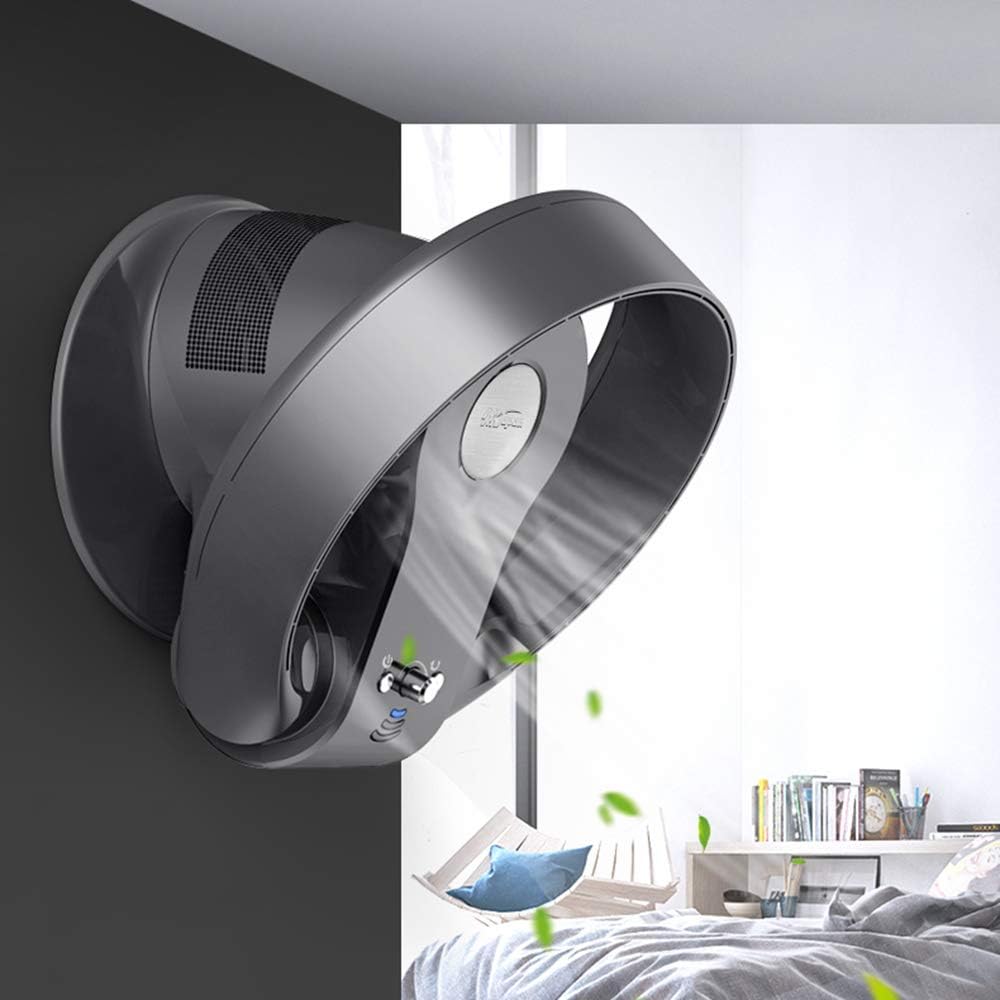
Figure 5: The bladeless fan securely mounted on a wall, demonstrating its versatility.
คำแนะนำการใช้งาน
Your fan can be operated using the control panel on the unit or the included remote control.
การทำงานของรีโมทคอนโทรล:
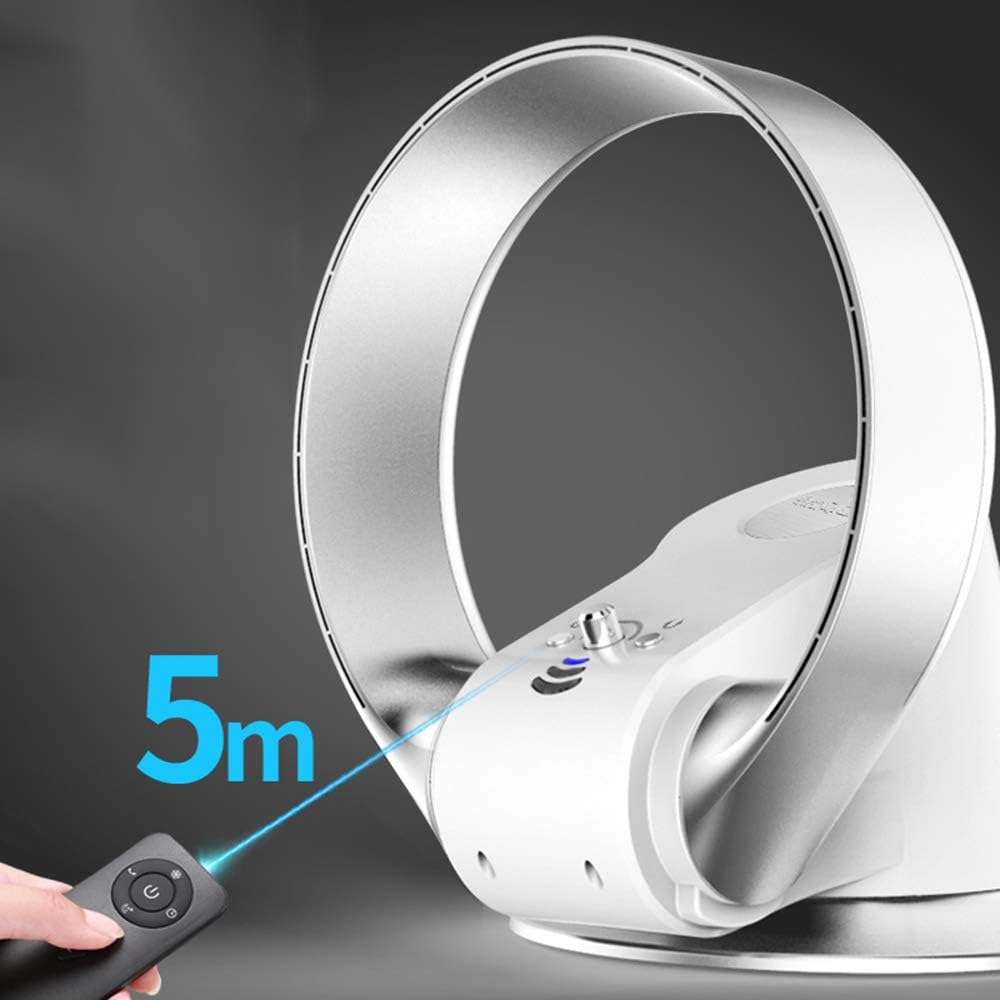
The remote control allows convenient operation from a distance of up to 5 meters.
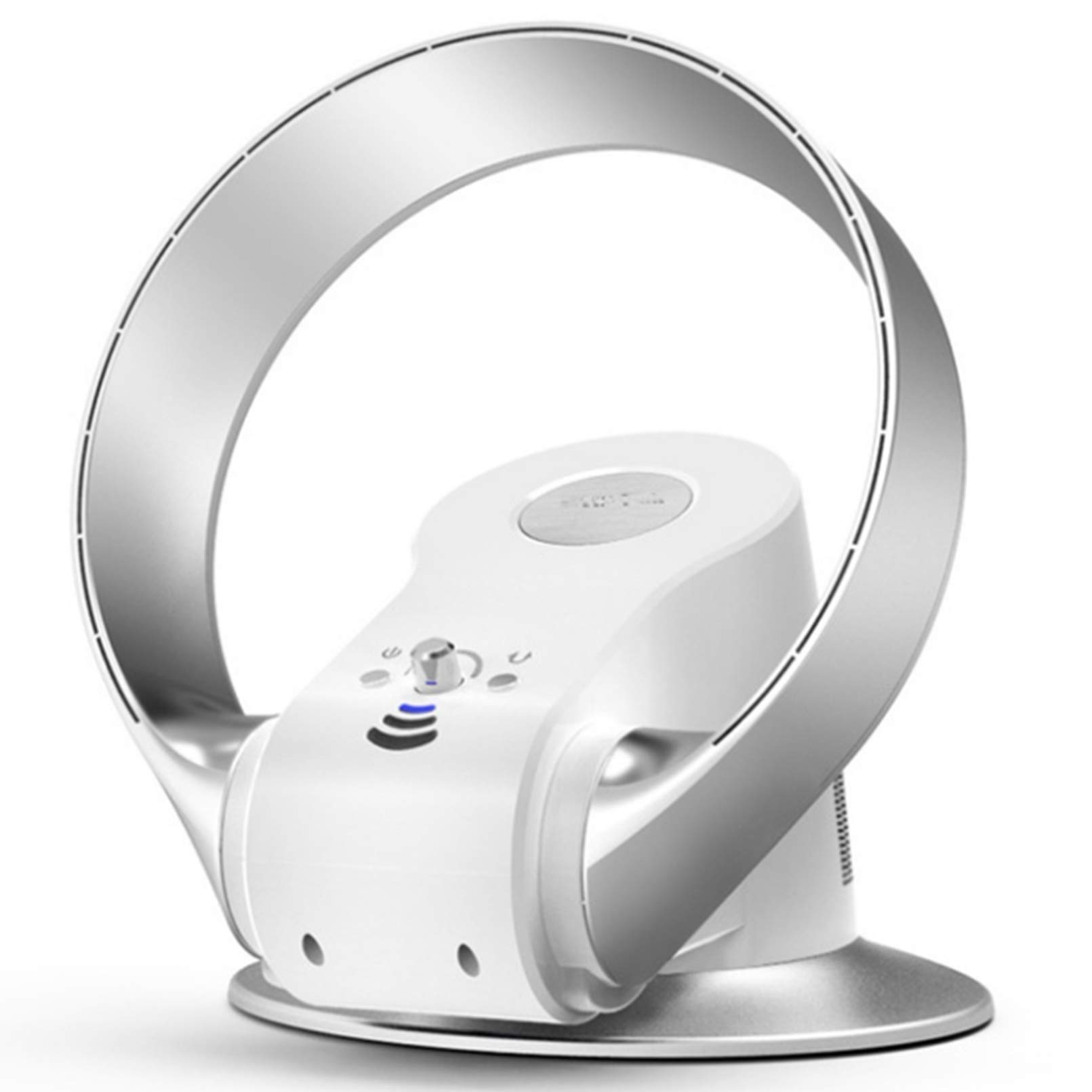
Figure 6: Operating the fan with the remote control, effective up to 5 meters.
- ปุ่มเปิด/ปิด: กดเพื่อเปิดหรือปิดพัดลม
- การควบคุมความเร็ว: Adjusts between 7 speed settings. Press repeatedly to cycle through speeds.
- ปุ่มตั้งเวลา: Sets the operating timer (e.g., 1-8 hours).
- ปุ่มสั่น: เปิดใช้งานหรือปิดใช้งานฟังก์ชันการสั่น
การตั้งค่าความเร็ว:
The fan features 7 distinct speed settings, from ultra-quiet low speed to powerful high speed.

Figure 7: Visual representation of the fan's speed settings: Low, Medium, and High.
การปรับทิศทางการไหลของลม:
The fan head can be manually tilted to direct airflow vertically, and it features an oscillation function for horizontal air distribution.

Figure 8: The fan offers 180-degree horizontal oscillation and 90-degree vertical tilt for comprehensive air coverage.
การบำรุงรักษาและการทำความสะอาด
การทำความสะอาดอย่างสม่ำเสมอจะช่วยรักษาประสิทธิภาพการทำงานของพัดลมและยืดอายุการใช้งานได้
- ถอดปลั๊กพัดลมทุกครั้ง ก่อนการทำความสะอาด
- ใช้แบบนุ่มๆamp ผ้าเช็ดทำความสะอาดพื้นผิวภายนอกของพัดลม ห้ามใช้น้ำยาทำความสะอาดที่มีฤทธิ์กัดกร่อนหรือตัวทำละลาย
- For the air intake grille (at the back of the fan), use a soft brush or vacuum cleaner with a brush attachment to remove dust and debris.
- ห้ามปล่อยให้น้ำหยดเข้าไปในภายในพัดลม
- ควรเก็บพัดลมไว้ในที่แห้งและเย็นเมื่อไม่ได้ใช้งานเป็นเวลานาน
การแก้ไขปัญหา
หากคุณพบปัญหาเกี่ยวกับพัดลม โปรดดูปัญหาและวิธีแก้ไขที่พบบ่อยต่อไปนี้:
| ปัญหา | สาเหตุที่เป็นไปได้ | สารละลาย |
|---|---|---|
| พัดลมไม่เปิด | ไม่มีแหล่งจ่ายไฟ สายไฟไม่ได้เสียบเข้าที่อย่างแน่นหนา | ตรวจสอบว่าปลั๊กไฟทำงานหรือไม่ ตรวจสอบให้แน่ใจว่าสายไฟเสียบเข้ากับเต้ารับและพัดลมแน่นสนิทแล้ว |
| การไหลเวียนของอากาศอ่อน | ช่องอากาศเข้าหรือทางออกถูกปิดกั้น ตั้งความเร็วพัดลมไว้ต่ำเกินไป | Clean any dust or obstructions from the air intake grille. เพิ่มการตั้งค่าความเร็วพัดลม |
| รีโมทคอนโทรลไม่ทำงาน | แบตเตอรี่หมดหรือใส่ไม่ถูกต้อง สิ่งกีดขวางระหว่างรีโมทและพัดลม | เปลี่ยนแบตเตอรี่ใหม่โดยตรวจสอบให้แน่ใจว่าใส่ขั้วถูกต้อง นำสิ่งกีดขวางเส้นทางสัญญาณออกให้หมด |
| พัดลมมีเสียงผิดปกติ | Dust or foreign object inside. พัดลมไม่วางอยู่บนพื้นผิวที่มั่นคง | Unplug and carefully inspect for obstructions. Clean as per maintenance instructions. วางพัดลมบนพื้นผิวที่เรียบและมั่นคง |
หากปัญหายังคงมีอยู่หลังจากลองวิธีแก้ไขเหล่านี้แล้ว โปรดติดต่อฝ่ายสนับสนุนลูกค้า
ข้อมูลจำเพาะ
| คุณสมบัติ | รายละเอียด |
|---|---|
| ยี่ห้อ | FAN |
| ชื่อรุ่น | Base (Model No. 6189239522973) |
| การออกแบบพัดลมไฟฟ้า | Table Fan / Wall Mount Fan |
| แหล่งพลังงาน | สายไฟ |
| วัดtage | 26 วัตต์ |
| คุณสมบัติพิเศษ | Bladeless, Ultra-Quiet, Remote Control, Timer |
| จำนวนระดับพลังงาน | 7 การตั้งค่าความเร็ว |
| วิธีการควบคุม | รีโมทคอนโทรล |
| ประเภทมอเตอร์ | ไร้แปรงถ่าน |
| ประเภทการติดตั้ง | ติดผนัง, โต๊ะ |
| วัสดุ | พลาสติก |
| การใช้งานภายใน/ภายนอกอาคาร | ในร่มเท่านั้น |
การรับประกันและการสนับสนุนลูกค้า
ข้อมูลการรับประกัน:
This product comes with a standard manufacturer's warranty. Please refer to the warranty card included in your package for specific terms and conditions, including warranty duration and coverage details. Keep your purchase receipt as proof of purchase for warranty claims.
การสนับสนุนลูกค้า:
For technical assistance, troubleshooting beyond this manual, or warranty inquiries, please contact our customer support team. Contact information can typically be found on the product packaging or our official webเว็บไซต์.
เมื่อติดต่อฝ่ายสนับสนุน โปรดเตรียมหมายเลขรุ่นผลิตภัณฑ์ (6189239522973) และวันที่ซื้อให้พร้อม


