การแนะนำ
This manual provides comprehensive instructions for the safe and efficient use of your TUINYO TP19 Bluetooth Wireless Over-Ear Headphones. Please read this manual thoroughly before operating the device and retain it for future reference.

Image: TUINYO TP19 Bluetooth Wireless Over-Ear Headphones, showcasing the sleek design in black and blue.
ข้อมูลด้านความปลอดภัย
- หลีกเลี่ยงการสัมผัสกับระดับเสียงสูงเป็นเวลานานเพื่อป้องกันความเสียหายต่อการได้ยิน
- ห้ามใช้หูฟังขณะขับรถ ปั่นจักรยาน หรือในสถานการณ์ที่การไม่ได้ยินเสียงรอบข้างอาจเป็นอันตรายได้
- เก็บอุปกรณ์ให้ห่างจากน้ำ ความชื้น และอุณหภูมิที่สูงเกินไป
- ห้ามพยายามถอดประกอบหรือดัดแปลงหูฟัง เพราะอาจทำให้การรับประกันเป็นโมฆะและเกิดความเสียหาย
- Clean the headphones with a soft, dry cloth. Avoid using harsh chemicals.
เนื้อหาแพ็คเกจ
- TUINYO TP19 Bluetooth Wireless Over-Ear Headphones
- สายชาร์จไมโคร USB
- สายสัญญาณเสียงขนาด 3.5 มม.
- เคสป้องกัน
- คู่มือการใช้งาน (เอกสารนี้)

Image: All items included in the TUINYO TP19 headphone package: the headphones, a protective case, a micro USB charging cable, and a 3.5mm audio cable.
สินค้าเกินview
The TUINYO TP19 headphones feature a comfortable over-ear design with soft memory-protein earmuffs and an adjustable stainless steel headband for a perfect fit. Controls are intuitively placed on the earcup.

ภาพ: รายละเอียด view of the headphone's ergonomic features: leather-padded headband, adjustable headband mechanism, soft memory-protein earmuffs, and the equalizer (EQ) button.
คุณสมบัติหลัก:
- เสียงสเตอริโอความคมชัดสูง: Powered by 40mm neodymium drivers for immersive audio.
- การออกแบบที่สะดวกสบาย: Memory-protein ear cushions and adjustable headband for extended wear.
- โหมดคู่: รองรับทั้งการเชื่อมต่อเสียงแบบไร้สาย Bluetooth และแบบมีสาย 3.5 มม.
- อายุการใช้งานแบตเตอรี่ยาวนาน: สามารถเล่นได้นานถึง 40 ชั่วโมงต่อการชาร์จเพียงครั้งเดียว
- ไมโครโฟนในตัว: สำหรับการโทรแบบแฮนด์ฟรีและการสั่งการด้วยเสียง
- การออกแบบพับได้: เพื่อความสะดวกในการพกพาและจัดเก็บ
การตั้งค่า
1. การชาร์จหูฟัง
- Connect the micro USB charging cable to the charging port on the headphones.
- เชื่อมต่อปลายสายอีกด้านหนึ่งเข้ากับอะแดปเตอร์ไฟ USB (ไม่รวมอยู่ด้วย) หรือพอร์ต USB ของคอมพิวเตอร์
- The LED indicator will show charging status (typically red while charging, off or blue when fully charged).
- A full charge takes approximately 2-2.5 hours and provides up to 40 hours of music playtime.

Image: Graphic illustrating the impressive battery duration, highlighting up to 35 hours of battery life and a quick charge feature where 15 minutes of charging provides 3 hours of playtime.
2. เปิด/ปิดเครื่อง
- เปิดเครื่อง: Press and hold the Power button (usually the multi-function button) for a few seconds until the LED indicator lights up and you hear a power-on prompt.
- หมดแรง: Press and hold the Power button again for a few seconds until the LED indicator turns off and you hear a power-off prompt.
3. การจับคู่บลูทู ธ
- ตรวจสอบให้แน่ใจว่าหูฟังปิดอยู่
- กดปุ่มเปิด/ปิดค้างไว้ประมาณ 5-7 วินาที จนกว่าไฟ LED จะกะพริบสลับสีแดงและสีน้ำเงิน ซึ่งแสดงว่าเข้าสู่โหมดจับคู่แล้ว
- บนอุปกรณ์ของคุณ (สมาร์ทโฟน แท็บเล็ต พีซี) เปิดใช้งานบลูทูธและค้นหาอุปกรณ์ที่มีอยู่
- เลือก "TP 19" จากรายการอุปกรณ์
- Once paired, the LED indicator will flash blue slowly, and you will hear a connection confirmation.
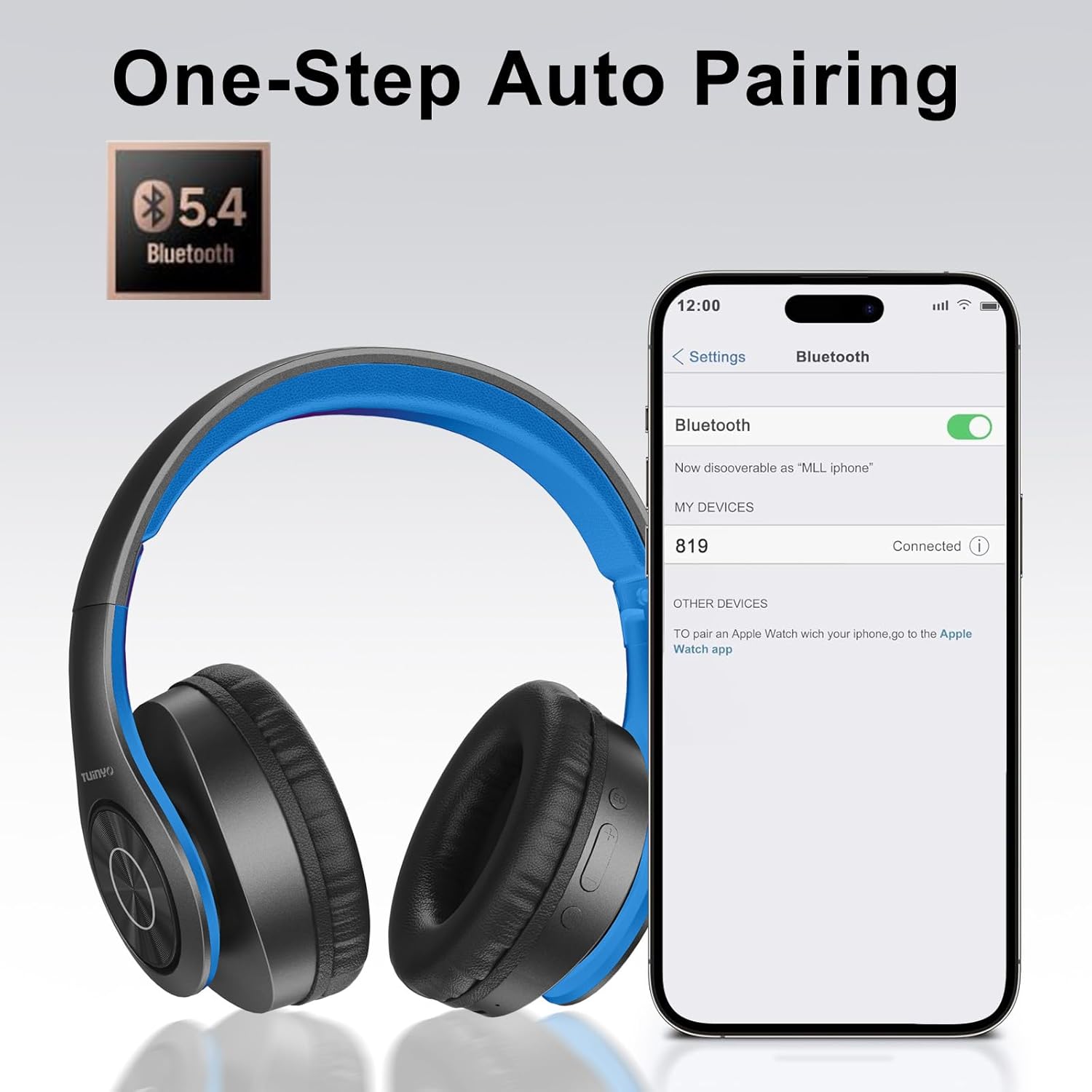
Image: A smartphone screen displaying the Bluetooth settings, showing the "819" (representing the TP19 headphones) successfully connected, illustrating the one-step auto pairing feature.
Video: An official TUINYO video demonstrating the Bluetooth pairing process and showing the headphones in use. This video highlights the ease of connecting the headphones to a device.
คำแนะนำการใช้งาน
1. Wireless Mode
- เล่น/หยุดชั่วคราว: กดปุ่มมัลติฟังก์ชั่นหนึ่งครั้ง
- ปรับระดับเสียงขึ้น: กดปุ่ม "+"
- ลดเสียงลง: กดปุ่ม "-"
- เพลงถัดไป: กดปุ่ม "+" ค้างไว้
- แทร็กก่อนหน้า: กดปุ่ม "-" ค้างไว้
2. โหมดแบบมีสาย
When the battery is low or if you prefer a wired connection, you can use the included 3.5mm audio cable.
- เชื่อมต่อปลายด้านหนึ่งของสายสัญญาณเสียงขนาด 3.5 มม. เข้ากับพอร์ตอินพุตเสียงบนหูฟัง
- Connect the other end to your audio device's 3.5mm jack.
- In wired mode, controls on the headphones may be limited, and playback will be controlled by your connected device.
3. ฟังก์ชันการโทร
- รับ/วางสาย: กดปุ่มมัลติฟังก์ชั่นหนึ่งครั้ง
- ปฏิเสธสาย: กดปุ่มมัลติฟังก์ชั่นค้างไว้ 2 วินาที
- โทรซ้ำหมายเลขล่าสุด: กดปุ่มมัลติฟังก์ชั่นสองครั้ง
4. ผู้ช่วยเสียง
The headphones support voice-enabled assistants like Siri. Press the Multi-function button twice to activate your device's voice assistant.
5. Sound Effects (EQ Mode)
The headphones feature multiple sound effects (EQ modes) to customize your listening experience. Press the EQ button (often labeled "EQ" or a similar icon) to cycle through available modes such as Normal, Rock, Pop, Classic, Jazz, and Country.
Video: An official TUINYO video showcasing the various sound modes and controls on the headphones, demonstrating how to switch between different equalizer settings.
การซ่อมบำรุง
- Store the headphones in the protective case when not in use to prevent damage.
- รักษาพอร์ตชาร์จและช่องเสียบหูฟังให้ปราศจากฝุ่นและสิ่งสกปรก
- Avoid exposing the headphones to direct sunlight or extreme heat for extended periods.
- Do not use abrasive cleaners or solvents on the headphones.
การแก้ไขปัญหา
| ปัญหา | สารละลาย |
|---|---|
| หูฟังไม่สามารถเปิดเครื่องได้ | ตรวจสอบให้แน่ใจว่าหูฟังชาร์จเต็มแล้ว เสียบปลั๊กแล้วลองอีกครั้ง |
| ไม่สามารถจับคู่กับอุปกรณ์ได้ |
|
| ไม่มีเสียงในโหมดไร้สาย |
|
| ไม่มีเสียงในโหมดใช้สาย |
|
ข้อมูลจำเพาะ
| คุณสมบัติ | รายละเอียด |
|---|---|
| ชื่อรุ่น | ทีพี 19 |
| เทคโนโลยีการเชื่อมต่อ | ไร้สาย (Bluetooth) |
| เทคโนโลยีการสื่อสารไร้สาย | บลูทูธ 5.1 |
| ช่วงบลูทูธ | 10 เมตร |
| ประเภทไดร์เวอร์เสียง | ไดร์เวอร์แบบไดนามิก |
| ขนาดไดร์เวอร์เสียง | 40 มิลลิเมตร |
| การตอบสนองความถี่ | ความถี่ 20 กิโลเฮิรตซ์ |
| อิมพีแดนซ์ | 32 โอห์ม |
| อายุการใช้งานแบตเตอรี่ | 40 ชั่วโมง |
| เวลาในการชาร์จ | 2.5 ชั่วโมง |
| แจ็คหูฟัง | แจ็ค 3.5 มม. |
| ประเภทการควบคุม | การควบคุมด้วยเสียง, การสัมผัส |
| คุณสมบัติพิเศษ | พับได้ |
| น้ำหนักสินค้า | 8.9 ออนซ์ (251 กรัม) |
| ขนาดสินค้า | 6.85 x 3.9 x 9.72 นิ้ว |
| วัสดุ | พลาสติก |
| ส่วนประกอบที่รวมอยู่ | Cable, Protective Case, micro usb cable |
การรับประกันและการสนับสนุน
By choosing TUINYO, you are covered by a 30-day hassle-free return policy and a one-year warranty. For any inquiries or assistance, please contact our prompt and friendly customer service, available 24/7.
For further support, visit the official TUINYO store: ร้าน TUINYO


