1. บทนำ
Thank you for choosing the Panda Portable Washing Machine. This compact and space-saving appliance is designed for small living spaces such as apartments, dorms, and RVs, offering powerful and versatile washing capabilities. With its 1.54 cubic feet capacity, 8 wash programs, and 4 water levels, it provides a customized cleaning experience for various fabrics. The durable stainless steel drum ensures reliable use.
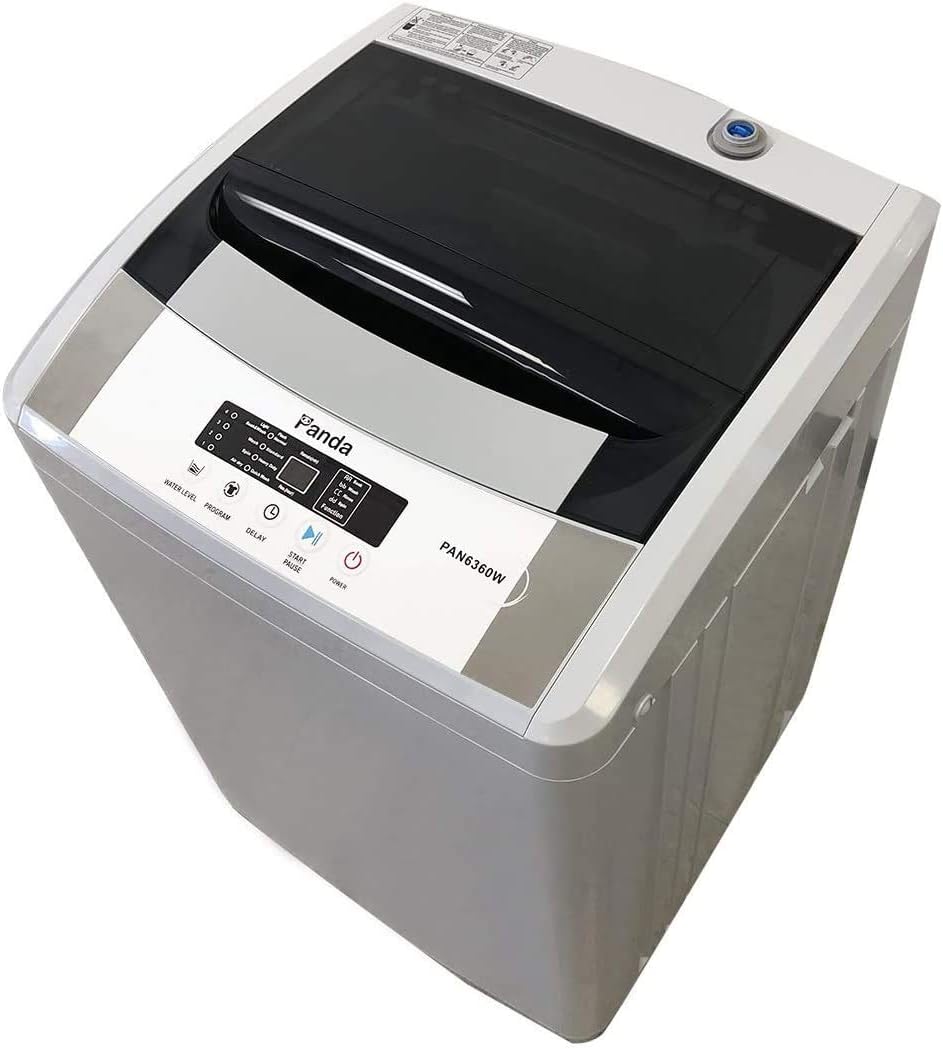
Figure 1: Panda Portable Washing Machine (Model PAN6360W)
2. การตั้งค่า
The Panda Portable Washing Machine is designed for hassle-free installation without permanent plumbing. Follow these steps to set up your machine:
- การจัดวาง: Position the washing machine on a flat, stable surface. The built-in casters allow for easy movement. Ensure there is adequate space around the unit for ventilation and operation.
- การเชื่อมต่อน้ำเข้า: Connect the included inlet hose with the quick-connect adapter to a standard faucet. The machine has one water inlet, so water temperature adjustment should be done at the faucet.
- Water Inlet Cap: Ensure the water inlet cap on the machine is securely fastened to prevent leaks.
- ท่อระบาย: Place the drain hose into a sink or suitable drainage area. Ensure the hose is not kinked or obstructed to allow for proper water drainage.
- การเชื่อมต่อไฟฟ้า: Plug the washing machine into a standard 3-prong 110V outlet.

Figure 2: Inlet Hose and Quick Adapter

Figure 3: Water Inlet Cap

Figure 4: Drain Hose
3. คู่มือการใช้งาน
The Panda Portable Washing Machine features easy-to-use electronic controls and a clear LED display.

รูปภาพ 5: แผงควบคุม
- เปิดเครื่อง: กดปุ่ม 'เปิด/ปิด' เพื่อเปิดเครื่อง
- โหลดผ้า: Open the top lid and place your clothes evenly inside the stainless steel drum. Do not overload the machine; refer to the capacity guidelines.
- เพิ่มผงซักฟอก: Add the appropriate amount of detergent to the detergent box.
- เลือกระดับน้ำ: Press the 'Water Level' button to choose from 4 available water levels (1-4) based on your load size.
- เลือกโปรแกรม: Press the 'Program' button to cycle through the 8 wash programs: Light, Soak & Wash, Flash, Normal, Wash, Standard, Spin, Heavy Duty, Air Dry, Quick Wash.
- การเริ่มการหน่วงเวลา (ตัวเลือก): ใช้ปุ่ม 'หน่วงเวลา' เพื่อตั้งเวลาเริ่มต้นการซักล่วงหน้า
- เริ่มรอบ: Press the 'Start/Pause' button to begin the wash cycle. The machine will automatically fill with water, wash, rinse, and spin according to the selected program.
- Pause Cycle: During operation, you can press 'Start/Pause' to temporarily stop the cycle. Press again to resume.

Figure 6: Stainless Steel Tub
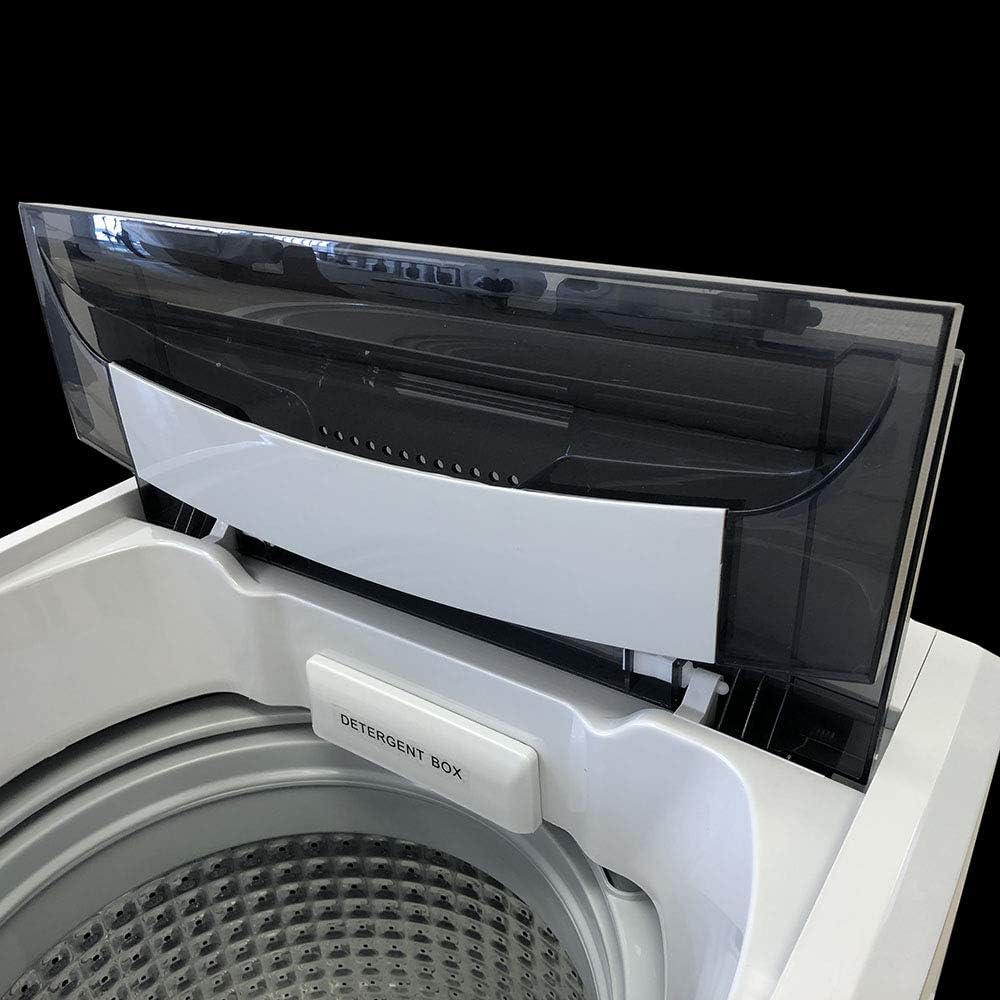
Figure 7: Detergent Box
4. การบำรุงรักษา
การบำรุงรักษาตามปกติจะช่วยให้เครื่องซักผ้าของคุณมีอายุการใช้งานยาวนานและมีประสิทธิภาพ
- การทำความสะอาดอ่าง: The stainless steel drum is designed to resist rust and chipping. Periodically run a 'Tub Cleaning' cycle (if available on your model) or a normal wash cycle with hot water and a washing machine cleaner to prevent residue buildup.
- Detergent Box Cleaning: Regularly clean the detergent box to prevent clogs and ensure proper detergent dispensing. Remove and rinse it under running water.
- ตัวกรองสำลี: Some models may have a lint filter. Check and clean it regularly to ensure efficient lint removal and prevent clothes from catching on it.
- การทำความสะอาดภายนอก: เช็ดภายนอกเครื่องด้วยผ้านุ่มๆamp ผ้า หลีกเลี่ยงการใช้น้ำยาทำความสะอาดที่มีฤทธิ์กัดกร่อนซึ่งอาจทำลายพื้นผิวได้
- ท่อระบาย: Ensure the drain hose remains clear of obstructions. If you notice slow drainage, check for blockages.
5 การแก้ไขปัญหา
If you encounter issues with your washing machine, refer to the common problems and solutions below:
| ปัญหา | สาเหตุที่เป็นไปได้ / วิธีแก้ไข |
|---|---|
| รหัสข้อผิดพลาด E2 | This error often indicates an issue with the lid sensor. Ensure the lid is fully closed and the sensor mechanism is not obstructed or dislodged. Sometimes, gently pushing the sensor back into place can resolve this. |
| เครื่องมีเสียงดังหรือสั่นมากเกินไป | This usually indicates an unbalanced load. Pause the machine, redistribute the clothes evenly in the drum, and restart the cycle. Ensure the machine is on a level surface. |
| น้ำรั่วจากด้านล่าง | Check all hose connections (inlet and drain) to ensure they are tight and not damaged. Inspect the drain hose for kinks or blockages. If your model has a filter at the bottom, ensure it is clean and properly secured. |
| เครื่องไม่เริ่มทำงาน | Ensure the power cord is securely plugged into a working outlet. Check if the lid is fully closed. Verify that a wash program and water level have been selected. |
| น้ำไม่ระบายออก | Check the drain hose for kinks or blockages. Ensure the drain hose is positioned correctly in the sink or drainage area. |
หากปัญหายังคงมีอยู่หลังจากพยายามแก้ไขปัญหาเหล่านี้แล้ว โปรดติดต่อฝ่ายสนับสนุนลูกค้า
6. ข้อมูลจำเพาะ
- ผู้ผลิต: แพนด้า
- หมายเลขรุ่น: PAN6360W
- ความจุ: 1.54 ลูกบาศก์ฟุต (ประมาณ 12 ปอนด์)
- ขนาด (D x W x H): 19.5 x 20 x 35 นิ้ว
- น้ำหนักสินค้า: 55 ปอนด์
- สี: สีเทา
- วัสดุ: สแตนเลส (อ่าง)
- เล่มที่tage: 110 โวลต์
- ระดับเสียง: 74 เดซิเบล
- คุณสมบัติพิเศษ: Child Lock, Delay Start, Vibration Reduction
- ส่วนประกอบที่รวมอยู่: Power Cord, Inlet hose with a Standard Size faucet adaptor
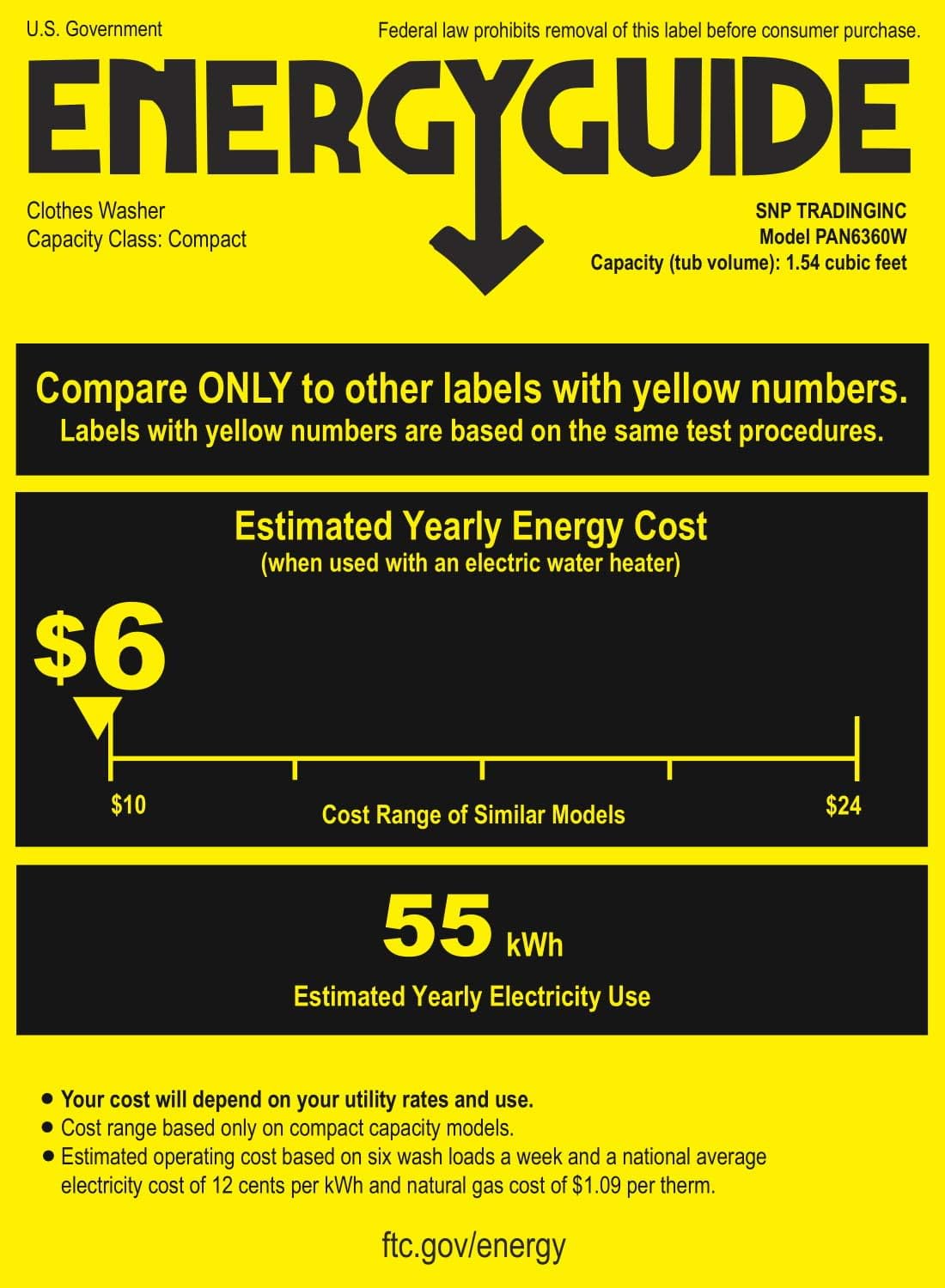
Figure 8: Energy Guide
7. การรับประกัน
The Panda Portable Washing Machine comes with a 1-year manufacturer warranty. Please retain your proof of purchase for warranty claims.
8. การสนับสนุน
For further assistance, technical support, or warranty inquiries, please visit the official Panda website or contact their customer service department. Refer to the contact information provided with your product packaging.
หมายเหตุ: ไม่มีวิดีโอจากผู้ขายอย่างเป็นทางการที่สามารถฝังไว้ในคู่มือนี้


