การแนะนำ
The Amazon Echo (4th Gen) is a smart speaker designed to deliver premium sound and integrate seamlessly into your smart home ecosystem. Featuring a spherical design, it provides rich, detailed audio that automatically adapts to your room's acoustics. With Alexa built-in, you can control your music, manage smart home devices, set reminders, and much more using just your voice.

Image: The Amazon Echo (4th Gen) is available in multiple colors, offering premium audio and smart home capabilities.
คู่มือการติดตั้ง
สิ่งที่รวมอยู่
ก่อนที่คุณจะเริ่มต้น โปรดตรวจสอบให้แน่ใจว่ามีส่วนประกอบทั้งหมดอยู่ในกล่อง:
- อุปกรณ์ Echo (รุ่นที่ 4)
- อะแดปเตอร์แปลงไฟสีขาว Glacier (30 วัตต์)
- คู่มือเริ่มต้นอย่างรวดเร็ว
การตั้งค่าเริ่มต้น
- เสียบปลั๊ก Echo ของคุณ: Connect the power adapter to your Echo device and then to a power outlet. The light ring on the bottom of your Echo will turn blue, then orange, indicating it's ready for setup.
- ดาวน์โหลดแอป Alexa: บนสมาร์ทโฟนหรือแท็บเล็ตของคุณ ดาวน์โหลดแอป Amazon Alexa จากร้านแอปของอุปกรณ์ของคุณ (เข้ากันได้กับอุปกรณ์ Fire OS, Android และ iOS)
- เชื่อมต่อกับ Wi-Fi: Open the Alexa app and follow the on-screen instructions to connect your Echo to your Wi-Fi network. The Echo supports dual-band Wi-Fi (2.4 GHz and 5 GHz). Amazon Wi-Fi Simple Setup can streamline this process.
- การตั้งค่าส่วนบุคคล: Once connected, the app will guide you through personalizing your Echo, including setting up your Amazon account, music services, and smart home devices.
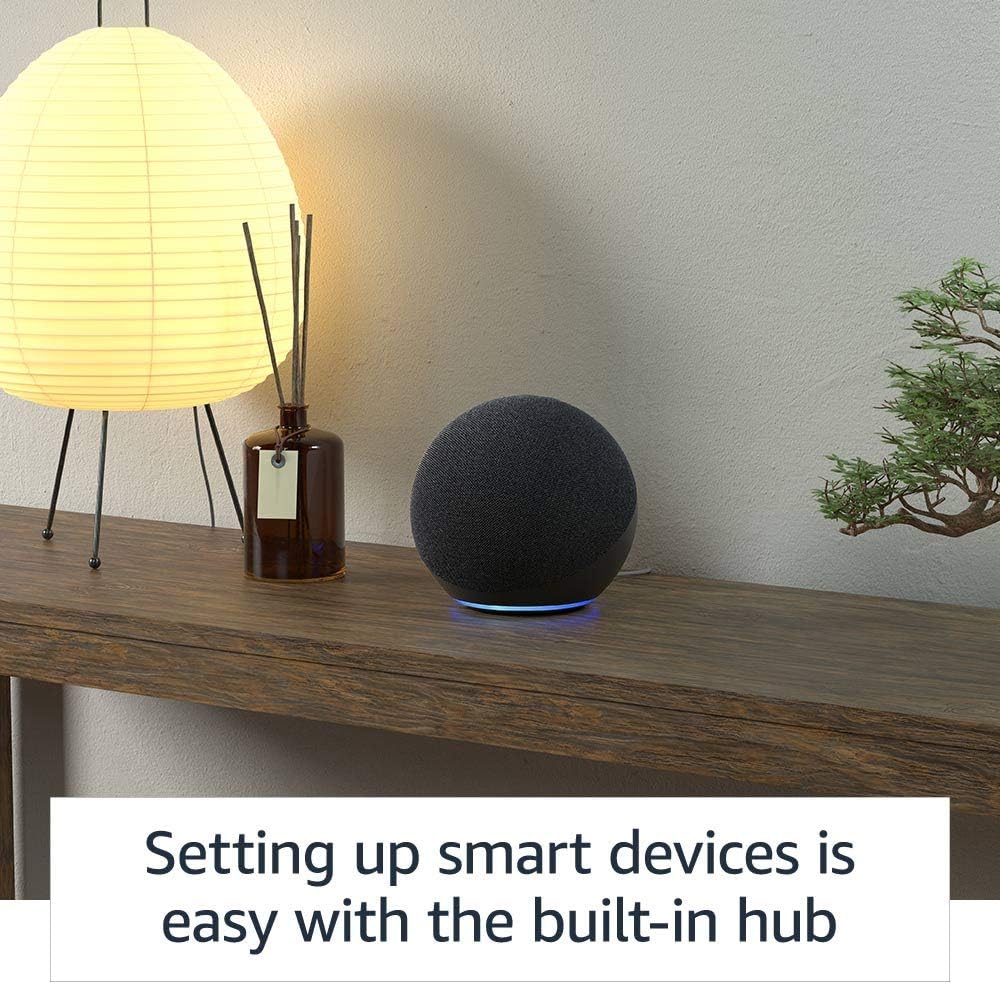
Image: The built-in smart home hub simplifies the setup and control of compatible smart devices.
Operating Your Echo
การควบคุมด้วยเสียงด้วย Alexa
Your Echo device is primarily controlled by voice using the wake word "Alexa". Simply say "Alexa" followed by your command or question.
- การเล่นเพลง: "Alexa, play music by [artist]." "Alexa, play my [playlist name] playlist." "Alexa, turn up the volume." Supports Amazon Music, Apple Music, Spotify, SiriusXM, and more.
- ข้อมูลและความช่วยเหลือ: "Alexa, what's the weather?" "Alexa, set a timer for 10 minutes." "Alexa, tell me a joke."
- การควบคุมบ้านอัจฉริยะ: "Alexa, turn on the living room lights." "Alexa, lock the front door." The built-in hub supports Zigbee, Sidewalk, Matter, and Thread Border Router devices.
- การสื่อสาร: "Alexa, call Mom." "Alexa, drop in on the kitchen Echo." "Alexa, announce 'dinner is ready' to the whole house."

Image: Use the announcement feature to broadcast messages to other Echo devices in your home.
เสียงหลายห้อง
You can synchronize music playback across multiple Echo devices in different rooms to fill your home with sound. Simply create a multi-room music group in the Alexa app and say, "Alexa, play [music] everywhere."

Image: Enjoy synchronized music throughout your home by grouping Echo devices.
การควบคุมความเป็นส่วนตัว
The Echo (4th Gen) is designed with multiple layers of privacy controls:
- ปุ่มปิดไมโครโฟน: Press the microphone off button on the top of the device to electronically disconnect the microphones. The light ring will turn red when the microphone is off.
- การบันทึกเสียง: คุณสามารถทำได้ view, hear, and delete your voice recordings at any time through the Alexa app or by visiting the Alexa Privacy Hub.
- เทคโนโลยี Wake Word: Echo devices are designed to detect only your chosen wake word. No audio is stored or sent to the cloud unless the wake word is detected.

Image: The microphone off button provides a physical disconnect for enhanced privacy.
การซ่อมบำรุง
To ensure optimal performance and longevity of your Amazon Echo (4th Gen), follow these simple maintenance guidelines:
- การทำความสะอาด: Use a soft, dry, lint-free cloth to clean the exterior of your Echo. Do not use abrasive cleaners, liquids, or aerosol sprays directly on the device.
- การจัดวาง: Place your Echo on a stable, flat surface away from direct sunlight, heat sources, and moisture. Ensure adequate ventilation around the device.
- การอัปเดตซอฟต์แวร์: Your Echo device automatically receives software security updates. Ensure it remains connected to Wi-Fi to receive these updates, which improve performance and add new features.
การแก้ไขปัญหา
If you encounter issues with your Amazon Echo (4th Gen), try the following troubleshooting steps:
ปัญหาทั่วไปและแนวทางแก้ไข
- Echo is not responding:
- ตรวจสอบให้แน่ใจว่าไมโครโฟนไม่ได้ถูกปิดเสียง (วงแหวนสีแดงแสดงว่าถูกปิดเสียง)
- ตรวจสอบว่าอุปกรณ์เปิดอยู่และเชื่อมต่อกับ Wi-Fi แล้วหรือไม่
- ลองขยับเข้าไปใกล้เครื่องหรือพูดให้ชัดเจนมากขึ้น
- Unplug the power adapter from the Echo for a few seconds, then plug it back in to restart the device.
- ไม่สามารถเชื่อมต่อกับ Wi-Fi:
- ตรวจสอบว่ารหัสผ่าน Wi-Fi ของคุณถูกต้อง
- Ensure your router is working correctly and within range.
- รีสตาร์ทเราเตอร์และโมเด็มของคุณ
- ลองตั้งค่าการเชื่อมต่อ Wi-Fi อีกครั้งผ่านแอป Alexa
- ปัญหาด้านคุณภาพเสียง:
- Ensure the Echo is placed on a stable surface and not obstructed.
- Adjust equalizer settings in the Alexa app (bass, treble, midrange).
- Check your internet connection speed for streaming issues.
For further assistance, refer to the Amazon Alexa app's help section or visit Amazon's support webเว็บไซต์.
ข้อมูลจำเพาะ
Detailed technical specifications for the Amazon Echo (4th Gen):
| คุณสมบัติ | รายละเอียด |
|---|---|
| ขนาด | 5.7” x 5.7” x 5.2” (144 x 144 x 133 มม.) |
| น้ำหนัก | 34.2 ออนซ์ (970 กรัม) |
| การเชื่อมต่อ Wi-Fi | Wi-Fi ดูอัลแบนด์ (802.11a/b/g/n/ac) สำหรับเครือข่าย 2.4 และ 5 GHz ไม่รองรับเครือข่ายเฉพาะกิจ |
| ฮับบ้านอัจฉริยะ | Zigbee + Sidewalk + Matter + Thread Border Router |
| การเชื่อมต่อบลูทูธ | A2DP support for audio streaming, AVRCP for voice control of connected mobile devices. Direct control of BLE Mesh. |
| เสียง | วูฟเฟอร์นีโอไดเมียมขนาด 3.0 นิ้ว (76.2 มม.) และทวีตเตอร์ขนาด 0.8 นิ้ว (20 มม.) สองตัว |
| รุ่น | Echo (รุ่นที่ 4) - เปิดตัวในปี 2020 |
| คุณสมบัติความเป็นส่วนตัว | เทคโนโลยีคำปลุก, ตัวบ่งชี้การสตรีม, ปุ่มปิดไมโครโฟน, ความสามารถในการ view และลบบันทึกเสียง |
| ภาษา | Alexa พูดภาษาอังกฤษและภาษาสเปน |

ภาพ: ภายใน view highlighting the audio components designed for premium sound.
การรับประกันและการสนับสนุน
ข้อมูลการรับประกัน
Your Amazon Echo (4th Gen) comes with a 1-year limited warranty and service included. Optional extended warranties (1-year, 2-year, and 3-year) may be available for purchase separately in some regions.
Use of the Echo device is subject to Amazon's terms of service.
การอัปเดตความปลอดภัยของซอฟต์แวร์
This device is guaranteed to receive software security updates for at least four years after its last availability for purchase as a new unit on Amazon's websites. For information specific to your device, visit the "Manage Your Content and Devices" section on Amazon.
การสนับสนุนลูกค้า
For additional support, troubleshooting, or warranty claims, please visit the Amazon support webไซต์หรือติดต่อฝ่ายบริการลูกค้าของ Amazon โดยตรง


