1. บทนำ
This manual provides essential information for the safe and effective use of your Insta360 ONE R Twin Edition action camera. The Insta360 ONE R is a modular action camera system designed for versatility, offering both 5.7K 360-degree and 4K wide-angle shooting capabilities. It features FlowState stabilization for smooth footage and is waterproof up to 5 meters when assembled correctly with the mounting bracket.
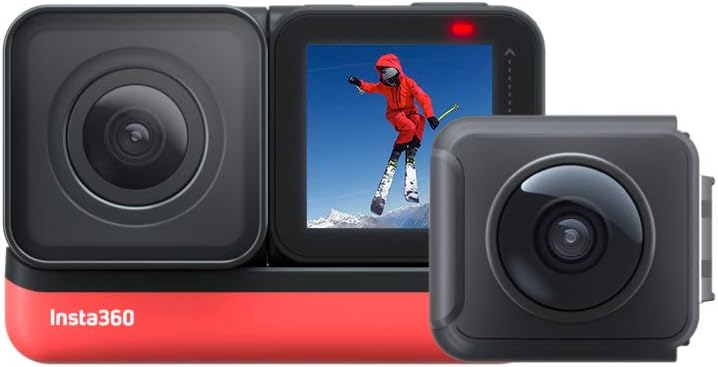
Image 1.1: The Insta360 ONE R Twin Edition, showcasing its modular design with the 4K wide-angle lens and the 360-degree dual lens module.
2. เนื้อหาบรรจุภัณฑ์
The Insta360 ONE R Twin Edition package includes the following components:
- ONE R Core (Processor) x 1
- 360-Degree Dual-Lens Module x 1
- 4K Wide-Angle Module x 1
- Battery Base x 1
- Lens Cap x 1 (for 360 module)
- ขายึด x 1
- สายชาร์จ USB Type-C x 1
- คู่มือเริ่มต้นอย่างรวดเร็ว x 1

ภาพที่ 2.1: จบแล้วview of all included components in the Insta360 ONE R Twin Edition package.
3. การตั้งค่า
3.1 การประกอบกล้อง
The Insta360 ONE R is a modular camera. To assemble, align the chosen lens module (360-degree or 4K wide-angle) with the ONE R Core and the Battery Base. Press them firmly together until they click into place. Ensure all connections are secure to maintain waterproofing.
- Select your desired lens module (360-degree or 4K Wide-Angle).
- Connect the lens module to the ONE R Core.
- Attach the Battery Base to the assembled Core and Lens module.
- Insert a microSD card (UHS-I V30 speed class or above, exFAT format, up to 256GB recommended) into the slot on the Core.
- Place the assembled camera into the Mounting Bracket for protection and accessory attachment.

ภาพที่ 3.1: ระเบิด view of the Insta360 ONE R modules and mounting bracket.
3.2 การชาร์จแบตเตอรี่
Connect the camera to a power source using the provided USB Type-C cable. The indicator light will show charging status. A full charge takes approximately 65 minutes with a 5V 2A charger.
4. การดำเนินการ
4.1 การเปิด/ปิดเครื่องและการควบคุมพื้นฐาน
- เปิดเครื่อง: กดปุ่มเปิด/ปิด
- หมดแรง: กดปุ่มเปิดปิดค้างไว้
- Record/Shutter: Press the Shutter Button to start/stop recording or take a photo.
- สลับโหมด: Swipe on the touchscreen or use the Mode Button (if available on your Core version).
4.2 Switching Lens Modules
The Insta360 ONE R allows you to switch between the 360-degree and 4K wide-angle modules to suit different shooting scenarios. Power off the camera, carefully disassemble the current module, and then attach the desired module as described in Section 3.1.

Image 4.1: Visual comparison of footage captured with the 4K Wide-Angle and 5.7K 360-degree modules.
4.3 คุณสมบัติหลัก
- 5.7K 360-Degree & 4K Wide-Angle: บันทึกภาพ 360 องศาแบบสมจริงtage at 5.7K resolution or crisp 4K wide-angle video at 60fps.
- การรักษาเสถียรภาพของ FlowState: Achieve gimbal-like stabilization without the need for additional equipment, even in low-light conditions, thanks to advanced scene-detection algorithms.
- IPX8 กันน้ำ: The camera is waterproof to 5 meters (16.4 feet) when assembled in the mounting bracket, making it suitable for various water activities. For deeper dives or rougher conditions, a dedicated dive case is recommended.
- ไม้เซลฟี่แบบมองไม่เห็น: When using the 360-degree module, the selfie stick is automatically removed from your footage during editing, creating a drone-like or third-person perspective.
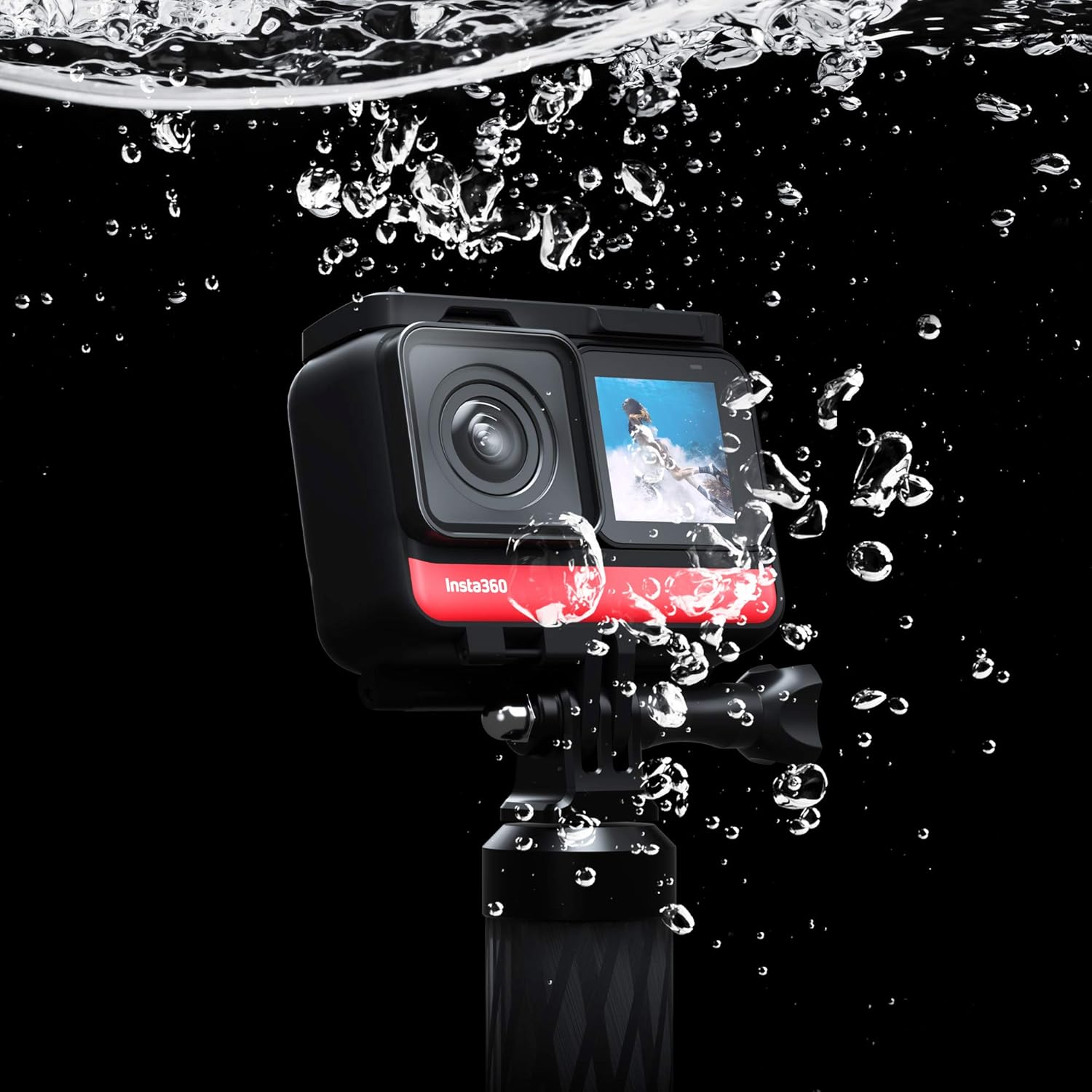
Image 4.2: The Insta360 ONE R demonstrating its waterproof design.

ภาพที่ 4.3: อดีตample of the "Invisible Selfie Stick" feature in action.

Image 4.4: The Insta360 ONE R mounted on a bike, ready for action.
4.4 Mobile App and Editing
The Insta360 mobile app (available for smartphones and tablets) provides comprehensive editing tools, including AI-powered features for reframing 360 footage, applying effects like "Tiny Planet," and automatic video editing (FlashCut). It also allows for remote control of the camera via Bluetooth or Wi-Fi (5G).
5. การบำรุงรักษา
- การทำความสะอาดเลนส์: ใช้ผ้าเนื้อนุ่ม ปราศจากขน ที่ออกแบบมาสำหรับเลนส์กล้องโดยเฉพาะ หลีกเลี่ยงวัสดุที่มีฤทธิ์กัดกร่อนหรือสารเคมีรุนแรง
- การทำความสะอาดร่างกาย: เช็ดตัวกล้องด้วยผ้าสะอาดamp cloth. Ensure all ports are dry before use, especially after exposure to water.
- พื้นที่จัดเก็บ: Store the camera in a cool, dry place away from direct sunlight and extreme temperatures. Use the provided lens cap for the 360-degree module to protect the delicate lenses.
- การดูแลแบตเตอรี่ For long-term storage, charge the battery to approximately 50-60% and remove it from the camera. Recharge periodically if stored for extended periods.
6 การแก้ไขปัญหา
- กล้องไม่เปิดเครื่อง:
Ensure the battery is charged. Reassemble the modules to confirm secure connections. If issues persist, try a different battery base if available.
- ฟูtage is Unstable/Shaky:
Verify that FlowState stabilization is enabled in the camera settings. Ensure the camera is securely mounted and not experiencing excessive vibration beyond its stabilization capabilities.
- ความร้อนสูงเกินไป:
High-resolution recording, especially in warm environments, can cause the camera to heat up. If the camera stops recording due to overheating, allow it to cool down before resuming use. Consider reducing resolution or frame rate in hot conditions.
- การรั่วไหลของน้ำ:
Ensure the camera modules are correctly and firmly assembled, and the mounting bracket is properly closed. The IPX8 rating applies only when the camera is correctly assembled within its mounting bracket. Inspect seals for damage.
- ปัญหาการเชื่อมต่อแอพ:
Ensure Wi-Fi and Bluetooth are enabled on your mobile device. Restart both the camera and the mobile app. Update the camera firmware and app to the latest versions.
7. ข้อมูลจำเพาะ
| คุณสมบัติ | รายละเอียด |
|---|---|
| ยี่ห้อ | อินสตา360 |
| หมายเลขรุ่นผลิตภัณฑ์ | Insta360 ONE R (Twin Edition) |
| ขนาดหน้าจอ | 1 นิ้ว |
| ซูมออปติคอล | 1x |
| Focal Length (Wide) | 1000 มม. (เทียบเท่า) |
| Focal Length (Tele) | 1 มม. (เทียบเท่า) |
| F-Value (Wide) | เอฟ/3 |
| F-Value (Tele) | เอฟ/1.3 |
| ระบบป้องกันภาพสั่นไหว | Digital (FlowState) |
| Shooting Functions | Sports, Panorama |
| สี | สีดำ |
| อุปกรณ์ที่รองรับ | สมาร์ทโฟนแท็บเล็ต |
| ขนาดสินค้า | 10 x 10 x 10 ซม.; 70 กรัม |
| เทคโนโลยีโฟโต้เซนเซอร์ | ซีมอส |
| ความละเอียดในการจับภาพวิดีโอ | 5.7K |
| ประเภทหน่วยความจำแฟลช | SDXC Card (up to 256GB) |
| รูปแบบการจับภาพวิดีโอ | MP4, เอ็มโอวี |
| รูปแบบเสียง | เอเอซี |
| เทคโนโลยีการเชื่อมต่อ | บลูทูธ, ยูเอสบี, ไวไฟ |
8. การรับประกันและการสนับสนุน
For warranty information, product registration, and technical support, please visit the official Insta360 webหรือติดต่อฝ่ายบริการลูกค้า เก็บหลักฐานการซื้อไว้เพื่อใช้ในการเคลมประกัน
Insta360 อย่างเป็นทางการ Webเว็บไซต์: www.insta360.com


