1. บทนำ
Thank you for choosing the eKids Kids Bluetooth Wireless Headphones. These headphones are designed to provide a safe and enjoyable audio experience for children, featuring volume-limiting technology to protect young ears. They offer versatile connectivity options, comfortable wear, and a durable, foldable design for easy portability.
This manual provides detailed instructions on how to set up, operate, and maintain your headphones, ensuring optimal performance and longevity.
2. เนื้อหาบรรจุภัณฑ์
- eKids Kids Bluetooth Wireless Headphones
- สายชาร์จ USB
- สายสัญญาณเสียงขนาด 3.5 มม.
3. สินค้าหมดview

รูปที่ 1 : ด้านหน้า view of the eKids Kids Bluetooth Wireless Headphones, showcasing the white design with black ear cushions.

รูปที่ 2: รายละเอียด view highlighting key features such as the adjustable headband, foldable design for portability, soft ear cushions, charging port, and line-in audio port.

Figure 3: Illustration of the headphone controls including power/pairing/charging LED indicators, USB charging port, AUX jack, microphone, volume up/skip forward, play/pause/power on/off, hang up/answer phone, and volume down/skip back buttons. Also shows product dimensions.
คุณสมบัติหลัก:
- การเชื่อมต่อบลูทูธ: Wirelessly stream high-quality stereo sound from compatible devices.
- Volume Reduced for Child Safety: Incorporates volume-limiting technology to protect young ears.
- ไมโครโฟนในตัว: Facilitates clear communication for video calls and online learning.
- ตัวเลือกแบบมีสาย: Includes a 3.5mm audio cable for listening when Bluetooth is unavailable or the battery is low.
- อายุการใช้งานแบตเตอรี่ยาวนาน: Up to 18 hours of continuous Bluetooth playtime.
- พอดีตามต้องการ: Adjustable headband and soft ear cushions for comfortable wear.
- การออกแบบพับได้: Ensures easy storage and portability.
4. การเริ่มต้น
4.1 การชาร์จหูฟัง
Before first use, fully charge the headphones. Connect the included USB charging cable to the USB charging port on the headphones (refer to Figure 3 for location) and plug the other end into a USB power source (e.g., computer USB port, USB wall adapter). The LED indicator will show charging status.
- เวลาในการชาร์จ: ใช้เวลาประมาณ 2-3 ชั่วโมงในการชาร์จเต็ม
- ไฟแสดงสถานะ LED: Red light indicates charging; light turns off when fully charged.
4.2 การเปิด/ปิดเครื่อง
- การเปิดเครื่อง: Press and hold the Power/Play/Pause button (refer to Figure 3) for approximately 3 seconds until the LED indicator flashes.
- วิธีปิดเครื่อง: กดปุ่มเปิด/ปิด/เล่น/หยุดชั่วคราวค้างไว้ประมาณ 3 วินาที จนกว่าไฟแสดงสถานะ LED จะดับลง
4.3 การจับคู่บลูทูธ
วิธีเชื่อมต่อหูฟังแบบไร้สายกับอุปกรณ์:
- ตรวจสอบให้แน่ใจว่าหูฟังปิดอยู่
- Press and hold the Power/Play/Pause button for approximately 5-7 seconds until the LED indicator flashes red and blue alternately. This indicates pairing mode.
- บนอุปกรณ์ของคุณ (สมาร์ทโฟน แท็บเล็ต คอมพิวเตอร์) เปิดใช้งาน Bluetooth และค้นหาอุปกรณ์ที่มีอยู่
- Select "eKids Headphones" from the list of found devices.
- เมื่อจับคู่เสร็จแล้ว ไฟ LED บนหูฟังจะกะพริบเป็นสีน้ำเงินช้าๆ
4.4 การเชื่อมต่อแบบมีสาย
You can use the headphones with the included 3.5mm audio cable when Bluetooth is not desired or the battery is depleted.
- Plug one end of the 3.5mm audio cable into the AUX jack on the headphones (refer to Figure 3).
- Plug the other end into the headphone jack of your audio device.
- หูฟังจะเปลี่ยนเป็นโหมดสายโดยอัตโนมัติ

Figure 4: Illustration demonstrating the flexibility of switching between wired mode (using the 3.5mm audio cable) and wireless Bluetooth mode, highlighting the battery life for wireless use.
5. การใช้งานหูฟัง
5.1 การควบคุมการเล่นเพลง
Use the control buttons on the headphones (refer to Figure 3) to manage your audio:
- เล่น/หยุดชั่วคราว: กดปุ่มเปิด/ปิด/เล่น/หยุดชั่วคราวหนึ่งครั้ง
- ปรับระดับเสียงขึ้น: กดปุ่มเพิ่มระดับเสียง
- ลดเสียงลง: กดปุ่มลดระดับเสียง
- ข้ามไปข้างหน้า: กดปุ่มเพิ่มระดับเสียงค้างไว้
- ข้ามกลับ: กดปุ่มลดระดับเสียงค้างไว้
5.2 Phone Call Controls
When connected via Bluetooth, you can manage phone calls:
- รับ/วางสาย: กดปุ่มเปิด/ปิด/เล่น/หยุดชั่วคราวหนึ่งครั้ง
- ปฏิเสธสาย: กดปุ่มเปิด/ปิด/เล่น/หยุดชั่วคราวค้างไว้ประมาณ 2 วินาที
5.3 คุณสมบัติการจำกัดระดับเสียง
These headphones are designed with a built-in volume limiter to ensure safe listening levels for children. This feature cannot be disabled, providing peace of mind during extended use.
6. ความเข้ากันได้
The eKids Kids Bluetooth Wireless Headphones are compatible with a wide range of devices:
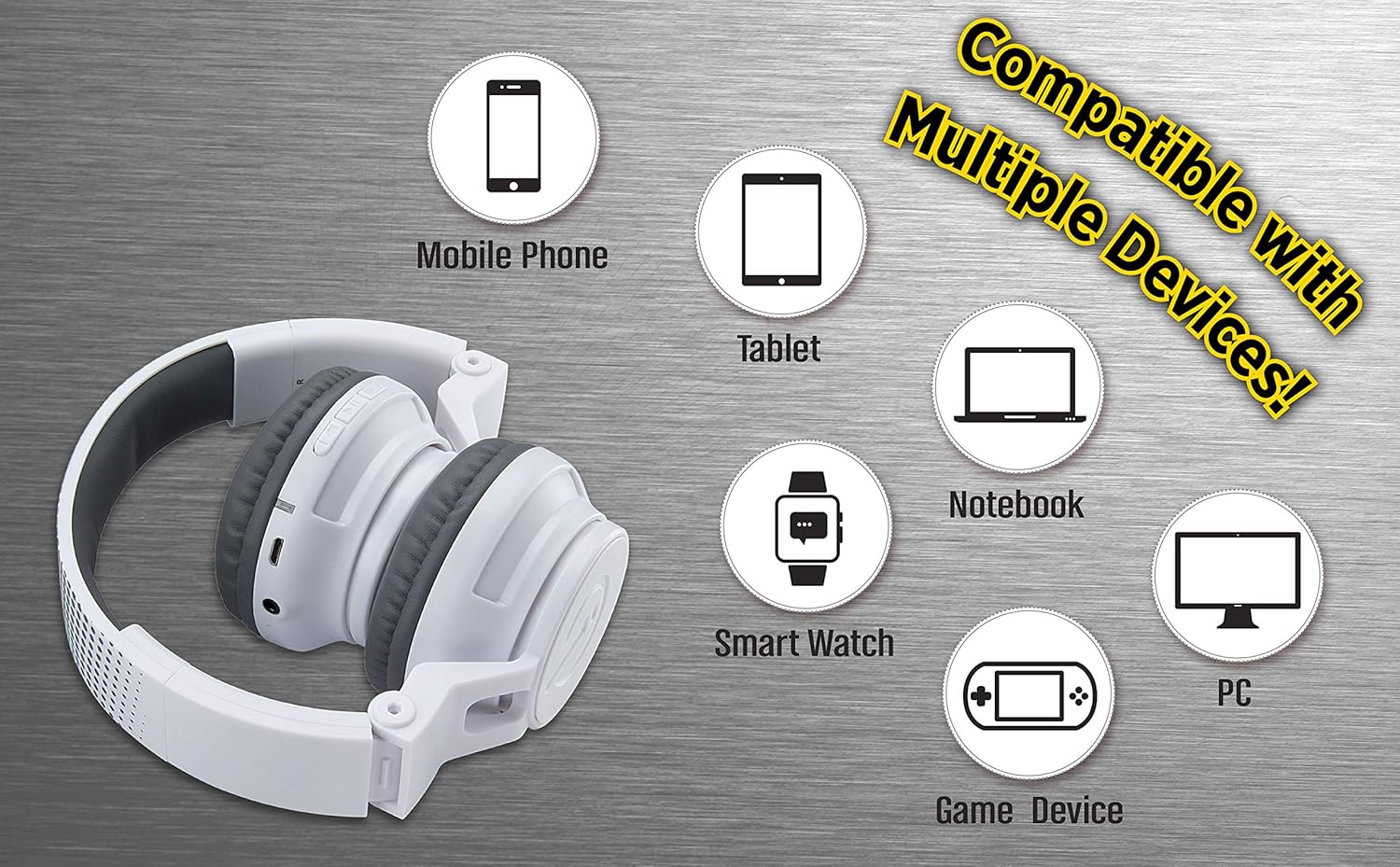
Figure 5: Visual representation of device compatibility, showing the headphones connecting to mobile phones, tablets, notebooks, smartwatches, PCs, and game devices.
- สมาร์ทโฟน (iOS และ Android)
- แท็บเล็ต
- คอมพิวเตอร์ (พีซี, แล็ปท็อป)
- Gaming Devices (with 3.5mm audio jack)
7. การดูแลรักษา
- การทำความสะอาด: ใช้ผ้านุ่มและแห้งเช็ดทำความสะอาดหูฟัง ห้ามใช้น้ำยาทำความสะอาดหรือสเปรย์
- พื้นที่จัดเก็บ: When not in use, fold the headphones to their compact size and store them in a cool, dry place away from direct sunlight and extreme temperatures.
- หลีกเลี่ยงความชื้น: These headphones are not water-resistant. Keep them away from water and excessive moisture.
- จัดการด้วยความระมัดระวัง: ควรหลีกเลี่ยงการทำหูฟังตกหรือการกระแทกอย่างแรง
8 การแก้ไขปัญหา
8.1 ไม่มีไฟฟ้า
- ตรวจสอบให้แน่ใจว่าหูฟังชาร์จเต็มแล้ว เชื่อมต่อกับแหล่งจ่ายไฟโดยใช้สายชาร์จ USB
- ตรวจสอบว่าสายชาร์จและแหล่งจ่ายไฟทำงานถูกต้อง
8.2 ไม่สามารถจับคู่ผ่านบลูทูธได้
- ตรวจสอบให้แน่ใจว่าหูฟังอยู่ในโหมดจับคู่ (ไฟ LED จะกะพริบสีแดงและสีน้ำเงินสลับกัน)
- โปรดตรวจสอบให้แน่ใจว่าได้เปิดใช้งานบลูทูธบนอุปกรณ์ของคุณแล้ว และอยู่ในระยะที่สามารถใช้งานได้ (โดยทั่วไปคือ 10 เมตร)
- ลืมอุปกรณ์จากการตั้งค่าบลูทูธของอุปกรณ์และลองจับคู่ใหม่อีกครั้ง
- รีสตาร์ททั้งหูฟังและอุปกรณ์ของคุณ
8.3 No Sound in Wired Mode
- Ensure the 3.5mm audio cable is securely plugged into both the headphones and the audio device.
- Check the volume level on both the headphones and the audio device.
- Test the audio cable with another device if possible to rule out a faulty cable.
8.4 ปริมาณเสียงต่ำ
- Remember that these headphones have a built-in volume limiter for child safety.
- Increase the volume on both the headphones and the connected device.
9. ข้อมูลจำเพาะ
| หมายเลขรุ่น | EK-B50W.EXV0 |
| เทคโนโลยีการเชื่อมต่อ | ไร้สาย (บลูทูธ), มีสาย (แจ็ค 3.5 มม.) |
| เทคโนโลยีการสื่อสารไร้สาย | บลูทูธ |
| อายุการใช้งานแบตเตอรี่ | ใช้งานได้นานสูงสุด 18 ชั่วโมง (เชื่อมต่อผ่านบลูทูธ) |
| รูปทรงของหูฟัง | บนหู |
| คุณสมบัติพิเศษ | Adjustable Headband, Foldable, Microphone Included, Volume Reduced |
| อุปกรณ์ที่รองรับ | Smartphones, Tablets, Computers, TVs |
| วัสดุ | พลาสติก |
| น้ำหนักสินค้า | 14.7 ออนซ์ (0.42 กิโลกรัม) |
| ขนาดแพ็คเกจ | 8.5 x 8.5 x 3.75 นิ้ว |
| ระดับความต้านทานต่อน้ำ | ไม่ทนน้ำ |
| ยูพีซี | 092298949741 |
10. วิดีโอผลิตภัณฑ์อย่างเป็นทางการ
Video: eKids Kids Bluetooth Wireless Headphones. This video provides a visual overview of the headphones' features and functionality, including their design, connectivity options, and child-safe volume limiting.
11. การรับประกันและการสนับสนุน
สำหรับข้อมูลการรับประกันและการบริการลูกค้า โปรดดูเอกสารที่แนบมากับสินค้าที่ซื้อ หรือเยี่ยมชมเว็บไซต์อย่างเป็นทางการของ eKids webไซต์นี้ โปรดเก็บหลักฐานการซื้อไว้เพื่อใช้ยืนยันการรับประกัน
หากต้องการความช่วยเหลือเพิ่มเติม ท่านสามารถเยี่ยมชมได้ที่ ร้าน eKids บน Amazon.


