1. บทนำ
Thank you for choosing the ToLuLu 1080P HD Webcam. This manual provides detailed instructions for the proper setup, operation, and maintenance of your webcam. Designed for professional-quality video calls, recording, conferencing, and gaming, this webcam delivers crisp images and clear video at 30 frames per second. It features automatic light correction, HDR technology, and a built-in noise-reduction microphone to ensure optimal performance in various lighting conditions.
2. อะไรอยู่ในกล่อง
- ToLuLu 1080P HD Webลูกเบี้ยว
- คู่มือการใช้งาน
- ความคุ้มครองความเป็นส่วนตัว
- ขาตั้งขาตั้งกล้อง
3. สินค้าหมดview
The ToLuLu 1080P HD Webcam is equipped with a full HD glass lens and an integrated digital stereo microphone. It features a flexible clip for mounting on various displays and a standard tripod thread for the included tripod stand. A privacy cover is also provided for enhanced security.

Image 3.1: ToLuLu 1080P Webcam with included privacy cover and tripod.

ภาพที่ 3.2: Webcam with privacy cover and tripod stand. The privacy cover can be closed when the webแคมไม่ได้ใช้งาน
4. คำแนะนำในการตั้งค่า
- การติดตั้ง Webลูกเบี้ยว:
การ webcam features an adjustable universal clip. You can place it securely on top of your laptop screen, desktop monitor, or any flat surface. For alternative placement, attach the webcam to the included tripod stand using the standard tripod thread at the bottom of the clip. - การเชื่อมต่อกับคอมพิวเตอร์ของคุณ:
เชื่อมต่อสาย USB จาก webcam to an available USB port on your computer (laptop, desktop, Mac, PC). The webcam is designed for plug-and-play functionality, meaning no additional drivers are typically required for most operating systems. - การรับรู้เบื้องต้น:
Your computer should automatically detect and install the webcam. A notification may appear indicating that the device is ready for use. - การกำหนดค่าซอฟต์แวร์:
Open your preferred video conferencing or streaming application (e.g., Zoom, Skype, OBS, YouTube, Facetime). Navigate to the video and audio settings within the application and select the "ToLuLu Webcam" as your video input device and its integrated microphone as your audio input device.

Image 4.1: Connecting the webcam via USB for plug-and-play setup.
5. คู่มือการใช้งาน
- คุณภาพวิดีโอ: The 1080P Full HD glass lens delivers clear video at 30 frames per second. The webcam features automatic light correction and HDR technology, which adjusts color and brightness for natural lighting, even in dim or poorly backlit environments.
- คุณภาพเสียง: The built-in digital stereo microphone includes automatic noise reduction, ensuring your voice is captured clearly from up to 10 feet away.
- จอไวด์สกรีน View: The fixed-focus lens provides a 110-degree wide-angle view, suitable for individual use or group video conferencing.
- ความคุ้มครองความเป็นส่วนตัว: Use the included privacy cover to physically block the camera lens when not in use. This protects your privacy and prevents unauthorized access to your video feed.

Image 5.1: Comparison illustrating the clarity of the 1080P Full HD webลูกเบี้ยว.

ภาพที่ 5.2: webcam's 110-degree wide-angle view, suitable for multiple participants.
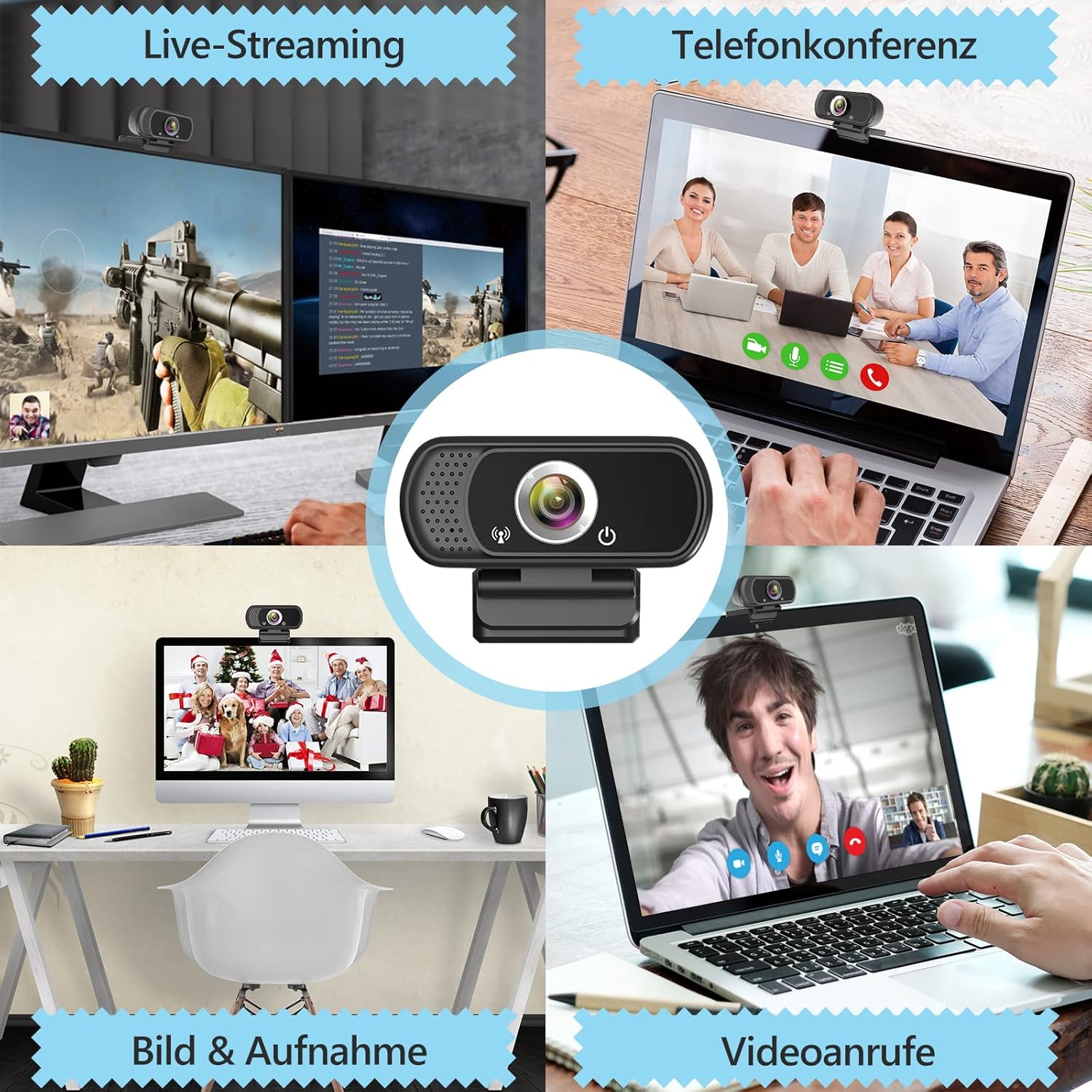
ภาพที่ 5.3: อดีตampเลสของ webcam use in live streaming, teleconferencing, and video calls.
6. ความเข้ากันได้
The ToLuLu 1080P HD Webcam offers broad compatibility with various operating systems and applications:
- ระบบปฏิบัติการ: Windows 2000, XP, 7, 8, 10 and above; macOS 10.6 and above; Chrome OS 29.0.1547 or above; Android V5.0 or above; Smart TV.
- แพลตฟอร์มฮาร์ดแวร์: Mac, PC, Laptops, Desktops, Smart TVs.
- การใช้งานที่เข้ากันได้: Skype, OBS, YouTube, Facebook, Twitch, Facetime, Zoom, Xbox One, Hangouts, and more.

ภาพที่ 6.1: webcam is compatible with multiple operating systems and popular communication platforms.
7. การบำรุงรักษา
- การทำความสะอาดเลนส์: ใช้ผ้านุ่มไม่เป็นขุยที่ออกแบบมาเฉพาะสำหรับเลนส์ออปติกเพื่อเช็ดเลนส์อย่างอ่อนโยน webcam lens. Avoid abrasive materials or harsh chemicals, which can scratch or damage the lens.
- การทำความสะอาดทั่วไป: เช็ดตัวให้สะอาด webแคมที่มีความนุ่มนวลamp ผ้า. ตรวจสอบให้แน่ใจว่าไม่มีความชื้นเข้าไปในอุปกรณ์
- พื้นที่จัดเก็บ: เมื่อไม่ใช้งาน ให้เก็บ webเก็บกล้องไว้ในที่สะอาดและแห้ง ใช้ฝาปิดเลนส์เพื่อป้องกันฝุ่นและรอยขีดข่วน
- การดูแลสายเคเบิล: หลีกเลี่ยงการงอหรือบิดสาย USB มากเกินไปเพื่อป้องกันความเสียหายภายใน
8 การแก้ไขปัญหา
| ปัญหา | สาเหตุที่เป็นไปได้ | สารละลาย |
|---|---|---|
| Webcam not detected / No image | USB connection issue, driver conflict, or incorrect software selection. |
|
| คุณภาพของภาพไม่ดี (เบลอ มืด มีเม็ด) | Insufficient lighting, dirty lens, or software settings. |
|
| Microphone not working / Poor audio quality | Microphone not selected, system audio settings, or environmental noise. |
|
| ปัญหาการเชื่อมต่อไม่ต่อเนื่อง | Loose USB connection, USB port power issues, or system resource conflicts. |
|
9. ข้อมูลจำเพาะ
| คุณสมบัติ | รายละเอียด |
|---|---|
| ความละเอียดในการจับภาพวิดีโอ | 1080p Full HD (1920 x 1080) at 30fps |
| ประเภทเลนส์ | Full HD Glass Lens, Fixed Focus |
| ทุ่งแห่ง View | 110 Degrees Widescreen |
| ไมโครโฟน | Built-in Digital Stereo Microphone with Automatic Noise Reduction |
| การแก้ไขแสง | Automatic Light Correction, HDR Technology |
| การเชื่อมต่อ | USB Plug & Play (1.8m / 6 feet USB cable) |
| การติดตั้ง | Adjustable Universal Clip, Tripod Ready |
| ระบบปฏิบัติการ | Windows 2000/XP/7/8/10+, macOS, Chrome OS, Android, Smart TV |
| ขนาด (กxยxส) | 3.8 x 3.1 x 2.5 นิ้ว |
| น้ำหนักสินค้า | 6.3 ออนซ์ |
10. การรับประกันและการสนับสนุน
ToLuLu is committed to providing quality products and customer satisfaction.
- นโยบายการคืนสินค้า: This product is eligible for return within 30 days for an exchange or refund, subject to the retailer's return policy.
- การสนับสนุนด้านเทคนิค: ToLuLu offers lifetime professional technical team support for this product.
For further assistance or inquiries, please refer to the contact information provided with your purchase or visit the official ToLuLu support channels.


