1. บทนำ
This manual provides detailed instructions for the installation, operation, and maintenance of your Denver SHC-150 WiFi/IP Indoor Security Camera. Please read this manual thoroughly before using the product to ensure proper functionality and safety. Keep this manual for future reference.

ภาพที่ 1.1: ด้านหน้า view of the Denver SHC-150 Indoor Security Camera.
2. สินค้าหมดview
2.1 คุณสมบัติหลัก
- Indoor IP dome camera with infrared LEDs for night use.
- 1 Megapixel HD video camera at 12 frames per second.
- WiFi (WEP/WPA/WPA2) and LAN function.
- Compatible with Tuya IoT platform and Denver Smart Home app (iOS/Android).
- Motorized pan (355°) and tilt (90°).
- Integrated speaker and microphone for two-way audio.
- Infrared range up to 10 meters.
- Motion detection with manual access.
- Micro SD card slot for up to 128GB storage (memory card not included).
2.2 ส่วนประกอบของกล้อง

ภาพที่ 2.1: Diagram illustrating the main components of the SHC-150 camera.
The camera features a photoresistance sensor, IR LEDs, HD lens, microphone (MIC), and motorized pan/tilt mechanism on the front. The rear includes a reset hole, TF (Micro SD) card slot, speaker, antenna, and DC power port.
3. การตั้งค่า
3.1 อะไรอยู่ในกล่อง
- Denver SHC-150 Security Camera
- อะแดปเตอร์แปลงไฟ
- Mounting Accessories (for wall mounting)
- คู่มือการใช้งาน
3.2 การติดตั้งทางกายภาพ
The Denver SHC-150 camera is designed for indoor use and can be placed on a flat surface or mounted on a wall. Ensure the camera is positioned within range of your WiFi network and has a clear view ของพื้นที่ที่คุณต้องการติดตาม
- เลือกตำแหน่งที่เหมาะสมสำหรับกล้อง
- If wall-mounting, use the provided mounting accessories to securely attach the camera.
- Connect the power adapter to the DC port on the camera and plug it into a power outlet. The camera will power on and initiate its startup sequence.
3.3 การติดตั้งและการจับคู่แอป
The SHC-150 camera operates with the Tuya IoT platform, compatible with the Denver Smart Home app.
- ดาวน์โหลด เดนเวอร์สมาร์ทโฮม ดาวน์โหลดแอปจาก App Store (iOS) หรือ Google Play Store (Android)
- ลงทะเบียนบัญชีใหม่หรือเข้าสู่ระบบหากคุณมีบัญชีอยู่แล้ว
- ในแอป แตะไอคอน "+" เพื่อเพิ่มอุปกรณ์ใหม่
- Select "Security Camera" or search for "SHC-150".
- Follow the on-screen instructions to connect the camera to your WiFi network. This typically involves scanning a QR code displayed on your phone with the camera lens or entering your WiFi credentials.
- Once connected, the camera will appear in your device list within the app.
4. คู่มือการใช้งาน
4.1 สด View และการควบคุมแพน/เอียง
Access the live video feed from your camera through the Denver Smart Home app. You can remotely control the camera's viewมุมอิง

ภาพที่ 4.1: Remote control of camera pan and tilt via smartphone app.
- จากการถ่ายทอดสด view screen in the app, use the directional controls to pan the camera horizontally up to 355 degrees and tilt it vertically up to 90 degrees.
4.2 เสียงสองทาง
กล้องมีไมโครโฟนและลำโพงในตัว ทำให้สามารถสื่อสารสองทางได้
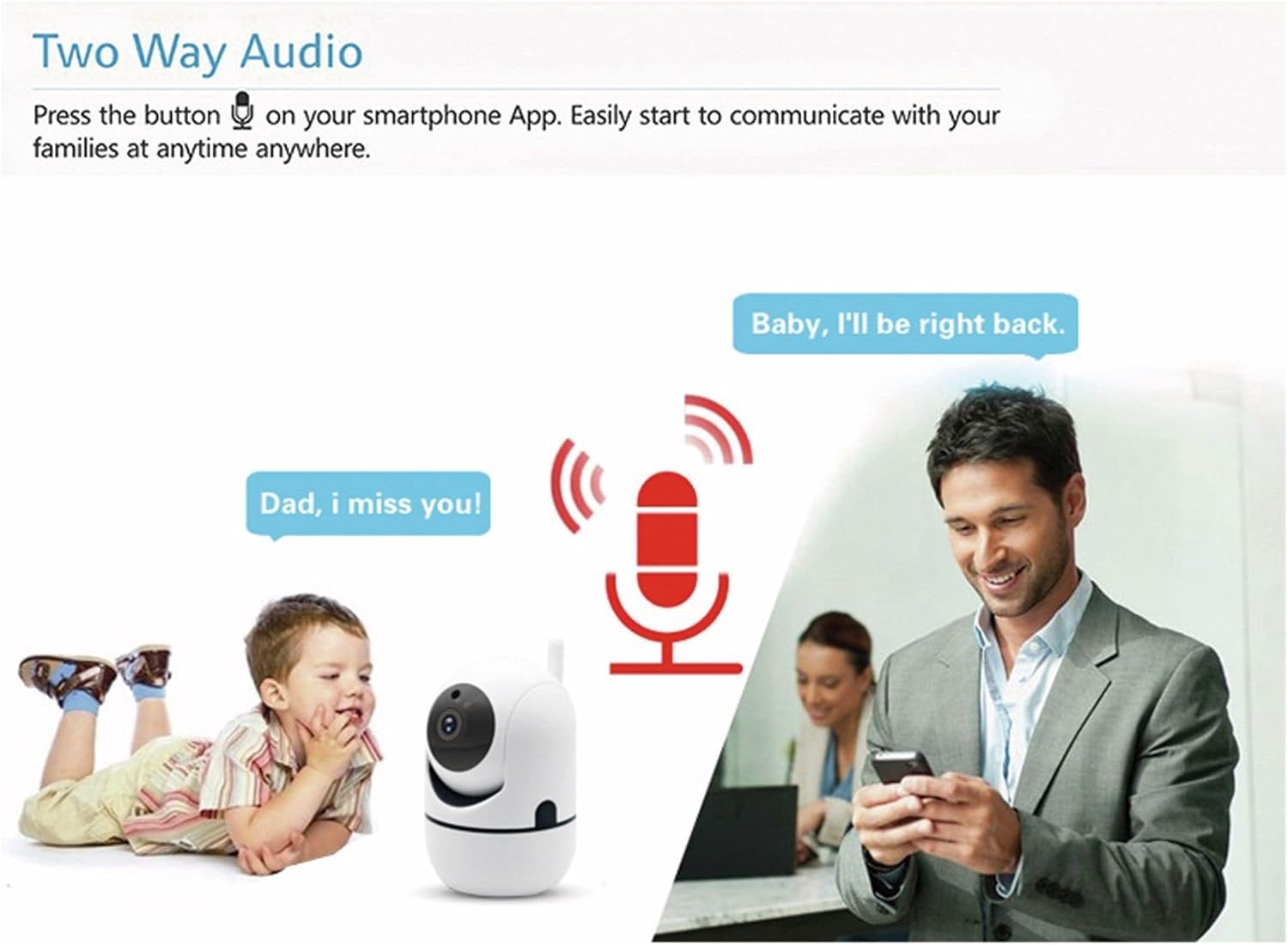
ภาพที่ 4.2: Two-way audio allows communication through the camera.
- แตะไอคอนไมโครโฟนในหน้าถ่ายทอดสดของแอป view เพื่อพูดผ่านลำโพงของกล้อง
- The camera's microphone will pick up audio from its surroundings, which you can hear through your smartphone.
4.3 การตรวจจับการเคลื่อนไหว
กล้องสามารถตรวจจับการเคลื่อนไหวและส่งการแจ้งเตือนไปยังสมาร์ทโฟนของคุณได้
- Enable motion detection in the Denver Smart Home app settings for your camera.
- Configure alert sensitivity and notification preferences as needed.
- The camera also supports automatic motion tracking, allowing it to follow detected movement within its 355° pan and 120° tilt range.
4.4 การมองเห็นตอนกลางคืน
The integrated infrared LEDs provide clear video monitoring in low-light or no-light conditions.

ภาพที่ 4.3: Infrared night vision automatically activates in low light, with a range of up to 10 meters.
- ระบบมองเห็นในเวลากลางคืนจะทำงานโดยอัตโนมัติเมื่อระดับแสงโดยรอบต่ำ
- The infrared range extends up to 10 meters.
4.5 การบันทึกและการเก็บรักษา
The camera supports local storage via a Micro SD card.
- Insert a Micro SD card (up to 128GB, not included) into the TF card slot on the camera.
- Configure recording settings (e.g., continuous recording, event-triggered recording) within the Denver Smart Home app.
- บันทึกแล้วฟูtage สามารถเข้าถึงได้และอีกครั้งviewผ่านแอพพลิเคชั่น
5. การบำรุงรักษา
- การทำความสะอาด: ใช้ผ้าแห้งเนื้อนุ่มเช็ดทำความสะอาดเลนส์และตัวกล้อง หลีกเลี่ยงการใช้สารเคมีรุนแรงหรือน้ำยาทำความสะอาดที่มีฤทธิ์กัดกร่อน
- การอัปเดตซอฟต์แวร์: Regularly check the Denver Smart Home app for firmware updates to ensure optimal performance and security.
- วงจรไฟฟ้า: หากกล้องมีปัญหา ให้ลองถอดปลั๊กออกจากแหล่งจ่ายไฟสักสองสามวินาที แล้วเสียบกลับเข้าไปใหม่
6 การแก้ไขปัญหา
6.1 Camera Not Connecting to WiFi
- โปรดตรวจสอบให้แน่ใจว่าเครือข่าย WiFi ของคุณเป็น 2.4GHz กล้องไม่รองรับ WiFi 5GHz
- ตรวจสอบให้แน่ใจว่ารหัสผ่าน WiFi ที่ป้อนในแอปถูกต้อง
- Place the camera closer to your WiFi router during the initial setup process.
- Reset the camera by pressing the reset button (refer to Image 2.1 for location) and attempt pairing again.
6.2 คุณภาพวิดีโอไม่ดี
- ตรวจสอบความเร็วการเชื่อมต่ออินเทอร์เน็ตของคุณ การเชื่อมต่อที่เสถียรและรวดเร็วเป็นสิ่งจำเป็นสำหรับการสตรีมแบบ HD
- ตรวจสอบให้แน่ใจว่าเลนส์กล้องสะอาดและปราศจากฝุ่นหรือคราบสกปรก
- Adjust the video quality settings within the Denver Smart Home app if available.
6.3 การตรวจจับการเคลื่อนไหวไม่ทำงาน
- ตรวจสอบให้แน่ใจว่าได้เปิดใช้งานการตรวจจับการเคลื่อนไหวในการตั้งค่าแอปแล้ว
- ปรับความไวในการตรวจจับการเคลื่อนไหว
- ตรวจสอบให้แน่ใจว่าไม่มีสิ่งกีดขวางปิดกั้นกล้อง view.
6.4 Micro SD Card Not Recording
- ตรวจสอบให้แน่ใจว่าใส่การ์ด Micro SD ถูกต้องและพอดี
- Check if the Micro SD card is formatted correctly (usually FAT32). Format it via the app if necessary.
- Verify that recording settings are configured in the app.
- The card might be full; consider enabling loop recording or replacing the card.
7. ข้อมูลจำเพาะ

ภาพที่ 7.1: Product label on the back of the SHC-150 camera.
| คุณสมบัติ | ข้อมูลจำเพาะ |
|---|---|
| ชื่อรุ่น | เอสเอชซี-150 |
| หมายเลขรุ่นผลิตภัณฑ์ | 118101020060 |
| ความละเอียดวิดีโอ | 720p HD (1 Megapixel) |
| อัตราเฟรม | 12 เฟรมต่อวินาที |
| การเชื่อมต่อ | Wi-Fi (2.4GHz, WEP/WPA/WPA2), Wired LAN |
| มุมกระทะ | 355 องศา |
| มุมเอียง | 90 องศา |
| ช่วงการมองเห็นตอนกลางคืน | สูงสุด 10 เมตร |
| เสียง | Two-way audio (built-in speaker and microphone) |
| พื้นที่จัดเก็บ | Micro SD card slot, up to 128GB |
| กำลังไฟเข้า | DC 5V/1A (via power adapter) |
| ขนาด (กว้าง x ยาว x สูง) | 8.5 x 7 x 10.5 ซม. |
| น้ำหนัก | 340 กรัม |
| วัสดุ | โลหะ |
| สี | สีขาว |
| สภาพแวดล้อมการทำงาน | ใช้ภายในอาคารเท่านั้น |
8. การรับประกันและการสนับสนุน
Denver products are manufactured to high quality standards. This product is covered by a warranty period as per local consumer protection laws. For warranty claims, technical support, or service inquiries, please contact your retailer or visit the official Denver support webเว็บไซต์.
โปรดเก็บใบเสร็จรับเงินไว้เป็นหลักฐานการซื้อสำหรับกรณีที่มีการเรียกร้องการรับประกัน


