1. บทนำ
This manual provides detailed instructions for the setup, operation, maintenance, and troubleshooting of your ikbc W200 Wireless Mechanical Keyboard. Please read this manual thoroughly before using the product to ensure optimal performance and longevity.
The ikbc W200 is a high-quality wireless mechanical keyboard featuring Cherry MX Blue switches, PBT double-shot keycaps, and 2.4G wireless connectivity, compatible with Windows and Mac OS.
2. เนื้อหาบรรจุภัณฑ์
ตรวจสอบว่ามีรายการทั้งหมดอยู่ในแพ็คเกจ:
- ikbc W200 Wireless Mechanical Keyboard
- ดองเกิล USB 2.4G
- ถ่าน AAA (2)
- ตัวดึงกุญแจ
- คู่มือการใช้งาน (เอกสารนี้)
3. การตั้งค่า
3.1 การติดตั้งแบตเตอรี่
- ค้นหาช่องใส่แบตเตอรี่ที่ด้านล่างของแป้นพิมพ์
- เปิดฝาช่องใส่แบตเตอรี่
- ใส่แบตเตอรี่ AAA สองก้อน โดยตรวจสอบให้แน่ใจว่าขั้วถูกต้อง (+/-)
- ปิดฝาช่องใส่แบตเตอรี่ให้แน่น
3.2 การเชื่อมต่อคีย์บอร์ด
- เปิดคีย์บอร์ดโดยใช้สวิตช์เปิดปิดที่อยู่ด้านหลัง
- เสียบตัวรับสัญญาณ USB 2.4G เข้ากับพอร์ต USB ที่ว่างอยู่บนคอมพิวเตอร์ของคุณ
- The keyboard should automatically connect. No additional drivers are typically required for Windows or Mac OS.
- If the connection is not established, ensure the dongle is securely plugged in and the keyboard is powered on.
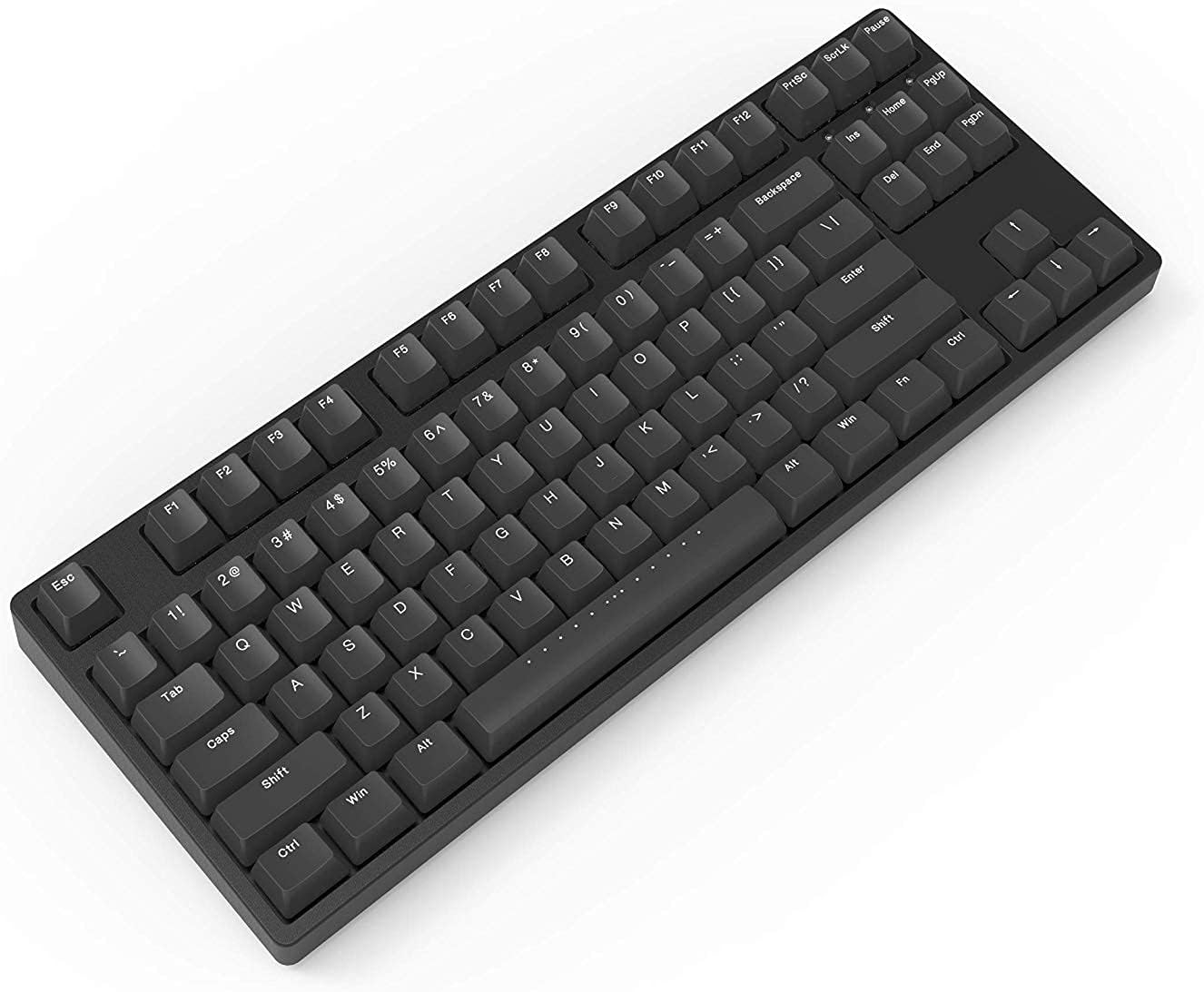
Figure 1: ikbc W200 Wireless Mechanical Keyboard. This image shows the full keyboard layout, highlighting its compact tenkeyless design and black PBT keycaps.
Video 1: iKBC TypeMan W 2.4G Wireless Mechanical Keyboard Overview. This short video demonstrates the simple setup process of the iKBC TypeMan W series keyboard, including inserting batteries and plugging in the USB dongle for instant wireless connectivity.
4. คู่มือการใช้งาน
4.1 ฟังก์ชันพื้นฐานของแป้นพิมพ์
The ikbc W200 functions as a standard 87-key mechanical keyboard. All keys perform their labeled functions directly.
4.2 มัลติมีเดียและปุ่มลัด
แป้นพิมพ์นี้มีฟังก์ชันมัลติมีเดียและปุ่มลัดเฉพาะที่สามารถเข้าถึงได้ผ่านทาง Fn key in combination with specific function keys (F5-F12).

Figure 2: Shortcut Combinations and LED Indicators. This diagram illustrates the key combinations for multimedia controls (Fn + F5-F8) and media playback (Fn + F9-F12), along with the locations of the Caps Lock, Scroll Lock, and Battery LED indicators.
| คีย์ผสม | การทำงาน |
|---|---|
| Fn+F5 | ปิดเสียง |
| Fn+F6 | ลดระดับเสียง |
| Fn+F7 | เพิ่มระดับเสียง |
| Fn+F8 | เปิดเครื่องคิดเลข |
| Fn+F9 | Play / Pause Media |
| Fn+F10 | หยุดสื่อ |
| Fn+F11 | เพลงก่อนหน้า |
| Fn+F12 | เพลงถัดไป |
4.3 ไฟแสดงสถานะ LED
- Caps ล็อคตัวบ่งชี้: ไฟจะสว่างขึ้นเมื่อกดปุ่ม Caps Lock
- ตัวบ่งชี้การล็อคการเลื่อน: ไฟจะสว่างขึ้นเมื่อเปิดใช้งาน Scroll Lock
- ไฟแสดงสถานะแบตเตอรี่: Flashes when battery power is low, indicating that batteries need replacement.
5. การบำรุงรักษา
5.1 การทำความสะอาดแป้นพิมพ์
- Disconnect the keyboard from your computer and turn off the power switch.
- ใช้ผ้านุ่มไม่เป็นขุยเช็ดเล็กน้อยampชุบน้ำหรือน้ำยาทำความสะอาดอ่อนๆ เพื่อเช็ดปุ่มและตัวเครื่อง
- For deeper cleaning, use the included keycap puller to remove keycaps and clean underneath with compressed air or a small brush.
- ห้ามจุ่มแป้นพิมพ์ลงในของเหลว

รูปที่ 3: จากบนลงล่าง view of the ikbc W200 keyboard. This image provides a clear overhead perspective of the keyboard, useful for identifying key layout and for cleaning purposes.
5.2 การเปลี่ยนแบตเตอรี่
When the battery indicator flashes, replace the two AAA batteries following the instructions in Section 3.1.
6 การแก้ไขปัญหา
| ปัญหา | สาเหตุที่เป็นไปได้ | สารละลาย |
|---|---|---|
| แป้นพิมพ์ไม่ตอบสนอง | Low batteries, dongle disconnected, keyboard off. | Replace batteries, ensure dongle is securely plugged in, turn on keyboard power switch. |
| Input lag or dropped keystrokes | Interference, dongle too far, low battery. | Move dongle closer to keyboard, avoid obstructions, replace batteries. Avoid USB extensions. |
| ปุ่มมัลติมีเดียไม่ทำงาน | Incorrect key combination. | ตรวจสอบให้แน่ใจว่าคุณกำลังกดปุ่ม Fn กดปุ่มพร้อมกันกับปุ่มฟังก์ชันที่ต้องการ (F5-F12) |
7. ข้อมูลจำเพาะ
- แบบอย่าง: W200
- การเชื่อมต่อ: 2.4G Wireless (USB Dongle)
- ประเภทสวิตช์: Cherry MX Blue Mechanical Switches
- คีย์แคป: PBT ดับเบิลช็อต
- เค้าโครง: 87-Key (Tenkeyless), ANSI/US
- แหล่งพลังงาน: แบตเตอรี่ AAA 2 ก้อน
- ระบบปฏิบัติการที่รองรับ: วินโดวส์, แมคโอเอส
- ขนาด : ยาว 14.29 นิ้ว x กว้าง 5.51 นิ้ว x สูง 1.65 นิ้ว
- น้ำหนัก: 3.04 ปอนด์
- ส่วนประกอบที่รวมอยู่: ตัวดึงกุญแจ
8. การรับประกันและการสนับสนุน
For warranty information and technical support, please refer to the official ikbc webหรือติดต่อฝ่ายบริการลูกค้าโดยตรง เก็บใบเสร็จรับเงินไว้เพื่อใช้ในการเคลมประกัน
Official ikbc webเว็บไซต์: www.ikbc.com (Note: This is a placeholder link, please verify the actual support URL).