การแนะนำ
ขอบคุณสำหรับการซื้อasing the WorkPro™ LED USB Desk Lamp with Wireless Charger. This manual provides detailed instructions for the safe and efficient use of your new desk lamp. Please read this manual thoroughly before operation and retain it for future reference.
ข้อมูลด้านความปลอดภัยที่สำคัญ
- อย่าเปิดเผยลamp เนื่องจากมีน้ำหรือความชื้นมากเกินไป
- ห้ามถอดประกอบหรือพยายามซ่อมแซมลamp ด้วยตนเอง แจ้งการบริการทั้งหมดให้บุคลากรที่มีคุณสมบัติเหมาะสมทราบ
- ตรวจสอบให้แน่ใจว่าแหล่งจ่ายไฟตรงกับลamp's requirements (e.g., 7 watts).
- เก็บไว้ลamp ห่างจากแหล่งความร้อนและแสงแดดโดยตรง
- ใช้เฉพาะอะแดปเตอร์แปลงไฟที่ให้มาหรืออะแดปเตอร์ที่ใช้งานร่วมกันได้เท่านั้น
- ถอดปลั๊กลamp ในช่วงที่เกิดพายุฝนฟ้าคะนองหรือเมื่อไม่ได้ใช้งานเป็นเวลานาน
มีอะไรอยู่ในกล่อง
เมื่อเปิดบรรจุภัณฑ์ โปรดตรวจสอบว่าส่วนประกอบทั้งหมดอยู่ครบและไม่ได้รับความเสียหาย:
- WorkPro™ LED USB Desk Lamp
- อะแดปเตอร์แปลงไฟ
- รีโมทคอนโทรล
- คู่มือการใช้งาน (เอกสารนี้)
การติดตั้งและการประกอบ
การแกะกล่อง Lamp
นำส่วนประกอบทั้งหมดออกจากบรรจุภัณฑ์อย่างระมัดระวัง เก็บบรรจุภัณฑ์ไว้เพื่อการจัดเก็บหรือขนส่งในอนาคต
การวางตัว Lamp
วางลamp on a stable, flat surface, such as a desk or table. Ensure there is enough space around the lamp for proper ventilation and adjustment.

Image: The WorkPro LED USB Desk Lamp positioned on a desk, showcasinด้วยดีไซน์ที่เรียบหรูและฐานที่มั่นคง
การเชื่อมต่อพลังงาน
Locate the power input port on the back of the lamp base. Insert the power adapter cable firmly into the port. Plug the other end of the power adapter into a standard electrical outlet.

ภาพ: ภาพระยะใกล้ view ของลamp's base, highlighting the USB charging ports and the power input connection point.
คำแนะนำการใช้งาน
Lamp Controls (Touch Control)
ลamp features touch controls integrated into its base for easy operation.
- เปิด/ปิดเครื่อง: Lightly touch the power icon on the base to turn the lamp เปิดหรือปิด
- การปรับความสว่าง: Touch the brightness control area to cycle through 5 brightness levels.
- การปรับอุณหภูมิสี: Touch the color temperature control area to cycle through 5 color modes (3000K-6000K).
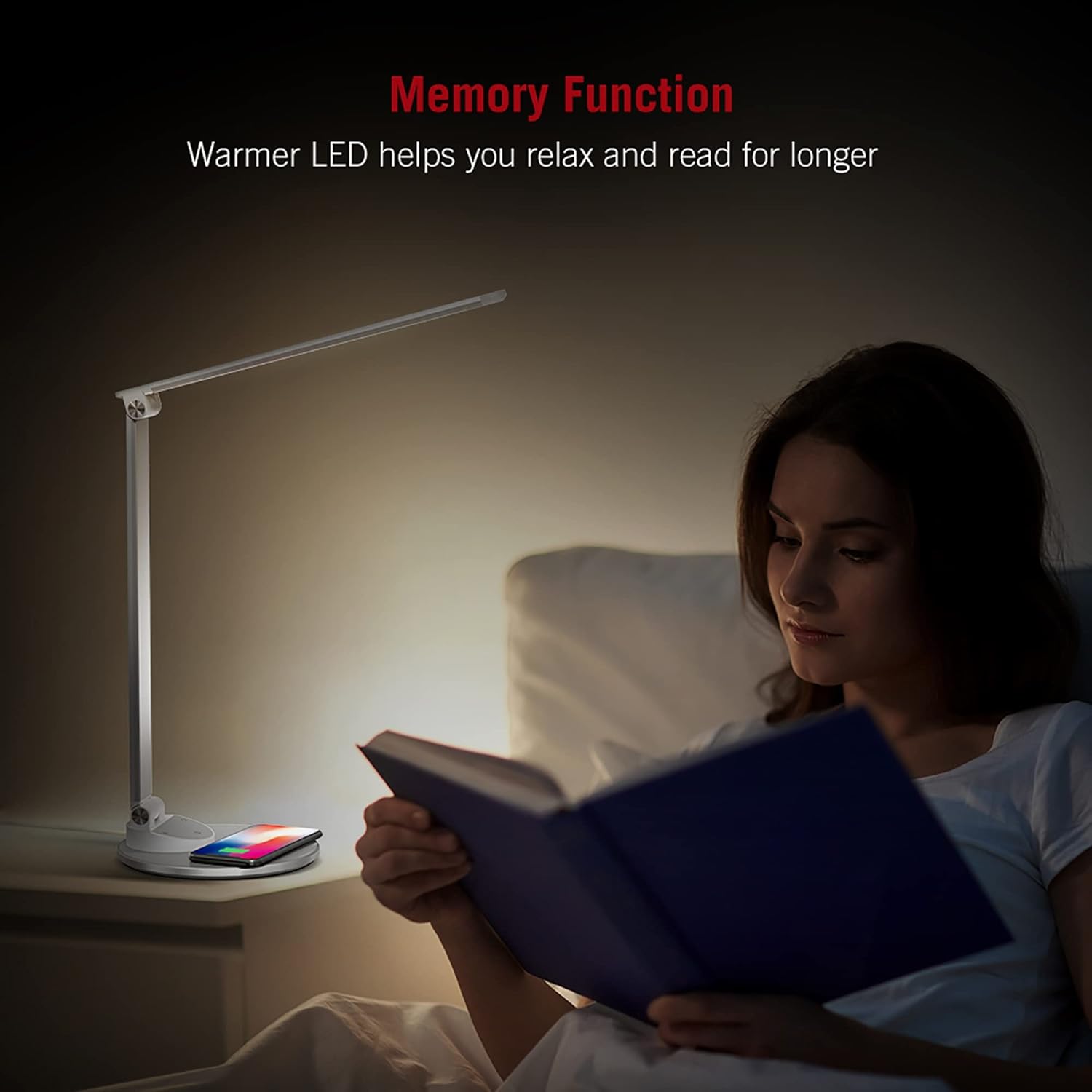
Image: An illustration demonstrating the five available color temperature modes (from warm to cool white) and five brightness levels of the WorkPro desk lamp.
การปรับ Lamp แขน
ลamp features an adjustable arm for multi-angle lighting. Gently adjust the arm and head to your desired position. The lamp arm can be adjusted up to 135 degrees and the base arm up to 145 degrees.

Image: A diagram illustrating the adjustable angles of the lamp's arm (135 degrees) and its base (145 degrees), allowing for flexible positioning.
ฟังก์ชันการชาร์จแบบไร้สาย
ลamp base includes a built-in wireless charging pad. To use, place your Qi-compatible device (e.g., smartphone) centered on the charging pad. The device should begin charging automatically.
- ตรวจสอบให้แน่ใจว่าอุปกรณ์ของคุณรองรับการชาร์จไร้สายแบบ Qi
- Remove any thick cases that might interfere with charging.
- A charging indicator (if present on your device) will confirm charging status.

Image: The WorkPro desk lamp with a smartphone resting on its integrated wireless charging pad, demonstrating the charging feature.
พอร์ตชาร์จ USB
ลamp also features USB ports for wired charging of other devices. Connect your device's USB cable to the port on the lamp ฐาน.
ภาพ: ภาพระยะใกล้ view ของลamp's base, highlighting the USB charging ports and the power input connection point.
ฟังก์ชั่นหน่วยความจำ
ลamp is equipped with a memory function that recalls your last used brightness and color temperature settings when turned back on.

Image: A person reading in bed, illuminated by the WorkPro lamp, demonstrating how the warmer LED settings can aid relaxation and extended reading.
การบำรุงรักษาและการดูแล
- การทำความสะอาด: ถอดปลั๊กลamp ปิดเครื่องก่อนทำความสะอาด ใช้ผ้าแห้งนุ่มเช็ดทำความสะอาดamp's surfaces. Do not use abrasive cleaners, solvents, or harsh chemicals.
- พื้นที่จัดเก็บ: ถ้าจะเก็บลamp หากไม่ได้ใช้งานเป็นเวลานาน ควรถอดปลั๊กและเก็บไว้ในที่แห้งและเย็น โดยควรเก็บไว้ในบรรจุภัณฑ์เดิม
- ไฟ LED: The LED lights are integrated and not user-replaceable. Do not attempt to replace them.
การแก้ไขปัญหา
| ปัญหา | สาเหตุที่เป็นไปได้ | สารละลาย |
|---|---|---|
| Lamp ไม่เปิด | Not plugged in; power outlet not working; power adapter faulty. | Ensure power adapter is securely plugged into lamp and outlet. Test outlet with another device. Try a different compatible power adapter. |
| การชาร์จแบบไร้สายไม่ทำงาน | Device not Qi-compatible; device not properly aligned; thick phone case; foreign objects on pad. | Verify device supports Qi charging. Re-position device on the center of the pad. Remove phone case. Remove any metal objects or cards from the pad. |
| Lamp flickers or light is unstable. | Unstable power supply; faulty lamp. | ลองเสียบปลั๊กเข้ากับเต้ารับอื่นดู หากปัญหายังคงอยู่ โปรดติดต่อฝ่ายบริการลูกค้า |
ข้อมูลจำเพาะผลิตภัณฑ์
| คุณสมบัติ | รายละเอียด |
|---|---|
| หมายเลขรุ่น | WP2000S |
| ยี่ห้อ | เวิร์คโปร |
| ประเภทแหล่งกำเนิดแสง | นำ |
| วัดtage | 7 วัตต์ |
| โหมดสี | 5 (3000K-6000K) |
| ระดับความสว่าง | 5 |
| วิธีการควบคุม | สัมผัส |
| คุณสมบัติพิเศษ | Adjustable Arm, Energy Efficient, Wireless Charging, USB Charging Ports, Memory Function |
| วัสดุ | Metal, Porcelain |
| ขนาดสินค้า | 17.75 x 8.5 x 3 นิ้ว |
| น้ำหนักสินค้า | 3.49 ปอนด์ (1.59 กิโลกรัม) |
| แหล่งพลังงาน | สายไฟ |
| เทคโนโลยีการเชื่อมต่อ | ยูเอสบี |
| ยูพีซี | 735854860363 |
ข้อมูลการรับประกัน
โดยทั่วไป รายละเอียดการรับประกันเฉพาะจะระบุไว้ในเอกสารการซื้อหรือในเว็บไซต์อย่างเป็นทางการของผู้ผลิต website. Please refer to the warranty card included in your product packaging or visit the WorkPro official webเว็บไซต์สำหรับนโยบายการรับประกันล่าสุด
การสนับสนุนลูกค้า
For technical assistance, troubleshooting beyond this manual, or warranty claims, please contact WorkPro customer support:
- WorkPro Store on Amazon: Visit WorkPro Store
- Refer to your product packaging for direct contact information (phone number, email address) if available.


