การแนะนำ
Thank you for choosing the VISION Talking Analog and Digital Watch. This watch is designed to provide clear time announcements in Spanish, making it ideal for individuals with visual impairments, children, and the elderly. It features both an analog display for traditional time-telling and a digital display for precise readings, along with an alarm function.

รูปที่ 1 : ด้านหน้า view of the VISION Talking Analog and Digital Watch.
การตั้งค่า
1. การแกะกล่องและการตรวจสอบเบื้องต้น
Carefully remove the watch from its packaging. Inspect the watch for any visible damage. The watch comes with a battery pre-installed and is ready for initial setup.

Figure 2: The watch as it appears in its original clear plastic case.
2. Initial Time Setting (Digital)
The digital time needs to be set first. Refer to the 'Operating Instructions' section for detailed steps on setting the digital time using the 'MODE', 'HOUR', and 'MINUTE' buttons.
3. Initial Time Setting (Analog)
The analog hands are set independently using the crown (small knob) on the side of the watch. Pull out the crown and rotate it to adjust the analog hands to match the digital time. Push the crown back in to secure the setting.
คำแนะนำการใช้งาน
ปุ่มฟังก์ชั่น
- ปุ่มโหมด: Used to cycle through different modes (Time, Alarm Setting).
- TALKING Button: Press to hear the current time announced in Spanish.
- ปุ่มชั่วโมง: Used to adjust the hour in setting modes.
- ปุ่มนาที: Used to adjust the minute in setting modes.
- มงกุฎ: Used to set the analog hands.
Telling Time
- ประกาศเสียง: กดปุ่ม การพูด button to hear the current time spoken aloud in Spanish.
- จอแสดงผลดิจิตอล: The digital display shows the time in a 12-hour format (AM/PM).
- จอแสดงผลแบบอะนาล็อก: The traditional hands indicate the hour and minute.
การตั้งเวลาดิจิตอล
- กดปุ่ม โหมด กดปุ่มซ้ำๆ จนกว่าหน้าจอแสดงผลดิจิทัลจะแสดงโหมดตั้งเวลา (โดยปกติจะแสดงด้วยตัวเลขกะพริบ)
- ใช้ ชั่วโมง button to adjust the hour. Pay attention to AM/PM indicators.
- ใช้ นาที ปุ่มเพื่อปรับนาที
- กดปุ่ม โหมด button again to confirm and exit the time setting mode.
การตั้งปลุก
- กดปุ่ม โหมด button until the alarm setting mode is displayed (often indicated by an alarm icon or 'AL').
- ใช้ ชั่วโมง ปุ่มสำหรับตั้งเวลาปลุกที่ต้องการ
- ใช้ นาที ปุ่มสำหรับตั้งเวลาปลุกตามต้องการ
- กดปุ่ม โหมด button to activate the alarm and exit the setting mode.
- To turn off a sounding alarm, press any button.
การซ่อมบำรุง
การทำความสะอาด
ในการทำความสะอาดนาฬิกา ให้เช็ดเบาๆ ด้วยผ้าแห้งนุ่มๆ สำหรับคราบสกปรกที่ติดแน่น ให้ใช้ผ้าชุบน้ำหมาดๆ เช็ดเบาๆamp cloth can be used, but ensure no moisture enters the watch. Avoid using harsh chemicals or abrasive materials.
การเปลี่ยนแบตเตอรี่
The watch uses a Lithium-metal battery. When the voice announcement becomes faint or the digital display dims, it's time to replace the battery. It is recommended to have battery replacement performed by a qualified watch technician to ensure proper sealing and function.
ความต้านทานต่อน้ำ
This watch is marked as "WATER RESISTANT." This typically means it can withstand splashes, rain, or brief immersion in water, such as washing hands. It is ไม่ suitable for swimming, showering, or diving. Prolonged exposure to water or submersion may cause damage.
การแก้ไขปัญหา
- No Voice Announcement:
- ตรวจสอบระดับแบตเตอรี่ เปลี่ยนแบตเตอรี่หากเหลือน้อย
- Ensure the TALKING button is pressed firmly.
- หน้าจอแสดงผลดิจิทัลว่างเปล่าหรือมืดสนิท:
- Battery may be depleted. Replace the battery.
- เวลาไม่ถูกต้อง:
- Re-set the digital time following the instructions in the 'Operating Instructions' section.
- Ensure the analog hands are synchronized with the digital time by adjusting the crown.
- Low battery can affect timekeeping accuracy. Consider battery replacement.
- สัญญาณเตือนไม่ส่งเสียง:
- Ensure the alarm is set correctly and activated.
- ตรวจสอบระดับแบตเตอรี่
ข้อมูลจำเพาะ
| คุณสมบัติ | คำอธิบาย |
|---|---|
| ยี่ห้อ | วิสัยทัศน์ |
| แบบอย่าง | 861ZTS-GRN-MEX |
| Dial Type | อนาล็อกและดิจิตอล |
| ความเคลื่อนไหว | Electronic Digital and Analog |
| ฟังก์ชั่นเสียง | Yes (Spanish) |
| ฟังก์ชั่นปลุก | ใช่ |
| วัสดุตัวเรือน | พลาสติก |
| เส้นผ่านศูนย์กลางตัวเรือน | 40 มิลลิเมตร (1.57 นิ้ว) |
| ความกว้างสายคล้อง | 18 มิลลิเมตร (0.71 นิ้ว) |
| ความหนาของเคส | 16 มิลลิเมตร (0.63 นิ้ว) |
| ประเภทแบตเตอรี่ | 1 Lithium-metal (included) |
| ความต้านทานต่อน้ำ | Water Resistant (Splash/Rain proof, not for submersion) |
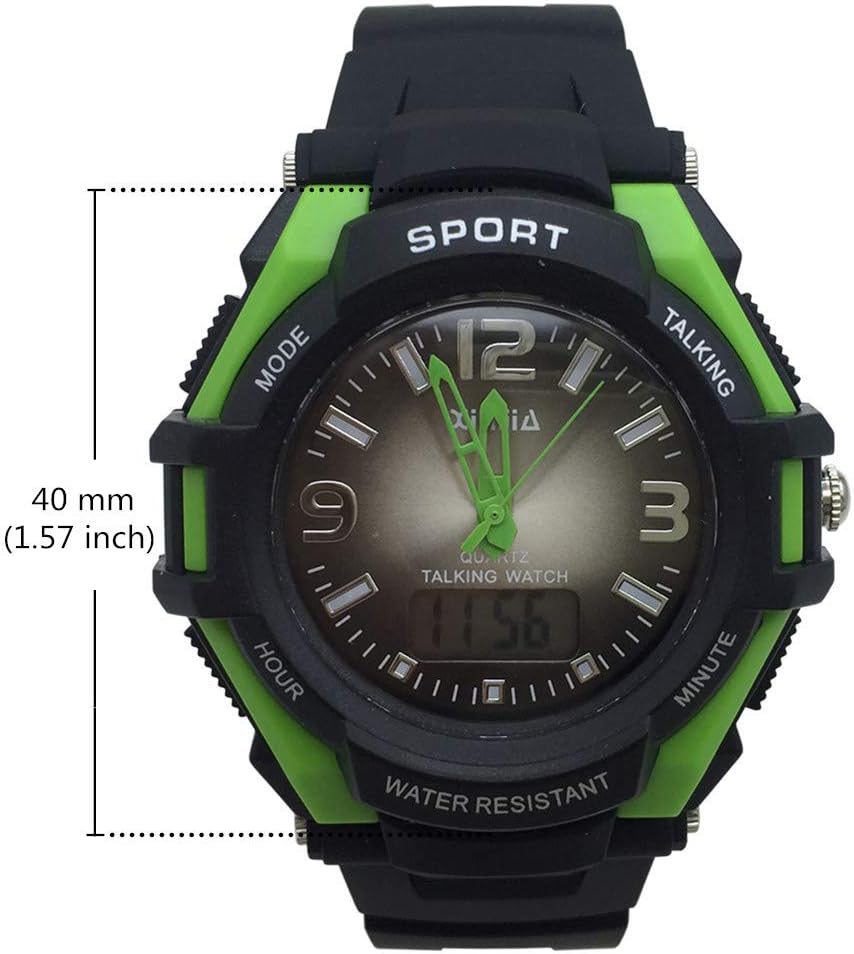
Figure 3: Watch face diameter measurement (40 mm).
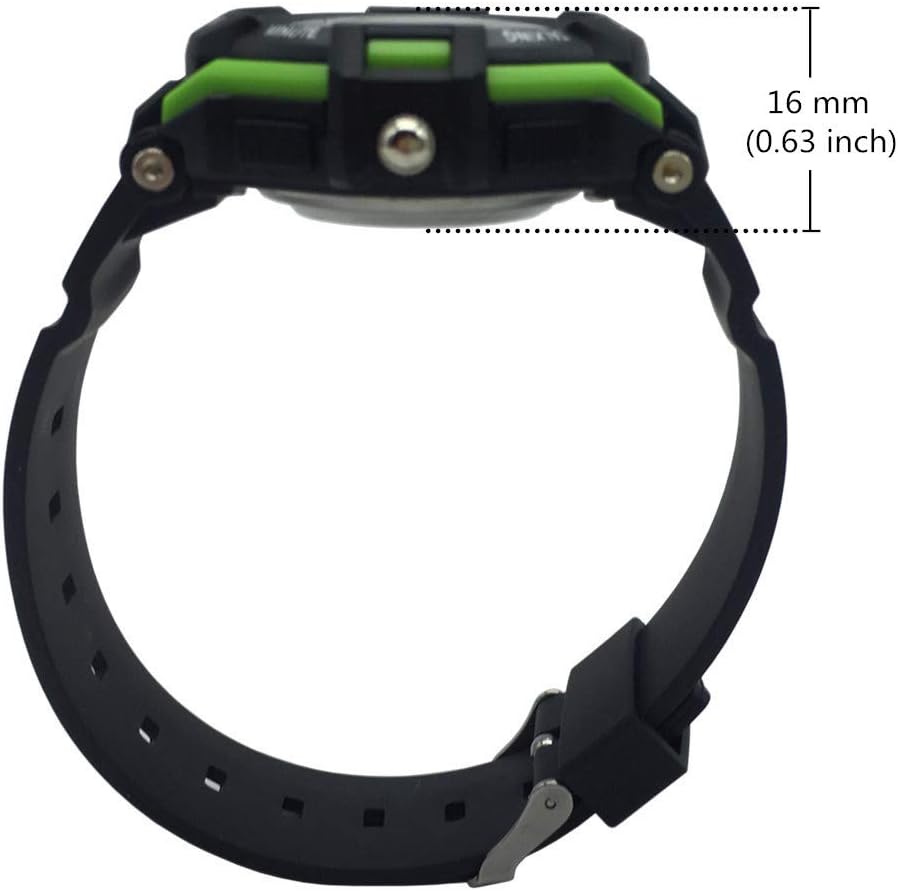
Figure 4: Watch case thickness measurement (16 mm).

Figure 5: Watch strap width measurement (18 mm).
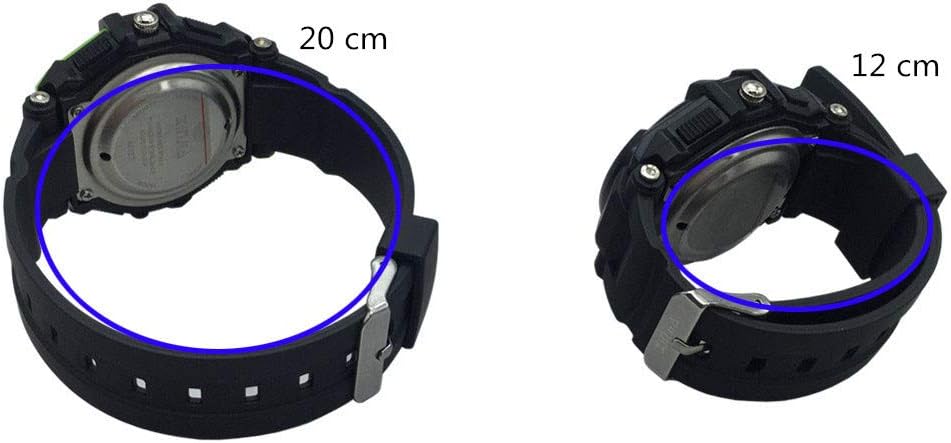
รูปที่ 6: อดีตamples of wrist circumference fit (20 cm and 12 cm).
การรับประกันและการสนับสนุน
For warranty information or technical support, please refer to the documentation included with your purchase or contact the seller/manufacturer directly. Keep your proof of purchase for any warranty claims.


