1. บทนำ
The Mondaine Helvetica Regular MH1.R2S10.LG Smart Watch combines the iconic, timeless design of the Helvetica typeface with modern smart technology. This Swiss-made timepiece offers activity tracking, sleep monitoring, and smartphone notifications, all while maintaining an elegant analog appearance. This manual provides essential information for setting up, operating, maintaining, and troubleshooting your watch.

รูปที่ 1 : ด้านหน้า view of the Mondaine Helvetica Regular Smart Watch.
2. คุณสมบัติของผลิตภัณฑ์
- แบบอย่าง: Helvetica Smart 40 mm
- กรณี: 40 mm polished stainless steel
- กดหมายเลข: White, clear structured design
- สายคล้อง: Genuine brown leather
- คริสตัล: คริสตัลแซฟไฟร์พร้อมเคลือบสารป้องกันแสงสะท้อน
- ความเคลื่อนไหว: Smart (connected technology)
- ฟังก์ชั่น: Activity tracking (steps), sleep monitoring, smartphone notifications (text messages, emails, calls)
- ความต้านทานน้ำ: 30 เมตร (3 ATM / 100 ฟุต)
- ต้นทาง: ผลิตในประเทศสวิสเซอร์แลนด์
3. คู่มือการติดตั้ง
3.1 การชาร์จและเปิดเครื่องครั้งแรก
Your Mondaine Smart Watch comes with a pre-installed battery. For optimal performance, ensure the watch is adequately charged before first use. Refer to the included charging cable and instructions for specific charging procedures.
3.2 ดาวน์โหลดและติดตั้งแอพ
- Locate the official Mondaine Smart Watch application in your smartphone's app store (iOS App Store or Google Play Store).
- ดาวน์โหลดและติดตั้งแอปพลิเคชันบนสมาร์ทโฟนของคุณ
- Open the application and follow the on-screen prompts to create an account or log in.
3.3 การจับคู่กับสมาร์ทโฟนของคุณ
- ตรวจสอบให้แน่ใจว่าได้เปิดใช้งาน Bluetooth บนสมาร์ทโฟนของคุณแล้ว
- Within the Mondaine Smart Watch app, navigate to the 'Pair Device' or 'Add Watch' section.
- Follow the app's instructions to put your watch into pairing mode. This typically involves pressing and holding a button on the watch.
- Select your Mondaine Smart Watch from the list of available devices in the app.
- Confirm the pairing on both your watch and smartphone if prompted.
Once paired, the watch will synchronize time and settings with your smartphone.
4. คู่มือการใช้งาน
4.1 แสดงเวลา XNUMX
The watch displays time using traditional hour, minute, and second hands. Time synchronization occurs automatically upon successful pairing with your smartphone.
4.2 การติดตามกิจกรรม
The watch continuously tracks your daily activity, including steps taken. View your activity data, trends, and set goals within the Mondaine Smart Watch application on your smartphone.
4.3 การตรวจสอบการนอนหลับ
Wear your watch during sleep to monitor your sleep patterns. Detailed sleep analysis, including duration and quality, is available in the companion app.
4.4 การแจ้งเตือนจากสมาร์ทโฟน
When connected to your smartphone, the watch can alert you to incoming text messages, emails, and phone calls. The specific notification method (e.g., vibration, subtle hand movement) can typically be configured within the Mondaine Smart Watch app.

Figure 2: The Mondaine Smart Watch worn on a wrist.
5. การบำรุงรักษา
5.1 การทำความสะอาดนาฬิกาของคุณ
- เช็ดตัวเรือนนาฬิกาและกระจกแซฟไฟร์ด้วยผ้าเนื้อนุ่มที่ไม่เป็นขุย
- For the leather strap, avoid prolonged exposure to water and direct sunlight. Clean with a damp ใช้ผ้าชุบน้ำและสบู่เหลวเช็ดหากจำเป็น จากนั้นเช็ดให้แห้งสนิท
- อย่าใช้สารเคมีที่รุนแรงหรือวัสดุที่มีฤทธิ์กัดกร่อนในการทำความสะอาด
5.2 ความต้านทานต่อน้ำ
The Mondaine Helvetica Regular Smart Watch has a water resistance rating of 30 meters (3 ATM / 100 feet). This means it is suitable for everyday use and can withstand splashes or brief immersion in water. However, it is ไม่ suitable for swimming, showering, diving, or any water sports. Avoid operating the crown or buttons when the watch is wet.
5.3 การเปลี่ยนแบตเตอรี่
The watch uses a specific product battery. When the battery life diminishes, it is recommended to have the battery replaced by an authorized Mondaine service center to ensure proper sealing and functionality.
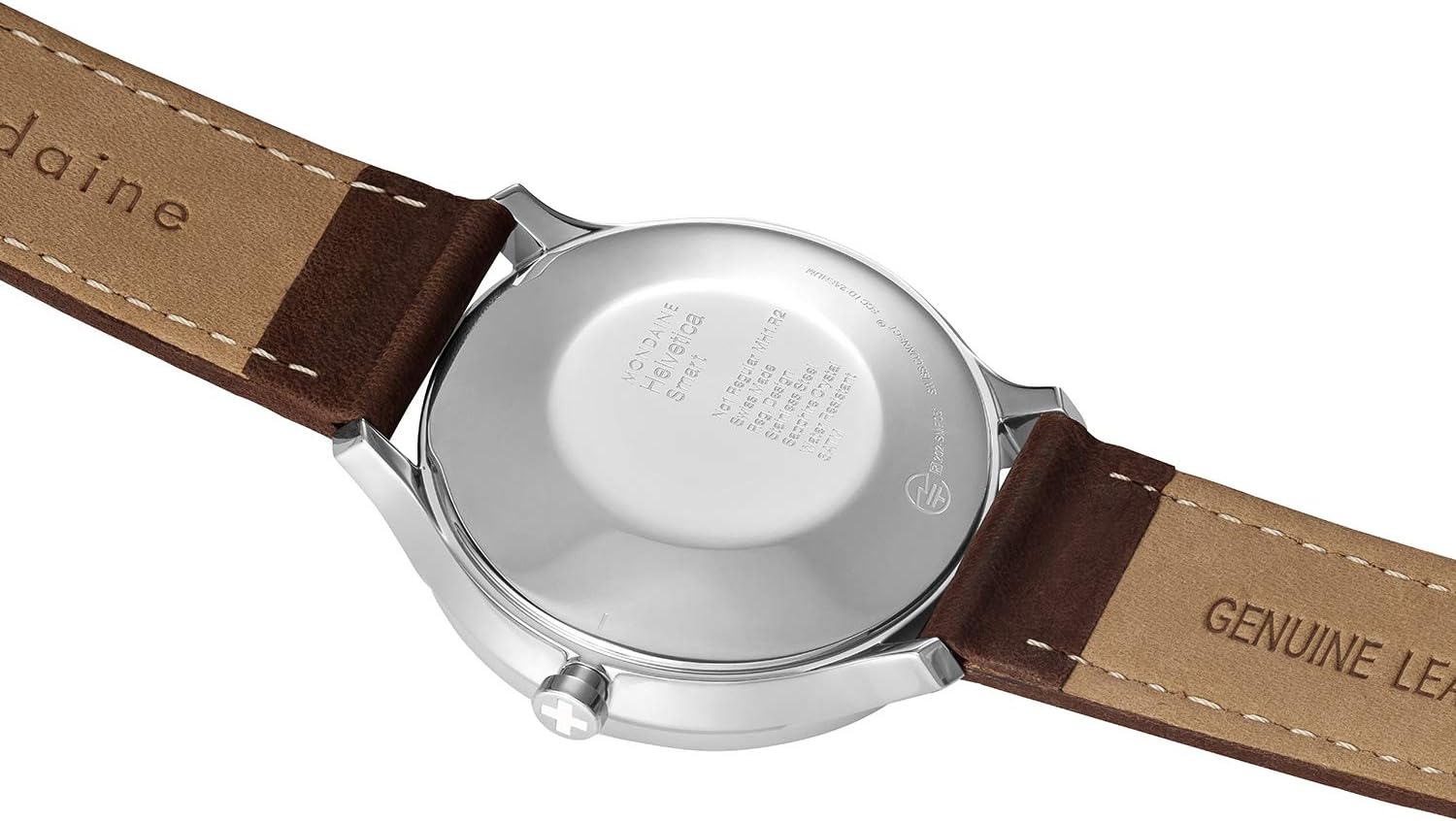
รูปที่ 3: ด้านหลัง view of the watch, highlighting the case back.
6 การแก้ไขปัญหา
- Watch not connecting to smartphone:
- ตรวจสอบให้แน่ใจว่าเปิดใช้งาน Bluetooth บนโทรศัพท์ของคุณแล้ว
- Check that the Mondaine Smart Watch app is open and running in the background.
- รีสตาร์ททั้งนาฬิกาและสมาร์ทโฟนของคุณ
- Try unpairing and re-pairing the watch through the app's settings.
- Activity/Sleep data not syncing:
- ตรวจสอบว่านาฬิกาเชื่อมต่อกับสมาร์ทโฟนของคุณเรียบร้อยแล้ว
- Ensure the app has the necessary permissions to access health data on your phone.
- Check for app updates and install them if available.
- การแจ้งเตือนไม่ปรากฏ:
- Confirm that notification permissions are granted to the Mondaine Smart Watch app in your phone's settings.
- Check the app's settings to ensure notifications are enabled for the desired applications (e.g., messages, email).
- ตรวจสอบให้แน่ใจว่านาฬิกาอยู่ในระยะบลูทูธของโทรศัพท์ของคุณ
- Watch hands are not showing correct time:
- The watch automatically synchronizes time with your smartphone. Ensure successful pairing.
- If issues persist, perform a manual time calibration through the app, if available.
For further assistance, please refer to the support section of the Mondaine Smart Watch application or contact Mondaine customer support.
7. ข้อมูลจำเพาะ

Figure 4: Visual summary of product specifications.
| ข้อมูลจำเพาะ | รายละเอียด |
|---|---|
| หมายเลขรุ่น | MH1.R2S10.LG |
| การทำงาน | สมาร์ทวอทช์ |
| ประเภทการเคลื่อนไหว | ปราดเปรื่อง |
| Case Size/Diameter | 40.00 มม. |
| วัสดุตัวเรือน | Stainless steel polished |
| ฝาหลัง | Pressed caseback |
| มงกุฎ | Regular Gasket |
| Crystal/Glass Material | กระจกแซฟไฟร์ เคลือบสารป้องกันแสงสะท้อน |
| ความต้านทานต่อน้ำ | 30 m / 100 ft / 3 atm |
| วัสดุสาย/สร้อยข้อมือ | หนังแท้ |
| Width at Lug | 20.00 มม. |
| ต้นทาง | ผลิตในประเทศสวิสเซอร์แลนด์ |
| แบตเตอรี่ | แบตเตอรี่เฉพาะผลิตภัณฑ์ 1 ก้อน (รวมอยู่ด้วย) |
| ประเภทตัวล็อค | หัวเข็มขัดทรงถัง |
8. การรับประกันและการสนับสนุน
8.1 การรับประกันระหว่างประเทศ
Your Mondaine Helvetica Regular Smart Watch comes with a ฮิตปีรับประกันระหว่างประเทศการรับประกันนี้ครอบคลุมถึงข้อบกพร่องจากการผลิตภายใต้การใช้งานปกติ โปรดเก็บหลักฐานการซื้อไว้เพื่อใช้ในการเรียกร้องการรับประกัน
8.2 การสนับสนุนลูกค้า
For technical support, warranty service, or any inquiries regarding your Mondaine Smart Watch, please visit the official Mondaine website or contact their customer service department. Contact information can typically be found on the Mondaine webไซต์หรือภายในบรรจุภัณฑ์ของผลิตภัณฑ์


