1. บทนำ
This manual provides detailed instructions for the installation, operation, and maintenance of your Tonton 3MP Ultra HD Wireless Security Camera System with 8-Channel NVR Recorder. This system is designed for reliable surveillance, offering high-definition video recording and remote access capabilities.
The Tonton NVR supports up to 16 channels and is compatible with 4K, 8MP, 5MP, 4MP, 3MP, 2MP, and 1080P IP cameras. It features H.265 & H.264 compression technology, VGA & HDMI output (up to 4K), and supports various recording modes including full-time, scheduled, and motion detection. Remote viewing is available via a free app on smartphones, as well as software or web browsers on Mac and PC.
2. เนื้อหาบรรจุภัณฑ์
โปรดตรวจสอบว่ารายการทั้งหมดที่ระบุไว้ด้านล่างมีอยู่ในแพ็คเกจของคุณหรือไม่:
- 1 x Tonton 8-Channel NVR Recorder (1TB Hard Drive Pre-installed)
- 1 x USB Mouse
- 1 x Power Supply for NVR
- 1 x คู่มือผู้ใช้ (เอกสารนี้)
Note: Security cameras are sold separately or as part of a complete kit. This NVR is designed to work with Tonton wireless IP cameras.
3. การตั้งค่าระบบ
3.1 การเชื่อมต่อ NVR เริ่มต้น
- เชื่อมต่อเครื่อง NVR: Plug the provided power supply into the NVR's DC12V port and then into a power outlet.
- เชื่อมต่อจอแสดงผล: Connect a monitor to the NVR using either the HDMI or VGA port.
- เชื่อมต่อเมาส์: เสียบเมาส์ USB เข้ากับพอร์ต USB ของ NVR พอร์ตใดพอร์ตหนึ่ง
- Network Connection (Optional for initial setup, required for remote viewไอเอ็นจี): Connect an Ethernet cable from the NVR's NET port to your router for internet access.

Figure 3.1: Rear panel of the NVR with connection ports.
3.2 Camera Pairing (Plug and Play)
The Tonton wireless security camera system is designed for true plug-and-play operation. Cameras automatically connect to the NVR's dedicated WiFi network.
- เปิดกล้อง: Connect each wireless camera to its respective power adapter and plug it into a power outlet.
- การเชื่อมต่ออัตโนมัติ: The cameras will automatically search for and connect to the NVR's internal WiFi network. Live video feeds should appear on your connected monitor within minutes.
- Wireless Repeater Function: Cameras can act as repeaters, extending the wireless range. They connect to the NVR's WiFi, not your home WiFi.

Figure 3.2: Wireless solution range and connectivity diagram.
3.3 รีโมท Viewกำลังติดตั้ง
ถึง view your camera feeds remotely, you need to connect the NVR to the internet and configure the mobile application or PC software.
- NVR Internet Connection: ตรวจสอบให้แน่ใจว่าได้เชื่อมต่อ NVR กับเราเตอร์ของคุณผ่านสายอีเธอร์เน็ตแล้ว
- ดาวน์โหลดแอพ: Download the free Tonton security app from your smartphone's app store (iOS or Android).
- เพิ่มอุปกรณ์: Open the app, create an account, and follow the on-screen instructions to add your NVR. This typically involves scanning a QR code displayed on the NVR's monitor interface.
- PC/Mac Software: สำหรับเดสก์ท็อป viewing, install the dedicated software from the Tonton support webเว็บไซต์.
4. คู่มือการใช้งาน
4.1 โหมดการบันทึก
The NVR comes with a pre-installed 1TB hard drive for automatic recording. You can configure the recording mode via the NVR's on-screen menu:
- Full-time Recording: Continuous recording 24/7.
- Schedule Time Recording: กำหนดเวลาเฉพาะสำหรับการบันทึก
- การบันทึกการตรวจจับความเคลื่อนไหว: Recording starts only when motion is detected.
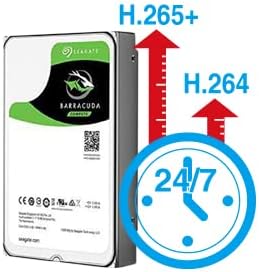
Figure 4.1: H.265+ compression for efficient storage.
4.2 Motion Detection and Email Alerts
The NVR supports motion detection and can send email alerts when motion is detected.
- Configure Motion Detection: Access the NVR's menu to define motion detection zones and sensitivity for each camera.
- Set Up Email Alerts: In the NVR's network settings, configure your email server details to enable email notifications. Any detected motion will trigger an email alert to your specified address.
4.3 การเล่นซ้ำและการสำรองข้อมูล
คุณสามารถกลับมาใหม่ได้view บันทึกเสียงฟูtage directly from the NVR or remotely via the app/software.
- การเล่นในเครื่อง: Use the NVR's interface to search for recordings by time or event.
- การเล่นระยะไกล: Access recorded videos through the mobile app or PC software.
- การสำรองข้อมูล USB: Connect a USB flash drive to the NVR's USB port to back up important video files.
5. การบำรุงรักษา
การบำรุงรักษาตามปกติจะช่วยให้ระบบรักษาความปลอดภัยของคุณมีประสิทธิภาพสูงสุดและมีอายุการใช้งานยาวนาน
- อุปกรณ์ทำความสะอาด: Periodically wipe the NVR and camera lenses with a soft, dry cloth. Avoid abrasive cleaners.
- อัพเดตเฟิร์มแวร์: Check the Tonton official website for any available firmware updates for your NVR and cameras. Follow instructions carefully for updates.
- การจัดการฮาร์ดไดรฟ์: The 1TB HDD will overwrite older footage when full. Regularly back up critical recordings.
- การตรวจสอบแหล่งจ่ายไฟ: Ensure all power adapters are securely connected and free from damage.
6 การแก้ไขปัญหา
หัวข้อนี้จะกล่าวถึงปัญหาทั่วไปที่คุณอาจพบเจอ
- ไม่มีการแสดงวิดีโอ:
- Check NVR power connection.
- Verify monitor connection (HDMI/VGA) and input source.
- Ensure cameras are powered on.
- กล้องเชื่อมต่อไม่ได้:
- Ensure cameras are within range of the NVR's wireless signal.
- Check camera power.
- If using an extension antenna, ensure it is properly installed.

Figure 6.1: Wireless extension antenna setup.
- ระยะไกล Viewing Not Working:
- Confirm NVR is connected to the internet via Ethernet.
- ตรวจสอบการเชื่อมต่ออินเทอร์เน็ตของเราเตอร์ของคุณ
- Ensure the app/software is updated and the NVR is correctly added.
- ไม่มีการบันทึก:
- Verify the 1TB hard drive is detected and functioning.
- Check recording schedule and motion detection settings.
If issues persist, please contact Tonton technical support.
7. ข้อมูลจำเพาะ
| ยี่ห้อ | ทอนตัน |
| แบบอย่าง | 8CH NVR Recorder (B082HC5GPC) |
| เทคโนโลยีการเชื่อมต่อ | HDMI, USB, VGA, Wireless |
| ความละเอียดในการจับภาพวิดีโอ | Supports up to 4K 8MP/5MP/4MP/3MP/2MP 1080p |
| คุณสมบัติพิเศษ | ไร้สาย |
| จำนวนช่องสัญญาณ | 8 (NVR supports up to 16 channels) |
| ความจุของหน่วยความจำ | 1TB HDD (pre-installed) |
| สี | สีดำ |
| แหล่งพลังงาน | สายไฟ |
| อุปกรณ์ที่รองรับ | Cameras, Desktop, Smartphones, Tablets |
| เทคโนโลยีแสงน้อย | การมองเห็นตอนกลางคืน |
| พอร์ต USB รวม | 2 |
| อินพุตวิดีโอ | HDMI, USB, VGA |
| ผู้ผลิต | Tonton security |
| ยูพีซี | 740385275593 |
| ASIN | B082HC5GPC |
| วันที่พร้อมใช้งานครั้งแรก | วันที่ 8 ธันวาคม 2019 |
8. การรับประกันและการสนับสนุน
Your Tonton Security Camera System comes with a รับประกัน 1 ปี ตั้งแต่วันที่ซื้อสินค้า
For technical assistance, troubleshooting, or warranty claims, please contact Tonton Technical Support. Refer to the contact information provided on the Tonton official webเว็บไซต์หรือเอกสารการซื้อของคุณ


