1. สินค้าหมดview
The GOWIN 10.1 Inch Android 10.0 Tablet is a high-performance device designed for versatile use, featuring a quad-core processor, 4GB RAM, and 64GB internal storage, expandable up to 128GB. It supports dual SIM cards for cellular connectivity and includes a detachable keyboard and wireless mouse for enhanced productivity.

Image: GOWIN 10.1 Inch Android Tablet with its accessories, including a detachable keyboard, wireless mouse, and stylus.
2. อะไรอยู่ในกล่อง
ตรวจสอบว่ามีรายการทั้งหมดอยู่ในแพ็คเกจ:
- GOWIN 10.1 Inch Android Tablet
- แป้นพิมพ์บลูทูธ
- เมาส์ไร้สาย
- เคสแท็บเล็ต
- AC Charger
- คู่มือการใช้งาน
- สาย USB
- OTG สายเคเบิ้ล

Image: All components included in the GOWIN tablet package, laid out for inspection.
3. โครงสร้างอุปกรณ์และพอร์ต
Familiarize yourself with the tablet's physical features and connection points.
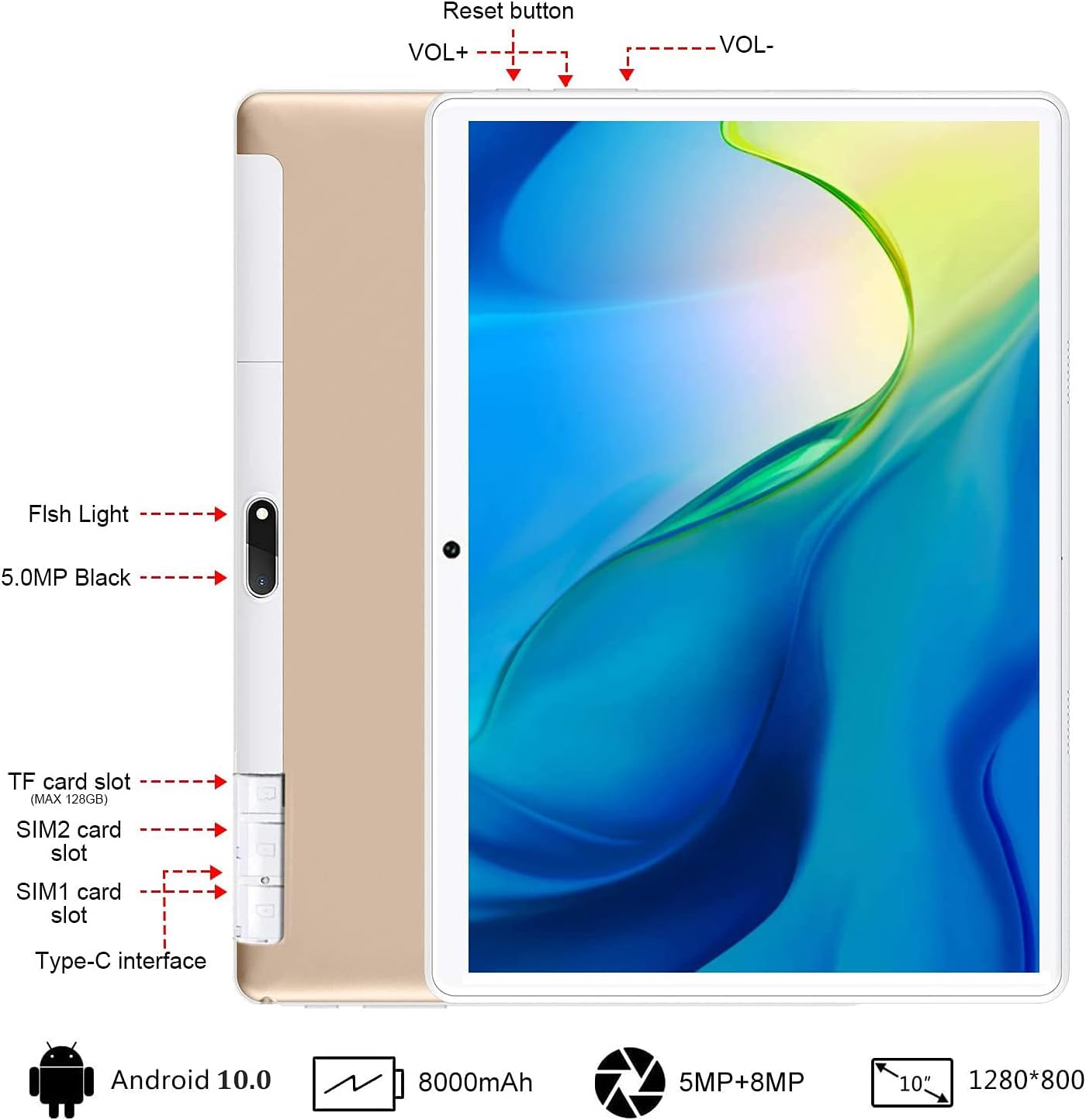
ภาพ: ด้านหลัง view of the GOWIN tablet, highlighting the TF card slot, SIM card slots, Type-C interface, reset button, volume controls, and camera.
- ช่องเสียบการ์ด TF: สำหรับช่องต่อเพิ่มพื้นที่จัดเก็บข้อมูล (สูงสุด 128GB)
- SIM1/SIM2 Card Slots: For dual 4G cellular connectivity.
- อินเทอร์เฟซ Type-C: สำหรับการชาร์จและถ่ายโอนข้อมูล
- ฉบับ+ / ฉบับ-: Volume up and down buttons.
- ปุ่มรีเซ็ต: หากอุปกรณ์ไม่ตอบสนอง ให้รีสตาร์ทเครื่อง
- กล้องถ่ายรูป: 5MP front-facing and 8MP rear-facing cameras.
4. การตั้งค่า
4.1 การชาร์จเริ่มต้น
Before first use, fully charge the tablet using the provided AC charger and USB cable. The 8000mAh battery provides extended usage time.

Image: The GOWIN tablet screen showing a full battery indicator, emphasizing its 8000mAh capacity.
4.2 การใส่ซิมการ์ดและการ์ด SD
Carefully insert your SIM cards and/or a microSD card into the designated slots as shown in the device layout section. Ensure the tablet is powered off before inserting or removing cards.
4.3 Connecting Keyboard and Mouse
The included keyboard and mouse connect via Bluetooth. Refer to their individual instructions for pairing. Once paired, they provide a laptop-like experience.

Image: A user's hands typing on the detachable Bluetooth keyboard connected to the GOWIN tablet, with the wireless mouse nearby.
4.4 Attaching Tablet Case
The tablet case provides protection and can be folded into a stand for multiple viewมุมการเอียง

Image: The GOWIN tablet positioned in its protective case, illustrating how the case can be folded to create various viewมุมการเอียง
5. คู่มือการใช้งาน
5.1 เปิด/ปิดเครื่อง
- การเปิดเครื่อง: กดปุ่มเปิด/ปิดค้างไว้จนกว่าหน้าจอจะสว่างขึ้น
- วิธีปิดเครื่อง: กดปุ่มเปิด/ปิดค้างไว้ จากนั้นเลือก "ปิดเครื่อง" จากตัวเลือก
5.2 การนำทางพื้นฐาน (Android 10.0)
The tablet runs on Android 10.0, offering an intuitive user interface. Swipe gestures and on-screen buttons are used for navigation. Access Google Play Store to download applications like YouTube and Netflix.
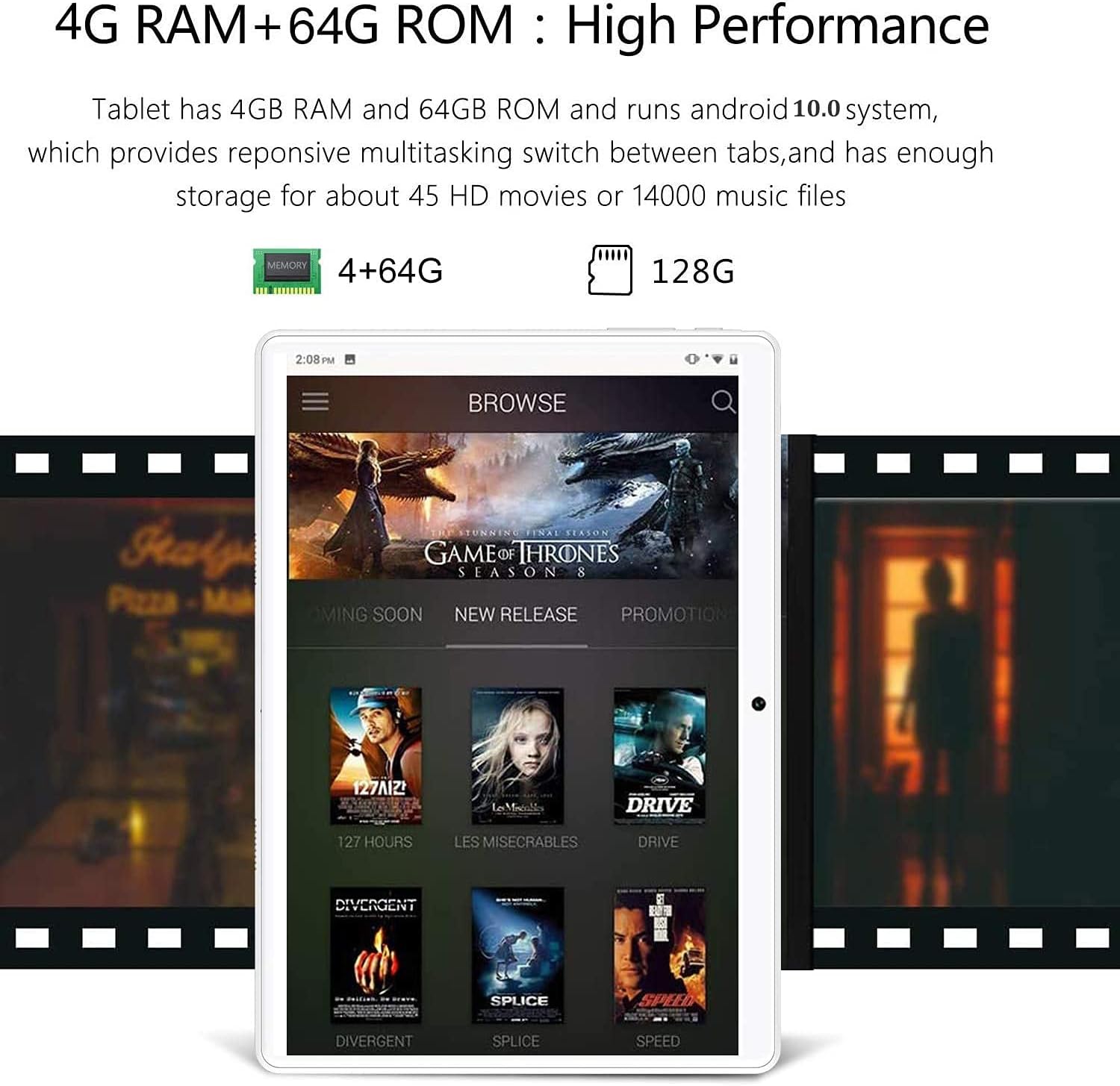
Image: The GOWIN tablet's display showing the Android 10.0 interface with various media applications, demonstrating its high performance and storage capacity.
5.3 การเชื่อมต่อ
- ไวไฟ : ไปที่การตั้งค่า > เครือข่ายและอินเทอร์เน็ต > Wi-Fi เพื่อเชื่อมต่อกับเครือข่ายที่มีอยู่
- บลูทูธ: ไปที่การตั้งค่า > อุปกรณ์ที่เชื่อมต่อ > บลูทูธ เพื่อจับคู่กับอุปกรณ์เสริมบลูทูธ
- ข้อมูลเซลลูล่าร์: If SIM cards are inserted, enable mobile data in Settings > Network & internet > Mobile network.
5.4 การใช้งานกล้อง
The tablet is equipped with a 5MP front camera and an 8MP rear camera for photos and videos. Open the Camera app from the home screen or app drawer.

Image: The GOWIN tablet screen showcasing a vibrant image, illustrating the quality of its 8MP rear camera.
6. การบำรุงรักษา
- การทำความสะอาด: ใช้ผ้านุ่มที่ไม่เป็นขุยทำความสะอาดหน้าจอและตัวเครื่อง หลีกเลี่ยงน้ำยาทำความสะอาดหรือตัวทำละลายที่มีฤทธิ์กัดกร่อน
- การดูแลแบตเตอรี่ To prolong battery life, avoid extreme temperatures and do not let the battery fully drain frequently.
- การอัปเดตซอฟต์แวร์: Periodically check for system updates in Settings > System > System update to ensure optimal performance and security.
7 การแก้ไขปัญหา
- Device is Slow/Apps Crashing: Close unused applications, clear cache, or restart the tablet. Ensure sufficient storage space is available.
- หน้าจอไม่ตอบสนอง: Perform a soft reset by pressing and holding the power button until the device restarts. If unresponsive, use the reset button (refer to Section 3).
- ไม่สามารถเชื่อมต่อ Wi-Fi/บลูทูธได้: Ensure Wi-Fi/Bluetooth is enabled. Restart the tablet and the router/Bluetooth device.
- แบตเตอรี่หมดเร็ว: ลดความสว่างหน้าจอ ปิดใช้งานฟังก์ชันที่ไม่ใช้งาน (Wi-Fi, Bluetooth, GPS) และปิดแอปที่ทำงานอยู่เบื้องหลัง
For further assistance, please contact customer service through Amazon. We aim to provide a satisfactory answer within 24 hours.
8. ข้อมูลจำเพาะ
| คุณสมบัติ | ข้อมูลจำเพาะ |
|---|---|
| ยี่ห้อ | โกวิน |
| ชื่อรุ่น | Touch (K6) |
| ระบบปฏิบัติการ | แอนดรอยด์ 10 |
| ขนาดหน้าจอ | 10.1 นิ้ว |
| ความละเอียดหน้าจอ | 1280 x 800 พิกเซล (IPS) |
| โปรเซสเซอร์ | 1.5 GHz Quad-Core (MediaTek) |
| แรม | 4GB |
| การจัดเก็บข้อมูลภายใน | 64GB |
| พื้นที่เก็บข้อมูลแบบขยายได้ | ความจุสูงสุด 128 GB (microSD) |
| กล้องหลัง | 8 MP |
| กล้องหน้า | 5 MP |
| ความจุของแบตเตอรี่ | 8000 มิลลิแอมป์ |
| การเชื่อมต่อ | Dual 4G Cellular, Wi-Fi, Bluetooth |
| น้ำหนักสินค้า | 1.2 ปอนด์ |
| สี | ทอง |
9. การรับประกันและการสนับสนุน
GOWIN provides a one-month free replacement policy and 365 days of free repair service for non-human damage. For any questions or support needs, please contact our customer service team via Amazon. We are committed to providing a satisfactory resolution within 24 hours.
For more information about DUODUOGO products, visit the official brand store: DUODUOGO Store on Amazon.


