1. บทนำ
Thank you for choosing the TASMOR 5M USB RGB LED Strip Light. This product is designed to enhance your living space with vibrant, customizable lighting, featuring music synchronization and easy control via a remote. This manual provides detailed instructions for safe installation, operation, and maintenance of your LED strip light.
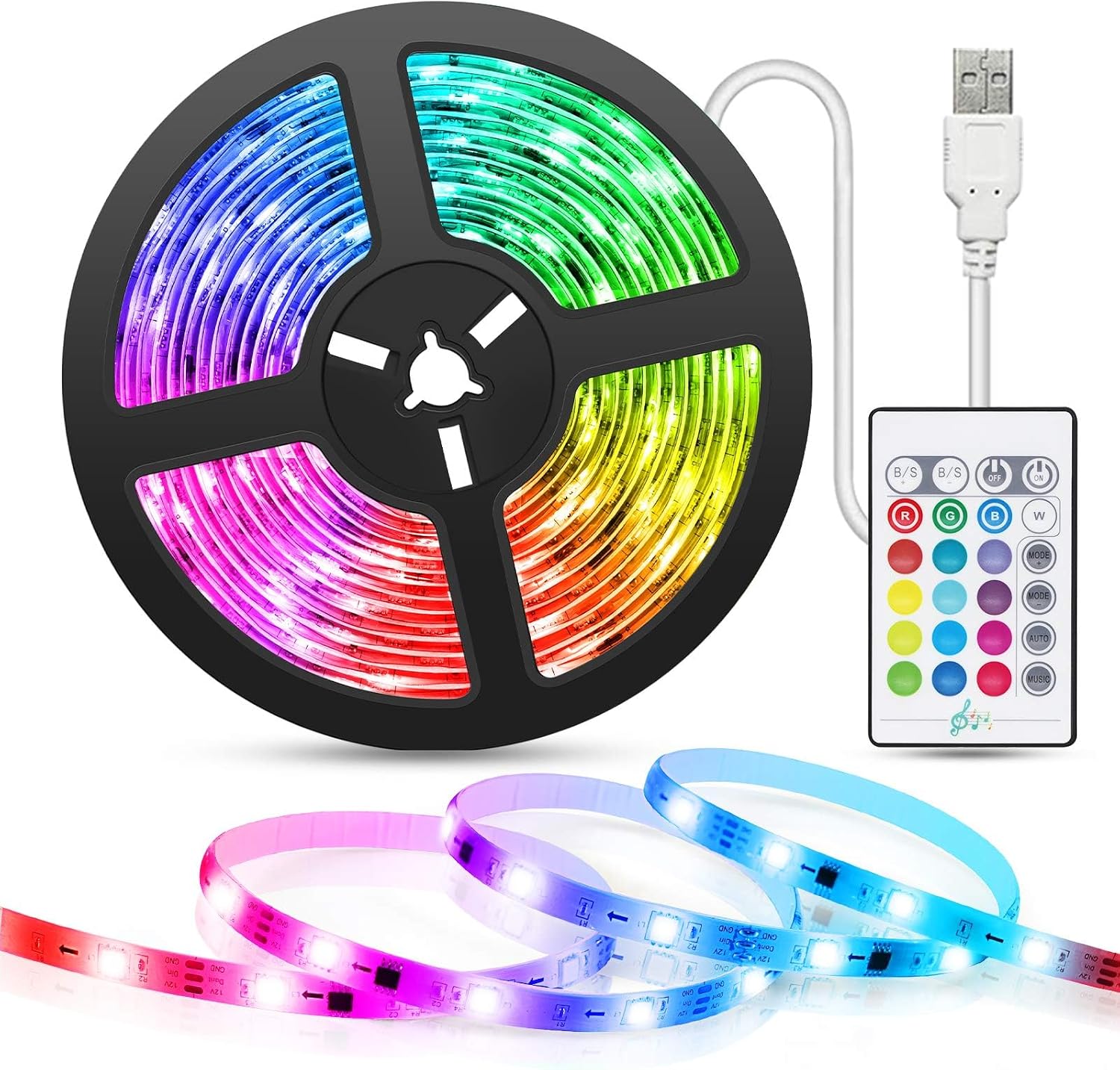
Image: The TASMOR 5M USB RGB LED Strip Light, including the coiled strip, USB power cable, and infrared remote control.
2. ข้อมูลด้านความปลอดภัย
- Ensure the power source is 5V 2A USB. Using an incorrect power supply may damage the product or pose a safety risk.
- Do not immerse the LED strip or its components in water or expose them to excessive moisture. This product is designed for indoor use only.
- Avoid bending the LED strip sharply, especially at the LED components, as this can damage the circuit.
- Do not cover the LED strip when it is in operation, as this may lead to overheating.
- เก็บให้พ้นจากมือเด็ก
- Only cut the LED strip at designated cutting marks (indicated by a scissor icon) to avoid damaging the circuit.
3. เนื้อหาบรรจุภัณฑ์
กรุณาตรวจสอบสิ่งของภายในบรรจุภัณฑ์เมื่อเปิดออกเพื่อให้แน่ใจว่ามีสินค้าครบถ้วนและไม่ได้รับความเสียหาย:
- 1 x 5M LED Strip Light
- 1 x USB Power Cable (integrated with the strip)
- 1 x อินฟราเรดรีโมทคอนโทรล
- 1 x คู่มือผู้ใช้
4. คุณสมบัติของผลิตภัณฑ์
- การซิงโครไนซ์เพลง: Built-in microphone allows the lights to intelligently sync with music, creating dynamic or romantic atmospheres.
- ตัวเลือกหลายสี: Features 16 static colors and 4 dynamic modes for diverse lighting effects.
- ปรับความสว่าง: Brightness levels can be adjusted to suit your preference.
- การปกป้องดวงตา: Ideal for TV or monitor backlighting, reducing eye strain during extended viewing or gaming sessions.
- Easy USB Power: Powered directly via a 5V 2A USB cable, compatible with TV USB ports, computers, power banks, or phone chargers.
- รีโมทคอนโทรล: Conveniently turn lights on/off, change colors, adjust brightness, and select modes.
- การติดตั้งง่าย: Strong 3M adhesive backing allows for easy and secure attachment to various surfaces.
- การออกแบบที่ตัดได้: The LED strip can be cut at designated marks to fit different lengths and requirements.
- การประยุกต์ใช้ที่กว้าง: Suitable for living rooms, kitchens, cabinets, Christmas trees, bars, and various celebrations.
5. การตั้งค่าและการติดตั้ง
โปรดทำตามขั้นตอนเหล่านี้เพื่อติดตั้งไฟเส้น LED อย่างถูกต้อง:
- ทำความสะอาดพื้นผิว: Before attaching the LED strip, ensure the surface is clean, dry, and free of dust or oil. Use a clean cloth to wipe the area where the strip will be installed.
- ลอกและติด: Carefully peel off the protective film from the 3M adhesive tape on the back of the LED strip. Press the strip firmly onto the desired surface, ensuring good contact along its entire length.
- เชื่อมต่อพลังงาน: Plug the USB cable of the LED strip into a 5V 2A USB power source. This can be a TV's USB port, a computer, a power bank, or a standard USB wall charger.

Image: Visual guide for installation, showing cleaning the surface, applying the adhesive strip, and connecting the USB power.
For TV backlighting, position the strip around the edges of your television for optimal ambient lighting.

ภาพ: อดีตample of the LED strip used as TV backlighting, highlighting its color and mode capabilities.
The USB power cable offers versatile connectivity options:

Image: Illustration of compatible USB power sources, including power banks, laptops, and TVs.
The strip features a strong adhesive and a mini controller for ease of use:

ภาพ: รายละเอียด view of the LED strip's features, including the adhesive backing and the compact mini controller.
6. คู่มือการใช้งาน
The TASMOR LED Strip Light is controlled using the included infrared remote control. Ensure the remote is pointed towards the mini controller on the LED strip for proper signal reception.
ฟังก์ชั่นการควบคุมระยะไกล:

Image: The remote control for the LED strip, showing buttons for color selection, brightness adjustment, and mode changes.
- ปุ่มเปิด/ปิด: กดเพื่อเปิดหรือปิดไฟ
- การเลือกสี: Choose from 16 static colors using the dedicated color buttons.
- การปรับความสว่าง: Use the 'B/S+' and 'B/S-' buttons to increase or decrease the brightness.
- โหมดไดนามิก: Select from 4 dynamic modes (Flash, Strobe, Fade, Smooth) using the corresponding buttons.
- โหมดเพลง: Activate the music synchronization feature. The lights will change color and intensity according to ambient sound.
โหมดซิงค์เพลง:
The built-in microphone allows the LED strip to react to sound. When music mode is activated, the lights will 'dance' to the beat, creating an immersive audio-visual experience.

Image: The LED strip's music synchronization feature in action, with lights responding to sound.
7. การบำรุงรักษา
To ensure the longevity and optimal performance of your TASMOR LED Strip Light, follow these simple maintenance guidelines:
- การทำความสะอาด: Gently wipe the LED strip with a soft, dry cloth to remove dust. Do not use abrasive cleaners or excessive moisture. Ensure the strip is unplugged before cleaning.
- พื้นที่จัดเก็บ: If storing the LED strip for an extended period, ensure it is clean and dry. Coil it loosely to prevent damage to the circuit or adhesive.
- กาว: The 3M adhesive is strong, but if the strip begins to peel, you may reinforce it with additional adhesive tape suitable for electronics.
8 การแก้ไขปัญหา
If you encounter any issues with your LED strip light, please refer to the following common problems and solutions:
| ปัญหา | สาเหตุที่เป็นไปได้ | สารละลาย |
|---|---|---|
| ไฟไม่เปิด | ไม่มีไฟเข้า การเชื่อมต่อหลวม แบตเตอรี่รีโมทหมด | Check USB connection. Ensure power source is active (5V 2A). Replace remote battery if necessary. |
| รีโมทคอนโทรลไม่ทำงาน | Remote battery dead, obstruction, not pointing at receiver. | Ensure remote battery is functional. Point remote directly at the mini controller. Remove any obstructions. |
| Some LEDs are not lighting up. | Damage to the strip, incorrect cutting. | Inspect the strip for physical damage. Ensure cuts were made only at designated marks. If damaged, the affected section may not be repairable. |
| Lights flicker or change erratically. | แหล่งจ่ายไฟไม่เสถียร การเชื่อมต่อหลวม | Ensure a stable 5V 2A USB power supply. Check all connections are secure. |
9. ข้อมูลจำเพาะ
| คุณสมบัติ | รายละเอียด |
|---|---|
| หมายเลขรุ่น | SSG-WD101-5V |
| ขนาดสินค้า | 500 x 2 x 0.1 cm (5 meters length) |
| น้ำหนัก | 200 กรัม |
| ประเภทแหล่งกำเนิดแสง | นำ |
| สีอ่อน | RGB (หลายสี) |
| แหล่งพลังงาน | USB 5V 2A |
| คุณสมบัติพิเศษ | Music Synchronization, Remote Control, Cuttable, No Adapter Needed |
| การใช้งานในร่ม/กลางแจ้ง | ใช้ภายในอาคารเท่านั้น |
ข้อมูลประสิทธิภาพพลังงาน:

Image: Energy label for the TASMOR SSG-WD101-5V LED strip light, indicating its energy efficiency class.
For more details, scan the QR code or visit: https://eprel.ec.europa.eu/qr/2232006
10. การรับประกันและการสนับสนุน
For warranty information or technical support, please refer to the contact details provided with your purchase or visit the official TASMOR webไซต์ โปรดเก็บใบเสร็จรับเงินของคุณไว้เป็นหลักฐานการซื้อสำหรับการเรียกร้องการรับประกันใดๆ


