การแนะนำ
This manual provides detailed instructions for the setup, operation, and maintenance of your Geeni Smart Home Pet and Baby Monitor. This 1080p wireless Wi-Fi camera is designed to help you monitor your home, pets, or children with ease, offering features such as two-way audio, motion detection, and night vision. Please read this manual thoroughly before using the device to ensure proper functionality and safety.

The Geeni Smart Home Pet and Baby Monitor shown alongside a smartphone displaying its live feed of a baby.
สินค้าเกินview
คุณสมบัติหลัก
- วิดีโอความละเอียดสูง 1080p: Provides clear, high-definition live streaming and recording.
- การมองเห็นตอนกลางคืน: Automatic infrared night vision for monitoring in low-light conditions.
- เสียงสองทาง: Communicate with your pet or baby directly through the camera.
- การแจ้งเตือนการเคลื่อนไหวและเสียง: Receive instant notifications on your smartphone for detected activity.
- Crying Alert: Specifically designed to detect and notify you of a baby's crying.
- การแจ้งเตือนอุณหภูมิ: Monitors the room temperature and sends alerts if it goes outside a set range.
- ฟังก์ชันการหมุนและการเอียง: ปรับกล้องจากระยะไกล viewing angle (355° horizontal, 100° vertical) via the app.
- ความเข้ากันได้ของผู้ช่วยเสียง: ใช้งานร่วมกับ Amazon Alexa และ Google Assistant เพื่อการควบคุมที่สะดวกสบาย
- ที่เก็บข้อมูลท้องถิ่นและคลาวด์: Options for storing video footage.
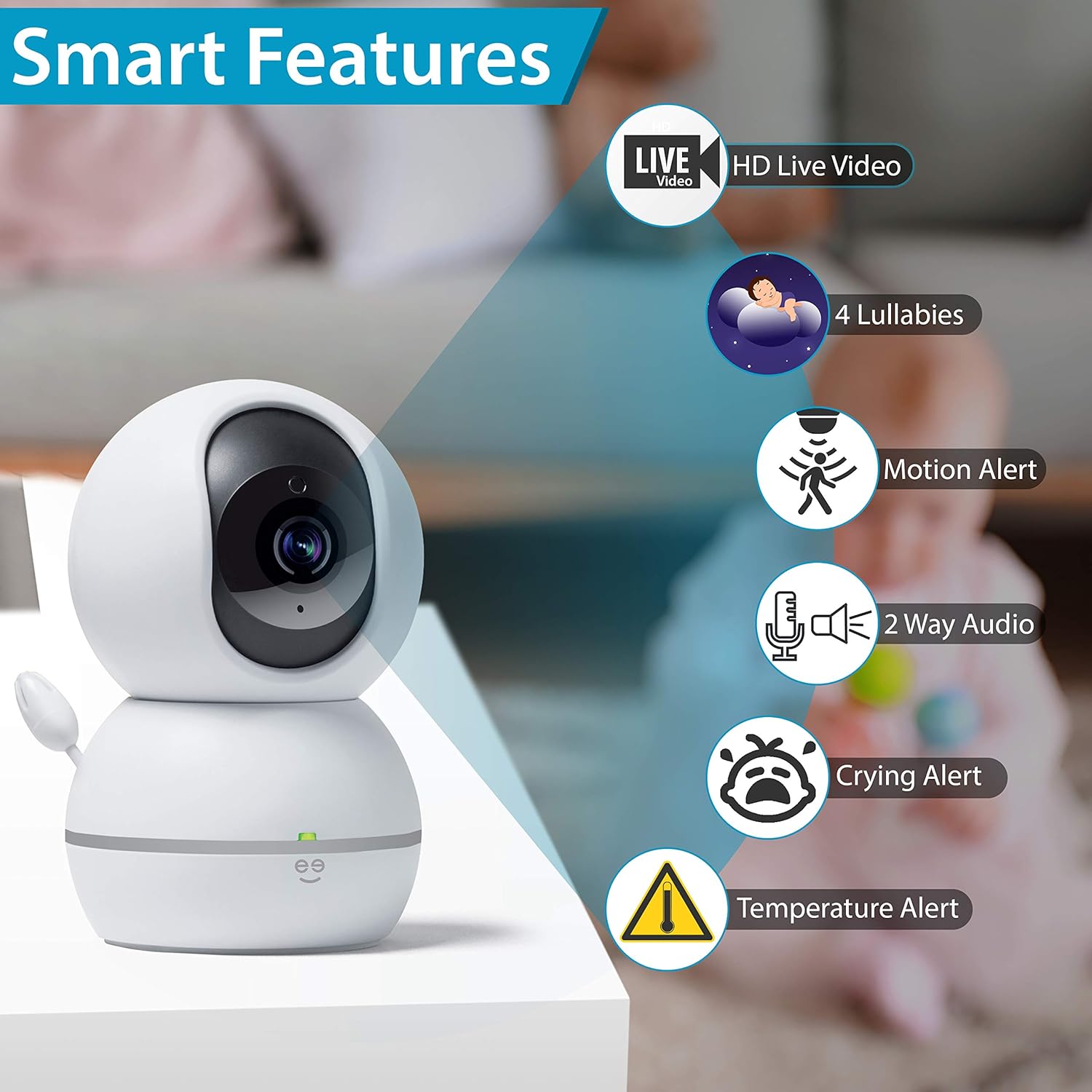
โอเวอร์view of the Geeni camera's smart features, such as HD live video, lullabies, motion alerts, two-way audio, crying alerts, and temperature alerts.

A visual representation of the Geeni camera's comprehensive features, including 360-degree view, app control, lullabies, various alerts, and night vision.
เนื้อหาแพ็คเกจ
- Geeni Smart Home Pet and Baby Monitor
- อะแดปเตอร์แปลงไฟ
- คู่มือการใช้งาน
คู่มือการติดตั้ง
Follow these steps to set up your Geeni Smart Home Pet and Baby Monitor.
Step 1: Download the Geeni App
Download the Geeni app from the App Store (for iOS devices) or Google Play Store (for Android devices). Register for a new account or log in if you already have one.
ขั้นตอนที่ 2: เปิดกล้อง
Plug the power adapter into the camera and then into a power outlet. The camera will power on, and an indicator light will begin to flash, indicating it is ready for pairing.
ขั้นตอนที่ 3: เชื่อมต่อกับ Wi-Fi
- Open the Geeni app and tap the '+' icon to add a new device.
- Select 'Camera' from the device list.
- ทำตามคำแนะนำบนหน้าจอเพื่อเชื่อมต่อกล้องกับเครือข่าย Wi-Fi 2.4 GHz ของคุณ ตรวจสอบให้แน่ใจว่าโทรศัพท์ของคุณเชื่อมต่อกับเครือข่าย 2.4 GHz เดียวกันระหว่างการตั้งค่า
- The app will guide you through scanning a QR code with the camera or using an alternative pairing method.
- Once connected, the indicator light will turn solid, and you can name your camera and begin monitoring.

Visual guide for setting up the Geeni camera, including app download, power connection, Wi-Fi pairing, and smart home integration.

A simplified three-step setup process for the Geeni camera: download the app, plug in the device, and connect to your network.
คำแนะนำการใช้งาน
สด View และการควบคุมแพน/เอียง
Once connected, open the Geeni app and select your camera to view the live feed. Use the on-screen controls to pan (rotate horizontally up to 355°) and tilt (rotate vertically up to 100°) the camera to adjust your viewมุมอิง

The Geeni camera's pan and tilt functionality is controlled directly through the mobile application, allowing for a wide range of view การปรับเปลี่ยน
ระบบเสียงสองทาง
แตะไอคอนไมโครโฟนในระหว่างการถ่ายทอดสด view interface to speak through the camera. This allows you to comfort your baby or communicate with a pet remotely. Tap the speaker icon to listen to audio from the camera's environment.

The two-way audio feature enables users to speak and listen through the camera, facilitating remote interaction.
การแจ้งเตือนและการแจ้งให้ทราบ
Configure motion, sound, crying, and temperature alerts within the Geeni app settings. You will receive push notifications on your smartphone when these events are detected, allowing you to respond promptly.
การบูรณาการผู้ช่วยเสียง
Connect your Geeni camera to Amazon Alexa or Google Assistant through the respective apps. Once linked, you can use voice commands such as "Show me Baby's Crib" or "What's the temperature in Baby's Crib" on compatible devices.

Users can check in on their monitored space using voice commands with integrated smart assistants, viewing the feed on compatible devices.
การบันทึกและการเก็บรักษา
The camera supports local storage via a microSD card (not included) for continuous recording or event-triggered clips. Cloud storage options may also be available through the Geeni app for secure off-site storage of your footage.

The Geeni camera offers multiple ways to monitor, including cloud storage, multi-camera view on a mobile device, and web การเข้าถึงเบราว์เซอร์
การซ่อมบำรุง
การทำความสะอาดกล้อง
To clean the camera, gently wipe the exterior with a soft, dry cloth. Do not use harsh chemicals, cleaning solvents, or abrasive cleaners, as these can damage the device. Ensure the camera is unplugged before cleaning.
การอัพเดตซอฟต์แวร์
Periodically check the Geeni app for available firmware updates. Keeping your camera's software up-to-date ensures optimal performance, security, and access to new features.
การแก้ไขปัญหา
กล้องไม่เชื่อมต่อกับ Wi-Fi
- โปรดตรวจสอบให้แน่ใจว่าเครือข่าย Wi-Fi ของคุณเป็น 2.4 GHz กล้องไม่รองรับเครือข่าย 5 GHz
- ตรวจสอบว่ารหัสผ่าน Wi-Fi ของคุณถูกต้อง
- วางกล้องให้ใกล้กับเราเตอร์ Wi-Fi มากขึ้นระหว่างการตั้งค่า
- Restart your router and the camera, then attempt the pairing process again.
- If your router broadcasts both 2.4 GHz and 5 GHz networks with the same name, consider temporarily disabling the 5 GHz band or separating them with different SSIDs during setup.
Camera Offline in App
- Check if the camera's power adapter is securely plugged in and the camera is powered on.
- Verify your home Wi-Fi network is active and functioning correctly.
- Restart the camera by unplugging it for 10 seconds and plugging it back in.
- If the issue persists, you may need to re-pair the camera with the Geeni app.
ไม่มีเสียงหรือคุณภาพเสียงไม่ดี
- Ensure the microphone and speaker permissions are enabled for the Geeni app on your smartphone.
- Check the volume settings within the app and on your smartphone.
- Minimize background noise near the camera for clearer audio.
ข้อมูลจำเพาะทางเทคนิค
| คุณสมบัติ | ข้อมูลจำเพาะ |
|---|---|
| หมายเลขรุ่น | GN-CW023-199 |
| ความละเอียดวิดีโอ | 1080p (Effective: 1080 Pixels) |
| Viewอิงแองเกิล | 355 Degrees (Horizontal), 100 Degrees (Vertical) |
| เทคโนโลยีไร้สาย | Wi-Fi (2.4 GHz เท่านั้น) |
| แหล่งพลังงาน | Corded Electric (Wattage: 24 watts) |
| คุณสมบัติพิเศษ | Night Vision, Motion Alert, Sound Alert, Crying Alert, Temperature Alert, Two-Way Audio |
| อุปกรณ์ที่รองรับ | Smartphone, Tablet (via Geeni App), Amazon Alexa, Google Assistant |
| ขนาด (กว้าง x ยาว x สูง) | 6.86 x 6.86 x 10.92 ซม. |
| น้ำหนักสินค้า | 472 กรัม |
| วัสดุ | พลาสติก |
ข้อมูลการรับประกันและการบริการลูกค้า
For detailed warranty information, product registration, and the most up-to-date customer support resources, please visit the official Geeni website. You can typically find FAQs, troubleshooting guides, and contact information for technical assistance there.
Geeni Official Webเว็บไซต์: www.mygeeni.com


