การแนะนำ
The DALI IO-6 are premium wireless over-the-ear headphones designed to deliver exceptional audio quality with the added benefit of Active Noise Cancellation (ANC). These headphones offer versatile connectivity options including Bluetooth, USB-C, and a traditional 3.5mm wired connection. Engineered with DALI's expertise in Hi-Fi audio, the IO-6 aims to reproduce music with natural and authentic sound.
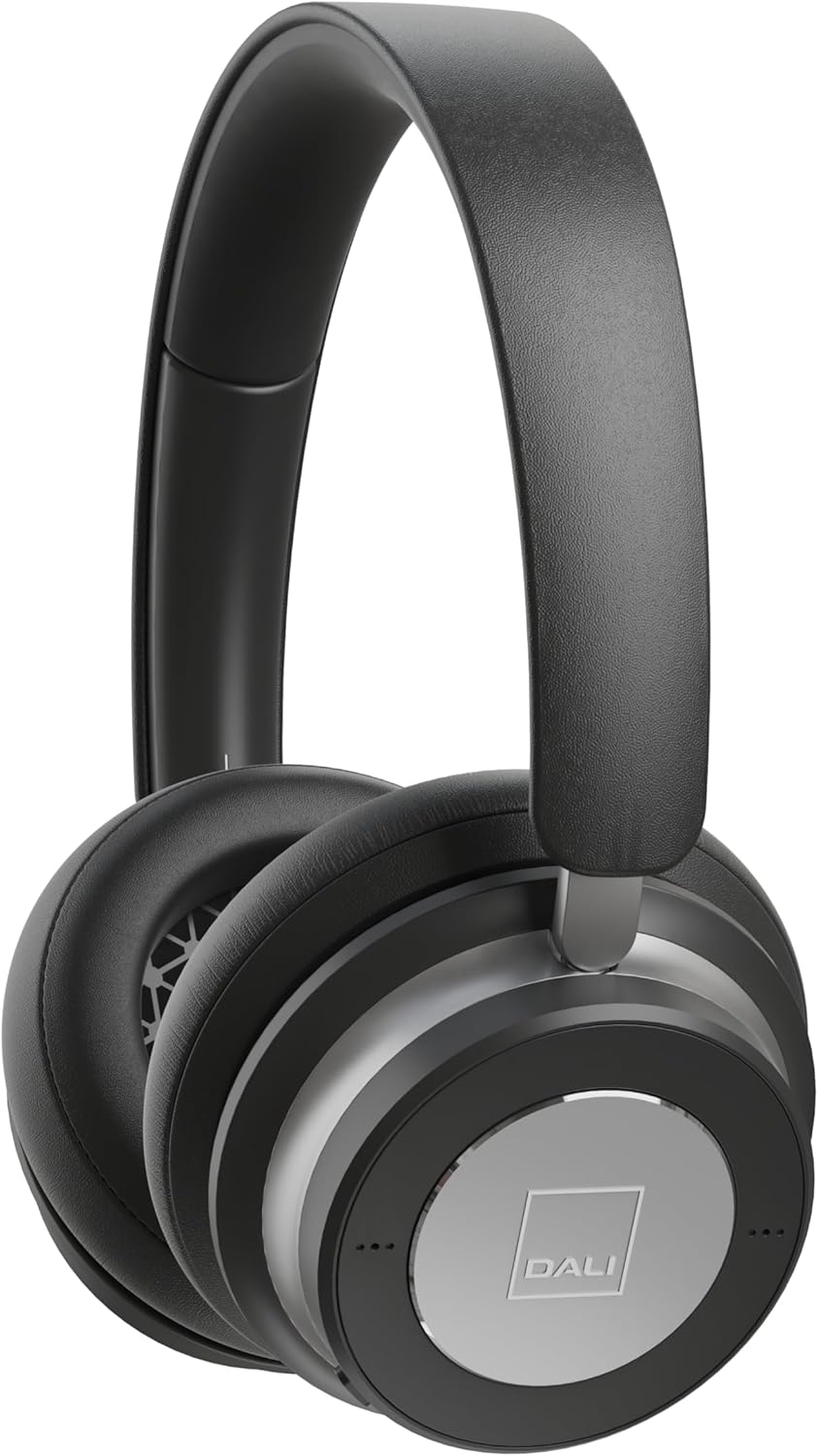
ภาพ: ด้านหน้า view of the DALI IO-6 headphones in Iron Black, showcasing the sleek design and earcups.
มีอะไรอยู่ในกล่อง
ตรวจสอบว่าบรรจุภัณฑ์มีส่วนประกอบทั้งหมด:
- หูฟัง DALI IO-6
- USB-C Cable (for charging and wired audio)
- 3.5mm Stereo Cable (for wired audio)
- อะแดปเตอร์เที่ยวบิน
- กระเป๋าเดินทาง

Image: The DALI IO-6 headphones neatly folded and placed inside their included grey fabric travel case.
การตั้งค่า
1. การชาร์จหูฟัง
Before first use, fully charge your DALI IO-6 headphones. Connect the supplied USB-C cable to the USB-C port on the headphones and the other end to a USB power source (e.g., computer USB port or USB wall adapter). The charging indicator light will show charging status. A full charge takes approximately 2.5 hours.
2. การเปิด/ปิดเครื่อง
To power on, press and hold the power button until the indicator light illuminates. To power off, press and hold the power button again until the light turns off.
3. การจับคู่บลูทู ธ
- ตรวจสอบให้แน่ใจว่าหูฟังปิดอยู่
- Press and hold the power button for approximately 5 seconds until the indicator light flashes rapidly, indicating pairing mode.
- บนอุปกรณ์ของคุณ (สมาร์ทโฟน แท็บเล็ต คอมพิวเตอร์) เปิดใช้งาน Bluetooth และค้นหาอุปกรณ์ที่มีอยู่
- เลือก "DALI IO-6" จากรายการอุปกรณ์ที่พบ
- Once paired, the indicator light on the headphones will turn solid blue.
The DALI IO-6 supports aptX, aptX HD, and Apple AAC codecs for high-quality audio streaming.

ภาพ: ก. view from above the DALI IO-6 headphones, highlighting the control buttons and ports located on the right earcup.
การใช้งานหูฟัง
การเล่นเสียงและการโทร
- เล่น/หยุดชั่วคราว: กดปุ่มมัลติฟังก์ชั่นหนึ่งครั้ง
- เพลงถัดไป: กดปุ่มมัลติฟังก์ชั่นสองครั้ง
- แทร็กก่อนหน้า: กดปุ่มมัลติฟังก์ชันสามครั้ง
- เพิ่ม/ลดระดับเสียง: ใช้ปุ่มปรับระดับเสียงเฉพาะ (+/-)
- รับ/วางสาย: กดปุ่มมัลติฟังก์ชันหนึ่งครั้งเมื่อมีสายเรียกเข้า
- ปฏิเสธสาย: กดปุ่มมัลติฟังก์ชันค้างไว้ขณะมีสายเรียกเข้า
การตัดเสียงรบกวนแบบแอคทีฟ (ANC)
The DALI IO-6 features Active Noise Cancellation to reduce ambient noise. There are typically multiple ANC modes:
- เปิด ANC: Activates noise cancellation.
- โหมดความโปร่งใส: Allows ambient sounds to pass through, enabling you to hear your surroundings without removing the headphones.
- ปิด ANC: Disables active noise cancellation, relying on passive noise isolation.
Cycle through ANC modes by pressing the dedicated ANC button. Refer to the indicator lights for the current mode.
การเชื่อมต่อแบบใช้สาย
The DALI IO-6 can be used with the supplied 3.5mm stereo cable for a traditional wired connection to audio sources. It can also function as a USB audio device when connected via the USB-C cable to a computer.

Image: The DALI IO-6 headphones positioned on a dark surface, with a vinyl record player in the background, suggesting their use for high-fidelity audio listening.
การซ่อมบำรุง
- การทำความสะอาด: ใช้ผ้านุ่มและแห้งเช็ดทำความสะอาดหูฟัง ห้ามใช้น้ำยาทำความสะอาดหรือสารละลายที่มีฤทธิ์กัดกร่อน
- พื้นที่จัดเก็บ: When not in use, store the headphones in their provided travel case to protect them from dust and damage.
- การดูแลแบตเตอรี่ เพื่อยืดอายุการใช้งานแบตเตอรี่ ควรหลีกเลี่ยงการปล่อยให้แบตเตอรี่หมดจนเกลี้ยงบ่อยๆ ชาร์จหูฟังเป็นประจำ แม้ว่าจะไม่ได้ใช้งานตลอดเวลาก็ตาม
- อุณหภูมิ: ควรหลีกเลี่ยงการนำหูฟังไปวางไว้ในที่ที่มีอุณหภูมิสูงหรือต่ำเกินไป หรือมีความชื้นสูง

ภาพ: รายละเอียด view of the inside of a DALI IO-6 earcup, revealing the patterned speaker grille and soft ear cushion.
การแก้ไขปัญหา
| ปัญหา | สารละลาย |
|---|---|
| หูฟังไม่สามารถเปิดเครื่องได้ | ตรวจสอบให้แน่ใจว่าแบตเตอรี่ชาร์จเต็มแล้ว เชื่อมต่อกับแหล่งจ่ายไฟโดยใช้สาย USB-C |
| ไม่สามารถจับคู่ผ่านบลูทูธได้ | Ensure headphones are in pairing mode (flashing light). Turn off and on Bluetooth on your device. Move closer to the device. |
| ไม่มีเสียงจากหูฟัง | Check volume levels on both headphones and connected device. Ensure correct input source is selected (Bluetooth, 3.5mm, USB). |
| ANC ไม่ทำงานอย่างมีประสิทธิภาพ | Ensure ANC mode is activated. Check that earcups form a good seal around your ears. |
ข้อมูลจำเพาะ
| คุณสมบัติ | รายละเอียด |
|---|---|
| ชื่อรุ่น | IO-6 Over-The-Ear Headphone |
| การควบคุมเสียงรบกวน | ระบบตัดเสียงรบกวนแบบแอคทีฟ |
| เทคโนโลยีการเชื่อมต่อ | Bluetooth 5.0, 3.5 mm Jack, USB-C |
| ตัวแปลงสัญญาณเสียงที่รองรับ | aptX, aptX HD, Apple AAC |
| Battery Life (ANC active) | นานถึง 30 ชั่วโมง |
| เวลาในการชาร์จ | ประมาณ 2.5 ชั่วโมง |
| ขนาดไดร์เวอร์เสียง | ไดร์เวอร์ไดนามิก 50 มม |
| ช่วงความถี่ | 10 - 20,000 เฮิรตซ์ |
| อิมพีแดนซ์ | 25 โอห์ม |
| น้ำหนักสินค้า | 0.32 กิโลกรัม (11.3 ออนซ์) |
| ขนาด | 8.86 x 9.65 x 3.15 นิ้ว |

Image: An exploded diagram showing the internal components of the DALI IO-6 headphones, including the driver, circuit board, and earcup layers.
การรับประกันและการสนับสนุน
DALI products are manufactured to the highest quality standards. For warranty information and support, please refer to the warranty card included with your product or visit the official DALI webไซต์นี้ โปรดเก็บหลักฐานการซื้อไว้เพื่อใช้ยืนยันการรับประกัน
For further assistance, you may contact DALI customer support through their official channels. Visit the DALI Store on Amazon สำหรับข้อมูลผลิตภัณฑ์และทรัพยากรเพิ่มเติม


