1. บทนำ
Thank you for choosing the ELEPHAS Mini Projector. This manual provides essential information for setting up, operating, and maintaining your projector. Please read it thoroughly before use to ensure optimal performance and longevity of the device.
The ELEPHAS Mini Projector is a compact and portable device designed for versatile entertainment and presentation needs. It supports 1080P HD resolution and offers a large projection screen size, making it suitable for both indoor and outdoor use.
2. เนื้อหาบรรจุภัณฑ์
โปรดตรวจสอบว่าสินค้าทั้งหมดมีอยู่ในแพ็คเกจ:
- 1 x ELEPHAS Mini Projector
- 1 x ขาตั้งกล้องขนาดเล็ก
- 1 x รีโมทคอนโทรล
- 1 x คู่มือผู้ใช้ (เอกสารนี้)
- สาย HDMI 1 เส้น
3. สินค้าหมดview
Familiarize yourself with the components of your ELEPHAS Mini Projector.

The ELEPHAS Mini Projector is designed to be highly portable, easily fitting in the palm of your hand.
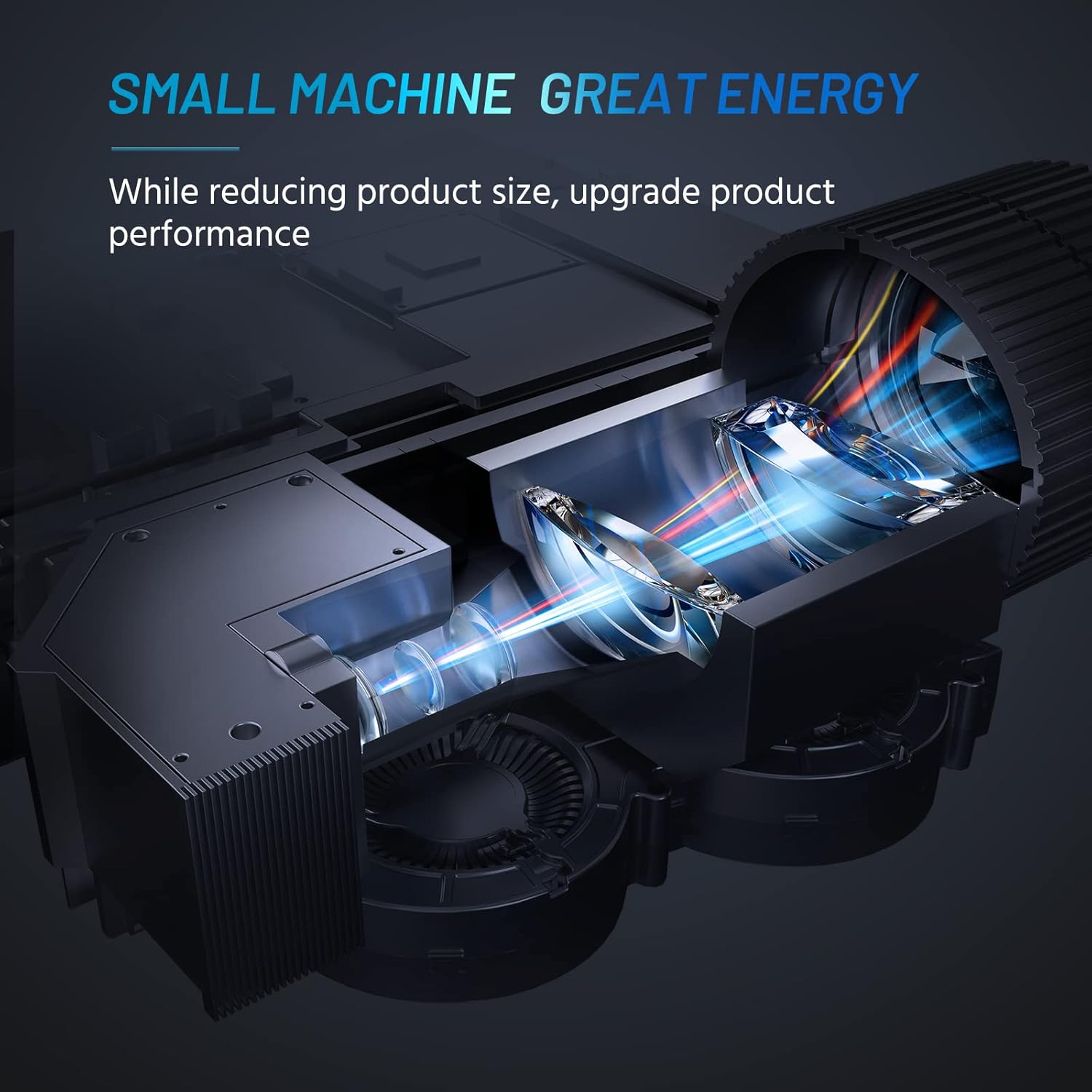
Internal design of the projector, highlighting its compact yet powerful light engine.

รายละเอียด view of the German LED light source and emerald glass lens, designed for enhanced picture quality.
4. การตั้งค่า
4.1 Basic Placement
วางโปรเจ็กเตอร์บนพื้นผิวที่มั่นคงและเรียบ เพื่อประสิทธิภาพสูงสุด viewing, ensure the projection surface (wall or screen) is clean and smooth. The included mini tripod can be used for minor height and angle adjustments.

Various setup options for the projector, including table placement, mini tripod installation, and ceiling mount, showing potential screen sizes.
4.2 การเชื่อมต่อสายไฟ
- ต่ออะแดปเตอร์แปลงไฟเข้ากับพอร์ตจ่ายไฟของโปรเจ็กเตอร์
- เสียบอะแดปเตอร์จ่ายไฟเข้ากับเต้ารับไฟฟ้าที่เหมาะสม
4.3 การเชื่อมต่ออุปกรณ์
The projector supports multiple input sources. Ensure your device is powered on before connecting.
- ช่องต่อ HDMI: Connect your laptop, PC, TV Box, TV Stick, or gaming console using the provided HDMI cable.
- ยูเอสบี: Insert a USB flash drive for direct media playback.
- เอวี: Use an AV cable (not included) to connect older devices.
- เสียงออก: เชื่อมต่อลำโพงภายนอกหรือหูฟังผ่านแจ็คเสียง 3.5 มม. เพื่อคุณภาพเสียงที่ดีขึ้น
- การเชื่อมต่อสมาร์ทโฟน: For iOS/Android/Windows smartphones, a compatible HDMI adapter (e.g., Lightning to HDMI, Micro USB/Type-C to HDMI) is required and not included.
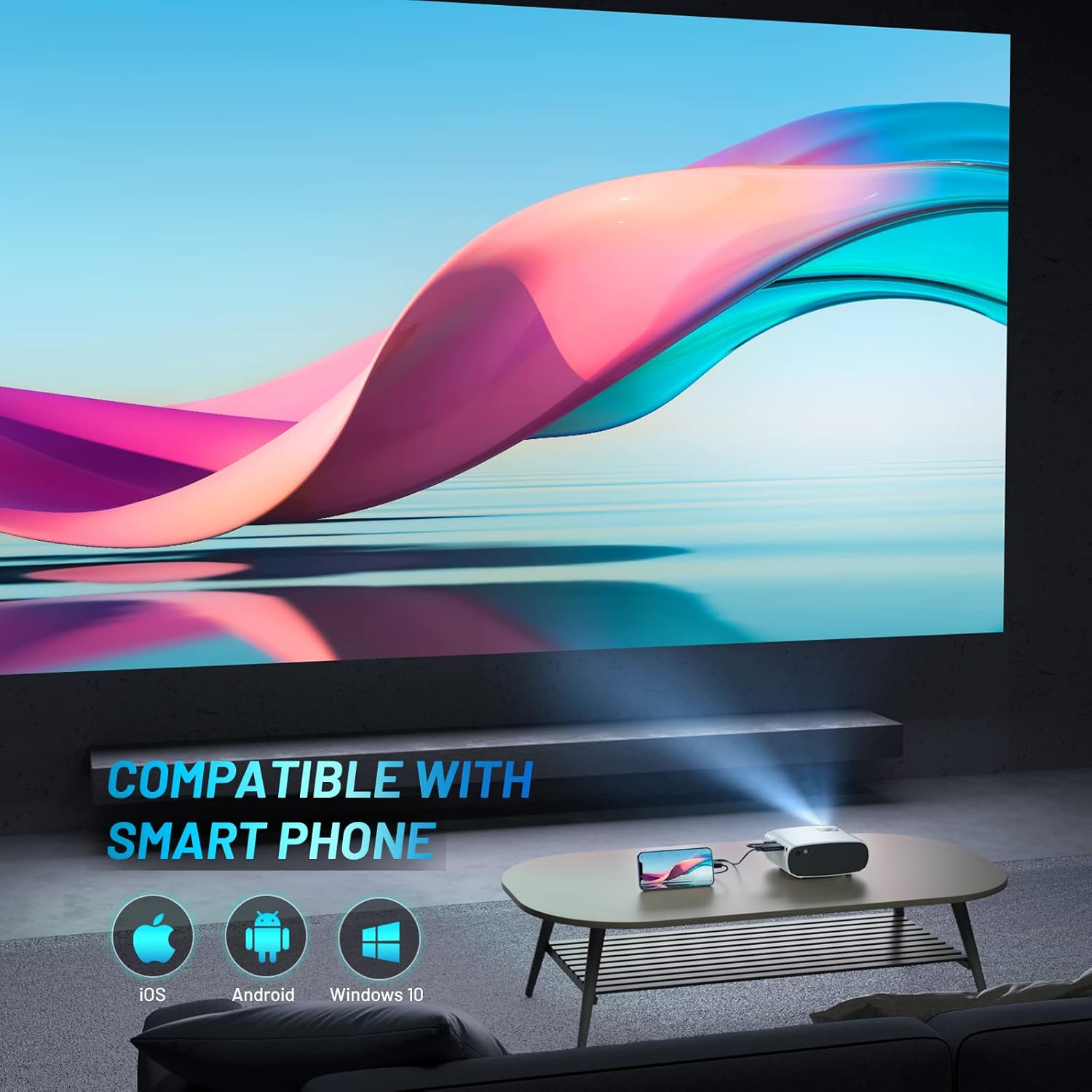
The projector is compatible with various smartphone operating systems, requiring an appropriate adapter for connection.

Connecting smartphones to the projector for outdoor movie nights. Adapters are sold separately.
Official video demonstrating the features and portability of the ELEPHAS Mini Projector, including setup and usage scenarios.
5. คู่มือการใช้งาน
5.1 เปิด/ปิดเครื่อง
- เปิดเครื่อง: กดปุ่มเปิด/ปิดบนโปรเจคเตอร์หรือรีโมทคอนโทรล ไฟแสดงสถานะจะสว่างขึ้น
- หมดแรง: Press the power button again. The projector will shut down.
5.2 การปรับโฟกัสและคีย์สโตน
- จุดสนใจ: หมุนวงแหวนโฟกัสบนเลนส์โปรเจ็กเตอร์จนกว่าภาพที่ฉายจะชัดเจนและคมชัด
- การแก้ไขคีย์สโตน: Use the keystone adjustment dial (if available) or the remote control to correct trapezoidal distortion if the projector is not perfectly perpendicular to the screen.

The projector offers an adjustable angle for flexible projection setup.
5.3 การเลือกแหล่งที่มาของอินพุต
Press the 'Source' button on the remote control or projector to cycle through available input sources (HDMI, USB, AV).
5.4 เอาต์พุตเสียง
The projector has a built-in HIFI speaker. For a more immersive audio experience, connect external speakers or headphones to the 3.5mm audio output port.
The projector features a dual-band sound system designed for reduced noise and clear audio.
6. การบำรุงรักษา
6.1 การทำความสะอาด
- เลนส์: ใช้ผ้านุ่มไม่เป็นขุยที่ออกแบบมาสำหรับเลนส์สายตาโดยเฉพาะ ห้ามใช้น้ำยาทำความสะอาดหรือตัวทำละลายที่มีฤทธิ์กัดกร่อน
- Casing: เช็ดภายนอกเครื่องโปรเจคเตอร์ด้วยผ้านุ่มและแห้ง หลีกเลี่ยงการใช้น้ำยาทำความสะอาดโดยตรงกับอุปกรณ์
- การระบายอากาศ : Ensure the ventilation vents are clear of dust and obstructions to prevent overheating.
6.2 พื้นที่จัดเก็บ
เมื่อไม่ใช้งาน ให้เก็บโปรเจคเตอร์ไว้ในที่แห้งและเย็น หลีกเลี่ยงแสงแดดโดยตรงและอุณหภูมิที่สูงหรือต่ำเกินไป ใช้ฝาปิดเลนส์เพื่อป้องกันเลนส์จากฝุ่นและรอยขีดข่วน
7 การแก้ไขปัญหา
| ปัญหา | สาเหตุที่เป็นไปได้ | สารละลาย |
|---|---|---|
| ไม่มีภาพที่ฉาย | Power not connected; Incorrect input source; Loose cable connection | Check power cable; Select correct input source; Reconnect HDMI/USB cable securely |
| ภาพเบลอ | Out of focus; Incorrect projection distance | Adjust focus ring; Adjust projector distance from screen |
| ไม่มีเสียง | Volume too low; Muted; External speakers not connected properly | Increase volume; Unmute; Check external speaker connection |
| รีโมตคอนโทรลไม่ทำงาน | แบตเตอรี่หมด กีดขวางระหว่างรีโมทกับโปรเจ็กเตอร์ | Replace batteries; Remove obstructions; Point remote directly at projector's IR receiver |
| Cannot play Netflix/Amazon Prime/Hulu | HDCP copyright restrictions | Use an Amazon Fire Stick or Roku Stick for these services. |
8. ข้อมูลจำเพาะ
- หมายเลขรุ่น: BL128
- ความละเอียดการแสดงผล: 1920 x 1080 (1080P HD Support)
- ความสว่าง: 8000L (Lumens)
- อัตราส่วนคอนทราสต์: 6000:1 น.
- เทคโนโลยีการเชื่อมต่อ: HDMI, USB, AV, Audio Out
- ขนาดสินค้า : 6 x 4.4 x 2.4 นิ้ว
- น้ำหนักสินค้า: 1 ปอนด์
- ผู้ผลิต: ช้าง
- ประเทศต้นกำเนิด: จีน
- คุณสมบัติพิเศษ: Portable, HDMI Connectivity, Built-in HIFI Speaker, Efficient Heat Dissipation System, Emerald Glass Lens, 24-bit True Color Support
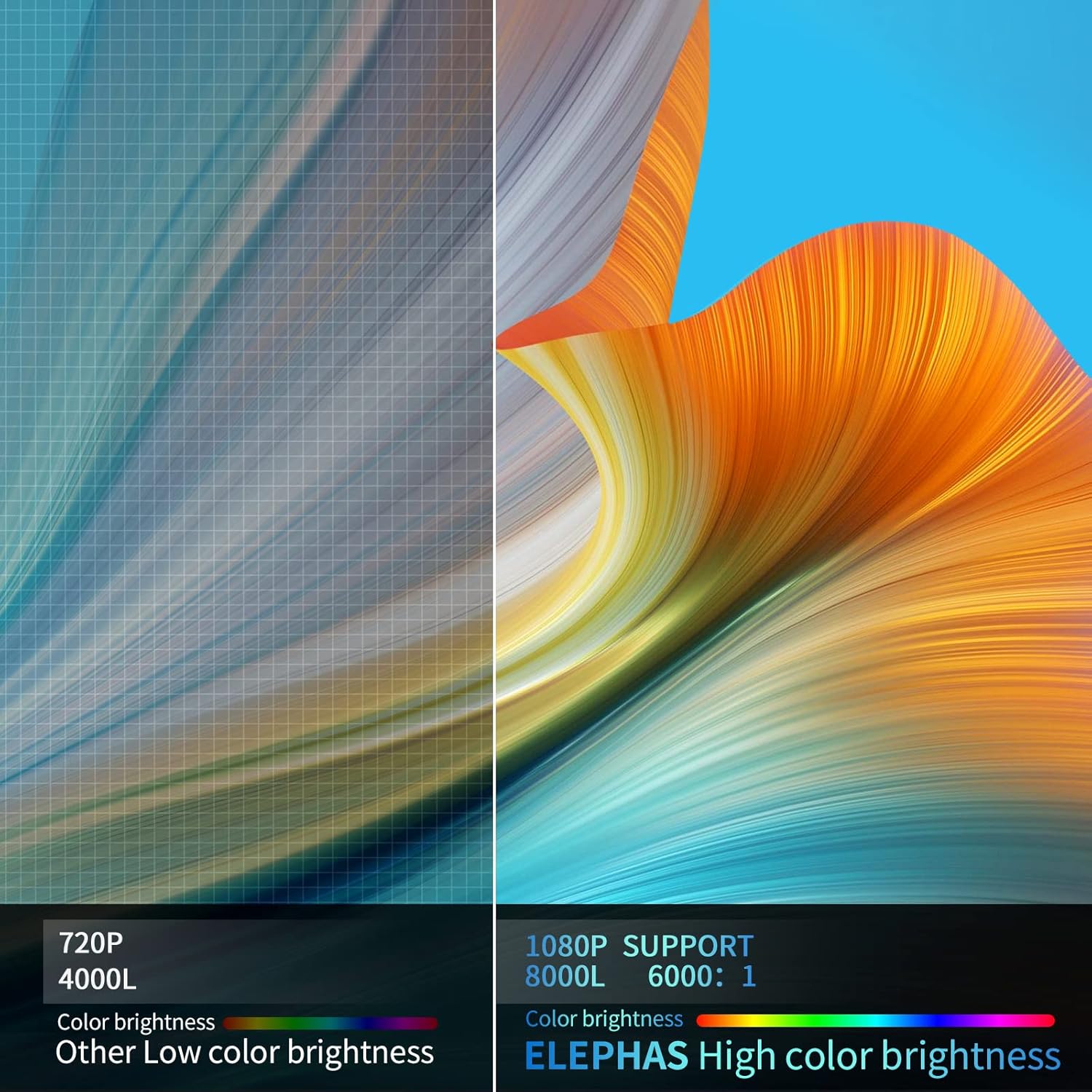
Visual comparison demonstrating the enhanced brightness and color quality of the ELEPHAS projector.

Illustrates the progression of brightness and clarity from lower resolution projectors to the 8000L 1080P ELEPHAS model.
9. การรับประกันและการสนับสนุน
ELEPHAS projectors come with a 3-year factory support warranty. For any issues or inquiries, please contact ELEPHAS customer service. Refer to the contact information provided on the product packaging or the official ELEPHAS webเว็บไซต์.
The product holds CE, FCC, RoHS, and PSE certificates, ensuring compliance with relevant safety and quality standards.


