การแนะนำ
ขอบคุณสำหรับการซื้อasing the Byron DBY-21132 Wireless Doorbell Set. This manual provides essential information for the safe and efficient installation, operation, and maintenance of your new doorbell system. Please read these instructions carefully before use and retain them for future reference.
ข้อมูลด้านความปลอดภัย
- Ensure the doorbell chime is plugged into a suitable 220V mains socket.
- Do not expose the doorbell button to extreme temperatures or direct sunlight for prolonged periods.
- The doorbell button is IP44 weather-resistant, meaning it is protected against splashing water and solid objects larger than 1mm. It is not designed for submersion in water.
- เก็บแบตเตอรี่ให้พ้นมือเด็ก และทิ้งแบตเตอรี่ที่ใช้แล้วอย่างถูกวิธี
- ห้ามเปิดหรือซ่อมแซมอุปกรณ์ด้วยตนเอง โปรดส่งต่ออุปกรณ์ทั้งหมดให้กับช่างผู้ชำนาญการ
เนื้อหาแพ็คเกจ
ตรวจสอบว่ามีส่วนประกอบทั้งหมดอยู่ในแพ็คเกจ:
- 1 x Wireless Doorbell Chime (Receiver)
- 1 x ปุ่มกดกริ่งประตูไร้สาย (ตัวส่งสัญญาณ)
- 3 x CR2 Lithium Batteries (for doorbell button, included)
- 1 x คู่มือการใช้งาน
- Mounting hardware (screws and adhesive pad)

Image: The Byron DBY-21132 Wireless Doorbell Set, showing the plug-in chime unit and the wireless doorbell button.
คุณสมบัติหลัก
- ระยะสัญญาณไร้สาย: ระยะไม่เกิน 100 เมตร (ในพื้นที่โล่ง)
- ท่วงทำนอง: 36 selectable melodies.
- ระดับเสียง: ปรับระดับเสียงได้ 4 ระดับ
- ความทนทานต่อสภาพอากาศ: Doorbell button rated IP44 for outdoor use.
- ติดตั้งง่าย: ติดตั้งง่ายพร้อมฮาร์ดแวร์ติดตั้งที่ให้มาด้วย
การตั้งค่า
1. Install Batteries in Doorbell Button
- Carefully open the doorbell button casing.
- Insert the 3 CR2 lithium batteries, ensuring correct polarity (+/-).
- ปิด casinก. อย่างปลอดภัย
2. Position the Doorbell Chime
Plug the doorbell chime into a standard 220V electrical outlet indoors. Choose a location where the chime can be easily heard throughout your home.
3. Mount the Doorbell Button
Select a suitable outdoor location for the doorbell button, such as next to your front door. Ensure the surface is clean and dry.
- วิธีใช้แผ่นกาว: Peel off the protective film from the adhesive pad and firmly press the doorbell button onto the desired surface for at least 30 seconds.
- การใช้สกรู: Mark the positions for the screw holes. Drill pilot holes if necessary, then secure the doorbell button to the surface using the provided screws.

ภาพ: ด้านหลัง view of the doorbell button, indicating screw mounting points and the IP44 weather resistance rating.
การดำเนินงาน
1. การเปลี่ยนทำนอง
On the side of the doorbell chime, locate the melody selection button. Press this button repeatedly to cycle through the 36 available melodies. The chime will play a preview of each melody as you press the button. Stop pressing when you hear your desired melody.
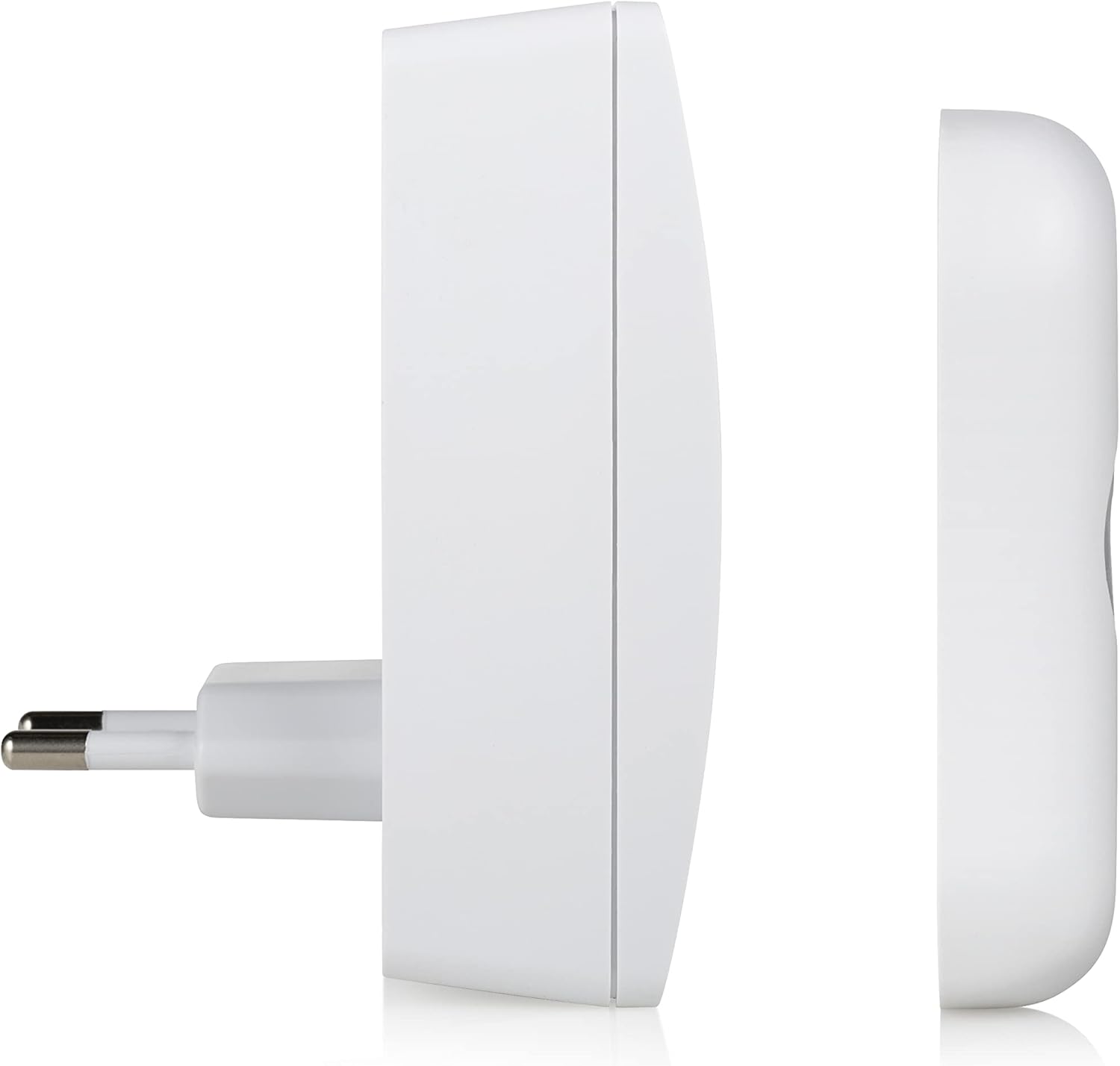
ภาพ: ด้านข้าง view of the doorbell chime, highlighting the buttons for melody selection and volume control.
2. ปรับระดับเสียง
Next to the melody selection button on the chime, you will find the volume control button. Press this button to cycle through the 4 available volume levels (Low, Medium, High, Mute). Select the volume level that best suits your environment.
3. การทดสอบกริ่งประตู
Once the chime is plugged in and the button batteries are installed, press the doorbell button. The chime should sound the selected melody, and the LED indicator on the button may illuminate (depending on the model).

Image: The doorbell button with its red LED indicator illuminated, signifying activation.
การซ่อมบำรุง
- การทำความสะอาด: Wipe the doorbell chime and button with a soft, dry cloth. Do not use abrasive cleaners or solvents.
- การเปลี่ยนแบตเตอรี่: If the doorbell button stops working or the range decreases significantly, replace the 3 CR2 lithium batteries. Ensure correct polarity.
- การปกป้องสิ่งแวดล้อม: While the button is IP44 rated, avoid prolonged exposure to heavy rain or direct water jets to maximize its lifespan.
การแก้ไขปัญหา
| ปัญหา | สาเหตุที่เป็นไปได้ | สารละลาย |
|---|---|---|
| กริ่งประตูไม่ดัง | Chime not plugged in or powered. Batteries in button are dead or incorrectly installed. ไม่อยู่ในขอบเขต. | Ensure chime is securely plugged into a live 220V socket. Replace batteries in the doorbell button, checking polarity. Move chime closer to the button or remove obstructions. |
| Short range or intermittent ringing. | Low batteries in button. การรบกวนจากอุปกรณ์ไร้สายอื่น ๆ Thick walls or metal objects obstructing signal. | Replace batteries in the doorbell button. Relocate the chime or button away from other wireless devices. Adjust placement to minimize obstructions. |
| เสียงกริ่งดังเบาเกินไปหรือดังเกินไป | การตั้งค่าระดับเสียงต้องปรับ | Press the volume control button on the chime to cycle through the 4 volume levels. |
ข้อมูลจำเพาะ
| คุณสมบัติ | รายละเอียด |
|---|---|
| หมายเลขรุ่น | ดีบีวาย-21132 |
| ยี่ห้อ | ไบรอน |
| น้ำหนักสินค้า | 150 กรัม |
| ขนาดสินค้า | 7 x 6.52 x 9.3 ซม. |
| Power Source (Chime) | Mains powered (220V) |
| Power Source (Button) | 3 x CR2 Lithium Batteries (included) |
| ช่วงสาย | สูงสุด 100 เมตร |
| ทำนองเพลง | 36 เลือกได้ |
| ระดับเสียง | ปรับได้ 4 |
| Weather Resistance (Button) | IP44 |
| วัสดุ | พลาสติก |
| สี | สีขาว |
การรับประกันและการสนับสนุน
Byron products are designed and manufactured to high-quality standards. For warranty information and customer support, please refer to the documentation provided with your purchase or visit the official Byron webไซต์ เก็บหลักฐานการซื้อของคุณไว้เพื่อใช้ในกรณีเรียกร้องการรับประกัน
For technical assistance or further inquiries, please contact Byron customer service through their official channels.


