1. บทนำ
Thank you for choosing the MIFA A4 Bluetooth Shower Speaker. This manual provides essential information for the proper use, maintenance, and troubleshooting of your device. Please read it thoroughly before operation.
The MIFA A4 is a compact and powerful portable Bluetooth speaker designed for various environments, including bathrooms, pools, and outdoor settings, thanks to its IPX7 waterproof rating. It features a 5W speaker driver, hands-free calling, and supports True Wireless Stereo (TWS) for connecting two A4 speakers for enhanced sound. It also incorporates built-in BassUp technology for improved audio quality.

Figure 1: MIFA A4 Bluetooth Shower Speaker, showcasinด้วยดีไซน์กันน้ำ ทำให้มีน้ำกระเด็นไปรอบๆ ได้

Figure 2: Internal components of the MIFA A4 speaker, highlighting its built-in BassUp technology for enhanced bass.
2. สินค้าหมดview
2.1 เนื้อหาบรรจุภัณฑ์
- MIFA A4 Bluetooth Shower Speaker
- สายชาร์จ USB
- คู่มือการใช้งาน
2.2 ส่วนประกอบของลำโพง

รูปภาพ 3: ด้านบนและด้านข้าง view of the MIFA A4 speaker, indicating the Power button, Volume-/Previous, Volume+/Next, Mode key, Charging port, and Suction cup.
- ปุ่มเปิด/ปิด: กดค้างไว้เพื่อเปิด/ปิด
- ปริมาณ-/ก่อนหน้า: กดสั้นเพื่อลดระดับเสียง กดยาวเพื่อเล่นเพลงก่อนหน้า
- ระดับเสียง+/ถัดไป: กดสั้นเพื่อเพิ่มระดับเสียง กดยาวเพื่อเล่นเพลงถัดไป
- ปุ่มโหมด (M): Press to switch between Bluetooth and Micro SD card modes.
- พอร์ตชาร์จ: USB port for charging the speaker.
- ถ้วยดูด: For attaching the speaker to smooth surfaces.
3. การตั้งค่าและการใช้งานครั้งแรก
3.1 การชาร์จลำโพง
Before first use, it is recommended to fully charge the speaker. Connect the provided USB charging cable to the speaker's charging port and the other end to a USB power adapter (not included) or a computer's USB port. The charging indicator light will show the charging status.
3.2 Attaching the Suction Cup
To use the suction cup, ensure the surface (e.g., wall, glass, refrigerator) is clean and dry. Press the speaker firmly against the surface to create a vacuum seal. This allows for convenient placement in various locations.

รูปที่ 4: อดีตample of the MIFA A4 speaker attached to a smooth surface using its suction cup.
4. คู่มือการใช้งาน
4.1 เปิด/ปิดเครื่อง
- เปิดเครื่อง: กดปุ่มเปิด/ปิดค้างไว้จนกว่าไฟแสดงสถานะจะติด
- หมดแรง: กดปุ่มเปิด/ปิดค้างไว้จนกว่าไฟแสดงสถานะจะดับ
4.2 การจับคู่บลูทูธ
The MIFA A4 offers universal compatibility with various Bluetooth-enabled devices.

Figure 5: The MIFA A4 speaker demonstrating its universal compatibility with various devices.
- Ensure the speaker is powered on and in Bluetooth mode (indicator light blinking).
- เปิดใช้งานบลูทูธบนอุปกรณ์ของคุณ (สมาร์ทโฟน แท็บเล็ต ฯลฯ)
- ค้นหา "MIFA A4" in your device's Bluetooth settings.
- Select "MIFA A4" to connect. Once connected, the indicator light will become solid.
4.3 ฟังก์ชั่น True Wireless Stereo (TWS)
The MIFA A4 supports TWS, allowing two MIFA A4 speakers to connect wirelessly for a stereo sound experience.

Figure 6: Illustration of two MIFA A4 speakers paired together for True Wireless Stereo sound.
- Ensure both MIFA A4 speakers are powered on and not connected to any other Bluetooth device.
- On one speaker (this will be the primary speaker), double-press the Power button. It will enter TWS pairing mode.
- The two speakers will automatically connect to each other. Once connected, the primary speaker's indicator light will blink, and the secondary speaker's light will be solid.
- เชื่อมต่ออุปกรณ์ของคุณกับลำโพงหลักผ่าน Bluetooth ตามที่อธิบายไว้ในหัวข้อ 4.2
4.4 การเล่นการ์ด Micro SD
Insert a Micro SD card (up to 32GB, not included) with audio files into the card slot. The speaker will automatically switch to Micro SD card mode and begin playback. Press the 'M' (Mode) button to switch between Bluetooth and Micro SD card modes.
4.5 การโทรแบบแฮนด์ฟรี
- รับสาย: กดปุ่มเปิดปิดสั้น ๆ
- วางสาย: กดปุ่มเปิด/ปิดเครื่องสั้นๆ ระหว่างการโทร
- ปฏิเสธสาย: กดปุ่มเปิด/ปิดค้างไว้

Figure 7: The MIFA A4 speaker in use for hands-free calling, placed on a car dashboard.
5. การบำรุงรักษาและการดูแล
Proper maintenance ensures the longevity and optimal performance of your MIFA A4 speaker.
- การทำความสะอาด: ใช้แบบนุ่มๆamp cloth to clean the speaker. Do not use organic solvents or other chemicals, as they may damage the product.
- การสัมผัสน้ำ: While the speaker is IPX7 waterproof, avoid prolonged submersion. Ensure the charging port cover is securely closed before exposing it to water.
- พื้นที่จัดเก็บ: Store the product at room temperature. Avoid exposing the product to rain, humid conditions, direct sunlight, or high temperatures.
- การจัดการ: Do not drop the product or subject it to strong impacts to prevent damage.
- ถอดชิ้นส่วน: Do not disassemble or modify the structure of the product or any part of it.
- เด็ก: เก็บผลิตภัณฑ์ให้พ้นจากมือเด็ก
- ปริมาณ: Maintain moderate speaker volumes to prevent temporary or permanent hearing problems.
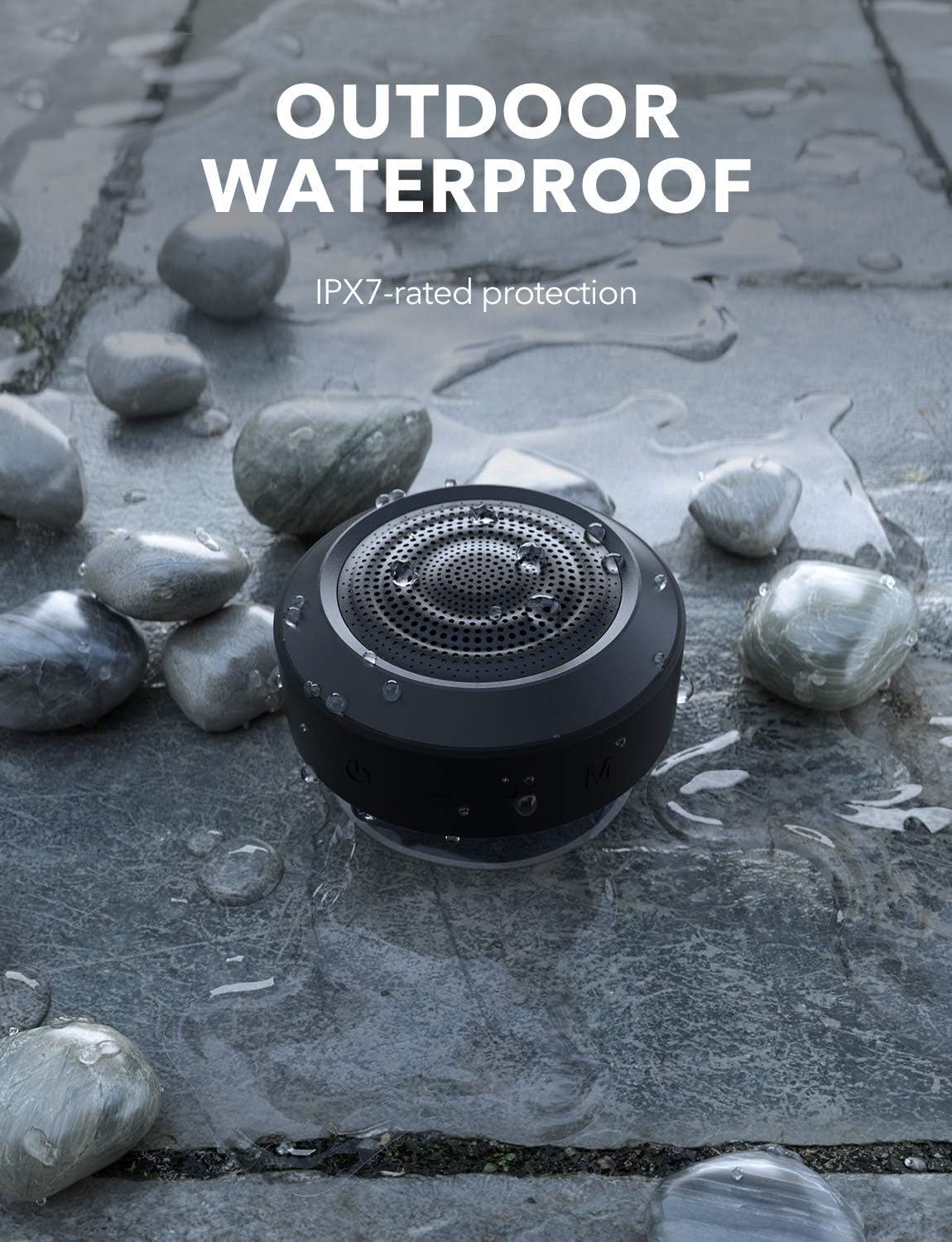
Figure 8: The MIFA A4 speaker demonstrating its IPX7 waterproof rating in an outdoor setting.
6 การแก้ไขปัญหา
| ปัญหา | สาเหตุที่เป็นไปได้ | สารละลาย |
|---|---|---|
| ลำโพงไม่เปิดเครื่อง | แบตเตอรี่อ่อน | ชาร์จลำโพงให้เต็ม |
| ไม่สามารถจับคู่กับอุปกรณ์บลูทูธได้ | ลำโพงไม่ได้อยู่ในโหมดจับคู่; บลูทูธของอุปกรณ์ปิดอยู่; อยู่ห่างจากลำโพงมากเกินไป | Ensure speaker is in pairing mode (blinking light); turn on device Bluetooth; move device closer to speaker (within 10 meters). |
| ไม่มีเสียง. | Volume too low; incorrect mode; speaker not connected. | Increase volume on both speaker and device; press 'M' button to switch modes; re-establish Bluetooth connection. |
| การจับคู่ TWS ล้มเหลว | ลำโพงเชื่อมต่อกับอุปกรณ์อื่นอยู่แล้ว ขั้นตอนการจับคู่ไม่ถูกต้อง | Disconnect speakers from all devices; ensure both are powered on and follow TWS pairing steps carefully. |
7. ข้อมูลจำเพาะ
| ยี่ห้อ | MIFA |
| หมายเลขรุ่น | c83f75c5-7cb7-4e77-95fa-c3cb222b6413 |
| ขนาดสินค้า | 8.7 x 8.7 x 5.4 ซม. |
| น้ำหนัก | 315 กรัม |
| กำลังขับของลำโพง | 5 Watts (single speaker), up to 10 Watts (TWS) |
| การตอบสนองความถี่ | ความถี่ 18 กิโลเฮิรตซ์ |
| เทคโนโลยีการเชื่อมต่อ | บลูทูธ |
| โหมดเอาต์พุตเสียง | สเตอริโอ (พร้อม TWS) |
| แบตเตอรี่ | ลิเธียมโพลิเมอร์ 1200mAh (รวมอยู่ด้วย) |
| เวลาการเล่น | สูงสุด 8 ชั่วโมง (ที่ระดับเสียงปานกลาง) |
| ระดับการกันน้ำ | IPX7 |

Figure 9: The MIFA A4 speaker held in a hand, illustrating its compact dimensions (87mm x 87mm x 53.8mm).
8. การรับประกันและการสนับสนุน
For warranty information and technical support, please refer to the warranty card included with your product or visit the official MIFA webไซต์ โปรดเก็บใบเสร็จรับเงินไว้เป็นหลักฐานการซื้อ
If you encounter any issues not covered in this manual, please contact MIFA customer service for assistance.


