การแนะนำ
Thank you for choosing the ANTOP AT-413B Outdoor TV Antenna. This omnidirectional HDTV antenna is designed to provide clear 4K and 1080P VHF/UHF TV channel reception. Featuring a built-in 4G LTE Filter and Smartpass Amplifier, it ensures optimal signal quality by minimizing interference. This manual provides detailed instructions for installation, operation, and maintenance to help you get the most out of your antenna.

Image: The ANTOP AT-413B antenna shown with an illustration of its 360-degree omnidirectional reception capability over a residential home.

Image: Promotional graphic highlighting the ANTOP Flat Panel AT-413B antenna's ability to provide clear HD channels, emphasizing a cable-free viewการสร้างประสบการณ์
ข้อมูลด้านความปลอดภัย
- Always follow local electrical and building codes during installation.
- Do not install the antenna near power lines or other electrical hazards.
- Ensure all connections are secure and weatherproof, especially for outdoor installations.
- Use caution when working at heights. Consider professional installation if you are not comfortable.
- Keep the Smartpass Amplifier and power adapter dry and away from moisture.
เนื้อหาแพ็คเกจ
ตรวจสอบว่ามีส่วนประกอบทั้งหมดอยู่ในแพ็คเกจของคุณ:
- ANTOP AT-413B Outdoor TV Antenna
- สมาร์ทพาส Ampชีวิต
- อะแดปเตอร์แปลงไฟ
- Coaxial Cable (16 ft RG59)
- ขาตั้งในร่ม
- Outdoor Mounting Kit (Wall/Pole Mount)
- คู่มือการใช้งาน

Image: All components included with the ANTOP AT-413B antenna, such as the antenna unit, coaxial cable, Smartpass amplifier, power adapter, and mounting hardware.
การติดตั้งและการตั้งค่า
Proper placement and installation are crucial for optimal performance. The AT-413B can be installed outdoors (wall, roof, balcony) or indoors (attic).
1. การเลือกสถานที่
- เยี่ยม dtv.gov to identify available channels and broadcast tower locations in your area.
- Choose a location with minimal obstructions (e.g., trees, buildings, mountains) between the antenna and broadcast towers. Higher elevation generally improves reception.
- Consider outdoor mounting for best results. The antenna is designed to be weather-resistant.

Image: The ANTOP AT-413B antenna mounted on a house exterior, illustrating its anti-sun, anti-storm, anti-snow, and anti-UV weather-resistant features.
2. ตัวเลือกการติดตั้ง
The AT-413B offers flexible mounting options:
- การติดตั้งภายนอกอาคาร: Use the provided mounting kit for wall, roof, or balcony installation. Ensure the mount is securely fastened to a stable surface.
- Attic Installation: The antenna can also be installed in an attic for a discreet setup.
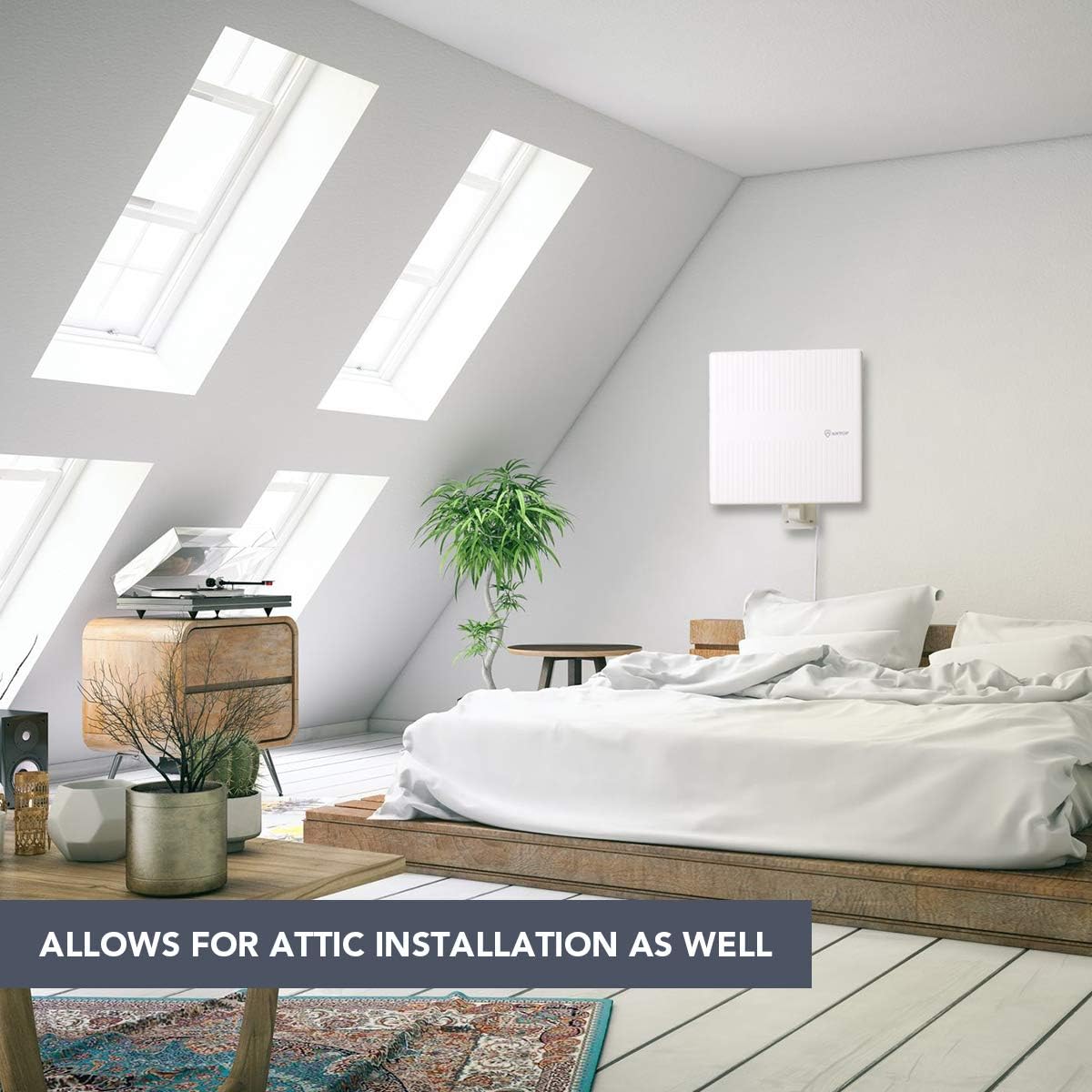
Image: The ANTOP AT-413B antenna mounted inside an attic, demonstrating its suitability for indoor, discreet installations.

ภาพ: อดีตสามamples of ANTOP AT-413B antenna installations: wall mounting, roof mounting, and balcony mounting, showcasing its versatile outdoor placement options.
3. การเชื่อมต่อเสาอากาศ
- Connect the coaxial cable from the antenna to the "ANT IN" or "CABLE IN" port on the Smartpass Ampชีวิต.
- เชื่อมต่อปลายอีกด้านของสายเคเบิลโคแอกเซียลจาก Smartpass เข้ากับอุปกรณ์ Amplifier to the "ANT IN" or "CABLE IN" port on the back of your HDTV or digital converter box.
- Plug the power adapter into the Smartpass Amplifier and then into a standard electrical outlet.
- สมาร์ทพาส Amplifier Switch: If your house is very close to the broadcast tower (within 35 miles), switch the amplifier to "short range" (OFF position). For longer distances, switch it to "long range" (ON position). Experiment with both settings to find the best reception.

ภาพ: ระเบิด view of the ANTOP Smartpass Amplifier, revealing its internal circuitry designed to boost signal range and eliminate dead zones.
คำแนะนำการใช้งาน
การสแกนช่อง
After connecting the antenna, you must perform a channel scan on your TV to receive available channels:
- Turn on your TV and navigate to the TV's setup menu.
- Change the input source or scan type to "Antenna" or "Air".
- Select "Channel Search" or "Channel Scan" from the menu. This process may take several minutes.
- Once the scan is complete, your TV will display the channels it has found.
- สำคัญ: Always re-scan for channels after moving the antenna or if you experience signal loss.
คุณสมบัติหลักและเทคโนโลยี
- 360° Omnidirectional Reception: Receives signals from all directions, eliminating the need to rotate the antenna for different channels.
- สมาร์ทพาส Ampเครื่องฟอก: ANTOP's exclusive technology allows you to switch between long-range and short-range reception modes, optimizing signal strength and preventing over-ampการทำให้เป็นกรด
- Built-in 4G LTE Filter: Blocks unwanted 3G and 4G signals from mobile phones, tablets, and wireless networks, ensuring noise-free digital TV reception.
- การออกแบบทนทานต่อสภาพอากาศ: Features an anti-UV coating and waterproof/snow proof construction for reliable outdoor performance in various weather conditions.
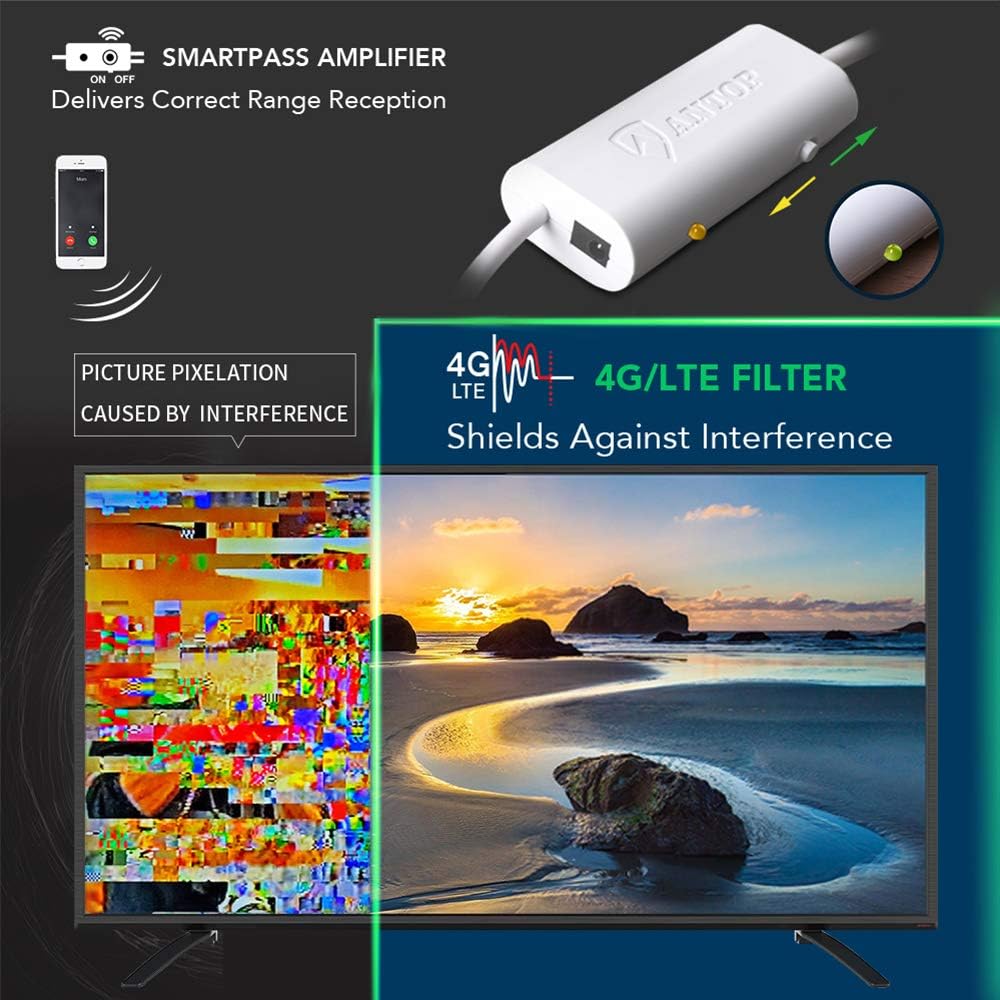
Image: Visual explanation of the ANTOP Smartpass Amplifier delivering correct range reception and the 4G/LTE filter shielding against interference, preventing picture pixelation.
การซ่อมบำรุง
- Periodically inspect the antenna and coaxial cable for any signs of damage or wear, especially after severe weather.
- Ensure all connections remain tight and free of corrosion.
- Clean the antenna surface with a soft, damp เช็ดทำความสะอาดด้วยผ้าหากสกปรก ห้ามใช้สารเคมีรุนแรงหรือน้ำยาทำความสะอาดที่มีฤทธิ์กัดกร่อน
- No internal maintenance is required. Do not attempt to open the antenna housing.
การแก้ไขปัญหา
| ปัญหา | สาเหตุที่เป็นไปได้ | สารละลาย |
|---|---|---|
| No signal or poor picture quality | Incorrect antenna placement; amplifier setting; loose connections; interference. |
|
| พบช่องทางน้อยกว่าที่คาดไว้ | Weak signal; obstructions; TV not set to "Antenna" mode. |
|
| Amplifier light is off | ไม่มีอำนาจที่จะ ampชีวิต. |
|
ข้อมูลจำเพาะ
| ยี่ห้อ: | อันท็อป |
| แบบอย่าง: | AT-413B |
| Reception Type: | รอบทิศทาง |
| ช่วงความถี่: | วีเอชเอฟ, ยูเอชเอฟ |
| ช่วงสูงสุด: | 65 ไมล์ |
| อิมพีแดนซ์: | 75 โอห์ม |
| ขนาด : | 12.76 x 11.42 x 1.02 นิ้ว |
| น้ำหนัก: | 3.32 ปอนด์ |
| คุณสมบัติ: | สมาร์ทพาส Amplifier, Built-in 4G LTE Filter, Anti-UV Coating, Waterproof/Snow Proof Design |
การรับประกันและการสนับสนุน
ANTOP provides a limited warranty for its products. Please refer to the warranty card included in your package for specific terms and conditions. For technical support, troubleshooting assistance, or warranty claims, please contact ANTOP customer service through their official webไซต์หรือข้อมูลการติดต่อที่ให้มาพร้อมกับผลิตภัณฑ์ของคุณ
For additional resources and FAQs, visit the official ANTOP webเว็บไซต์: www.antopantenna.com


