1. บทนำ
Thank you for choosing the ICQN 42 Liter Mini Oven. This appliance is designed for versatile cooking, baking, and roasting, offering convenience and efficiency for your kitchen. With its 1300W power, convection function, and precise temperature control, it is suitable for a wide range of culinary tasks. Please read this manual carefully before using the appliance to ensure safe and optimal operation. Keep this manual for future reference.

รูปที่ 1.1 : ด้านหน้า view of the ICQN 42 Liter Mini Oven, showcasinด้วยการออกแบบที่กะทัดรัดและแผงควบคุม
2. คำแนะนำด้านความปลอดภัยที่สำคัญ
เมื่อใช้เครื่องใช้ไฟฟ้า ควรปฏิบัติตามข้อควรระวังด้านความปลอดภัยพื้นฐานเสมอ เพื่อลดความเสี่ยงต่อการเกิดไฟไหม้ ไฟฟ้าช็อต และการบาดเจ็บของบุคคล
- อ่านคำแนะนำทั้งหมดก่อนใช้เตาอบ
- ห้ามสัมผัสพื้นผิวร้อน ควรใช้มือจับหรือลูกบิด ควรใช้ถุงมือกันความร้อนหรือที่จับหม้อทุกครั้งเมื่อสัมผัสวัสดุร้อน
- To protect against electric shock, do not immerse cord, plugs, or the appliance itself in water or other liquid.
- จำเป็นต้องมีการดูแลอย่างใกล้ชิดเมื่อมีเด็กหรือใช้งานเครื่องใช้ไฟฟ้าใดๆ ใกล้เด็ก
- ถอดปลั๊กออกเมื่อไม่ได้ใช้งานและก่อนทำความสะอาด ปล่อยให้เย็นลงก่อนใส่หรือถอดชิ้นส่วน และก่อนทำความสะอาดเครื่องใช้ไฟฟ้า
- ห้ามใช้งานเครื่องใช้ไฟฟ้าใดๆ ที่สายไฟหรือปลั๊กเสียหาย หรือหลังจากที่เครื่องทำงานผิดปกติหรือได้รับความเสียหายในลักษณะใดๆ ติดต่อฝ่ายบริการลูกค้าเพื่อขอความช่วยเหลือ
- การใช้อุปกรณ์เสริมที่ไม่แนะนำโดยผู้ผลิตเครื่องใช้ไฟฟ้าอาจทำให้เกิดการบาดเจ็บได้
- ห้ามใช้กลางแจ้ง
- อย่าให้สายไฟห้อยออกจากขอบโต๊ะหรือเคาน์เตอร์ หรือสัมผัสพื้นผิวที่ร้อน
- ห้ามวางบนหรือใกล้เตาแก๊สหรือเตาไฟฟ้าที่ร้อน หรือในเตาอบที่อุ่น
- ต้องใช้ความระมัดระวังเป็นพิเศษเมื่อเคลื่อนย้ายเครื่องใช้ไฟฟ้าที่มีน้ำมันร้อนหรือของเหลวร้อนอื่นๆ
- ห้ามใช้อุปกรณ์เพื่อวัตถุประสงค์อื่นนอกเหนือจากที่กำหนดไว้
- เสียบปลั๊กเข้ากับเครื่องใช้ไฟฟ้าก่อนเสมอ จากนั้นจึงเสียบสายไฟเข้ากับเต้ารับไฟฟ้าที่ผนัง หากต้องการตัดการเชื่อมต่อ ให้ปิดสวิตช์ควบคุมทั้งหมด จากนั้นถอดปลั๊กออกจากเต้ารับไฟฟ้าที่ผนัง
- ห้ามใส่อาหารที่มีขนาดใหญ่เกินไปหรือภาชนะโลหะเข้าเครื่องปิ้งขนมปัง เพราะอาจทำให้เกิดเพลิงไหม้หรือเสี่ยงต่อการเกิดไฟฟ้าช็อตได้
- อาจเกิดไฟไหม้ได้หากเตาอบถูกคลุมไว้หรือสัมผัสกับวัสดุที่ติดไฟได้ง่าย เช่น ม่าน ผ้าม่าน ผนัง และอื่นๆ ขณะใช้งาน
- Do not place any of the following materials in the oven: paper, cardboard, plastic, or anything that could easily burn.
- อย่าเก็บวัสดุใดๆ นอกเหนือจากอุปกรณ์เสริมที่ผู้ผลิตแนะนำในเตาอบนี้เมื่อไม่ได้ใช้งาน
- ห้ามปิดถาดรองเศษขนมปังหรือส่วนใดๆ ของเตาอบด้วยแผ่นฟอยล์โลหะ เพราะจะทำให้เตาอบร้อนเกินไป
- The oven features a double-glazed door for improved thermal performance and safety, but surfaces can still become hot during operation.
3. สินค้าหมดview และส่วนประกอบ
Familiarize yourself with the parts of your ICQN Mini Oven before first use.
3.1. ส่วนประกอบหลัก
- Oven Unit: The main body of the mini oven.
- แผงควบคุม: Located on the right side, featuring three rotary knobs for Timer, Temperature, and Cooking Function.
- Double Glazed Door: ให้ฉนวนและช่วยให้ viewing of food. Designed for easy cleaning.
- องค์ประกอบความร้อน: องค์ประกอบความร้อนด้านบนและด้านล่างสำหรับโหมดการปรุงอาหารต่างๆ
- พัดลมพาความร้อน: หมุนเวียนลมร้อนเพื่อการปรุงอาหารอย่างทั่วถึง
- ไฟภายใน: Illuminates the oven cavity.
3.2. อุปกรณ์เสริมที่รวมอยู่
- ถาดอบ: For baking and roasting. Dimensions: 39.2 x 34 cm.
- ตะแกรงลวด: For grilling or placing dishes.
- Handle Tongs: For safely removing hot baking trays and wire racks.

รูปที่ 3.1: รายละเอียด view of the control panel, showing the timer, temperature, and function selection knobs.

Figure 3.2: The included baking tray, wire rack, and handle tongs.
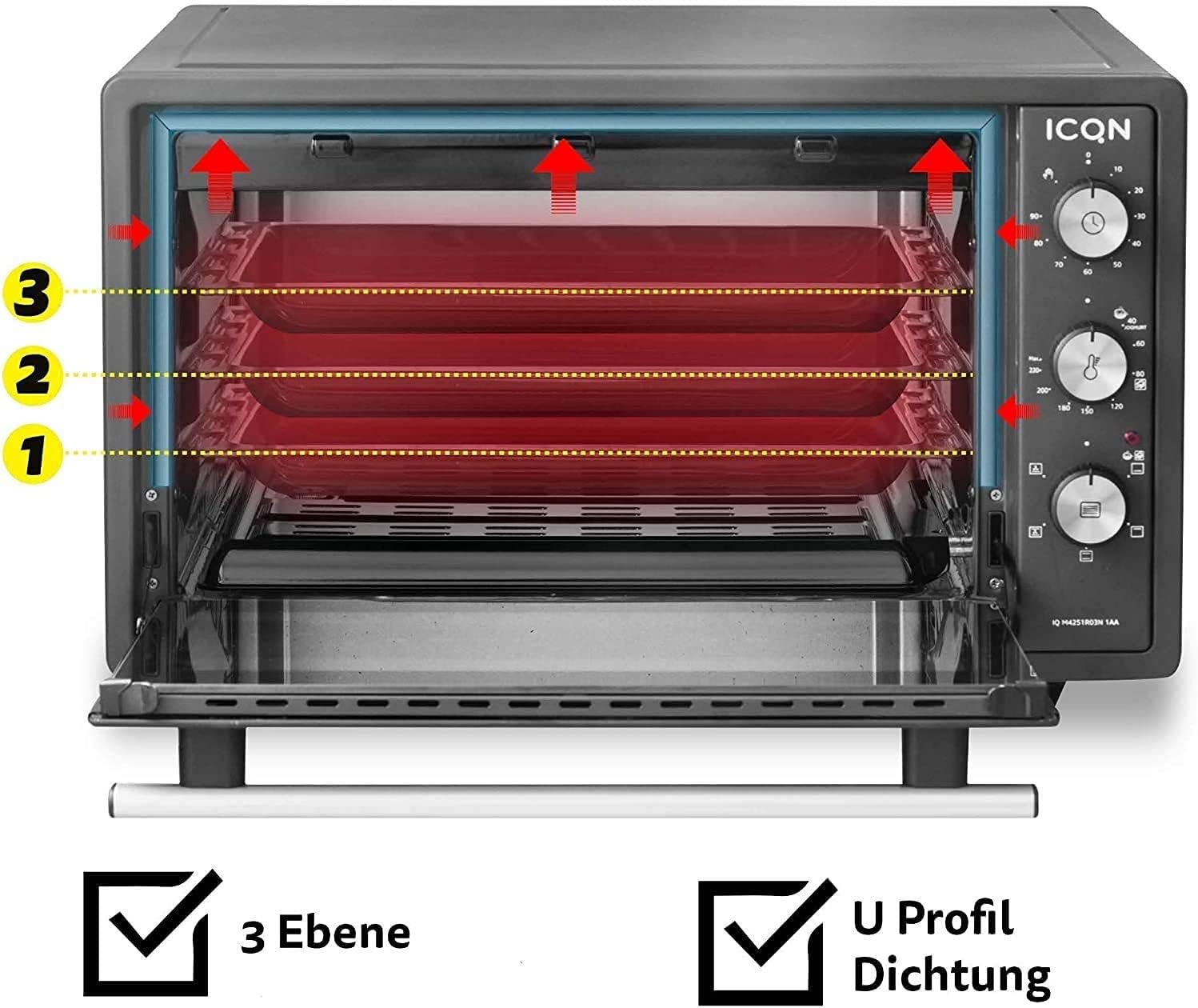
Figure 3.3: The oven interior showing three possible rack levels for flexible cooking.
4. การตั้งค่า
4.1. การแกะกล่อง
- นำเตาอบและอุปกรณ์เสริมทั้งหมดออกจากบรรจุภัณฑ์อย่างระมัดระวัง
- Remove any protective films, stickers, or packaging materials from the oven and its accessories.
- ตรวจสอบเครื่องใช้ไฟฟ้าว่ามีร่องรอยความเสียหายหรือไม่ ห้ามใช้หากชำรุดเสียหาย
4.2 การวาง
- Place the oven on a stable, flat, heat-resistant surface.
- Ensure adequate ventilation around the oven. Maintain a minimum clearance of 10 cm (4 inches) on all sides and above the oven to allow for proper heat dissipation.
- Do not place the oven near flammable materials such as curtains, tablecloths, or walls that are not heat-resistant.
- Ensure the power cord is not pinched or touching hot surfaces.
4.3. Initial Cleaning and First Use (Burn-Off)
- ก่อนใช้งานครั้งแรก ให้เช็ดทำความสะอาดภายในและอุปกรณ์ต่างๆ ด้วยผ้าสะอาดamp ผ้าและผงซักฟอกอ่อนๆ เช็ดให้แห้งสนิท
- เพื่อกำจัดกลิ่นจากการผลิต ให้เปิดเตาอบเปล่าทิ้งไว้ประมาณ 15 นาที
- เสียบปลั๊กเตาอบเข้ากับเต้ารับไฟฟ้าที่มีสายดิน
- ตั้งปุ่มอุณหภูมิไว้ที่ 230 องศาเซลเซียส
- Set the function knob to Top and Bottom Heat with Convection.
- ตั้งเวลาจับเวลาไว้ที่ 15 นาที
- A slight odor or smoke may be present during this initial burn-off; this is normal. Ensure the area is well-ventilated.
- After 15 minutes, turn the timer to "OFF" and unplug the oven. Allow it to cool completely before use.
5. คู่มือการใช้งาน
The ICQN Mini Oven offers various functions for diverse cooking needs.
5.1. ปุ่มควบคุม
- Top Knob (Timer): Sets the cooking time up to 90 minutes. Can also be set to continuous operation (stay-on function).
- Middle Knob (Temperature): Adjusts the temperature from 40°C to 230°C.
- Bottom Knob (Function Selector): เลือกโหมดการปรุงอาหารที่ต้องการ
5.2. ฟังก์ชั่นการทำอาหาร
The oven features 5 primary cooking functions, plus defrost and yogurt functions:
- ความร้อนด้านบนและด้านล่าง: การอบและการคั่วแบบมาตรฐาน
- ความร้อนสูงสุด: Ideal for browning the top of dishes.
- ความร้อนด้านล่าง: Suitable for crisping bases or slow cooking.
- การพาความร้อน (พัดลมช่วย): Circulates hot air for faster and more even cooking, ideal for large roasts or multiple trays.
- ความร้อนด้านบนและด้านล่างแบบพัดลม: Combines traditional heating with fan circulation for comprehensive cooking.
- ฟังก์ชั่นละลายน้ำแข็ง: ละลายอาหารแช่แข็งอย่างเบามือ
- ฟังก์ชั่นโยเกิร์ต: Maintains a low, consistent temperature (around 40°C) for homemade yogurt preparation.
5.3. ขั้นตอนการปฏิบัติงานทั่วไป
- Place the wire rack or baking tray at the desired level inside the oven. The oven has three rack levels.
- Place your food on the baking tray or in an oven-safe dish on the wire rack.
- ปิดประตูเตาอบให้แน่น
- Select the desired cooking function using the bottom knob.
- Set the desired temperature using the middle knob (40°C - 230°C).
- Set the cooking time using the top timer knob. The oven will start heating. An indicator light will illuminate.
- When the set time expires, the oven will automatically turn off and a bell will sound. If using the continuous operation mode, manually turn the timer knob to "OFF" when cooking is complete.
- Carefully remove the cooked food using oven mitts and the handle tongs for the tray/rack.
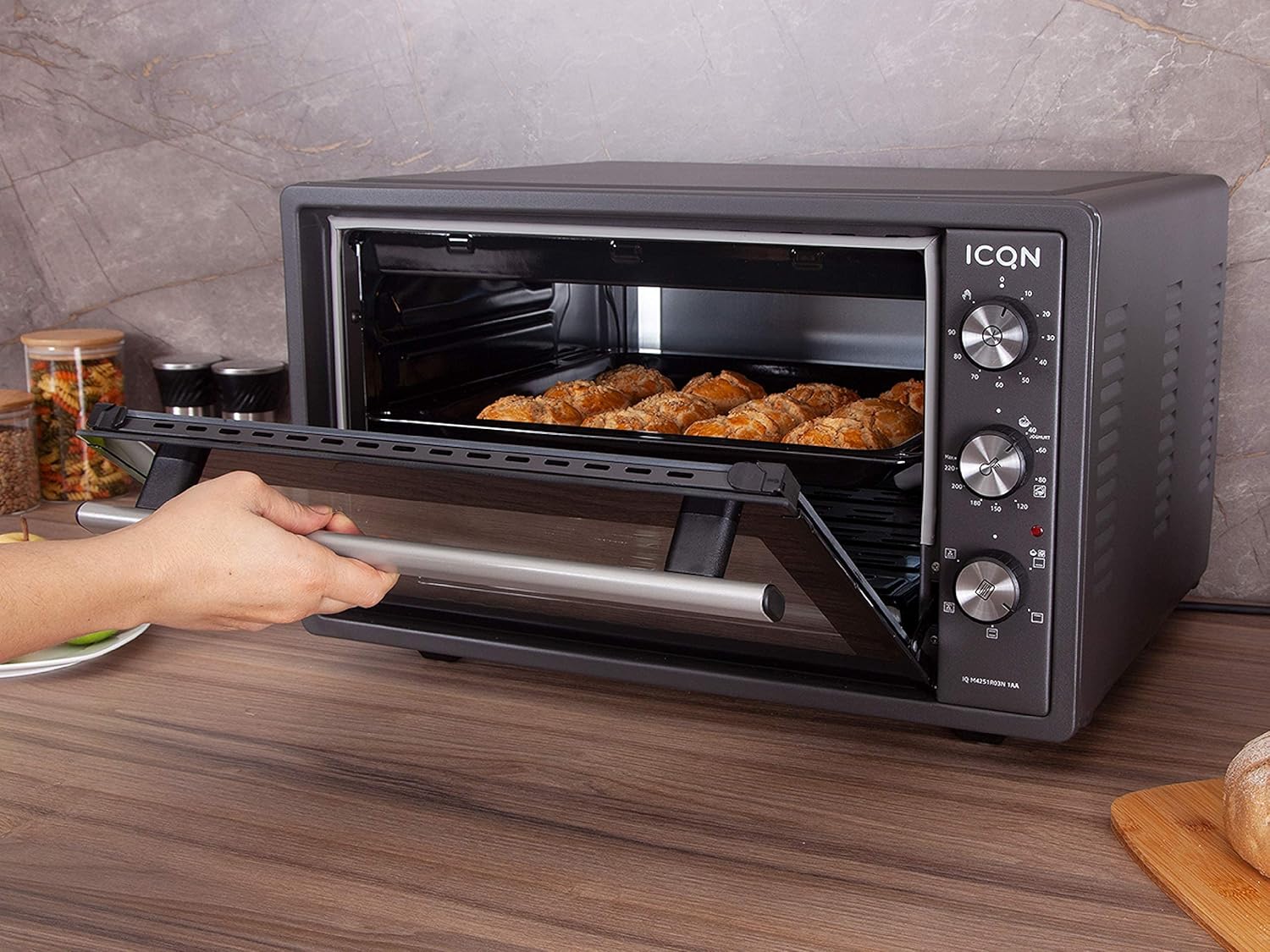
Figure 5.1: The mini oven in operation, showing food being baked inside.
6. การบำรุงรักษาและการทำความสะอาด
Regular cleaning ensures the longevity and optimal performance of your oven. Always unplug the oven and allow it to cool completely before cleaning.
6.1. การทำความสะอาดภายใน
- The oven interior is enamelled, making it easier to clean.
- เช็ดพื้นผิวภายในด้วยโฆษณาamp ใช้ผ้าและผงซักฟอกอ่อนๆ ที่ไม่ทำให้เกิดรอยขีดข่วน
- สำหรับคราบฝังแน่น สามารถใช้เบกกิ้งโซดาผสมน้ำให้เป็นเนื้อครีมข้น ทิ้งไว้สักสองสามนาที แล้วเช็ดออกได้
- Do not use abrasive cleaners, scouring pads, or metal utensils, as these can damage the enamel finish.
- ตรวจสอบให้แน่ใจว่าภายในแห้งสนิทก่อนใช้งานครั้งต่อไป
6.2. การทำความสะอาดภายนอก
- เช็ดพื้นผิวภายนอกด้วยผ้านุ่ม damp ผ้า.
- อย่าใช้สารเคมีรุนแรงหรือน้ำยาทำความสะอาดที่มีฤทธิ์กัดกร่อน
- ตรวจสอบให้แน่ใจว่าไม่มีน้ำเข้าไปในแผงควบคุมหรือส่วนประกอบไฟฟ้า
6.3. Double Glazed Door Cleaning
The double-glazed door can be disassembled for thorough cleaning between the glass panes.

Figure 6.1: Illustration showing how to disassemble the double-glazed door for cleaning the inner and outer glass panes.

รูปที่ 6.2: ระยะใกล้ view of the double-glazed door, highlighting the inner and outer glass components.
- Refer to Figure 6.1 and 6.2 for guidance.
- Carefully follow the instructions to remove the inner glass pane.
- Clean both glass panes with a glass cleaner or a damp ผ้าและผงซักฟอกอ่อนๆ
- Ensure the glass panes are completely dry before reassembling.
- Reassemble the door carefully, ensuring all components are correctly seated.
6.4. Accessory Cleaning
- The baking tray, wire rack, and handle tongs can be washed with warm soapy water.
- ล้างให้สะอาดและเช็ดให้แห้งสนิทก่อนเก็บหรือนำกลับมาใช้ใหม่
7 การแก้ไขปัญหา
If you encounter issues with your ICQN Mini Oven, please refer to the following table before contacting customer service.
| ปัญหา | สาเหตุที่เป็นไปได้ | สารละลาย |
|---|---|---|
| เตาอบไม่เปิด | ไม่ได้เสียบปลั๊ก; ไม่มีไฟtage; ไม่ได้ตั้งเวลา | Ensure the oven is securely plugged into a working outlet. Check your household's circuit breaker. Set the timer knob to a desired cooking time or to the continuous "ON" position. |
| อาหารปรุงไม่เท่ากัน | Incorrect rack position; uneven food placement; convection fan issue. | Adjust rack position for optimal heat distribution. Ensure food is spread evenly on the tray. If the convection fan is not working, contact customer service. |
| Oven produces smoke during operation. | Food residue burning; initial burn-off. | Clean the oven interior and accessories thoroughly. If it's the first use, this is normal (see Section 4.3). If smoke persists, unplug and contact customer service. |
| ตัวจับเวลาไม่ทำงาน | Timer knob malfunction. | Ensure the knob is turned past the 0 mark to activate the timer. If it still doesn't work, contact customer service. |
| ประตูเตาอบไม่ปิดสนิท | Obstruction; hinge issue. | Check for any obstructions preventing the door from closing. If hinges are damaged, contact customer service. |
If the problem persists after trying these solutions, please contact ICQN customer service. Do not attempt to repair the appliance yourself.
8. ข้อมูลจำเพาะ
| ยี่ห้อ | ไอซีคิวเอ็น |
| หมายเลขรุ่น | IQ M4251R03N 1AA |
| ความจุ | 42 ลิตร |
| พลัง | 1300 วัตต์ |
| ขนาด (กว้าง x ยาว x สูง) | 53.2 x 45.85 x 35.35 ซม. |
| น้ำหนัก | 13 กิโลกรัม |
| วัสดุ | Enamelled interior, Double Glazed Door |
| ช่วงอุณหภูมิ | 40°C ถึง 230°C |
| ตัวจับเวลา | Up to 90 minutes, continuous operation |
| คุณสมบัติพิเศษ | Convection fan, 3 rack levels, U-profile seal for thermal performance, Yogurt function |
| ส่วนประกอบที่รวมอยู่ | Baking tray, wire rack, handle tongs |

Figure 8.1: Dimensions of the ICQN Mini Oven (Length x Width x Height).
9. การรับประกันและการสนับสนุน
ICQN stands behind the quality of its products.
- การรับประกัน: ผลิตภัณฑ์นี้มาพร้อมกับการรับประกัน 2 ปีนับจากวันที่ซื้อ
- บริการลูกค้า: Our service center, based in Germany, is available 24 hours a day, 365 days a year to assist you.
- การสนับสนุนตลอดอายุการใช้งาน: You also benefit from lifetime support from our dedicated ICQN service center.
- For warranty claims or technical assistance, please contact ICQN customer support through the retailer or the official ICQN webเว็บไซต์.


