1. บทนำ
This manual provides essential instructions for the safe and efficient use of your Masterplug Chargepoint Home EV Charging Cable. This Mode 2, Type 2 charging cable is designed for charging electric vehicles equipped with a Type 2 inlet, primarily European models, from a standard 3-pin domestic power supply. Please read this manual thoroughly before first use and retain it for future reference.

Image 1: Masterplug Chargepoint Home EV Charging Cable. This image displays the coiled green charging cable, the white Type 2 connector, the black control box, and the 3-pin UK plug.
1.1 ข้อมูลด้านความปลอดภัย
- Always ensure the charging cable is fully uncoiled before use to prevent overheating.
- Do not use the cable if it appears damaged, frayed, or has exposed wires.
- Ensure the power outlet is suitable and correctly earthed.
- Keep the control box and connectors dry. The cable has an IP54 rating, making it resistant to water splashes and dust, but it should not be submerged.
- Do not attempt to open or repair the charging cable or control box. Contact qualified personnel for service.
- เก็บให้พ้นจากมือเด็ก
- ห้ามขับรถทับสายเคเบิลหรือวางสิ่งของหนักทับสายเคเบิล
2. เนื้อหาบรรจุภัณฑ์
The Masterplug Chargepoint Home EV Charging Cable package includes:
- 1 x Masterplug Chargepoint Home EV Charging Cable (10 Metre, Type 2, Mode 2, 3-Pin Plug)
3. สินค้าหมดview
The Masterplug EV charging cable features an inline power controller with an LED display to indicate charging status and built-in power protection. It is equipped with a Type 2 connector for the vehicle and a 13A fused 3-pin plug for connection to a domestic power supply.

Image 2: Product Features Diagram. This diagram highlights the key components: the 10-meter cable, the Type 2 connector, the inline power controller with LED display, and the 13A fused 3-pin plug. It also shows the Mode 2 charging type and IP54 rating.
3.1 ส่วนประกอบหลัก
- ขั้วต่อประเภท 2: Connects to the electric vehicle's charging port. Features 7 pins and a locking mechanism.
- Inline Power Controller: Contains the charging electronics and an LED display for status indication.
- 3-Pin Plug: Connects to a standard domestic 240V AC power outlet.
- สายชาร์จ: 10-meter length, green, designed for outdoor use with IP54 rating.
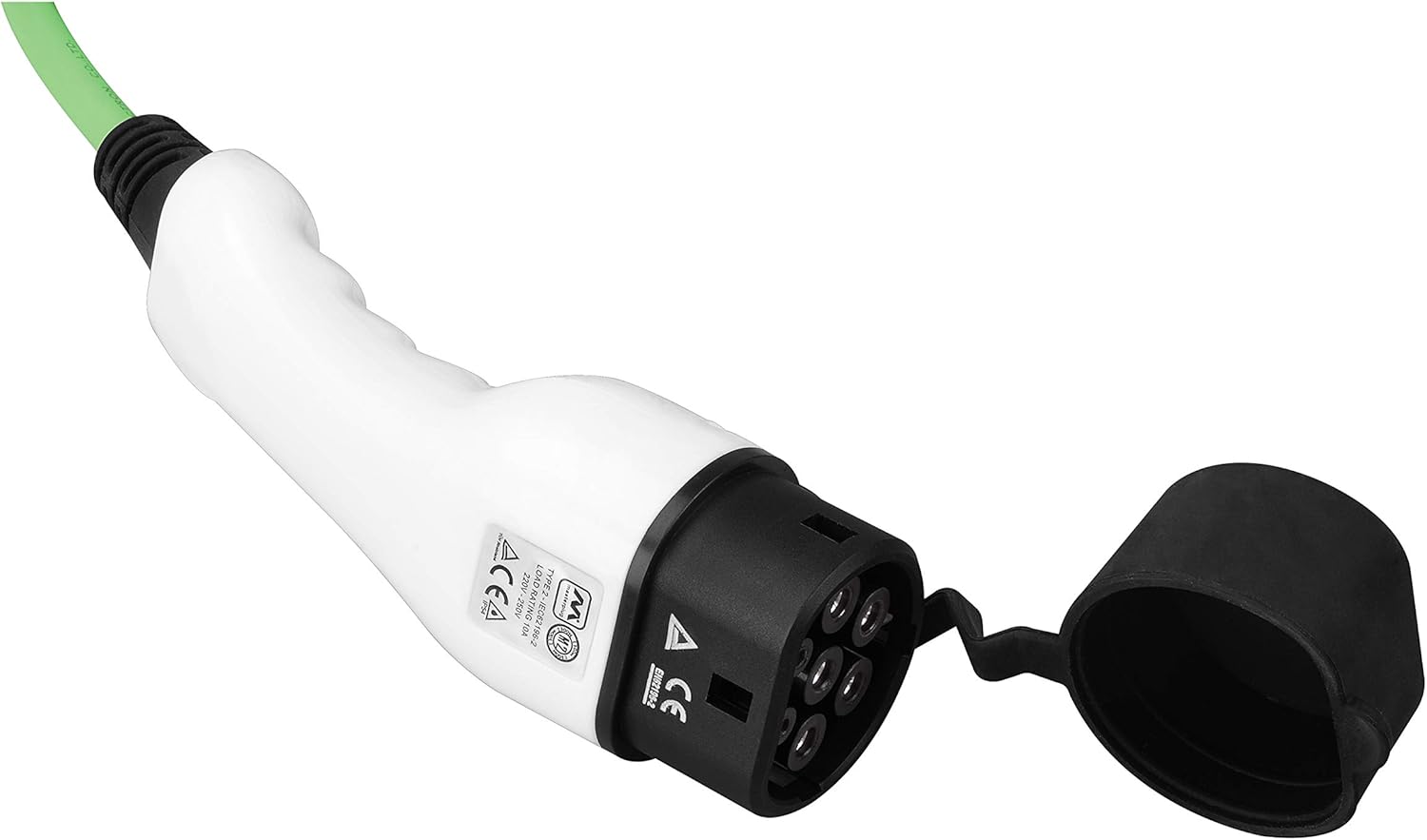
Image 3: Close-up of the Type 2 Connector. This image shows the detailed design of the Type 2 connector, including its pins and the protective cap.
4. คำแนะนำในการตั้งค่า
- คลายสายเคเบิลออก: Fully uncoil the entire 10-meter charging cable to prevent heat buildup during operation.
- เชื่อมต่อกับเต้ารับไฟฟ้า: Insert the 3-pin plug firmly into a standard, earthed 240V AC domestic power outlet. Ensure the outlet is in good condition and not overloaded.
- เตรียมยานพาหนะ: โปรดตรวจสอบให้แน่ใจว่ารถยนต์ไฟฟ้าของคุณปิดเครื่องแล้ว และฝาปิดช่องเสียบชาร์จเปิดอยู่
- เชื่อมต่อกับยานพาหนะ: Insert the Type 2 connector into your vehicle's charging inlet. Push firmly until it clicks into place. The vehicle will typically lock the connector in place.

Image 4: Charging Cable Connected to an Electric Vehicle. This image illustrates the Type 2 connector securely plugged into the charging port of a white electric vehicle.
5. คู่มือการใช้งาน
Once both ends of the cable are securely connected, the charging process will typically begin automatically. The inline power controller's LED display will indicate the charging status.
- เริ่มการชาร์จ: After connecting the cable to both the power source and the vehicle, the control box will perform a self-check, and charging will commence.
- ตรวจสอบการชาร์จ: Observe the LED indicator on the control box and your vehicle's dashboard for charging status. The cable charges at 10 A/2.3 kW, providing an average of 8 miles range per charging hour.
- การเสร็จสิ้นการชาร์จ: The cable will automatically stop charging when the vehicle's battery is full. The LED indicator will change to reflect this status.
- การตัดการเชื่อมต่อ:
- First, unlock the Type 2 connector from your vehicle (if applicable, refer to your vehicle's manual).
- Remove the Type 2 connector from the vehicle's charging inlet.
- Unplug the 3-pin plug from the domestic power outlet.
- Carefully coil the cable for storage.
6. ไฟแสดงสถานะ LED
The inline power controller features an LED display to communicate the charging status. Specific indications may vary slightly, but generally follow these patterns:
| สถานะ LED | ความหมาย |
|---|---|
| สีเขียวทึบ | Power connected, ready to charge. |
| ไฟกระพริบสีเขียว | กำลังชาร์จ |
| Solid Blue/Cyan | Charging complete or vehicle fully charged. |
| Solid Red / Flashing Red | Error detected. Refer to the Troubleshooting section. |
Note: Consult your vehicle's manual for specific charging indicators on your dashboard.
7. การบำรุงรักษา
- การทำความสะอาด: Wipe the cable and connectors with a dry or slightly damp ใช้ผ้าเช็ดทำความสะอาด ห้ามใช้สารเคมีรุนแรงหรือน้ำยาทำความสะอาดที่มีฤทธิ์กัดกร่อน ตรวจสอบให้แน่ใจว่าขั้วต่อแห้งสนิทก่อนใช้งาน
- พื้นที่จัดเก็บ: Store the cable in a dry, cool place, away from direct sunlight and extreme temperatures. Coil the cable neatly to prevent kinks or damage.
- การตรวจสอบ: Regularly inspect the cable, plugs, and control box for any signs of damage, wear, or corrosion. If any damage is found, discontinue use immediately.
8 การแก้ไขปัญหา
หากคุณพบปัญหาเกี่ยวกับสายชาร์จ โปรดดูปัญหาทั่วไปและวิธีแก้ไขต่อไปนี้:
| ปัญหา | สาเหตุที่เป็นไปได้ | สารละลาย |
|---|---|---|
| No charging / Red LED indicator |
|
|
| ชาร์จช้า |
|
|
| Cable or plug feels warm |
|
|
If troubleshooting steps do not resolve the issue, discontinue use and contact Masterplug customer support.
9. ข้อมูลจำเพาะ
| คุณสมบัติ | รายละเอียด |
|---|---|
| หมายเลขรุ่น | EVCP21310SLMP |
| ยี่ห้อ | มาสเตอร์ปลั๊ก |
| ความยาวสายเคเบิล | 10 เมตร |
| ประเภทตัวเชื่อมต่อ (ยานพาหนะ) | ประเภทที่ 2 |
| ประเภทขั้วต่อ (ไฟฟ้า) | 3-Pin UK Plug (13A Fused) |
| โหมดการชาร์จ | โหมด 2 |
| อินพุต Voltage | AC 240 โวลต์ |
| กระแสไฟชาร์จ / กำลังไฟ | 10 A / 2.3 กิโลวัตต์ |
| ระดับการป้องกันน้ำและฝุ่น (IP) | IP54 (ทนน้ำและฝุ่น) |
| ขนาดสินค้า | 14.57 x 14.57 x 3.03 inches (Control Box/Packaged) |
| น้ำหนักสินค้า | 6.27 ปอนด์ (2.85 กิโลกรัม) |
10. การรับประกันและการสนับสนุน
Masterplug, part of Luceco PLC, guarantees against faulty materials and workmanship. For specific warranty terms and conditions, please refer to the documentation provided with your purchase or visit the official Masterplug webเว็บไซต์.
For technical support or warranty claims, please contact Masterplug customer service. Ensure you have your product model number (EVCP21310SLMP) and proof of purchase available.
ผู้ผลิต: มาสเตอร์ปลั๊ก


