การแนะนำ
The Mophie powerstation 10,000mAh is a portable universal battery designed to charge smartphones, tablets, and other USB-C and USB-A compatible devices. Its compact design and high capacity ensure your devices stay powered on the go.
เนื้อหาแพ็คเกจ
- Mophie powerstation 10,000mAh
- สายชาร์จ
- คู่มือเริ่มต้นอย่างรวดเร็ว
สินค้าเกินview
Familiarize yourself with the Mophie powerstation's features and ports.

ภาพ: มุม view of the Mophie powerstation, showing the USB-C input/output port, USB-A output port, and LED indicator lights.

ภาพ: Close-up of the Mophie powerstation's ports, clearly showing the USB-C and USB-A ports.
- พอร์ต USB-C: Used for both charging the powerstation and charging compatible devices.
- พอร์ต USB-A: ใช้สำหรับชาร์จอุปกรณ์ที่รองรับ
- ไฟ LED แสดงสถานะ: Four lights display the charging status and current battery life.
- ปุ่มเปิด/ปิด: Activates the LED power indicator to check battery level.
Setup: Charging the powerstation
- Connect the provided charging cable to the USB-C port on the Mophie powerstation.
- ต่อปลายอีกด้านของสายชาร์จเข้ากับอะแดปเตอร์ติดผนัง USB ที่ใช้งานร่วมกันได้ (ไม่ได้รวมอยู่ในชุด) หรือพอร์ต USB ของคอมพิวเตอร์
- The LED indicators will illuminate to show the charging progress. All four LEDs will be solid when the powerstation is fully charged.
It is recommended to fully charge the powerstation before its first use.
Operating: Charging Your Devices
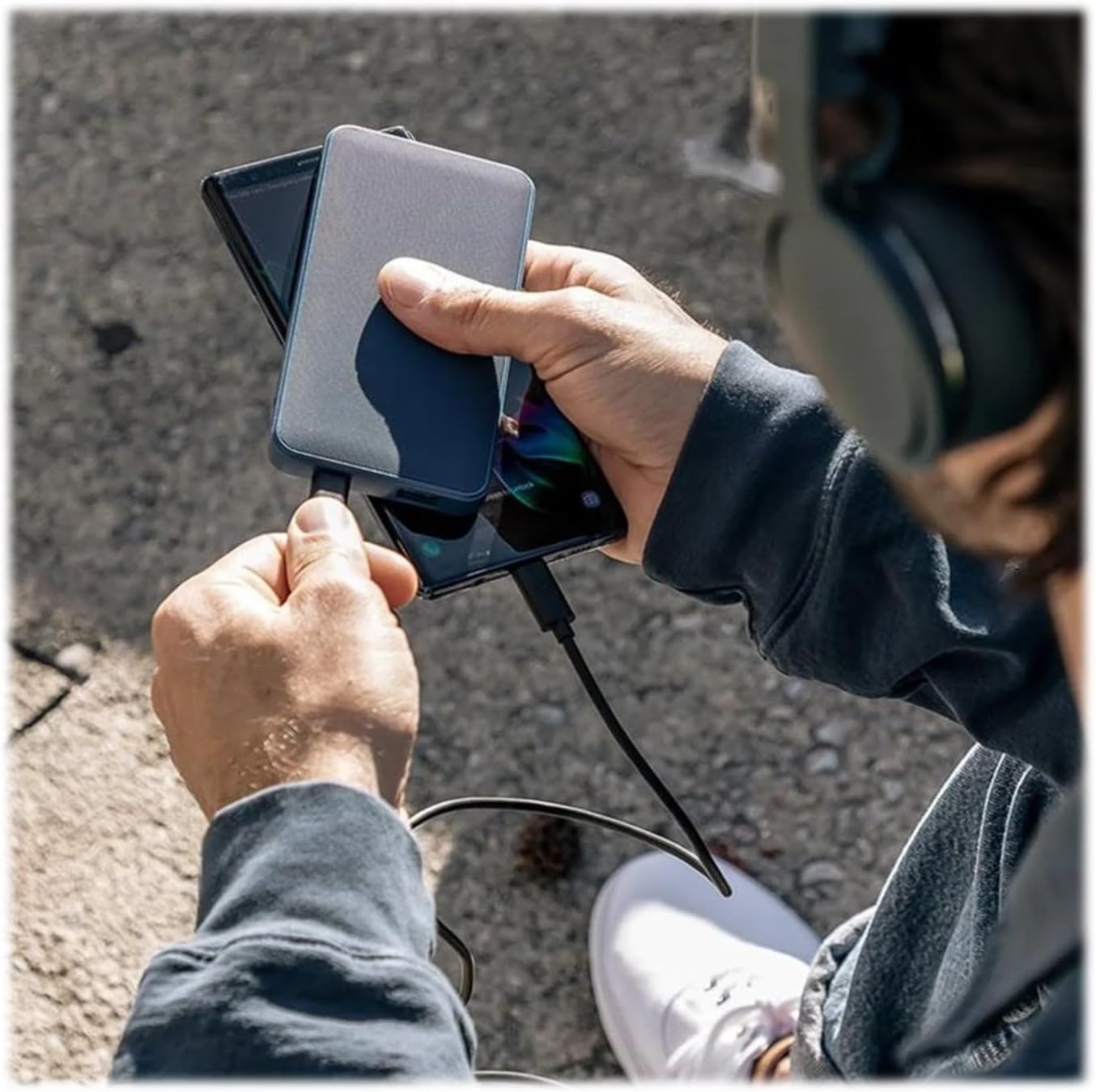
ภาพ: A person holding the Mophie powerstation and a smartphone, demonstrating simultaneous device charging.
- Connect your device's charging cable to either the USB-C or USB-A output port on the powerstation.
- เชื่อมต่อปลายสายอีกด้านเข้ากับอุปกรณ์ของคุณ
- The powerstation will automatically begin charging your device. If charging does not start, press the power button on the powerstation.
- You can charge multiple devices simultaneously by utilizing both the USB-C and USB-A ports.
คู่มือไฟ LED แสดงสถานะ
The four LED lights on the powerstation indicate the battery's charge level and charging status:
- ไฟส่องสว่างสี่ดวง: 75-100% เรียกเก็บ
- ไฟส่องสว่างสามดวง: 50-75% เรียกเก็บ
- ไฟส่องสว่างสองดวง: 25-50% เรียกเก็บ
- แสงสว่างที่สม่ำเสมอ: 0-25% เรียกเก็บ
- ไฟกระพริบ: Indicates the powerstation is currently charging.
ข้อมูลจำเพาะ
| คุณสมบัติ | รายละเอียด |
|---|---|
| หมายเลขรุ่น | 401102947 |
| ความจุของแบตเตอรี่ | 10,000mAh |
| ขนาดสินค้า | 2.83 x 0.65 x 5.47 นิ้ว |
| น้ำหนักสินค้า | 5.4 ออนซ์ |
| ประเภทขั้วต่อ | USB ประเภท C, USB ประเภท A |
| สี | สีดำ |
| คุณสมบัติพิเศษ | น้ำหนักเบา พกพาสะดวก |
การซ่อมบำรุง
- ควรเก็บเครื่องผลิตไฟฟ้าให้แห้งและห่างจากความชื้น
- หลีกเลี่ยงอุณหภูมิที่สูงหรือต่ำเกินไป (ร้อนหรือเย็นเกินไป)
- ทำความสะอาดอุปกรณ์ด้วยผ้านุ่มและแห้ง ห้ามใช้สารเคมีรุนแรงหรือวัสดุที่มีฤทธิ์กัดกร่อน
- เก็บไว้ในที่แห้งและเย็นเมื่อไม่ได้ใช้งาน
การแก้ไขปัญหา
- Powerstation not charging: Ensure the charging cable is securely connected to both the powerstation's USB-C port and the power source. Try a different wall adapter or USB port.
- Device not charging from powerstation: Ensure your device's cable is securely connected to both the powerstation and your device. Press the power button on the powerstation to initiate charging. Verify the powerstation has sufficient charge.
- การชาร์จช้า: Ensure you are using appropriate cables and a compatible wall adapter for optimal charging speeds.
ข้อมูลด้านความปลอดภัย
- Do not expose the powerstation to fire or extreme heat.
- Do not puncture, crush, or drop the powerstation.
- Do not disassemble or attempt to repair the powerstation.
- เก็บให้พ้นจากมือเด็ก
- Dispose of the powerstation responsibly according to local regulations.
การรับประกันและการสนับสนุน
For warranty information and customer support, please refer to the official Mophie webคุณสามารถเยี่ยมชมเว็บไซต์หรือติดต่อฝ่ายบริการลูกค้าได้ ร้าน Mophie บน Amazon สำหรับรายละเอียดผลิตภัณฑ์เพิ่มเติมและทรัพยากรสนับสนุน


