1. สินค้าหมดview
The myCharge HubMax HBLC10V is a portable power bank designed to charge various mobile devices. It features an internal 10050mAh battery, built-in Lightning and USB-C cables, and an integrated foldable wall plug for convenient recharging.

Image 1.1: The myCharge HubMax HBLC10V portable charger, showcasing its compact design with integrated Lightning and USB-C cables, and a foldable wall plug.
2. เนื้อหาบรรจุภัณฑ์
- myCharge HubMax HBLC10V Portable Charger
- สาย Lightning แบบบูรณาการ
- สาย USB-C แบบบูรณาการ
- Integrated Wall Plug
3. การตั้งค่าและการชาร์จครั้งแรก
Before first use, it is recommended to fully charge your myCharge HubMax HBLC10V.
- Locate the Wall Plug: Extend the foldable wall prongs located on the side of the device.
- เชื่อมต่อกับพลังงาน: Plug the device directly into a standard AC wall outlet.
- ตรวจสอบการชาร์จ: The LED indicator lights on the device will illuminate to show the charging status. A full charge typically takes approximately 4.6 hours. All indicator lights will be solid when fully charged.
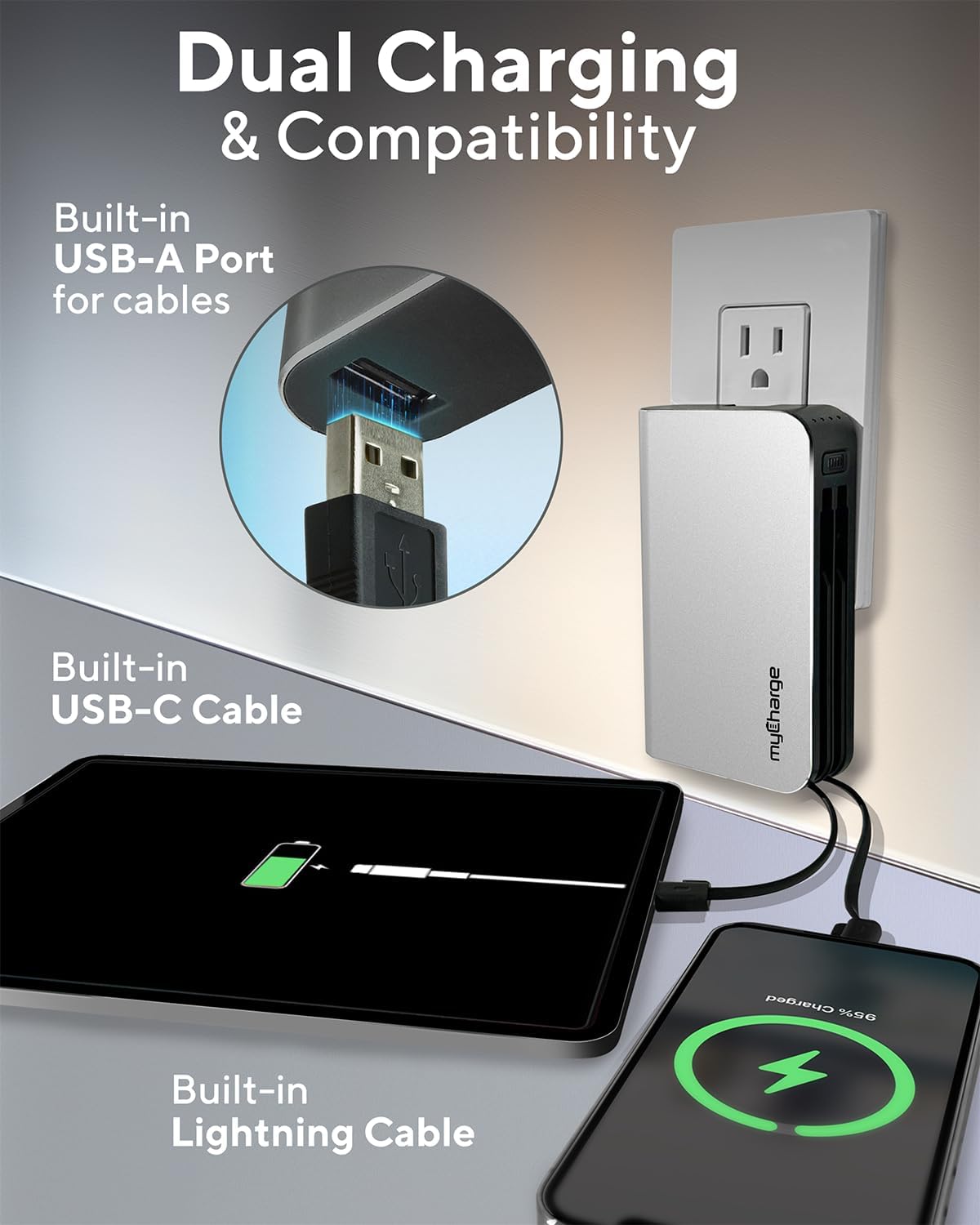
Image 3.1: The myCharge HubMax HBLC10V connected to a wall outlet for recharging, illustrating its integrated wall plug and multiple charging outputs.
4. คู่มือการใช้งาน
The myCharge HubMax HBLC10V allows you to charge up to three devices simultaneously.
4.1 Charging Devices with Built-in Cables
- ระบุสายเคเบิล: Select the appropriate built-in cable for your device (Lightning for Apple devices, USB-C for compatible Android and other devices).
- เชื่อมต่ออุปกรณ์: Plug the selected cable directly into your mobile device's charging port.
- เริ่มต้นการชาร์จ: The myCharge HubMax will automatically begin charging your device. The LED indicator lights will show the remaining battery level of the power bank.
4.2 Charging a Third Device via USB-A Port
For devices requiring a standard USB-A connection, use the integrated USB-A port.
- Connect Your Cable: Plug your device's USB-A charging cable (not included) into the USB-A port on the myCharge HubMax.
- เชื่อมต่ออุปกรณ์: Plug the other end of your cable into your mobile device.
- เริ่มต้นการชาร์จ: การชาร์จจะเริ่มโดยอัตโนมัติ

ภาพที่ 4.1: รายละเอียด view of the myCharge HubMax HBLC10V, emphasizing its all-in-one design with built-in wall prongs, Lightning and USB-C cables, and an additional USB-A port for charging up to three devices.
4.3 ความสามารถในการชาร์จเร็ว
The HubMax supports Power Delivery and Quick Charge 3.0 via its USB-C cable, enabling faster charging for compatible devices. This can charge devices up to 2.4 times faster than standard chargers.
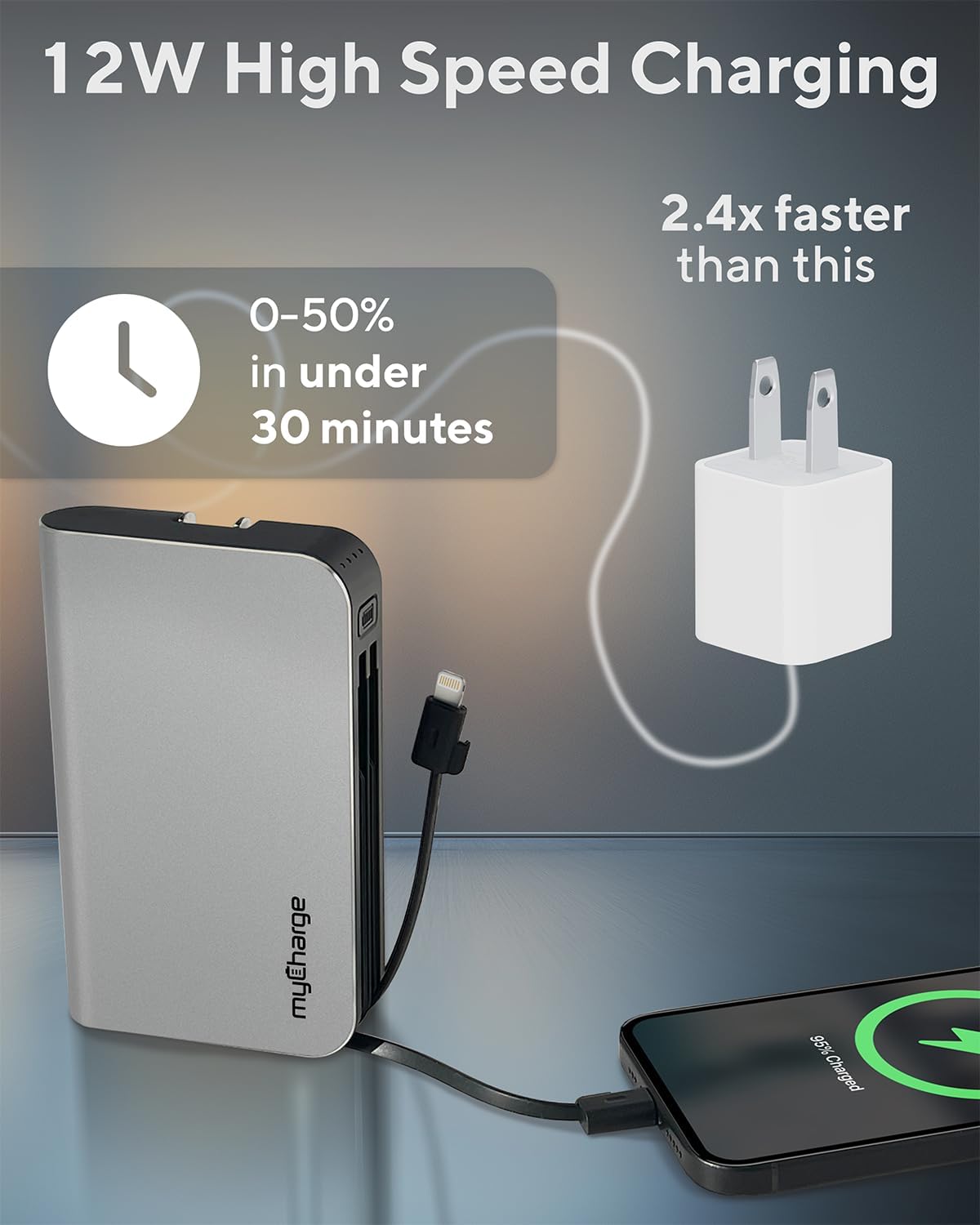
Image 4.2: The myCharge HubMax HBLC10V demonstrating its 12W high-speed charging capability, capable of charging a device from 0% to 50% in under 30 minutes.
5. การบำรุงรักษาและการดูแล
- พื้นที่จัดเก็บ: เก็บพาวเวอร์แบงค์ไว้ในที่แห้งและเย็น หลีกเลี่ยงแสงแดดโดยตรงและอุณหภูมิที่สูงหรือต่ำเกินไป
- การทำความสะอาด: ใช้ผ้าแห้งเนื้อนุ่มทำความสะอาดด้านนอกของอุปกรณ์ หลีกเลี่ยงการใช้สารเคมีที่รุนแรงหรือวัสดุที่มีฤทธิ์กัดกร่อน
- การจัดการ: Handle the device with care. Avoid dropping it or subjecting it to strong impacts, as this can damage internal components and shorten its lifespan.
- อายุการใช้งานแบตเตอรี่: เพื่อสุขภาพแบตเตอรี่ที่ดีที่สุด ควรหลีกเลี่ยงการใช้พาวเวอร์แบงค์จนหมดเกลี้ยงบ่อยๆ ควรชาร์จเมื่อระดับแบตเตอรี่เหลือน้อย
6 การแก้ไขปัญหา
If you encounter issues with your myCharge HubMax HBLC10V, refer to the following common solutions:
- อุปกรณ์ไม่ชาร์จ:
- Ensure the myCharge HubMax itself is sufficiently charged. Check the LED indicators.
- Verify that the built-in cable or your external USB-A cable is securely connected to both the power bank and your device.
- Try a different device or cable to rule out issues with the connected device or cable.
- การชาร์จช้า:
- Ensure your device supports fast charging protocols (Power Delivery, Quick Charge 3.0) to benefit from the HubMax's fast charging capabilities.
- การชาร์จอุปกรณ์หลายเครื่องพร้อมกันอาจทำให้ความเร็วในการชาร์จของแต่ละอุปกรณ์ลดลง
- ตรวจสอบว่าสายชาร์จชำรุดหรือไม่
- พาวเวอร์แบงค์ไม่ชาร์จ:
- Ensure the wall plug is fully extended and securely inserted into a working AC wall outlet.
- ลองใช้เต้ารับไฟผนังอื่น
If problems persist, please contact myCharge customer support for further assistance.
7. ข้อมูลจำเพาะ
| คุณสมบัติ | รายละเอียด |
|---|---|
| หมายเลขรุ่น | HBLC10V |
| ความจุของแบตเตอรี่ | 10050 mAh (ลิเธียมไอออน) |
| ขนาดสินค้า | 2.8 x 0.9 x 4.6 นิ้ว |
| น้ำหนักสินค้า | 10.2 ออนซ์ |
| สายเคเบิลในตัว | สายฟ้า, USB-C |
| Additional Port | ยูเอสบี-เอ |
| เวลาชาร์จ | Approx. 4.6 hours (via integrated wall plug) |
| คุณสมบัติพิเศษ | Integrated Wall Plug, Fast Charging (PD, QC 3.0) |
| ผู้ผลิต | มายชาร์จ |
8. การรับประกันและการสนับสนุน
myCharge products are typically covered by a manufacturer's warranty. For specific warranty details, registration, or to initiate a warranty claim, please refer to the official myCharge webไซต์หรือติดต่อฝ่ายสนับสนุนลูกค้าโดยตรง
For technical assistance, troubleshooting not covered in this manual, or general inquiries, please visit the myCharge support page or contact their customer service department.
Note: Warranty terms and support availability may vary. Always refer to the latest information provided by the manufacturer.


