1. บทนำ
This manual provides comprehensive instructions for the Meetion K9420 RGB Custom Macro Pro Membrane Gaming Keyboard. Please read this manual carefully before using the product to ensure proper operation and to maximize your gaming and productivity experience. This keyboard features programmable RGB backlighting, custom macro keys, and multimedia shortcuts designed for enhanced user interaction.
2. การตั้งค่า
2.1 เนื้อหาบรรจุภัณฑ์
- Meetion K9420 RGB Custom Macro Pro Membrane Gaming Keyboard
- คู่มือการใช้งาน (เอกสารนี้)
2.2 การเชื่อมต่อคีย์บอร์ด
- Unpack the Meetion K9420 keyboard from its packaging.
- ค้นหาพอร์ต USB ที่มีอยู่ในคอมพิวเตอร์ของคุณ
- เสียบขั้วต่อ USB ของคีย์บอร์ดเข้ากับพอร์ต USB
- Your operating system will automatically detect and install the necessary drivers. No additional driver installation is typically required for basic functionality.
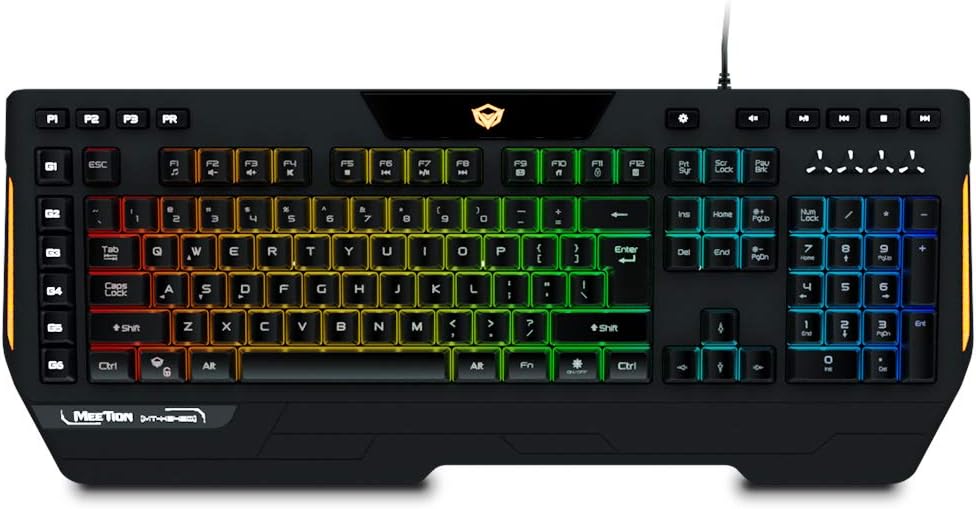
รูปที่ 2.1: The Meetion K9420 RGB Custom Macro Pro Membrane Gaming Keyboard. This image displays the full layout of the keyboard, including the main alphanumeric keys, function keys, numeric keypad, and dedicated macro keys, all illuminated with RGB backlighting.
2.3 การติดตั้งซอฟต์แวร์ (ทางเลือก)
For advanced customization, such as detailed RGB effects and macro programming, Meetion may provide dedicated software. Please visit the official Meetion website to check for and download the latest software for the K9420 model. Follow the on-screen instructions for installation.
3. คู่มือการใช้งาน
3.1 ฟังก์ชันหลักพื้นฐาน
The Meetion K9420 features a standard 104-key layout with additional dedicated keys for enhanced functionality.
- ปุ่มมาตรฐาน: Function as a typical keyboard for typing and general computer use.
- ป้องกันภาพซ้อน: The keyboard supports full key anti-ghosting, ensuring that multiple simultaneous key presses are registered accurately, which is crucial for gaming.
- ล็อคคีย์ Windows: A dedicated key allows you to disable the Windows key to prevent accidental presses during gameplay.
รูปที่ 3.1: เกินview of the Meetion K9420's programmable features. This image highlights the palm rest, Windows key lock, anti-ghosting for 19 keys, 4 macro keys, 6 macro keys, multimedia keys, voice response backlight effect, arrow function change to WASD, and modern design elements.
3.2 การควบคุมไฟแบ็คไลท์ RGB
The keyboard features customizable RGB backlighting. Specific keys or key combinations are used to cycle through various lighting modes, adjust brightness, and change colors. Refer to the keyboard's dedicated software for advanced customization options.
3.3 การเขียนโปรแกรมคีย์แมโคร
The K9420 includes dedicated macro keys (G1-G6) that can be programmed to execute complex commands or sequences of actions with a single press. Programming is typically done through the Meetion software. Follow the software's instructions to record and assign macros.
3.4 ทางลัดมัลติมีเดีย
The keyboard integrates 12 multimedia shortcuts, usually accessible via the 'Fn' key combined with the F1-F12 keys. These shortcuts allow quick control over media playback, volume, and other system functions.
3.5 การออกแบบตามหลักสรีรศาสตร์
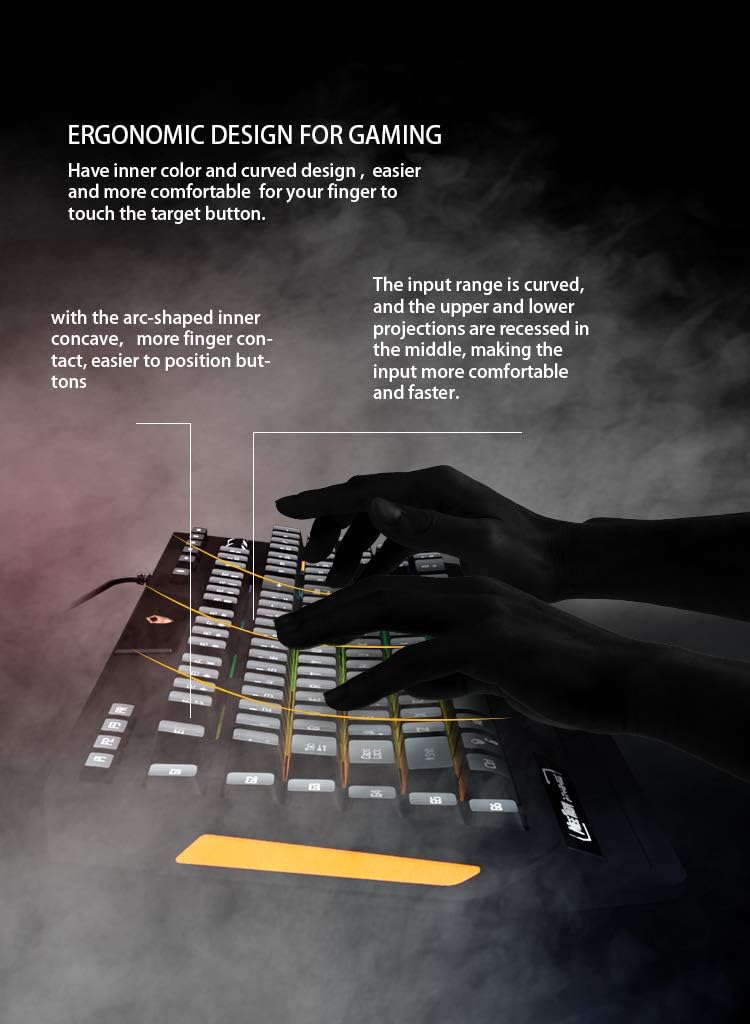
The keyboard is designed with an ergonomic structure, including a dedicated palm rest, to enhance comfort during extended use.
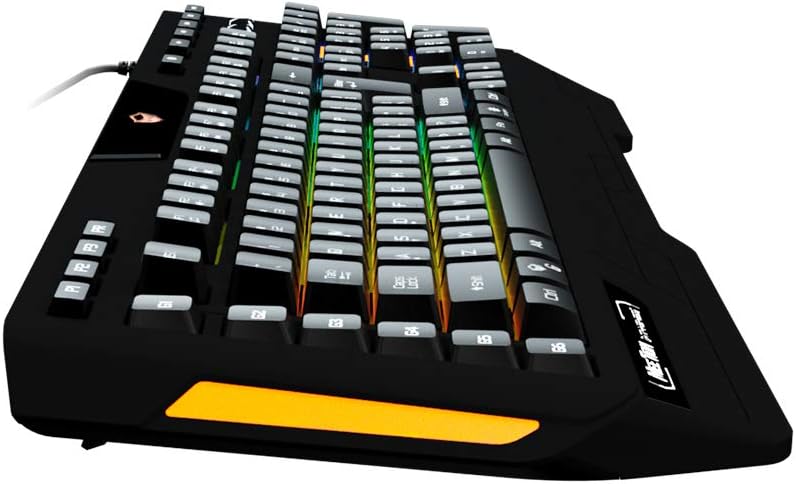
รูปที่ 3.2: The dedicated palm rest of the Meetion K9420 keyboard. This feature is designed to provide comfortable support for the user's wrist, reducing strain during prolonged use.

รูปที่ 3.3: Illustration of the ergonomic design of the Meetion K9420 keyboard. This image highlights the curved input range and recessed upper and lower projections, which contribute to a more comfortable and efficient typing experience.
4. การบำรุงรักษา
4.1 การทำความสะอาดแป้นพิมพ์
- ถอดแป้นพิมพ์ออกจากคอมพิวเตอร์ของคุณก่อนทำความสะอาด
- ใช้ผ้าแห้งนุ่มเช็ดทำความสะอาดพื้นผิวแป้นพิมพ์
- สำหรับสิ่งสกปรกที่ฝังแน่น ง. เบา ๆampชุบผ้าด้วยน้ำหรือน้ำยาทำความสะอาดอ่อนๆ ที่ไม่กัดกร่อน หลีกเลี่ยงความชื้นที่มากเกินไป
- ใช้ลมอัดเพื่อกำจัดฝุ่นและเศษต่างๆ ออกจากระหว่างปุ่มต่างๆ
- Do not immerse the keyboard in any liquid.
4.2 การดูแลทั่วไป
- หลีกเลี่ยงการให้แป้นพิมพ์สัมผัสกับอุณหภูมิที่สูงหรือต่ำเกินไป แสงแดดโดยตรง หรือความชื้นสูง
- อย่าทำตกหรือให้แป้นพิมพ์ได้รับแรงกระแทกรุนแรง
- ควรเก็บของเหลวให้ห่างจากแป้นพิมพ์เพื่อป้องกันความเสียหาย
5 การแก้ไขปัญหา
If you encounter issues with your Meetion K9420 keyboard, please refer to the following common solutions:
- แป้นพิมพ์ไม่ตอบสนอง: ตรวจสอบให้แน่ใจว่าสาย USB เชื่อมต่อกับทั้งคีย์บอร์ดและคอมพิวเตอร์อย่างแน่นหนา ลองใช้พอร์ต USB อื่น รีสตาร์ทคอมพิวเตอร์
- แสง RGB ไม่ทำงานหรือไม่ถูกต้อง: Check if the lighting is enabled via the keyboard's dedicated key. If using software, ensure it is running and configured correctly.
- Macros not functioning: Verify that the macros are correctly programmed in the Meetion software. Ensure the software is running in the background if required for macro execution. Some reviews indicate potential software limitations with certain key combinations (e.g., Alt, Ctrl, Windows key).
- กุญแจไม่ลงทะเบียน: Clean the affected keys to remove any debris. If the issue persists, it may indicate a hardware fault.
- ปัญหาด้านซอฟต์แวร์: If the Meetion software is not working correctly, try reinstalling it from the official Meetion webตรวจสอบให้แน่ใจว่าระบบปฏิบัติการของคุณเป็นเวอร์ชันล่าสุด
6. ข้อมูลจำเพาะ
The Meetion K9420 is a membrane gaming keyboard with the following key specifications:

รูปที่ 6.1: ระเบิด view diagram of the Meetion K9420's membrane mechanism. This illustration details the layers of the keyboard, including key caps, upper case, silicone membrane, top PCB layer, backlight layer, bottom PCB layer, metal plate, and bottom case, demonstrating its construction.
| คุณสมบัติ | คำอธิบาย |
|---|---|
| หมายเลขรุ่น | เอ็มที-เค9420 |
| การเชื่อมต่อ | ยูเอสบี |
| ประเภทแป้นพิมพ์ | คีย์บอร์ดเกมเมมเบรน |
| แสงไฟแบ็คไลท์ | RGB ที่สามารถตั้งโปรแกรมได้ |
| ปุ่มมาโคร | Dedicated, Programmable |
| ป้องกันการโดนผีหลอก | ป้องกันการกดซ้ำแบบเต็มปุ่ม |
| ทางลัดมัลติมีเดีย | 12 |
| ฝ่ามือ | บูรณาการ |
| ขนาด | ขนาดประมาณ 52.07 x 24.76 x 4.44 ซม |
| น้ำหนัก | ประมาณ 990 กรัม |
| อุปกรณ์ที่รองรับ | พีซีและโน๊ตบุ๊ค |
7. การรับประกันและการสนับสนุน
Meetion products typically come with a standard manufacturer's warranty. For specific warranty terms and conditions, please refer to the warranty card included with your product or visit the official Meetion website. For technical support, driver downloads, or further assistance, please contact Meetion customer service through their official channels.
เป็นทางการ Webเว็บไซต์: www.meetion.com (โปรดตรวจสอบความถูกต้องอีกครั้ง) URL for support and downloads)


