การแนะนำ
This manual provides detailed instructions for the Superior Electronics Ready5 Smart Universal Remote Control, Model SUPTRB019. This remote is designed for immediate use with a wide range of LG, Samsung, Sony, Philips, and Panasonic televisions, eliminating the need for complex programming.
คุณสมบัติที่สำคัญ ได้แก่:
- Universal compatibility with major TV brands (LG, Samsung, Sony, Philips, Panasonic).
- Ready-to-use functionality; no programming required.
- Full Smart TV compatibility for enhanced control.
- Dedicated quick access buttons for popular streaming services like Netflix and Prime Video.
- Ergonomic design with intuitive button layout for comfortable and immediate operation.
- สร้างจากวัสดุที่ทนทานเพื่อประสิทธิภาพที่ยาวนาน

Image: The Superior Electronics Ready5 Smart Universal Remote Control shown in its retail packaging, highlighting its "Ready to Use" feature and compatibility with various TV brands.
การตั้งค่า
1. การใส่แบตเตอรี่
The remote control requires two (2) AAA batteries (not included). Follow these steps to insert them correctly:
- ค้นหาฝาปิดช่องใส่แบตเตอรี่ที่ด้านหลังของรีโมทคอนโทรล
- เลื่อนฝาครอบลงหรือกดที่สลัก (ถ้ามี) เพื่อเปิดช่อง
- Insert two AAA batteries, ensuring that the positive (+) and negative (-) terminals align with the indicators inside the compartment. Incorrect polarity can prevent the remote from functioning.
- เลื่อนฝาปิดช่องใส่แบตเตอรี่กลับเข้าที่จนกระทั่งล็อคเข้าที่อย่างแน่นหนา

ภาพ: ด้านหลัง view of the remote control, illustrating the location of the battery compartment for easy access and battery insertion.
2. การใช้งานครั้งแรก
The Superior Electronics Ready5 Smart remote control is designed for immediate use with compatible LG, Samsung, Sony, Philips, and Panasonic TVs. Once the batteries are correctly inserted, the remote is ready to operate your television without any additional programming or setup. Simply point the remote at your TV and begin using its functions.
คำแนะนำการใช้งาน
This section details the primary functions of the buttons on your Ready5 Smart remote control.

ภาพ: ด้านหน้า view of the Superior Electronics Ready5 Smart remote control, displaying all buttons and their layout for easy identification.
ฟังก์ชั่นปุ่มโอเวอร์view
| ปุ่ม | การทำงาน |
|---|---|
| พลัง (●) | เปิดหรือปิดทีวี |
| ป้อนข้อมูล | เลือกแหล่งสัญญาณเข้า (HDMI, AV เป็นต้น) |
| Smart Video / NET.TV | Direct access to Smart TV features or specific streaming apps. |
| 3D | เปิดใช้งานหรือปิดใช้งานโหมด 3D (หากทีวีรองรับ) |
| แนะนำ | แสดงคู่มือรายการทางอิเล็กทรอนิกส์ |
| เมนู | เปิดเมนูหลักของทีวี |
| เรื่องย่อย | เปิดหรือปิดคำบรรยาย |
| รายการโปรด | เข้าถึงรายการช่องโปรด |
| ข้อมูล | แสดงข้อมูลเกี่ยวกับโปรแกรมหรืออินพุตปัจจุบัน |
| การนำทาง (ขึ้น, ลง, ซ้าย, ขวา, ตกลง) | นำทางผ่านเมนูและยืนยันการเลือก |
| กลับ | กลับไปที่หน้าจอหรือเมนูก่อนหน้า |
| ทางออก | ออกจากเมนูหรือแอพพลิเคชันปัจจุบัน |
| ปริมาตร +/- | ปรับระดับเสียงขึ้นหรือลง |
| ปิดเสียง | ปิดเสียงหรือเปิดเสียงทีวี |
| Ch +/- | เปลี่ยนช่องขึ้นหรือลง |
| แป้นตัวเลข (0-9) | Directly enters channel numbers or numerical inputs. |
| รายการ | Displays a list of channels or media. |
| เน็ตฟลิกซ์ | เปิดแอปพลิเคชัน Netflix โดยตรง |
| ไพรม์วิดีโอ | Directly launches the Amazon Prime Video application. |
| ปุ่มสี (แดง, เขียว, เหลือง, น้ำเงิน) | Functions vary depending on the TV model and current menu/application. |
| Media Control (Play, Pause, Stop, Rewind, Fast Forward, Record) | ควบคุมการเล่นสื่อ (เช่น USB, แอปสตรีมมิ่ง) |
Smart TV and Streaming Access
The Ready5 Smart remote is designed to seamlessly integrate with your Smart TV's functionalities. Use the navigation buttons to browse Smart TV menus and applications. The dedicated Netflix and Prime Video buttons provide instant access to these popular streaming platforms, allowing you to start watching your favorite content with a single press.
การซ่อมบำรุง
การทำความสะอาดรีโมทคอนโทรล
เพื่อให้แน่ใจว่ารีโมทคอนโทรลของคุณมีประสิทธิภาพสูงสุดและมีอายุการใช้งานยาวนาน ควรปฏิบัติตามคำแนะนำในการทำความสะอาดดังต่อไปนี้:
- ถอดแบตเตอรี่ออกทุกครั้งก่อนทำความสะอาด
- ใช้ผ้าแห้งนุ่มเช็ดทำความสะอาดพื้นผิวของรีโมท
- สำหรับสิ่งสกปรกฝังแน่น ให้เช็ดออกเล็กน้อยampชุบผ้าด้วยน้ำหรือน้ำยาทำความสะอาดอ่อนๆ ที่ไม่กัดกร่อน หลีกเลี่ยงความชื้นที่มากเกินไป
- ห้ามใช้สารเคมีรุนแรง น้ำยาทำความสะอาดที่มีฤทธิ์กัดกร่อน หรือตัวทำละลาย เพราะอาจทำให้สีหรือส่วนประกอบภายในของรีโมตเสียหายได้
- Ensure the remote is completely dry before reinserting batteries.
การดูแลรักษาและการเปลี่ยนแบตเตอรี่
Replace batteries when the remote's response becomes sluggish or it stops functioning. Always replace both batteries at the same time with new AAA batteries. Do not mix old and new batteries, or different types of batteries. Dispose of used batteries responsibly according to local regulations.
การแก้ไขปัญหา
If you encounter issues with your Ready5 Smart remote control, refer to the following common problems and solutions:
รีโมตไม่ตอบสนอง
- ตรวจสอบแบตเตอรี่: ตรวจสอบให้แน่ใจว่าใส่แบตเตอรี่ถูกต้องตามขั้ว (+/-) และแบตเตอรี่ไม่หมด หากจำเป็นให้เปลี่ยนเป็นแบตเตอรี่ AAA ใหม่
- แนวสายตา: Make sure there are no obstructions between the remote control and the TV's infrared receiver. Point the remote directly at the TV.
- ระยะทาง: ตรวจสอบให้แน่ใจว่าคุณอยู่ในระยะการทำงานที่มีประสิทธิภาพ (สูงสุด 10 เมตร)
- กำลังไฟทีวี: Confirm that your TV is powered on and not in standby mode.
ปุ่มบางปุ่มใช้งานไม่ได้
- ฟังก์ชันทั่วไป: If most buttons work but a few do not, it might indicate a specific TV model's lack of support for that particular function via universal remote, or a dirty contact under the button.
- Smart TV/Streaming Buttons: Ensure your TV is a Smart TV and has the respective applications (Netflix, Prime Video) installed and updated.
ปัญหาความเข้ากันได้
The Ready5 Smart remote is pre-programmed for LG, Samsung, Sony, Philips, and Panasonic TVs manufactured from 2000 onwards. If your TV is from a different brand or an older model, full functionality may not be guaranteed. No programming is required for the listed compatible brands.
ข้อมูลจำเพาะ
| คุณสมบัติ | รายละเอียด |
|---|---|
| ชื่อรุ่น | Ready5 Smart |
| หมายเลขรุ่น | ซัพทรีบี019 |
| ยี่ห้อ | อิเล็กทรอนิกส์ชั้นเยี่ยม |
| อุปกรณ์ที่รองรับ | LG, Samsung, Sony, Philips, Panasonic Televisions (models from 2000 onwards) |
| เทคโนโลยีการเชื่อมต่อ | อินฟาเรด (IR) |
| แหล่งพลังงาน | 2 x แบตเตอรี่ AAA (ไม่รวม) |
| ระยะสูงสุด | 10 เมตร (ประมาณ 33 ฟุต) |
| ขนาดสินค้า | 5 x 1.5 x 19 ซม. (ประมาณ 1.97 x 0.59 x 7.48 นิ้ว) |
| น้ำหนัก | 100 กรัม (ประมาณ 3.53 ออนซ์) |
| สี | สีดำ |
| คุณสมบัติพิเศษ | Universal, immediately ready for use (no programming) |
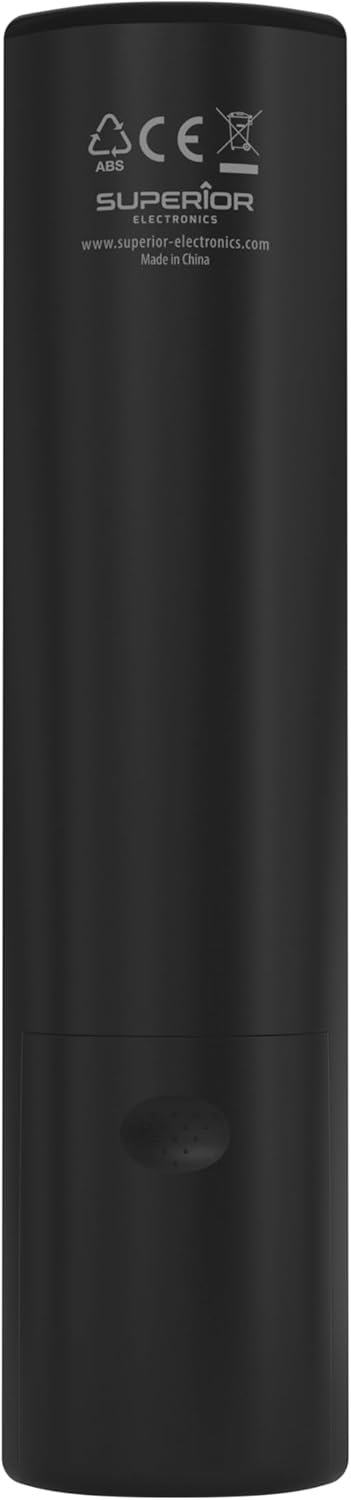
Image: The remote control with its approximate dimensions (4.8 cm width, 19.5 cm length) highlighted for reference.
ข้อมูลการรับประกัน
Specific warranty details for the Superior Electronics Ready5 Smart Universal Remote Control are typically provided with your purchase documentation or can be found on the official Superior Electronics webเว็บไซต์นี้ กรุณาดูข้อมูลเพิ่มเติมเกี่ยวกับเงื่อนไขการรับประกัน ข้อกำหนด และเงื่อนไขต่างๆ ได้จากแหล่งข้อมูลเหล่านี้
สนับสนุน
For further assistance, technical support, or additional product information, please visit the official Superior Electronics website or contact their customer service department. Contact details are usually available on the product packaging or the manufacturer's webเว็บไซต์.
Manufacturer: Superior Electronics
หากต้องการข้อมูลเพิ่มเติมสามารถเยี่ยมชมได้ที่ Superior Electronics Store on Amazon.


