1. บทนำ
This manual provides essential information for setting up, operating, maintaining, and troubleshooting your Samsung Galaxy A20e smartphone. Please read this manual carefully to ensure proper use and to maximize the device's features.
The Samsung Galaxy A20e offers an immersive 5.8-inch Infinity-V display, a versatile dual rear camera system, and a secure fingerprint reader. It is designed for everyday use with expandable storage and fast charging capabilities.
2. อะไรอยู่ในกล่อง
Upon unboxing your Samsung Galaxy A20e, verify that all the following components are included:
- Samsung Galaxy A20e Smartphone
- อะแดปเตอร์ชาร์จไฟ
- สายเคเบิล USB Type-C
- Audio Headphones with Microphone
- พินถอดซิม
- คู่มือเริ่มต้นอย่างรวดเร็วและข้อมูลการรับประกัน
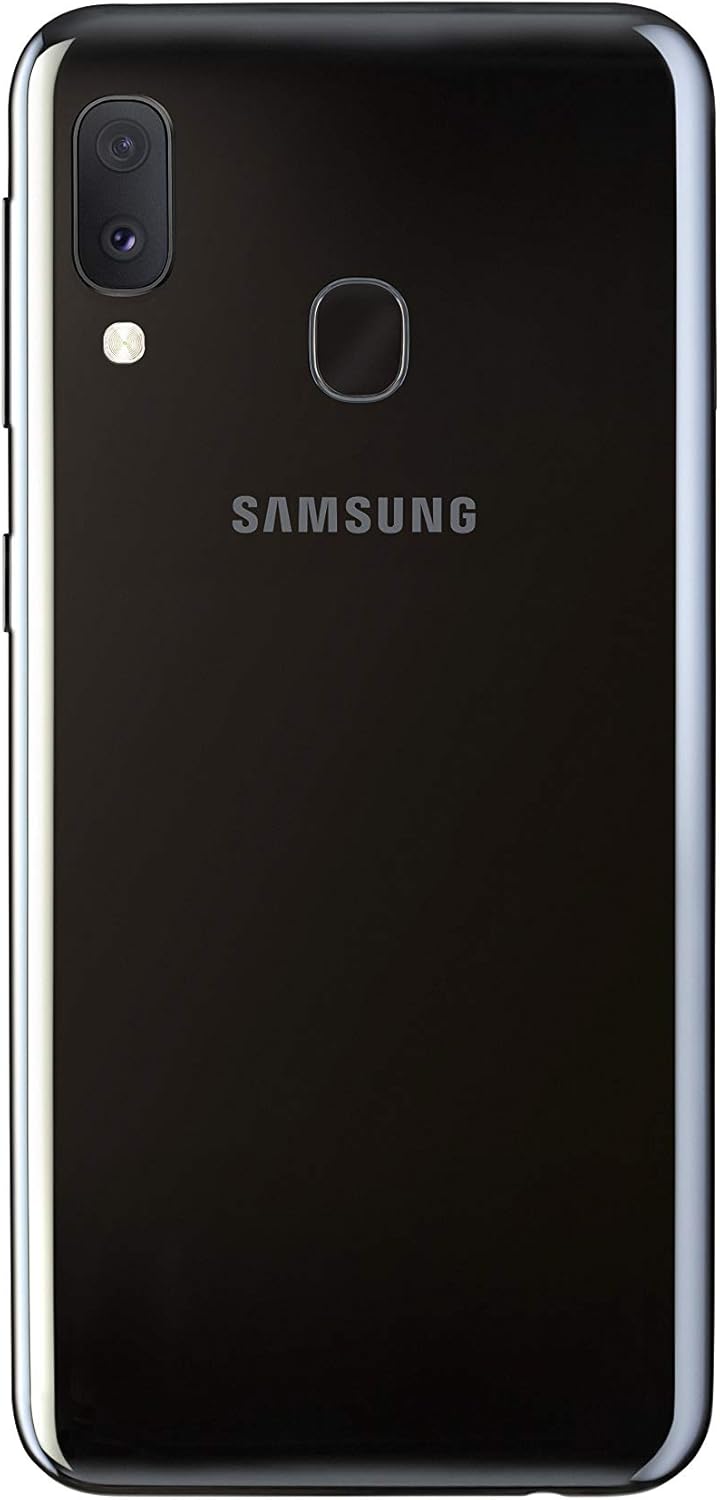
Image: Samsung Galaxy A20e smartphone and its standard accessories.
3. การตั้งค่าเริ่มต้น
3.1 การใส่ซิมการ์ดและการ์ด MicroSD
- ค้นหาถาดใส่การ์ด SIM ที่ด้านข้างอุปกรณ์ของคุณ
- ใส่หมุดถอดซิมเข้าไปในรูเล็กบนถาดเพื่อเปิดออก
- Place your Nano-SIM card(s) and/or microSD card into the tray with the gold contacts facing down. The Galaxy A20e supports two SIM cards and one microSD card simultaneously.
- ค่อยๆ ดันถาดกลับเข้าไปในช่องจนกระทั่งล็อคเข้าที่

Image: SIM and microSD card tray for the Galaxy A20e.
3.2 การชาร์จแบตเตอรี่
Before first use, fully charge the device battery. Connect the USB Type-C cable to the charging adapter and then to the phone's charging port. Plug the adapter into a power outlet. The device supports 15W fast charging.
3.3 การเปิด/ปิดเครื่อง
- วิธีเปิดเครื่อง: กดปุ่มเปิด/ปิดค้างไว้จนกว่าโลโก้ Samsung จะปรากฏขึ้น
- วิธีปิดเครื่อง: กดปุ่มเปิด/ปิดค้างไว้ แล้วแตะ 'ปิดเครื่อง' บนหน้าจอ
4. การทำงานพื้นฐาน
4.1 การนำทางอินเทอร์เฟซ
The Galaxy A20e runs on Android 9.0 (Pie). Use touch gestures to navigate:
- แตะ: เลือกรายการหรือเปิดแอป
- ปัด: สลับไปมาระหว่างหน้าจอหรือเลื่อนดูรายการต่างๆ
- หยิก: ซูมเข้าหรือออกจากรูปภาพและ web หน้า
4.2 การโทรและการส่งข้อความ
Use the Phone app to make calls and the Messages app to send and receive text messages. Ensure your SIM card is properly inserted and activated.
4.3 การเชื่อมต่อกับ Wi-Fi และ Bluetooth
Access the Quick Settings panel by swiping down from the top of the screen. Tap the Wi-Fi or Bluetooth icons to enable/disable and connect to available networks or devices.
5. คุณสมบัติของกล้อง
The Galaxy A20e is equipped with a dual rear camera system and a front camera for capturing various moments.
- กล้องหลังคู่: Capture detailed photos and wider landscapes with the ultra-wide-angle lens. The main optical sensor resolution is 13 MP.
- กล้องหน้า: The front camera is ideal for selfies and video calls.
- การบันทึกวิดีโอ: Record videos in 1080p resolution.
ภาพ: ด้านหลัง view of the Galaxy A20e, showing the dual camera.
6. คุณสมบัติการแสดงผล
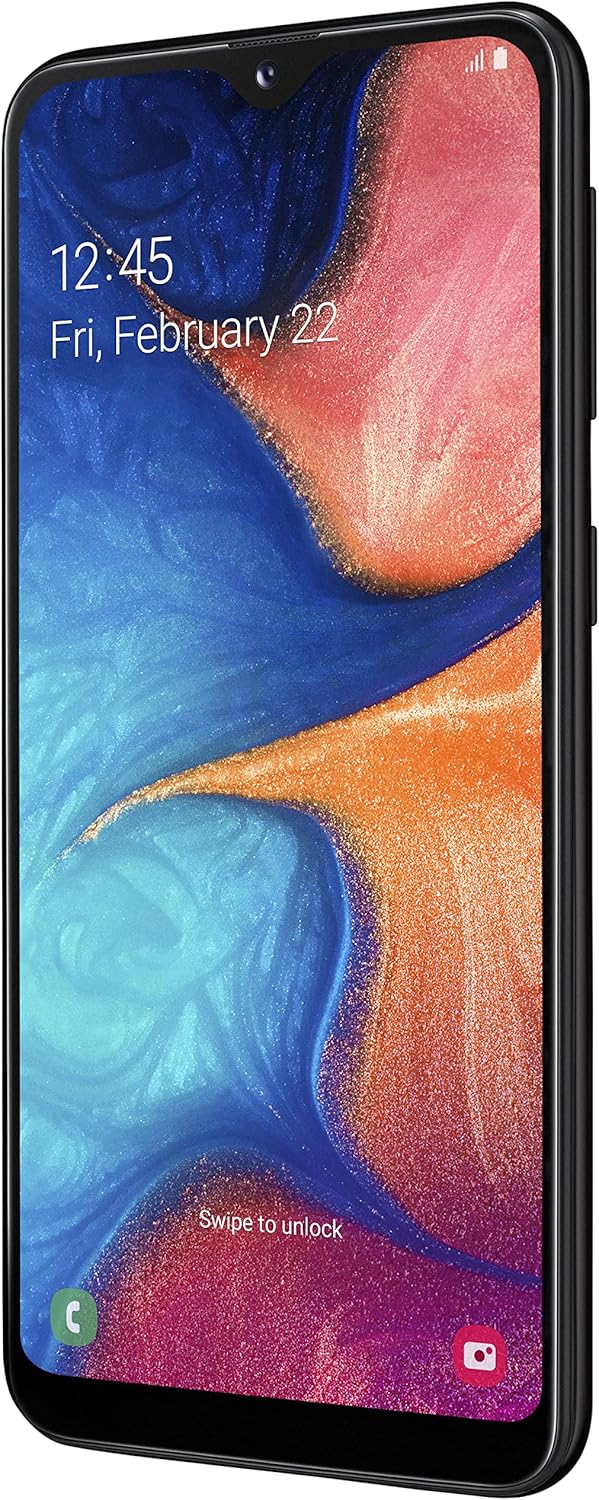
The device features a 5.8-inch Infinity-V HD+ display, providing an immersive viewing experience for your content.
- ประเภทจอภาพ: อโมเลด
- ขนาดหน้าจอ: 5.8 นิ้ว
- ปณิธาน: 720 x 1520 พิกเซล

ภาพ: ด้านหน้า view of the Galaxy A20e display.
7. แบตเตอรี่และการชาร์จ
The Galaxy A20e is equipped with a 3000 mAh Lithium-ion battery and supports 15W fast charging.
- ความจุแบตเตอรี่: 3000 มิลลิแอมป์
- ชาร์จเร็ว: The 15W fast charging technology allows for quick recharging of your device.
8. คุณสมบัติด้านความปลอดภัย
Protect your valuable content with the integrated fingerprint reader, offering fast and secure unlocking.
- เซ็นเซอร์ลายนิ้วมือ: Located on the rear of the device for convenient and secure access.
- การจดจำใบหน้า: Set up facial recognition for an alternative unlocking method.
9. Storage and Connectivity
The Galaxy A20e provides ample storage and various connectivity options.
- หน่วยความจำภายใน: 32 GB, with 3 GB RAM.
- พื้นที่เก็บข้อมูลที่ขยายได้: Expandable via microSD card up to 512 GB.
- สองซิม: Supports two Nano-SIM cards for flexible usage.
- การเชื่อมต่อไร้สาย: Wi-Fi 802.11 b/g/n and Bluetooth 5.0.
- เทคโนโลยีเซลลูล่าร์: 4G LTE.
10. การบำรุงรักษา
To ensure the longevity and optimal performance of your Samsung Galaxy A20e, follow these maintenance guidelines:
- การอัปเดตซอฟต์แวร์: ตรวจสอบและติดตั้งซอฟต์แวร์อัปเดตเป็นประจำเพื่อเพิ่มความปลอดภัยและประสิทธิภาพ
- การทำความสะอาด: ใช้ผ้านุ่มที่ไม่เป็นขุยทำความสะอาดหน้าจอและตัวเครื่อง หลีกเลี่ยงสารเคมีรุนแรง
- การดูแลแบตเตอรี่ Avoid extreme temperatures and do not allow the battery to fully discharge frequently.
- การจัดการพื้นที่เก็บข้อมูล: ล้างสิ่งที่ไม่จำเป็นออกเป็นระยะๆ fileและแอปต่างๆ เพื่อเพิ่มพื้นที่ว่างและรักษาประสิทธิภาพการทำงาน
11 การแก้ไขปัญหา
หากคุณพบปัญหาเกี่ยวกับอุปกรณ์ของคุณ ให้ลองทำตามขั้นตอนการแก้ไขปัญหาทั่วไปต่อไปนี้:
- อุปกรณ์ไม่ตอบสนอง: กดปุ่มเปิด/ปิดและปุ่มลดระดับเสียงพร้อมกันค้างไว้นานกว่า 7 วินาทีเพื่อรีสตาร์ทอุปกรณ์
- แบตเตอรี่หมดเร็ว: Check background app usage, reduce screen brightness, and disable unused features like Wi-Fi or Bluetooth.
- ปัญหาการเชื่อมต่อ: Restart your device, toggle Wi-Fi/Bluetooth on and off, or reset network settings.
- แอปขัดข้อง: Clear the app's cache and data, or uninstall and reinstall the app.
- ประสิทธิภาพการทำงานช้า: Close unused apps, clear cache, or perform a factory reset (back up your data first).
12. ข้อมูลจำเพาะทางเทคนิค
| คุณสมบัติ | ข้อมูลจำเพาะ |
|---|---|
| ยี่ห้อ | ซัมซุง |
| ชื่อรุ่น | เอโออี |
| หมายเลขรุ่นสินค้า | SM-A202FZKDITV |
| ขนาดสินค้า | ขนาด 14.74 x 6.97 x 0.84 ซม. ; 141 กรัม |
| ระบบปฏิบัติการ | แอนดรอยด์ 9.0 |
| ความเร็วของโปรเซสเซอร์ | 1.6 กิกะเฮิรตซ์ |
| ประเภทโปรเซสเซอร์ | ซีรีส์ A ดูอัลคอร์ A4-3420 |
| ขนาด RAM ที่ติดตั้ง | 3GB |
| ความจุหน่วยความจำ | 32GB |
| Maximum RAM Size | 512 GB (เพิ่มได้ผ่าน MicroSD) |
| ขนาดหน้าจอ | 5.8 นิ้ว |
| ประเภทจอภาพ | อโมเลด |
| ปณิธาน | 720 x 1520 |
| ความละเอียดของเซ็นเซอร์ออปติคัล | 13 MP |
| ความละเอียดวิดีโอ | 1080p |
| ความจุของแบตเตอรี่ | 3000 มิลลิวินาทีampเออร์-ชั่วโมง (mAh) |
| ประเภทไร้สาย | 802.11a, 802.11b, 802.11g |
| เทคโนโลยีเซลลูล่าร์ | 4G |
| รองรับบลูทูธ | ใช่ (บลูทูธ 5.0) |
| ออโต้โฟกัส | ใช่ |
13. วิดีโอผลิตภัณฑ์
Samsung Galaxy A20e Features Overview
วิดีโอนี้จะให้ข้อมูลสรุปสั้นๆview of the Samsung Galaxy A20e's key features, including its display, camera capabilities, and security options. (Duration: 0:37)
14. การรับประกันและการสนับสนุน
Your Samsung Galaxy A20e smartphone comes with a standard manufacturer's warranty. Please refer to the warranty card included in the product packaging for detailed terms and conditions, including coverage period and service procedures.
สำหรับการสนับสนุนด้านเทคนิค การบริการ หรือความช่วยเหลือเพิ่มเติม โปรดไปที่ฝ่ายสนับสนุนอย่างเป็นทางการของ Samsung webหรือติดต่อฝ่ายบริการลูกค้า เก็บหลักฐานการซื้อของคุณไว้ให้พร้อมเมื่อต้องการขอความช่วยเหลือ
หมายเหตุสำคัญ: To use this [Italian Version] smartphone in a non-European country, you must first make at least 5 minutes of calls with a European SIM card.


