การแนะนำ
Thank you for choosing the RHM K222 Karaoke Machine. This versatile system is designed to deliver high-quality audio and an enjoyable karaoke experience for various indoor activities, including home entertainment, parties, and meetings. This manual provides essential information for setting up, operating, and maintaining your device to ensure optimal performance and longevity.

Figure 1: RHM K222 Karaoke Machine with two wireless microphones.
ข้อมูลด้านความปลอดภัย
โปรดอ่านคำแนะนำด้านความปลอดภัยทั้งหมดอย่างละเอียดก่อนใช้ผลิตภัณฑ์ เก็บคู่มือนี้ไว้เพื่อใช้อ้างอิงในอนาคต
- This machine is designed for indoor use only. Do not expose it to rain, moisture, or extreme temperatures.
- Ensure the power adapter is connected to a compatible power outlet (110-240V, 50/60Hz).
- ห้ามถอดประกอบ ซ่อมแซม หรือดัดแปลงเครื่องด้วยตนเอง โปรดส่งต่อเครื่องให้ช่างผู้ชำนาญการเป็นผู้ดำเนินการซ่อมบำรุง
- ควรวางอุปกรณ์ให้ห่างจากแหล่งความร้อน แสงแดดโดยตรง และสนามแม่เหล็กแรงสูง
- หลีกเลี่ยงการปิดกั้นช่องระบายอากาศเพื่อป้องกันความร้อนสูงเกินไป
- เช็ดทำความสะอาดเครื่องด้วยผ้าแห้งเนื้อนุ่ม ห้ามใช้น้ำยาทำความสะอาดหรือสเปรย์กระป๋อง
เนื้อหาแพ็คเกจ
ตรวจสอบว่ารายการทั้งหมดที่ระบุไว้ด้านล่างนี้รวมอยู่ในแพ็คเกจของคุณ:
- RHM K222 Stereo Speaker Unit
- ไมโครโฟนไร้สาย UHF 2 ตัว
- รีโมทคอนโทรล
- อะแดปเตอร์แปลงไฟ
- USB Charging Cable (for microphones)
- สาย AUX (3.5 มม.)
- สายใยแก้วนำแสง
- คู่มือการใช้งาน (เอกสารนี้)
- ฝาครอบไมโครโฟน 2 ชิ้น

Figure 2: All items included in the RHM K222 package.
การตั้งค่า
Follow these steps to set up your RHM K222 Karaoke Machine:
- การเชื่อมต่อไฟฟ้า: Connect the power adapter to the DC IN port on the back of the karaoke machine and then plug it into a wall outlet. The unit will power on automatically or can be turned on using the power button on the top panel.
- การชาร์จไมโครโฟน: Before first use, ensure the wireless microphones are fully charged using the provided USB charging cable. The microphones have a 400mAh rechargeable battery.
- การจับคู่ไมโครโฟน: The two UHF wireless microphones are pre-paired with the main unit. Simply turn on the microphones, and they should automatically connect to the speaker.
- เชื่อมต่อแหล่งสัญญาณเสียง: เลือกวิธีการป้อนสัญญาณเสียงที่คุณต้องการ:
- บลูทูธ: Press the 'MODE' button on the top panel or remote until 'BLUE' appears on the display. Enable Bluetooth on your device (e.g., smartphone, tablet) and select 'RHM K222' from the list of available devices to pair.
- ออปติคอล: Connect an optical cable (included) from your TV's optical output to the OPTICAL input on the back of the karaoke machine. Select 'OPTICAL' mode on the unit.
- ช่องเสริม: Use the provided 3.5mm AUX cable to connect your audio device (e.g., PC, MP3 player) to the 'LINE IN' port on the back of the machine. Select 'AUX' mode.
- ยูเอสบี: เสียบไดรฟ์ USB ที่มีไฟล์เสียง files into the USB port on the back of the machine. The unit will automatically switch to USB mode and begin playback.
- พีซี: Connect your PC to the 'PC' port on the back of the machine using a compatible cable. Select 'PC' mode.

Figure 3: Rear panel connections for various audio sources.
คำแนะนำการใช้งาน
การควบคุมยูนิตหลัก
- ปุ่มเปิด/ปิด: Located on the top panel. Press to turn the unit on/off.
- ปุ่มโหมด: Cycles through input modes (Bluetooth, Optical, AUX, USB, PC).
- Volume Controls (VOL+/-): Adjust the overall volume of the speaker.
- การควบคุมการเล่น: Play/Pause, Next/Previous Track buttons are available on the top panel and remote.
การควบคุมไมโครโฟนไร้สาย
The wireless microphones offer convenient control over your singing experience:
- ปุ่มเปิด/ปิด: กดค้างไว้เพื่อเปิด/ปิดไมโครโฟน
- ปริมาณไมโครโฟน: Use the dedicated volume buttons on the microphone to adjust your vocal volume independently.
- การปรับค่าเสียงสะท้อน: Adjust the echo effect to add depth to your voice.
- Voice Mixing: Control the balance between your voice and the background music.
- Key Change: Adjust the key of the music to match your vocal range.

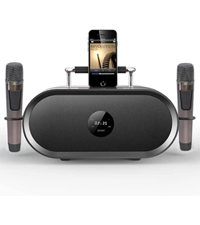
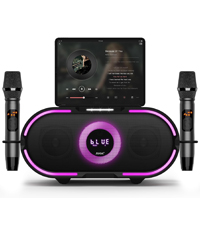
Figure 4: Microphone LED display, control panel, and charging port details.
โหมดเสียง
The RHM K222 offers 5 distinct sound modes to enhance your audio experience:
- ต้นฉบับ: Standard audio playback.
- ดนตรี: ออกแบบมาเพื่อการฟังเพลงทั่วไปโดยเฉพาะ
- คาราโอเกะ: Enhanced vocal presence for karaoke performances.
- โรงหนัง: ให้เสียงที่หลากหลายยิ่งขึ้นtagอีสำหรับการชมภาพยนตร์
- คลาสสิก: โปรเสียงสมดุลfile for classical music.

Figure 5: Explore different sound modes for various entertainment needs.
การซ่อมบำรุง
Proper maintenance ensures the longevity and optimal performance of your karaoke machine.
- การทำความสะอาด: Use a soft, dry, lint-free cloth to wipe down the exterior of the unit and microphones. Do not use abrasive cleaners, waxes, or solvents.
- พื้นที่จัดเก็บ: When not in use for extended periods, store the machine in a cool, dry place, away from direct sunlight and dust.
- การดูแลไมโครโฟน: Always place microphones back into their designated holders on the unit to prevent damage.
การแก้ไขปัญหา
If you encounter issues with your RHM K222 Karaoke Machine, refer to the following common problems and solutions:
| ปัญหา | สาเหตุที่เป็นไปได้ | สารละลาย |
|---|---|---|
| ไม่มีไฟฟ้า | ไม่ได้เชื่อมต่ออะแดปเตอร์ไฟหรือเต้ารับไฟฟ้าชำรุด | ตรวจสอบให้แน่ใจว่าเสียบอะแดปเตอร์แปลงไฟเข้ากับตัวเครื่องและเต้ารับไฟฟ้าที่ใช้งานได้สนิทแล้ว |
| ไม่มีเสียงออกจากลำโพง | ระดับเสียงเบาเกินไป; โหมดอินพุตไม่ถูกต้อง; ปัญหาเกี่ยวกับแหล่งสัญญาณเสียง | Increase speaker volume. Check if the correct input mode is selected. Verify audio source is playing and connected properly. |
| ไมโครโฟนไม่ทำงาน | Microphones off or low battery; out of range; not paired. | Turn on microphones and ensure they are charged. Stay within 40ft range. If not paired, turn off both microphones and the unit, then restart. |
| การเชื่อมต่อบลูทูธไม่เสถียร | Too far from unit; interference; device issues. | Move closer to the unit. Avoid obstacles. Disconnect and re-pair the Bluetooth device. |
| Echo/Voice mixing not working | Settings on microphone not adjusted. | Adjust echo and voice mixing settings directly on the wireless microphone. |
ข้อมูลจำเพาะ
Detailed technical specifications for the RHM K222 Karaoke Machine:
| คุณสมบัติ | ข้อมูลจำเพาะ |
|---|---|
| ยี่ห้อ | อาร์เอชเอ็ม |
| หมายเลขรุ่น | K222 wooden brown |
| ประเภทการติดตั้ง | โต๊ะวางของ |
| แหล่งพลังงาน | เสียบปลั๊กไฟฟ้า |
| ประเภทของขั้วต่อ | Aux, USB, Optical |
| น้ำหนักสินค้า | 15.97 ปอนด์ |
| เอาท์พุต วัดtage | 70 วัตต์ |
| จำนวนช่องสัญญาณ | 1 |
| อินพุตเสียง | Bluetooth, USB, Aux In, Optical, iPhone, Android mobile phones, iPad, TV, PC |
| ขนาดสินค้า (กว้าง x ยาว x สูง) | 9.84 x 14.96 x 8.07 นิ้ว |
| สี | ทำด้วยไม้ |
| จำนวนลำโพง | 1 |
| เทคโนโลยีการเชื่อมต่อ | Optical, Bluetooth, Line in |
การรับประกันและการสนับสนุน
RHM products are manufactured to the highest quality standards. For warranty information, technical support, or any inquiries regarding your RHM K222 Karaoke Machine, please refer to the contact information provided on the product packaging or visit the official RHM webไซต์ โปรดเก็บใบเสร็จรับเงินไว้เป็นหลักฐานการซื้อสำหรับการเรียกร้องการรับประกัน


