1. บทนำ
This manual provides detailed instructions for the assembly, operation, and maintenance of your One For All WM7471 Universal TV Tripod Stand. Please read this manual thoroughly before installation and retain it for future reference. This stand is designed to securely hold televisions ranging from 32 to 65 inches with VESA mounting patterns between 200x100mm and 400x400mm.
2. ข้อมูลด้านความปลอดภัย
คำเตือน: Failure to read and follow these instructions can result in serious personal injury, property damage, or voiding of your warranty. If you have any questions, please contact customer support.
- ตรวจสอบให้แน่ใจว่าชิ้นส่วนทั้งหมดครบถ้วนและไม่เสียหายก่อนประกอบ ห้ามใช้ชิ้นส่วนที่ชำรุด
- Do not exceed the maximum weight capacity or screen size specified in the specifications section.
- Always assemble the stand on a flat, stable surface.
- Ensure the TV is securely attached to the mounting brackets and the stand is stable before releasinดูทีวี
- ควรกันเด็กและสัตว์เลี้ยงให้ออกห่างขณะประกอบชิ้นส่วน เนื่องจากชิ้นส่วนขนาดเล็กอาจเป็นอันตรายจากการสำลักได้
- Do not attempt to modify the stand.
- ตรวจสอบสกรูและการเชื่อมต่อทั้งหมดเป็นระยะๆ เพื่อให้แน่ใจว่าแน่นหนาและปลอดภัย
3. เนื้อหาบรรจุภัณฑ์
Verify that all parts listed below are included in your package. If any parts are missing or damaged, do not proceed with assembly and contact customer support.
- Tripod Base Assembly (Wooden legs, central column)
- TV Mounting Brackets (Horizontal bars)
- Vertical Support Bar
- Cable Management Strap (Leather)
- Universal Soundbar Attachment
- Hardware Kit (Screws, washers, spacers for TV mounting)
- คู่มือการใช้งาน (เอกสารนี้)

4. การติดตั้งและการประกอบ
Follow these steps carefully to assemble your TV tripod stand. It is recommended to have a second person assist with mounting the television.
- ประกอบฐานขาตั้งกล้อง:
Carefully attach the three wooden legs to the central column. Ensure they are securely fastened according to the provided diagrams in the separate assembly guide (if applicable). The design allows for tool-free or minimal tool assembly.

Figure 2: Detail of the central connection point of the tripod stand, showing the secure attachment of the wooden legs to the main column. - Attach TV Mounting Brackets to TV:
Identify the VESA mounting holes on the back of your television. Select the appropriate screws, washers, and spacers from the hardware kit that match your TV's specifications. Attach the horizontal TV mounting brackets to the back of your TV. Ensure they are level and securely tightened.

Figure 3: The VESA mounting bar, illustrating the multiple hole patterns for compatibility with various TV models. - ติดตั้งทีวีเข้ากับขาตั้ง:
With assistance, carefully lift the television and hook the attached mounting brackets onto the vertical support bar of the tripod stand. Ensure the TV is centered and level. Secure the TV to the stand using the provided safety mechanisms, such as locking screws or clips, to prevent accidental dislodgement.

รูปที่ 4: รายละเอียด view of the TV mounting bracket securely fastened to the stand's central column, also showing the integrated cable management clip. - การจัดการสายเคเบิล:
Utilize the integrated cable management strap and clips to route and conceal TV and accessory cables along the central column and down one of the legs. This helps maintain a tidy appearance and prevents tripping hazards.

รูปที่ 5: ตัวอย่างample of cable management, showing a cable neatly routed along one of the wooden tripod legs. - Soundbar Attachment (Optional):
If using a soundbar, attach the universal soundbar attachment to the TV mounting brackets as per its specific instructions. This allows the soundbar to move with the TV when adjusted.
5. คำแนะนำการใช้งาน (การปรับแต่ง)
The One For All WM7471 stand offers flexibility in TV positioning.
- การปรับความสูง:
The TV can be adjusted vertically along the central column. Loosen the height adjustment mechanism (refer to the assembly guide for specific details), slide the TV to the desired height, and then securely tighten the mechanism. Always ensure the TV is level after adjustment.
- หมุนได้ 360°:
The entire TV and mounting assembly can be rotated 360 degrees around the central column. Gently rotate the TV to achieve the optimal viewing angle. Ensure no cables are snagged or strained during rotation.
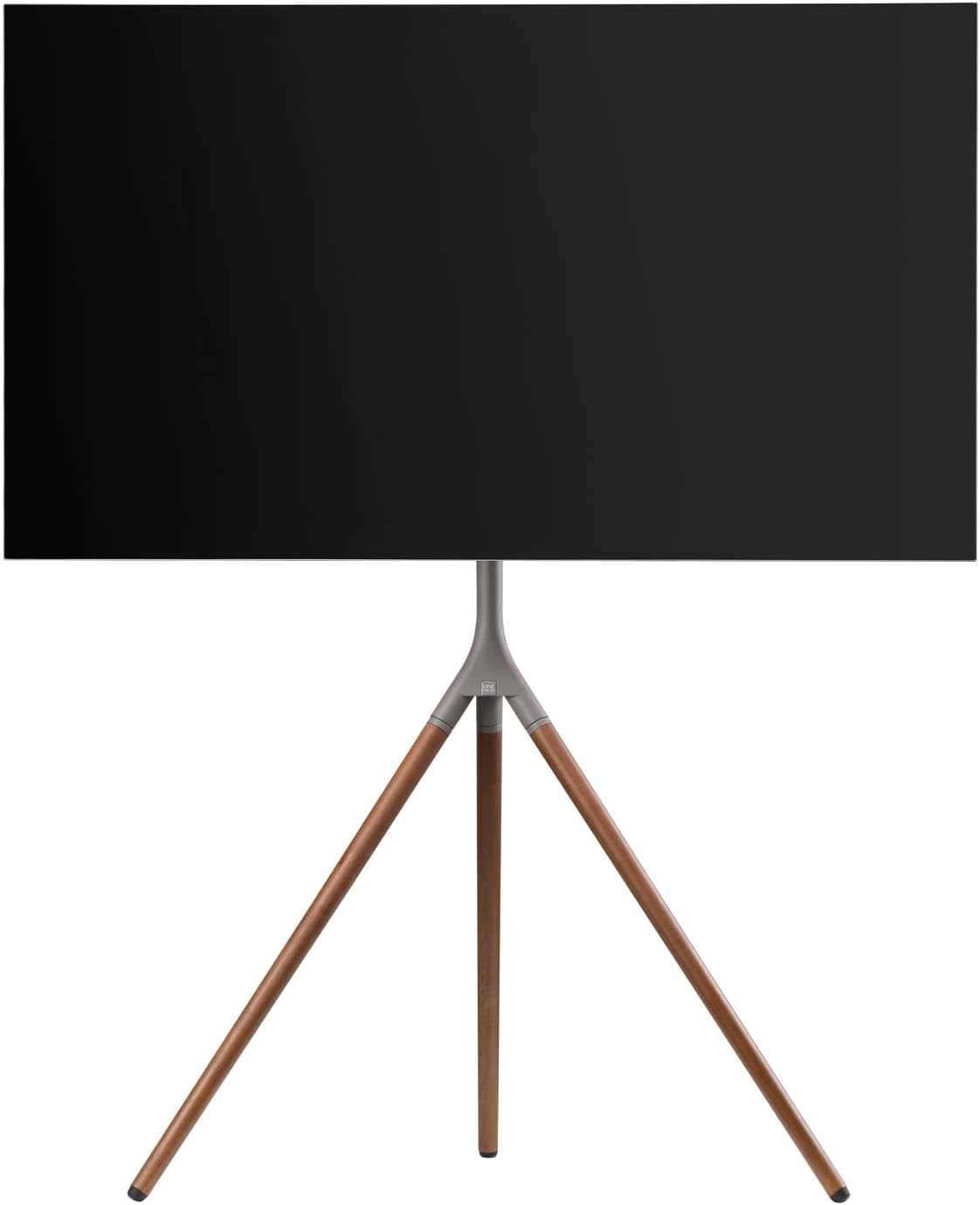
รูปที่ 6: โปรด้านข้างfile of the stand with a TV, demonstrating the potential for swivel and height adjustments.
6. การบำรุงรักษา
การบำรุงรักษาอย่างสม่ำเสมอจะช่วยให้ขาตั้งทีวีของคุณใช้งานได้ยาวนานและปลอดภัย
- การทำความสะอาด: ใช้ผ้าแห้งนุ่มๆ เช็ดทำความสะอาดขาตั้ง สำหรับคราบฝังแน่น ให้ใช้ผ้าชุบน้ำหมาดๆ เช็ดเบาๆamp สามารถใช้ผ้าชุบสบู่เหลวเช็ดทำความสะอาดได้ แล้วเช็ดให้แห้งทันที หลีกเลี่ยงน้ำยาทำความสะอาดที่มีฤทธิ์กัดกร่อนหรือตัวทำละลาย
- การตรวจสอบ: Periodically check all screws, bolts, and connections for tightness. Re-tighten if necessary.
- การจัดการสายเคเบิล: Ensure cables remain neatly organized and are not pinched or strained.
7 การแก้ไขปัญหา
หากคุณพบปัญหาเกี่ยวกับขาตั้งทีวี โปรดดูปัญหาและวิธีแก้ไขที่พบบ่อยต่อไปนี้:
| ปัญหา | สาเหตุที่เป็นไปได้ | สารละลาย |
|---|---|---|
| ขาตั้งดูไม่มั่นคง | Loose connections; uneven floor; TV too heavy/large. | Ensure all screws are tightened. Move stand to a level surface. Verify TV weight and size are within specifications. |
| ทีวีไม่อยู่ในระดับ | Mounting brackets unevenly attached; stand not level. | Re-adjust TV mounting brackets. Ensure stand is on a level surface. |
| Difficulty adjusting height or swivel. | Adjustment mechanism is too tight or obstructed. | Loosen adjustment mechanism slightly. Check for cable obstructions. Do not force movement. |
If the problem persists, please contact One For All customer support.
8. ข้อมูลจำเพาะ
| คุณสมบัติ | รายละเอียด |
|---|---|
| หมายเลขรุ่น | WM7471 |
| ยี่ห้อ | หนึ่งเดียวเพื่อทุกคน |
| ขนาดหน้าจอที่เข้ากันได้ | 32 - 65 นิ้ว |
| ความเข้ากันได้ของ VESA | 200x100มม. ถึง 400x400มม. |
| ประเภทการเคลื่อนไหว | 360° Swivel, Height Adjustable |
| วัสดุ | Wood (Walnut), Metal (Gunmetal/Chrome) |
| สี | Walnut & Gunmetal |
| ส่วนประกอบที่รวมอยู่ | Tripod stand, TV mounting hardware, cable management strap, universal soundbar attachment |
9. การรับประกันและการสนับสนุน
For warranty information and customer support, please refer to the documentation included with your purchase or visit the official One For All webไซต์ เงื่อนไขการรับประกันเฉพาะอาจแตกต่างกันไปตามภูมิภาคและผู้ค้าปลีก
ผู้ผลิต: หนึ่งเดียวเพื่อทุกคน
ประเทศต้นกำเนิด: จีน


