1. บทนำ
The UOTEK UT-850N is a universal USB to RS-485/422 serial converter designed to bridge the communication gap between modern PCs and industrial equipment utilizing RS-485/422 interfaces. This device converts USB signals to balanced differential RS-485/422 signals, providing essential connectivity without requiring an external power supply. It features surge and ESD protection, ensuring reliable data transmission in various environments.
This manual provides detailed instructions for the setup, operation, and maintenance of your UT-850N converter.
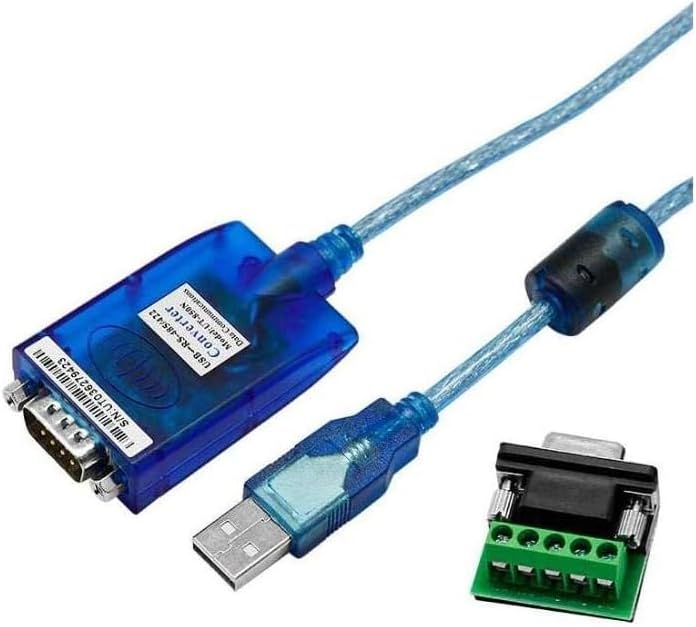
Image 1.1: UOTEK UT-850N USB to RS-485/422 Serial Converter with included terminal block.
2. คุณสมบัติ
- มาตรฐาน: USBV1.1, RS-485/422 EIA.
- สัญญาณ USB: VCC, DATA+, DATA-, GND, FG.
- RS-485 Signal: T+, T-, GND.
- RS-422 Signal: T+, T-, R+, R-, GND.
- โหมดการทำงาน: Asynchronous, point-to-point or point-to-multipoint, 2-wire half-duplex or 4-wire full-duplex.
- การควบคุมทิศทาง: Automatic data flow direction control technology.
- อัตราการส่งผ่านข้อมูล: 300-921.6Kbps, auto-detect serial signal.
- ความจุในการโหลด: Supports point-to-multipoint communication, connecting up to 32 sets of RS-422 or RS-485 devices.
- ระยะการส่งข้อมูล: Up to 5,000m (9,600bps) for RS-485/422; up to 5m for USB.
- การป้องกันพอร์ต: Surge protection, ±15KV ESD protection.
- ตัวเชื่อมต่อ: USB-A male, DB9 male.
- สื่อการส่งข้อมูล: Twisted-pair or shielded cable.
- ความยาวสายเคเบิล: 1.5ม.
- อุณหภูมิในการทำงาน: -20°C ถึง 75°C.
- ความชื้นสัมพัทธ์: 5% ถึง 95%
- รองรับระบบปฏิบัติการ: Windows (Android/2000/2003/2008/2012/XP/Vista/7/8/8.1/10/CE), Mac, Linux.
3. การตั้งค่า
3.1 การติดตั้งไดรเวอร์
For Windows 8, Windows 10, and newer operating systems, the UT-850N converter typically operates driver-free (plug & play). For older operating systems such as Windows 2000/2003/XP/Vista/7, or for specific Linux/Mac OS versions, driver installation may be required. Please refer to the manufacturer's website for the latest driver downloads if automatic installation does not occur.

Image 3.1: The UT-850N converter supports various operating systems, including Windows, Mac, Linux, and Android.
3.2 การเชื่อมต่อฮาร์ดแวร์
- Connect the USB-A male connector of the UT-850N to an available USB port on your computer.
- Identify the RS-485/422 interface on your industrial device.
- Connect the DB9 male connector of the UT-850N to your RS-485/422 device. Use the included terminal block for screw-terminal connections if your device requires it.

Image 3.2: The UT-850N converter connected to a terminal block for RS-485/422 wiring.
3.3 Wiring Diagrams and Pin Assignments
The UT-850N uses a DB9 male connector for RS-485/422. The pin assignments are crucial for correct communication. Refer to the following diagrams for standard wiring configurations.

Image 3.3: Pin assignments for DB9 male connector and physical dimensions of the UT-850N.
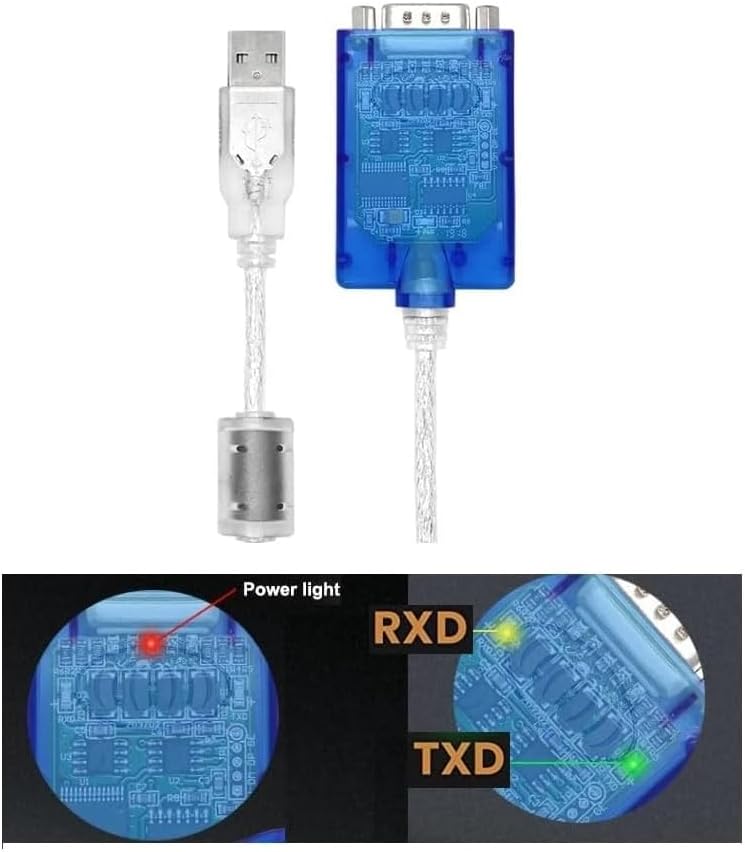
Image 3.4: Wiring diagrams for USB to RS-485 (point-to-point, multipoint, half-duplex) and USB to RS-422 (point-to-point, multipoint, full-duplex) connections.
4. ปฏิบัติการ
4.1 โหมดการทำงาน
The UT-850N supports both RS-485 (2-wire half-duplex) and RS-422 (4-wire full-duplex) communication modes. It can be configured for point-to-point or point-to-multipoint communication. The device features internal zero-delay auto receiving and transmitting functions, automatically controlling data flow direction without requiring handshake signals (RTS, DTR).
4.2 อัตราบอด
The converter automatically detects the serial signal baud rate, supporting a range from 300bps to 921.6Kbps.
4.3 ไฟแสดงสถานะ LED
The UT-850N is equipped with LED indicators to show its status:
- ไฟส่องสว่าง: Indicates that the device is powered on and connected to the USB port.
- RXD (Receive Data) Light: Flashes when data is being received by the converter from the RS-485/422 side.
- TXD (Transmit Data) Light: Flashes when data is being transmitted by the converter to the RS-485/422 side.

ภาพที่ 4.1: ภาพระยะใกล้ view of the UT-850N showing the Power, RXD, and TXD LED indicators.
5. การบำรุงรักษา
To ensure the longevity and optimal performance of your UOTEK UT-850N converter, follow these maintenance guidelines:
- ให้แห้ง: หลีกเลี่ยงการให้อุปกรณ์สัมผัสกับความชื้นหรือของเหลว
- ทำความสะอาดอย่างอ่อนโยน: Use a soft, dry cloth to clean the exterior. Do not use harsh chemicals or solvents.
- การควบคุมอุณหภูมิ: Operate and store the device within the specified temperature range (-20°C to 75°C).
- การดูแลสายเคเบิล: Avoid bending or kinking the cable excessively to prevent internal damage.
- การป้องกัน ESD: While the device has built-in ESD protection, always handle it with care, especially in dry environments, to minimize static discharge risks.
6 การแก้ไขปัญหา
If you encounter issues with your UT-850N converter, consider the following:
- ไฟแสดงสถานะไม่มีไฟ: Ensure the USB cable is securely connected to both the converter and the computer. Try a different USB port or computer.
- No Data Transmission (RXD/TXD not flashing):
- Verify all RS-485/422 wiring connections are correct according to the diagrams in Section 3.3.
- Check the baud rate settings on both your computer's serial port software and the connected industrial device. Ensure they match.
- Confirm that the industrial device is powered on and functioning correctly.
- For older operating systems, ensure the correct drivers are installed.
- Intermittent Connection/Data Errors:
- Check for electromagnetic interference (EMI) sources near the cable. Use shielded cables if necessary.
- Ensure the transmission distance does not exceed the specified limits (5,000m for RS-485/422, 5m for USB).
- Verify that the terminal resistors are correctly applied in RS-485/422 networks, especially for long distances or multi-point setups.
- คอมพิวเตอร์ไม่รู้จักอุปกรณ์: Try connecting to a different USB port. Reinstall or update the USB serial port drivers if applicable.
7. ข้อมูลจำเพาะ
| คุณสมบัติ | ข้อมูลจำเพาะ |
|---|---|
| แบบอย่าง | UT-850N |
| มาตรฐาน | USBV1.1, RS-485/422 EIA |
| USB Signal | VCC, ข้อมูล+, ข้อมูล-, GND, FG |
| RS-485 สัญญาณ | T+, T-, GND |
| RS-422 สัญญาณ | T+, T-, R+, R-, GND |
| โหมดการทำงาน | Asynchronous, point-to-point/multipoint, 2-wire half-duplex or 4-wire full-duplex |
| การควบคุมทิศทาง | Automatic data flow direction control |
| อัตราบอดเรท | 300-921.6Kbps (auto-detect) |
| ความจุในการโหลด | Up to 32 RS-422 or RS-485 devices |
| ระยะการส่งข้อมูล | RS-485/422: 5,000m (at 9,600bps); USB: ≤ 5m |
| การป้องกันพอร์ต | Surge, ±15KV ESD protection |
| ตัวเชื่อมต่อ | USB-A male, DB9 male |
| สื่อการส่งข้อมูล | Twisted-pair or shielded cable |
| ความยาวสายเคเบิล | 1.5ม. |
| อุณหภูมิในการทำงาน | -20°C ถึง 75°C |
| ความชื้นสัมพัทธ์ | 5% ถึง 95% (ไม่ควบแน่น) |
| ระบบปฏิบัติการที่รองรับ | Win Android/2000/2003/2008/2012/XP/Vista/7/8/8.1/10/CE, Mac, Linux |
| น้ำหนักสินค้า | 5.5 ออนซ์ |
| ขนาดแพ็คเกจ | 8.15 x 5.98 x 1.46 นิ้ว |
8. การรับประกันและการสนับสนุน
For warranty information and technical support, please refer to the official UOTEK website or contact your authorized dealer. Keep your purchase receipt for warranty claims.


