1. บทนำ
ขอบคุณสำหรับการซื้อasing the Gembird MUSW-6B-01 Wireless Optical Mouse. This user manual provides detailed instructions for setting up, operating, maintaining, and troubleshooting your new wireless mouse. Designed for comfort and precision, this optical mouse offers reliable wireless connectivity for your personal computer.
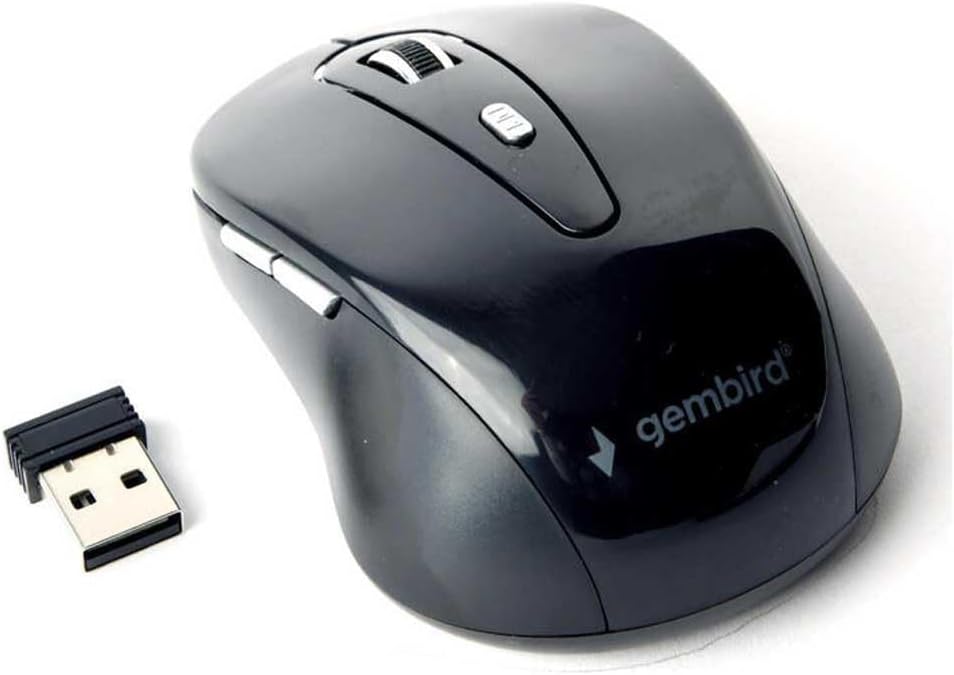
Image 1.1: The Gembird MUSW-6B-01 Wireless Optical Mouse shown with its compact USB receiver. The mouse features a sleek black design with the Gembird logo visible.
2. เนื้อหาบรรจุภัณฑ์
Please check the package contents to ensure all items are present and in good condition. If any items are missing or damaged, please contact your retailer.
- Gembird MUSW-6B-01 Wireless Optical Mouse (Black)
- ตัวรับสัญญาณนาโน USB
- คู่มือการใช้งาน (เอกสารนี้)

Image 2.1: The Gembird MUSW-6B-01 Wireless Optical Mouse displayed in its original retail blister packaging, indicating it is a "Wireless optical mouse".
3. การตั้งค่า
Follow these steps to set up your Gembird wireless mouse:
- ใส่แบตเตอรี่: Locate the battery compartment on the underside of the mouse. Open the cover and insert the required batteries (typically 1x AA or 2x AAA, not included) according to the polarity indicators (+/-). Close the battery compartment cover securely.
- เชื่อมต่อตัวรับสัญญาณ USB: Take the USB nano receiver out of its storage slot (usually located near the battery compartment or on the underside of the mouse). Plug the USB receiver into an available USB port on your computer.
- เปิดเครื่อง: If your mouse has a power switch (usually on the underside), slide it to the "ON" position.
- การเชื่อมต่ออัตโนมัติ: Your computer should automatically detect and install the necessary drivers for the mouse. This process may take a few moments. Once installed, the mouse will be ready for use.
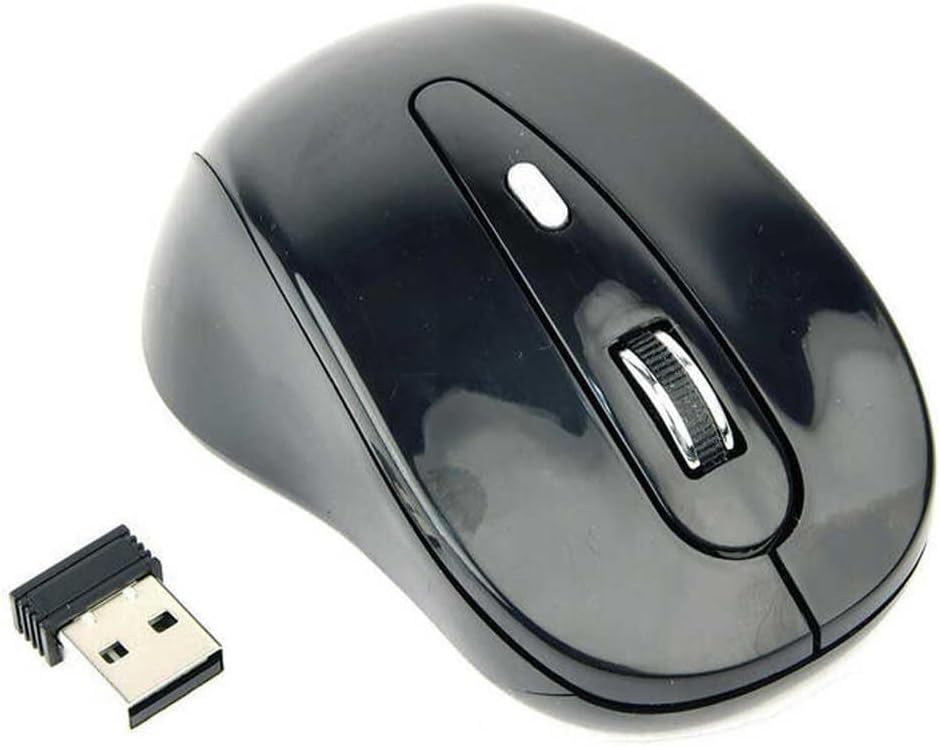
Image 3.1: The Gembird MUSW-6B-01 mouse positioned next to its small USB receiver, illustrating the two main components required for setup.
4. คู่มือการใช้งาน
The Gembird MUSW-6B-01 mouse features standard controls for intuitive navigation:
- ปุ่มซ้าย: ฟังก์ชันคลิกหลัก ใช้สำหรับเลือกรายการ เปิดรายการ fileและการเปิดใช้งานลิงก์
- ปุ่มขวา: ฟังก์ชันคลิกเสริม ซึ่งโดยทั่วไปใช้เพื่อเปิดเมนูบริบท
- ล้อเลื่อน: เลื่อนขึ้นหรือลงผ่านเอกสารและ web pages. Can also be pressed as a middle button for specific functions (e.g., opening links in new tabs).
- ปุ่ม DPI: (If present, usually a small button behind the scroll wheel) Allows you to adjust the mouse's sensitivity (DPI - Dots Per Inch) on the fly. Pressing this button cycles through different DPI settings, changing cursor speed.
- ปุ่มด้านข้าง: (If present, typically on the left side for right-handed mice) Often used for "back" and "forward" navigation in web เบราว์เซอร์หรือ file นักสำรวจ
For optimal performance, use the mouse on a clean, non-reflective surface. The optical sensor provides precise tracking on most common desk surfaces.
5. การบำรุงรักษาและการดูแล
เพื่อให้เมาส์ของคุณมีอายุการใช้งานยาวนานและมีประสิทธิภาพสูงสุด โปรดปฏิบัติตามคำแนะนำในการบำรุงรักษาดังต่อไปนี้:
- การทำความสะอาด: ใช้ผ้านุ่ม แห้ง และไม่เป็นขุยทำความสะอาดเมาส์ สำหรับคราบสกปรกฝังแน่น ให้เช็ดเบาๆampชุบผ้าด้วยน้ำหรือน้ำยาทำความสะอาดอ่อนๆ หลีกเลี่ยงการใช้สารเคมีรุนแรง สารกัดกร่อน หรือตัวทำละลาย
- การดูแลเซ็นเซอร์: Keep the optical sensor on the underside of the mouse clean and free from dust or debris. Do not touch the sensor directly.
- การเปลี่ยนแบตเตอรี่: When the mouse performance degrades or the indicator light (if present) signals low battery, replace the batteries with new ones of the correct type and polarity.
- พื้นที่จัดเก็บ: When not in use for extended periods, turn off the mouse (if it has a power switch) and store it in a dry, cool place. Consider removing batteries if storing for very long durations to prevent leakage.
- หลีกเลี่ยงการหยด: ควรปกป้องเมาส์จากการตกหล่นและการกระแทก เพราะอาจทำให้ชิ้นส่วนภายในเสียหายได้
6 การแก้ไขปัญหา
If you encounter issues with your Gembird wireless mouse, refer to the following common problems and solutions:
| ปัญหา | วิธีแก้ปัญหาที่เป็นไปได้ |
|---|---|
| เมาส์ไม่ตอบสนอง / เคอร์เซอร์ไม่ขยับ |
|
| เคอร์เซอร์เคลื่อนที่ผิดปกติ |
|
| ปุ่มกดหรือล้อเลื่อนไม่ทำงาน |
|
| Connection frequently drops. |
|
7. ข้อมูลจำเพาะ
Key technical specifications for the Gembird MUSW-6B-01 Wireless Optical Mouse:
| คุณสมบัติ | รายละเอียด |
|---|---|
| ยี่ห้อ | นกเจมเบิร์ด |
| ชื่อรุ่น | MUW-6B-01 |
| เทคโนโลยีการเชื่อมต่อ | USB (Wireless via USB receiver) |
| คุณสมบัติพิเศษ | ไร้สาย |
| เทคโนโลยีตรวจจับการเคลื่อนไหว | ออฟติคอล |
| จำนวนปุ่ม | 4 |
| การวางแนวมือ | ขวา |
| การใช้งานที่แนะนำสำหรับผลิตภัณฑ์ | วิทยุ (ไร้สาย) |
| อุปกรณ์ที่รองรับ | เครื่องคอมพิวเตอร์ส่วนบุคคล |
| สี | สีดำ |
8. การรับประกันและการสนับสนุน
Gembird products are designed and manufactured to the highest quality standards. For information regarding warranty coverage, technical support, or service, please refer to the warranty card included with your product or visit the official Gembird webไซต์นี้ โปรดเก็บหลักฐานการซื้อไว้เพื่อใช้ยืนยันการรับประกัน
For further assistance, you may also contact your retailer or the Gembird customer support team.


