1. บทนำ
Thank you for choosing the ORICO 6518US3-BK 2.5/3.5-inch HDD/SSD Docking Station. This device provides a convenient and efficient solution for connecting 2.5-inch and 3.5-inch SATA hard drives or solid-state drives to your computer via USB 3.0. Its tool-free, open design ensures easy installation and excellent heat dissipation. Please read this manual carefully to ensure proper setup and operation.

Figure 1: ORICO 6518US3-BK Docking Station with a 3.5-inch HDD
2. เนื้อหาบรรจุภัณฑ์
กรุณาตรวจสอบสิ่งของภายในบรรจุภัณฑ์เมื่อเปิดออก หากมีสินค้าใดสูญหายหรือเสียหาย โปรดติดต่อผู้ค้าปลีกของคุณ

รูปที่ 2: สิ่งของในบรรจุภัณฑ์
- 1x ORICO 6518US3-BK HDD/SSD Docking Station
- 1x คู่มือผู้ใช้
- อะแดปเตอร์แปลงไฟ 1x 12V
- 1x Power Converter (if applicable for region)
- 1x 1-meter USB 3.0 Data Cable
- 1x Product Box
3. คุณสมบัติของผลิตภัณฑ์
- Tool-Free Open Design: Easily swap 2.5-inch and 3.5-inch SATA HDDs/SSDs without tools. The open design promotes excellent heat dissipation, keeping your drives cool during operation.

Figure 3: Open Design for Heat Dissipation
- ความเข้ากันได้กว้าง: Supports both 2.5-inch and 3.5-inch SATA I/II/III HDDs and SSDs. Compatible with capacities up to 16TB (some visuals may show higher capacities, but 16TB is officially supported).

Figure 4: 2.5/3.5-inch Drive Compatibility
- การถ่ายโอนข้อมูลความเร็วสูง: Equipped with USB 3.0, offering data transfer speeds up to 5Gbps. UASP (USB Attached SCSI Protocol) support further enhances transfer performance, especially for large files.

Figure 5: High-Speed USB 3.0 Transfer
- แหล่งจ่ายไฟที่เสถียร: Includes a 12V2A power adapter to ensure stable and sufficient power for your hard drives, preventing data corruption due to power fluctuations. The bottom features an anti-slip mat for stability.
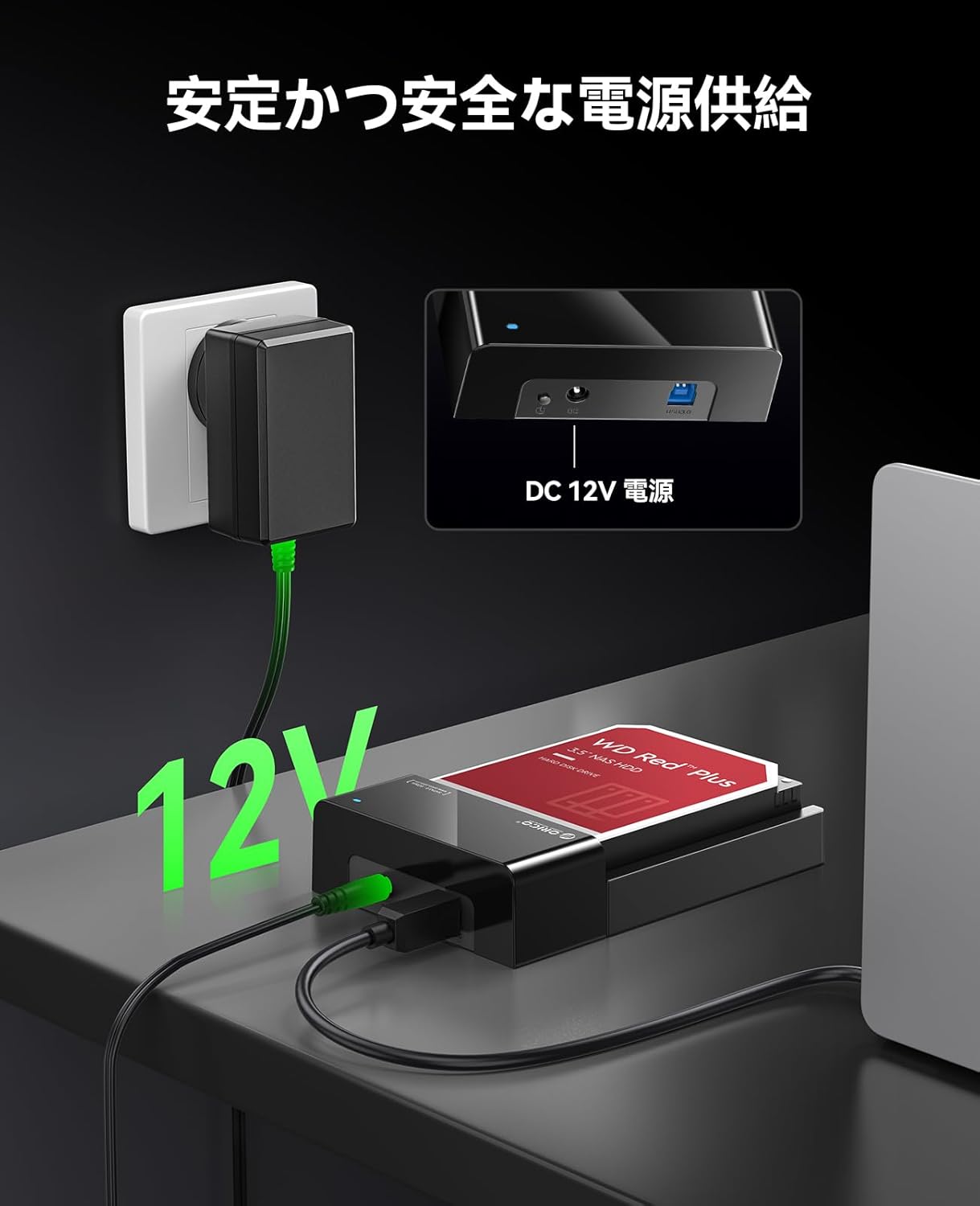
Figure 6: Stable 12V Power Supply

Figure 7: Anti-slip Base
- Multiple Data Protection Features: Supports UASP, TRIM, and S.M.A.R.T. functions to optimize performance, extend drive lifespan, and monitor drive health.

Figure 8: Data Protection Features
- Broad System Compatibility: ใช้งานได้กับระบบปฏิบัติการ Windows, Mac OS และ Linux
4. คำแนะนำในการตั้งค่า
Follow these steps to set up your ORICO 6518US3-BK docking station:

Figure 9: Operation Steps
- ใส่ฮาร์ดไดรฟ์: Gently slide your 2.5-inch or 3.5-inch SATA HDD/SSD into the drive slot of the docking station until it is firmly seated. Ensure the SATA connector aligns correctly.
- เชื่อมต่อพลังงาน: Connect the provided 12V power adapter to the DC power input port on the docking station. Plug the power adapter into a wall outlet. Press the ON/OFF button to power on the device. The power indicator light will illuminate.
- เชื่อมต่อกับคอมพิวเตอร์: Use the supplied USB 3.0 data cable to connect the docking station's USB 3.0 port to an available USB port on your computer.
- การตรวจจับไดรฟ์: Your computer should automatically detect the hard drive. For new drives, you may need to initialize and format them through Disk Management (Windows) or Disk Utility (Mac OS) before use.
5. คู่มือการใช้งาน
5.1. Connecting and Disconnecting Drives
- To connect a drive, simply slide it into the slot as described in the setup section.
- To disconnect a drive, always safely eject it from your operating system first (e.g., "Safely Remove Hardware" in Windows, or drag the drive icon to the Trash in Mac OS). Once safely ejected, power off the docking station using the ON/OFF button, then gently pull the drive out of the slot.
5.2. การโอนข้อมูล
Once the drive is recognized by your computer, you can drag and drop files to and from the drive as you would with any other storage device. The USB 3.0 interface ensures fast data transfer for efficient backups and file การจัดการ.
6. การบำรุงรักษา
- การทำความสะอาด: Use a soft, dry cloth to clean the exterior of the docking station. Do not use liquid cleaners or solvents.
- พื้นที่จัดเก็บ: เมื่อไม่ใช้งาน ควรเก็บแท่นวางไว้ในที่แห้งและเย็น หลีกเลี่ยงแสงแดดโดยตรงและอุณหภูมิที่สูงหรือต่ำเกินไป
- การจัดการ: หลีกเลี่ยงการทำอุปกรณ์หล่นหรือกระแทกอย่างรุนแรง
- การระบายอากาศ : Ensure the docking station's open design is not obstructed to maintain optimal heat dissipation.
7 การแก้ไขปัญหา
| ปัญหา | สาเหตุที่เป็นไปได้ | สารละลาย |
|---|---|---|
| คอมพิวเตอร์ไม่รู้จักไดรฟ์ |
|
|
| ความเร็วในการถ่ายโอนข้อมูลช้า |
|
|
| Docking station powers off unexpectedly |
|
|
8. ข้อมูลจำเพาะ

รูปที่ 10: ความเข้ากันได้แบบสากลview

Figure 11: Product Interface Details
| คุณสมบัติ | รายละเอียด |
|---|---|
| แบบอย่าง | 6518US3-BK |
| ยี่ห้อ | โอริโก้ |
| ไดรฟ์ที่เข้ากันได้ | 2.5-inch / 3.5-inch SATA I/II/III HDD & SSD |
| ความจุสูงสุด | สูงสุดถึง 16TB |
| อินเทอร์เฟซเอาท์พุต | USB 3.0 ประเภท B |
| อัตราการถ่ายโอน | สูงสุด 5Gbps (USB 3.0) |
| แหล่งจ่ายไฟ | อะแดปเตอร์ไฟฟ้า 12V2A |
| ระบบที่รองรับ | Windows, Mac OS, ลินุกซ์ |
| ขนาดสินค้า | 18 x 12.2 x 4.2 ซม. |
| น้ำหนักผลิตภัณฑ์ | 440 กรัม |
| คุณสมบัติ | Tool-free, Open Design, UASP, TRIM, S.M.A.R.T., Anti-slip base |
9. การรับประกันและการสนับสนุน
9.1. ข้อมูลการรับประกัน
This ORICO product comes with a รับประกัน 12 เดือน นับจากวันที่ซื้อ การรับประกันนี้ครอบคลุมข้อบกพร่องจากการผลิตและการทำงานผิดปกติภายใต้การใช้งานปกติ แต่ไม่ครอบคลุมความเสียหายที่เกิดจากการใช้งานผิดวิธี อุบัติเหตุ การดัดแปลงโดยไม่ได้รับอนุญาต หรือภัยธรรมชาติ
9.2. การสนับสนุนด้านเทคนิค
If you encounter any issues or have questions regarding the ORICO 6518US3-BK docking station, please refer to the troubleshooting section of this manual first. If the problem persists, please contact ORICO customer support through the retailer where you purchased the product or visit the official ORICO webเว็บไซต์สำหรับทรัพยากรสนับสนุน


