คู่มือผู้ใช้ตัวควบคุมแบบมีสาย 8BitDo Pro 2
Your guide to setting up, operating, and maintaining your 8BitDo Pro 2 Wired Controller for Xbox and Windows.
1. บทนำ
The 8BitDo Pro 2 Wired Controller is a high-performance gaming controller officially licensed for Xbox Series X, Xbox Series S, Xbox One, and Windows 10 and above. Designed for precision and comfort, it features a classic d-pad, trigger vibration, enhanced grip, and a 3-meter wired connection. This manual provides essential information to help you get the most out of your controller.

รูปที่ 1 : ด้านหน้า view of the 8BitDo Pro 2 Wired Controller, showcasing its button layout and wired USB-C connection.
2. การตั้งค่า
2.1 การเชื่อมต่อคอนโทรลเลอร์
The 8BitDo Pro 2 is a wired controller and connects directly to your device via a USB-C cable. The product may ship with either a non-detachable or detachable USB-C cable version at random.
- Locate the USB-C port on the top of your 8BitDo Pro 2 controller.
- Connect the USB-C end of the cable to the controller.
- Connect the USB-A end of the cable to an available USB port on your Xbox console (Xbox Series X, Xbox Series S, Xbox One) or Windows 10 (or above) PC.
- ระบบจะตรวจจับตัวควบคุมโดยอัตโนมัติและพร้อมใช้งาน

Figure 2: Illustration showing the two possible versions of the USB-C cable: non-detachable (left) and detachable (right).
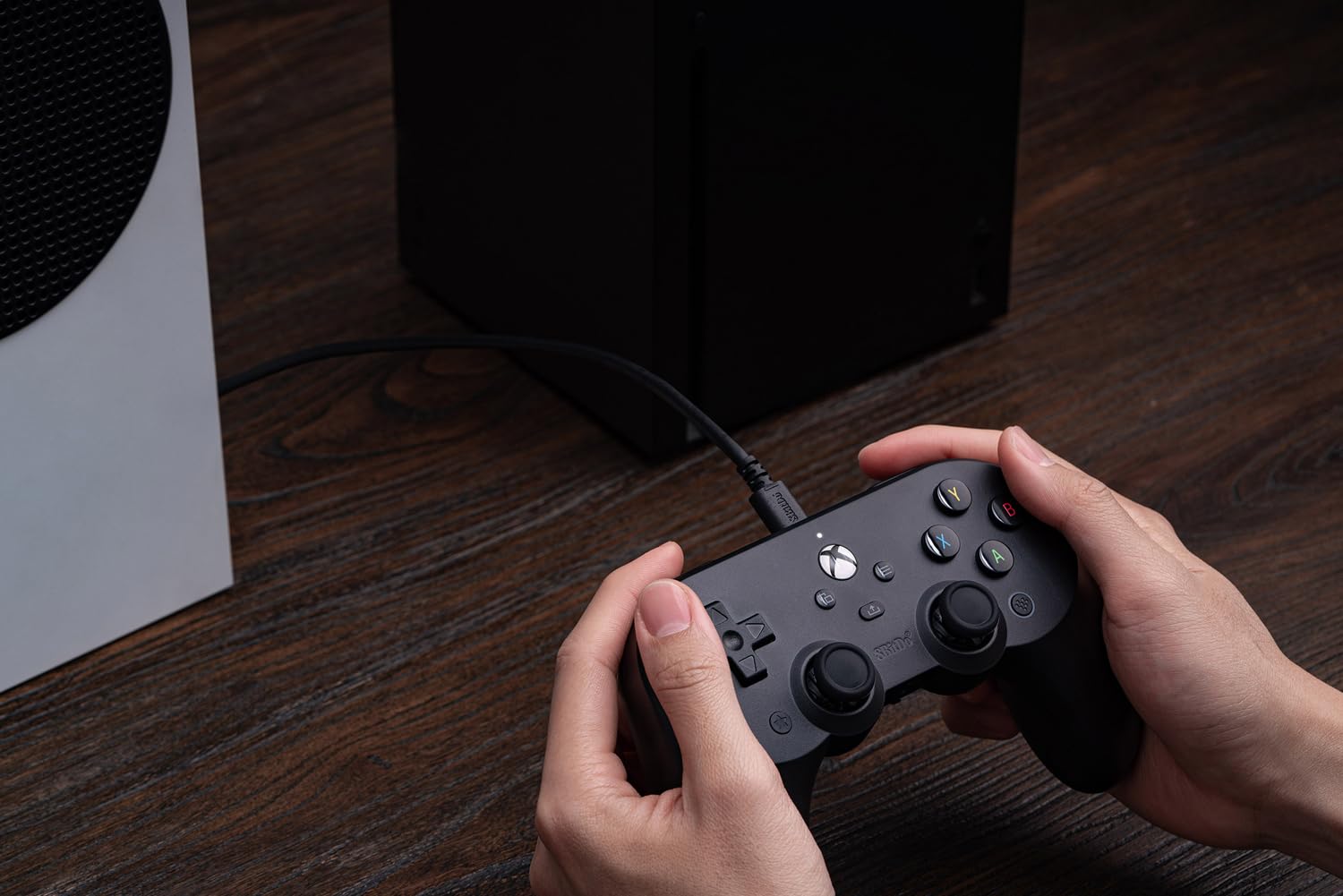
Figure 3: The 8BitDo Pro 2 controller connected via its USB-C cable to an Xbox Series S console, ready for gameplay.
3. การใช้งานคอนโทรลเลอร์
3.1 การควบคุมขั้นพื้นฐาน
The 8BitDo Pro 2 controller features standard Xbox button layouts, including:
- ปุ่ม A, B, X, Y: ปุ่มการดำเนินการมาตรฐาน
- ดี-แพด: Classic directional pad for precise movement.
- Left & Right Analog Sticks: สำหรับการเคลื่อนไหวแบบ 360 องศาและการควบคุมกล้อง
- Left & Right Triggers (LT, RT): Pressure-sensitive triggers, featuring trigger vibration for enhanced feedback.
- Left & Right Bumpers (LB, RB): ปุ่มดิจิทัลอยู่เหนือไกปืน
- ปุ่ม Xbox: Powers on the console, opens the guide, or returns to the home screen.
- View ปุ่ม: Used for various in-game functions or to open context menus.
- ปุ่มเมนู: Used for in-game menus or system options.

รูปที่ 4: ภาพระยะใกล้ view of the central Xbox button, View button (left), and Menu button (right) on the controller.
คุณสมบัติขั้นสูง 3.2 ประการ
- Two Extra Pro-level Back Buttons: Located on the underside of the controller, these can be mapped to various functions for quick access during gameplay.
- แจ็คเสียงขนาด 3.5 มม.: Directly connect your headphones for in-game audio and chat.
- Trigger Vibration: Provides immersive feedback during gameplay, especially for actions like shooting or driving.
- การยึดเกาะที่เพิ่มขึ้น: Textured surface on the handles ensures a secure and comfortable hold during extended gaming sessions.

Figure 5: Visual representation of key features: Trigger Vibration, the 3.5mm Audio Jack, and the Pro-level Back Buttons.

Figure 6: A detailed close-up of one of the programmable Pro-level Back Buttons located on the underside of the controller.
3.3 Ultimate Software Customization
Unlock the full potential of your controller with the 8BitDo Ultimate Software, available on Xbox and PC. This software allows for extensive customization:
- การทำแผนที่ปุ่ม: เปลี่ยนรูปแบบการแสดงผลของปุ่มใดก็ได้ตามที่คุณต้องการ
- ความไวของจอยสติ๊กและไกปืน: ปรับความไวของจอยสติ๊กและไกปืนเพื่อการควบคุมที่แม่นยำยิ่งขึ้น
- การควบคุมการสั่นสะเทือน: Fine-tune the intensity of the controller's vibration feedback.
- โปรfiles: สร้างและบันทึกโปรแกรมที่กำหนดเองหลายรายการfileสำหรับเกมหรือประเภทเกมที่แตกต่างกัน
Download the Ultimate Software from the official 8BitDo website or your console's app store.

รูปที่ 7: โอเวอร์view of the 8BitDo Ultimate Software interface, highlighting options for button mapping, stick/trigger adjustment, and vibration control.
4. การบำรุงรักษา
Proper care will extend the life of your 8BitDo Pro 2 Wired Controller:
- การทำความสะอาด: ใช้ผ้าแห้งนุ่มๆ เช็ดทำความสะอาดตัวควบคุมเป็นประจำ สำหรับคราบสกปรกที่ติดแน่น ให้ใช้ผ้าชุบน้ำหมาดๆ เช็ดทำความสะอาดamp สามารถใช้ผ้าได้ แต่ต้องแน่ใจว่าไม่มีความชื้นเข้าไปในช่องหรือช่องว่าง
- การดูแลสายเคเบิล: Avoid sharp bends or kinks in the USB-C cable. Do not pull the cable to disconnect the controller; always grasp the connector.
- พื้นที่จัดเก็บ: Store the controller in a clean, dry place away from extreme temperatures and direct sunlight when not in use.
5 การแก้ไขปัญหา
If you encounter issues with your 8BitDo Pro 2 Wired Controller, consider the following common solutions:
- คอนโทรลเลอร์ไม่ตอบสนอง:
- Ensure the USB-C cable is securely connected to both the controller and your console/PC.
- ลองเสียบตัวควบคุมเข้ากับพอร์ต USB อื่นบนอุปกรณ์ของคุณดู
- รีสตาร์ทเครื่องเล่นเกมหรือเครื่องคอมพิวเตอร์ของคุณ
- ความล่าช้าของอินพุตหรือการตัดการเชื่อมต่อ:
- Ensure the cable is not damaged. Try a different compatible USB-C cable if available.
- หลีกเลี่ยงการวางสายเคเบิลใกล้แหล่งกำเนิดสัญญาณรบกวนแม่เหล็กไฟฟ้า
- Software Issues (e.g., customization not applying):
- Ensure you have the latest version of the 8BitDo Ultimate Software installed.
- Check for any firmware updates for your controller via the Ultimate Software.
For further assistance, please refer to the official 8BitDo support resources.
6. ข้อมูลจำเพาะ
| คุณสมบัติ | รายละเอียด |
|---|---|
| หมายเลขรุ่น | 6922621501855 |
| ความเข้ากันได้ | Xbox Series X, Xbox Series S, Xbox One, Windows 10 and above |
| ประเภทการเชื่อมต่อ | Wired USB-C (3-meter cable) |
| ขนาด | 6.02 x 2.56 x 3.94 นิ้ว |
| น้ำหนัก | 11.2 ออนซ์ |
| คุณสมบัติพิเศษ | Ultimate Software customization, Two Pro-level Back Buttons, 3.5mm Audio Jack, Trigger Vibration, Enhanced Grip |
| ผู้ผลิต | 8Bitdo |
| วันที่วางจำหน่าย | วันที่ 8 ธันวาคม 2021 |
7. การรับประกันและการสนับสนุน
For information regarding product warranty, returns, or technical support, please visit the official 8BitDo webหรือติดต่อฝ่ายบริการลูกค้าโดยตรง โปรดเก็บหลักฐานการซื้อไว้เพื่อใช้ในการเคลมประกัน
ร้านค้า 8BitDo อย่างเป็นทางการ: ร้านค้า 8BitDo บน Amazon


