1. บทนำ
The CHACON DiO 1.0 Nano On/Off Plugs and 3-Channel Remote Control system allows you to wirelessly control your lamps and electrical appliances. This system offers individual, centralized, or automatic control via the included remote control, a compatible switch, or a smartphone when integrated with a home automation hub. This manual provides essential information for safe and effective use of your device.
2. เนื้อหาบรรจุภัณฑ์
ตรวจสอบว่ามีรายการทั้งหมดอยู่ในแพ็คเกจของคุณ:
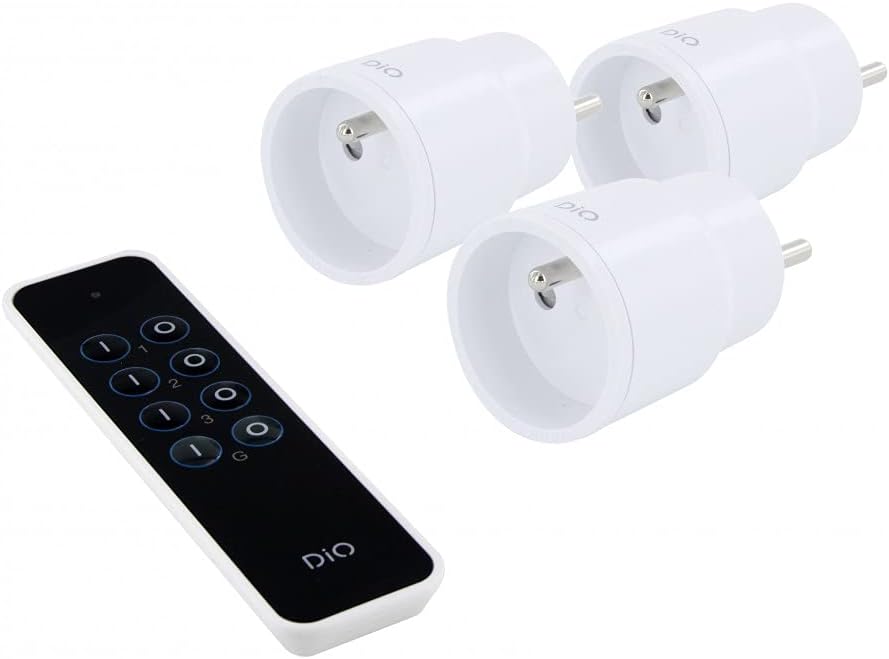
- 3 x DiO 1.0 Nano On/Off Plugs
- 1 x 3-Channel Remote Control
- 1 x CR2032 - 3V Battery (for remote control)

รูปที่ 1: Contents of the CHACON DiO 1.0 Nano Plugs and Remote Control package. Shows three compact white plugs and a sleek black remote control.
3. ข้อมูลจำเพาะ
| ยี่ห้อ | ชาคอน |
| หมายเลขรุ่น | 54895 |
| เทคโนโลยีการเชื่อมต่อ | ความถี่วิทยุ (RF) |
| ความถี่ | 433.92 MHz (DiO 1.0) |
| ระยะสูงสุด | สูงสุด 30 เมตร (ไม่มีสิ่งกีดขวาง) |
| Power Supply (Plugs) | 230VAC/50Hz |
| Maximum Load (Plugs) | 2300วัตต์ |
| ประเภทหลอดไฟที่เข้ากันได้ | LED, Halogen, Energy-saving, Incandescent |
| แบตเตอรี่รีโมทคอนโทรล | 1 x CR2032 (3V) Lithium Manganese Dioxide |
| Number of Channels (Remote) | 3 channels + 1 group |
| Maximum Emitters Supported | Up to 32 commands |
| ขนาด (โดยประมาณ) | 16cm (L) x 9cm (W) x 5cm (H) (Package) |
| น้ำหนัก (โดยประมาณ) | 250g (Package) |

รูปที่ 2: Illustration of the wireless connection between a DiO plug and the remote control, highlighting the 230VAC/50Hz power and CR2032 3V battery for the remote.
4. การตั้งค่า
4.1. การติดตั้งแบตเตอรี่รีโมทคอนโทรล
- ค้นหาช่องใส่แบตเตอรี่ที่ด้านหลังของรีโมทคอนโทรล
- เปิดฝาครอบช่อง
- Insert the CR2032 3V battery, ensuring the correct polarity (+/-).
- ปิดฝาช่องใส่แบตเตอรี่ให้แน่น
4.2. Pairing Plugs with the Remote Control
Each plug needs to be paired with the remote control to establish communication. Follow these steps for each plug:
- Plug the DiO Nano On/Off Plug into a standard wall socket. The LED indicator on the plug will flash slowly.
- Within 5 seconds of plugging in the device, press the ON button for the desired channel (1, 2, or 3) on your remote control.
- The LED indicator on the plug will flash rapidly to confirm successful pairing.
- Repeat this process for each plug, assigning each to a different channel (or the same channel if you wish to control multiple plugs simultaneously).
บันทึก: If the pairing is not successful within 5 seconds, unplug the device and try again. Each plug can be linked to up to 32 different DiO 1.0 transmitters.
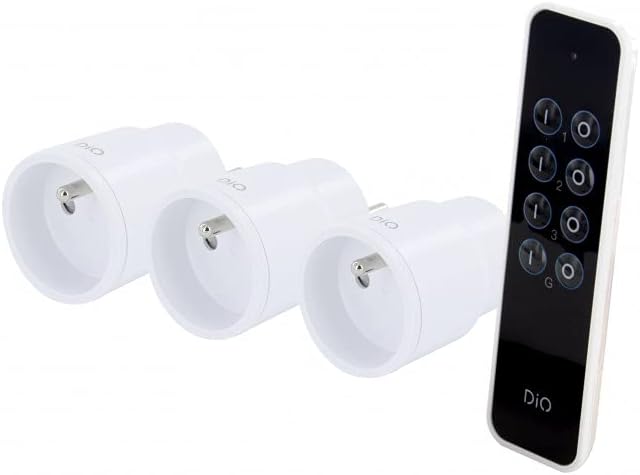
รูปที่ 3: The remote control and three nano plugs, ready for pairing and use.
5. ปฏิบัติการ
Once paired, you can control your appliances using the remote control.
5.1. Individual Control
- To turn on an appliance connected to a specific plug, press the ON button corresponding to its assigned channel (1, 2, or 3).
- To turn off an appliance, press the ปิด button corresponding to its assigned channel (1, 2, or 3).

รูปที่ 4: A hand operating the DiO remote control to switch an appliance on or off.
5.2. การควบคุมกลุ่ม
The remote control includes a group function to control all paired plugs simultaneously.
- To turn on all paired appliances, press the G ON ปุ่ม.
- To turn off all paired appliances, press the G OFF ปุ่ม.
รูปที่ 5: A user comfortably controlling home lighting with the DiO remote control from a sofa.
6. การบำรุงรักษา
- การทำความสะอาด: Use a soft, dry cloth to clean the plugs and remote control. Do not use liquid cleaners or abrasive materials.
- การเปลี่ยนแบตเตอรี่: Replace the CR2032 battery in the remote control when its range decreases or it stops responding. Ensure proper disposal of used batteries according to local regulations.
- พื้นที่จัดเก็บ: เก็บอุปกรณ์ไว้ในที่แห้งและเย็น หลีกเลี่ยงแสงแดดโดยตรงและอุณหภูมิที่สูงหรือต่ำมากเมื่อไม่ได้ใช้งานเป็นเวลานาน
7 การแก้ไขปัญหา
| ปัญหา | สาเหตุที่เป็นไปได้ | สารละลาย |
|---|---|---|
| Plug does not respond to remote control. |
|
|
| LED on plug does not flash during pairing. |
|
|
| ระยะการควบคุมระยะไกลลดลง |
|
|
8. ข้อมูลด้านความปลอดภัย
- ห้ามถอดประกอบหรือดัดแปลงอุปกรณ์
- ห้ามให้อุปกรณ์สัมผัสกับน้ำ ความชื้น หรืออุณหภูมิที่สูงหรือต่ำเกินไป
- Ensure the total load of connected appliances does not exceed 2300W.
- เก็บให้พ้นจากมือเด็ก
- ใช้เฉพาะภายในอาคารเท่านั้น
- กำจัดขยะอิเล็กทรอนิกส์และแบตเตอรี่อย่างถูกวิธีตามกฎระเบียบของท้องถิ่น
9. การรับประกันและการสนับสนุน
This product comes with a 2-year warranty. For technical support or warranty claims, please contact your retailer or the manufacturer directly. Information regarding spare parts availability is not provided.
Manufacturer: Chacon


